
Industries / Utilities
Time tracking for utility crews
Utility crews clock in on their phone at the address on the ticket or at the yard. The miles they drive between calls are saved with their hours.
- 14-day trial
- From $15/mo
- Live demo
From $15/mo billed annually. Starter $15/mo · Growth $25/mo · Scale $49.99/mo.
How a utility crew uses it
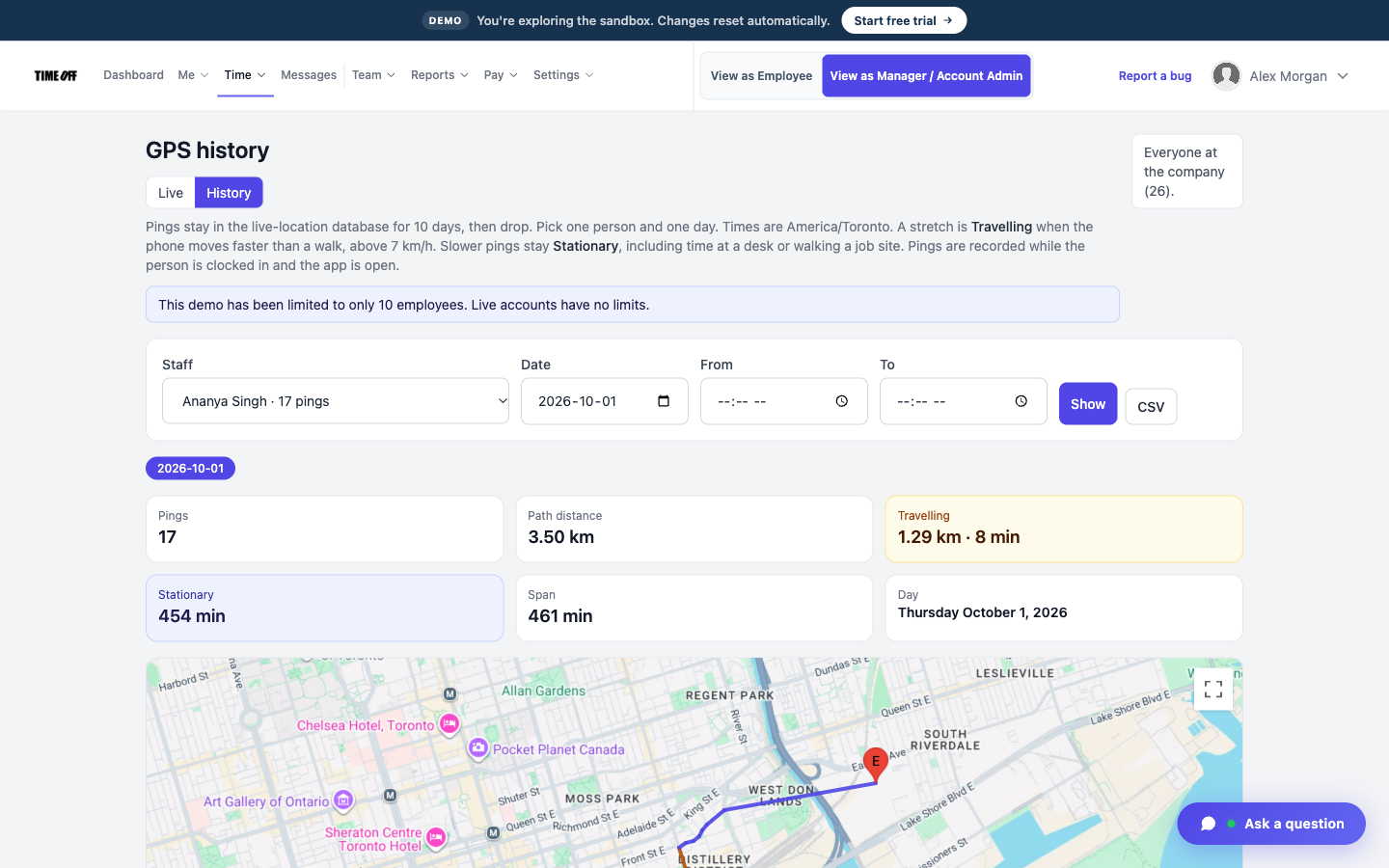
Where each person clocked in
The job address is saved as a work location
If a crew only clocks in at the yard, you can’t see the calls they worked during the day.
When the clock-in has to happen at the job, save that address as a work location. TimeOff Manager saves the GPS location when they clock in.
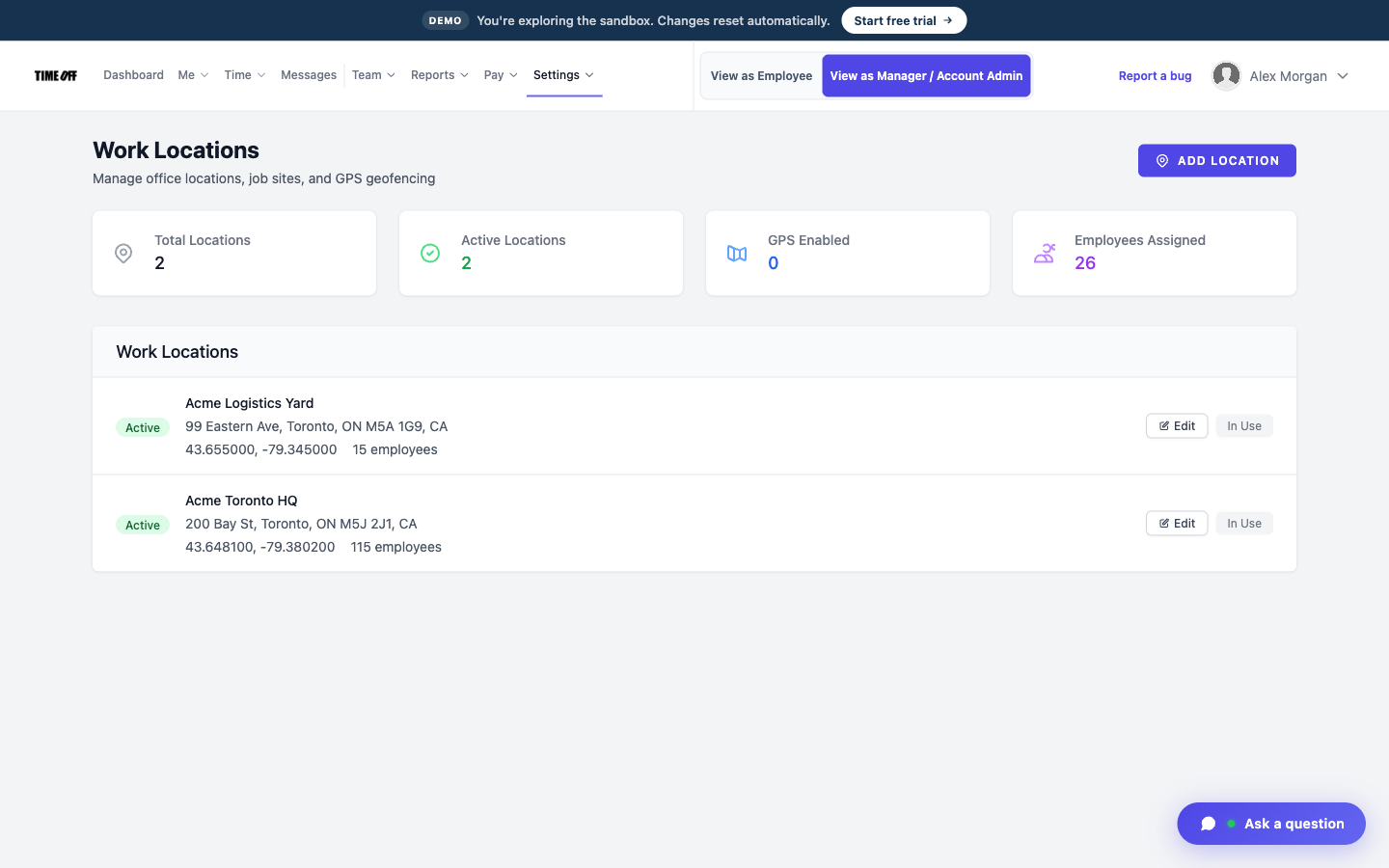
Substations and yards saved as work locations
Clock-ins have to happen inside the fence
The public road outside a substation or plant is not the same as being inside.
Set a geofence around the substation, plant, or yard. The crew can only clock in inside the area you drew.
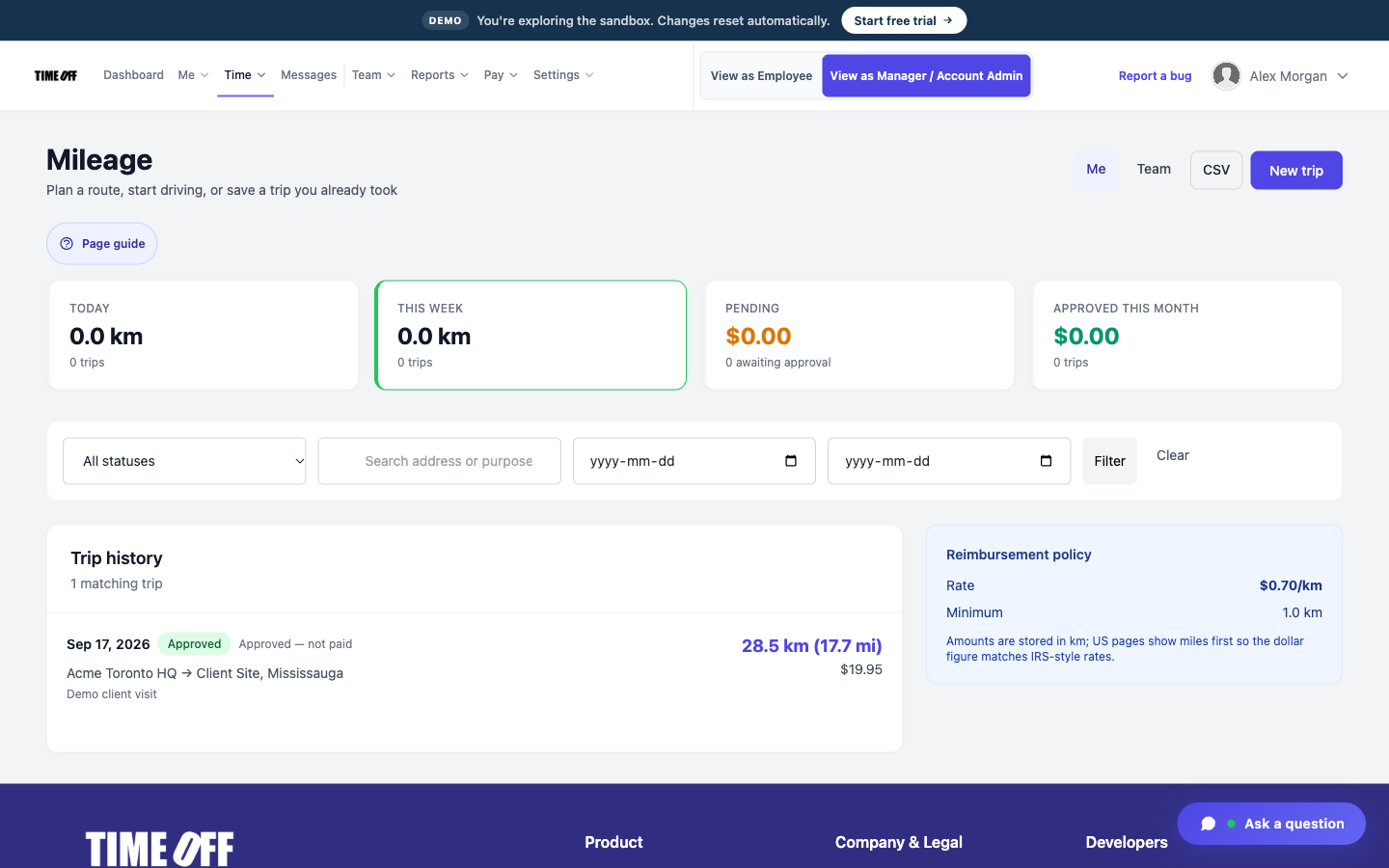
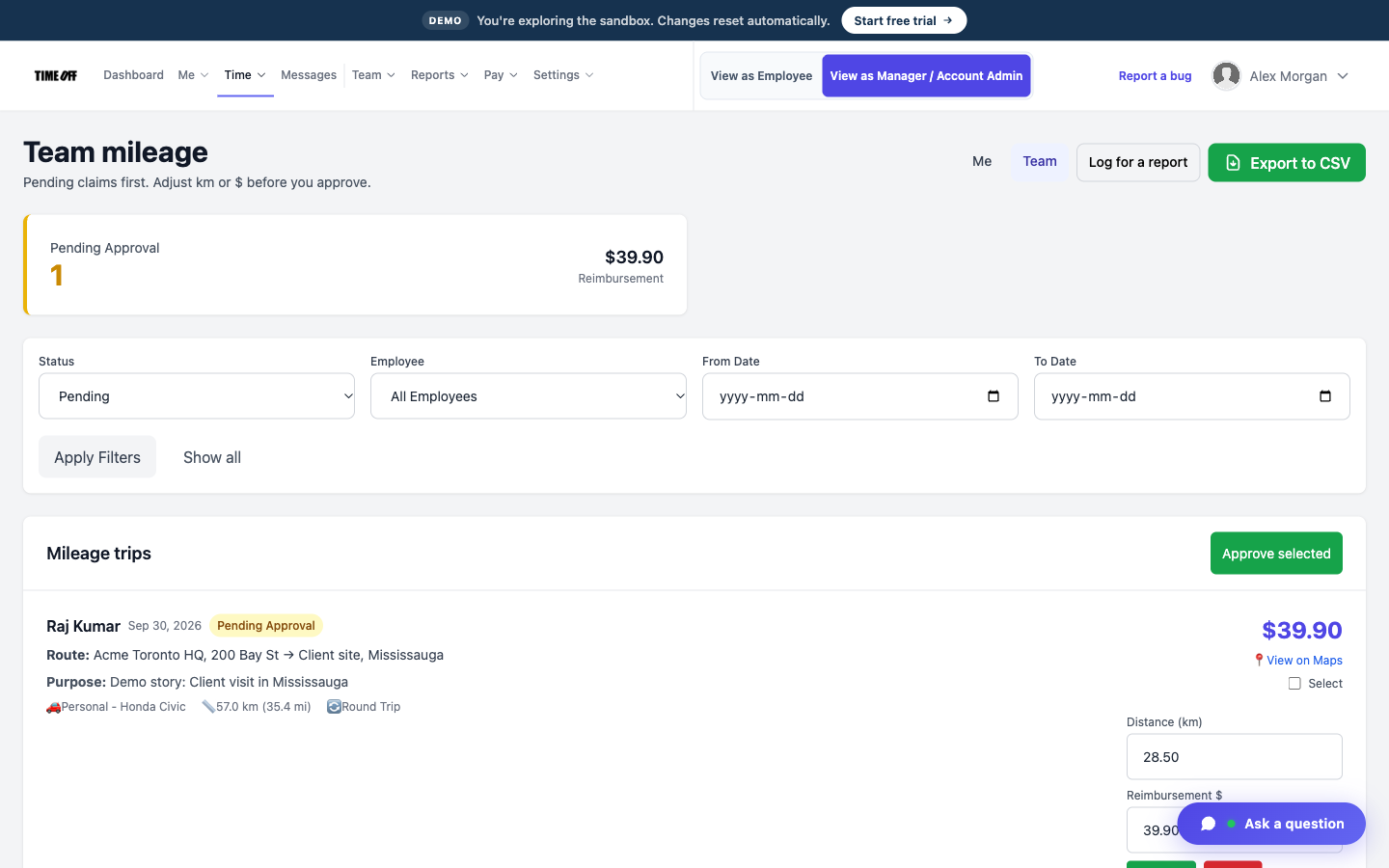
Each drive between calls
Miles between calls
On storm days, most of the job is driving from one call to the next.
Crews log their miles in the same app they clock in with, so the drive sits next to their hours.
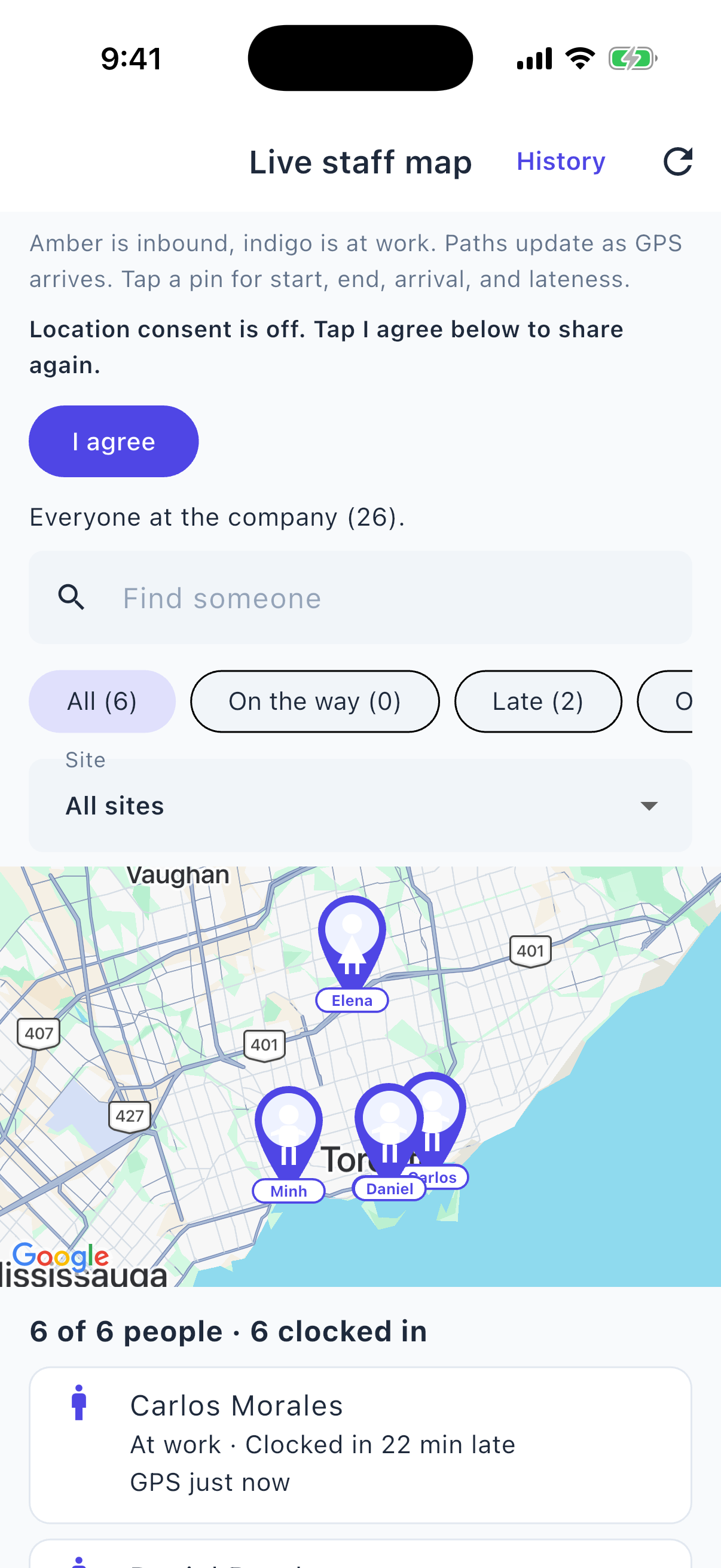
Who is on shift, from your phone
See who is still out
Usually you only find out where a crew is when they call in.
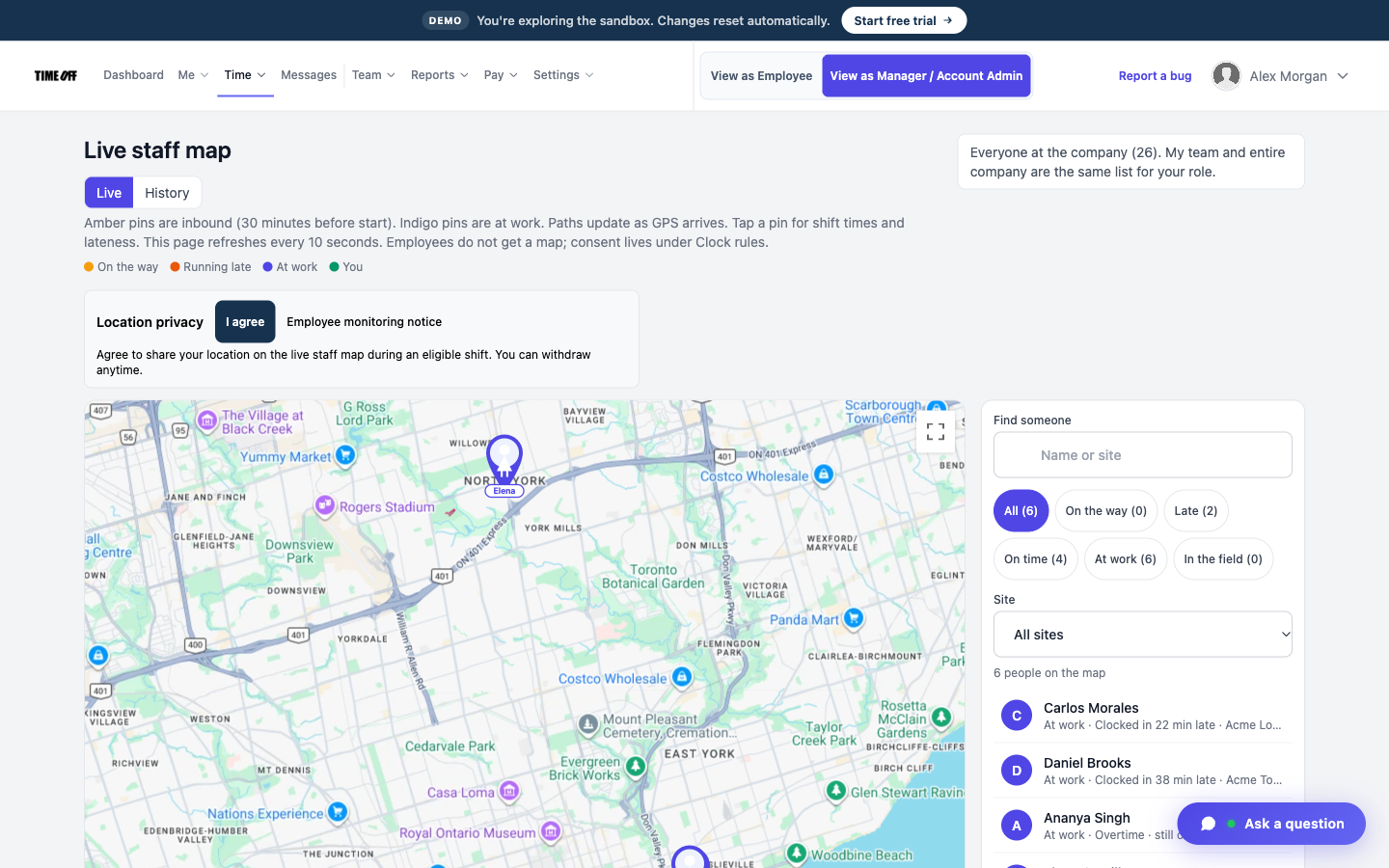
The live staff map shows everyone who is clocked in right now. GPS history is a separate screen that shows where each person clocked in.
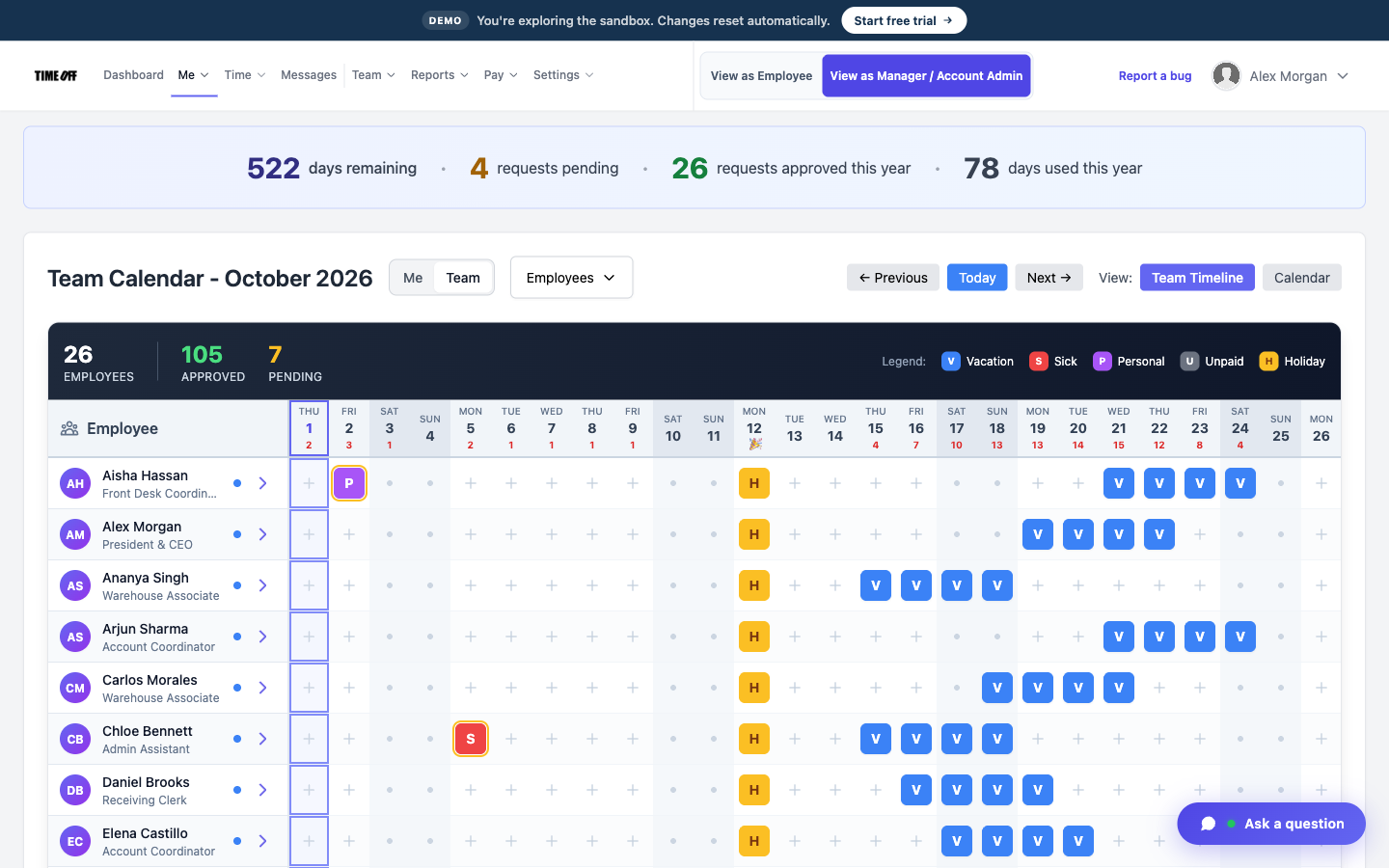
Who is off this month
Know who is off before a storm
The person who was supposed to cover the storm turns out to be off.
Time off is requested and approved in the app, so you can see who is off before the calls pile up.
Approved hours, ready for payroll
TimeOff Manager tracks hours. It doesn’t pay anyone. At the end of the pay period, a manager reviews and approves the hours. Then you download them as an Excel or CSV file and send it to whoever runs payroll: your bookkeeper, your accountant, or your payroll software.
-
Hours are approved first
A manager checks the hours before they go anywhere, so payroll gets real numbers, not guesses from a group text.
-
Overtime is flagged
Extra hours show up on the timesheet, so you can see overtime before you pay it.
-
Excel or CSV
One download your bookkeeper or payroll software can open.
-
Payroll happens elsewhere
TimeOff Manager does not calculate pay, print checks, or file taxes.
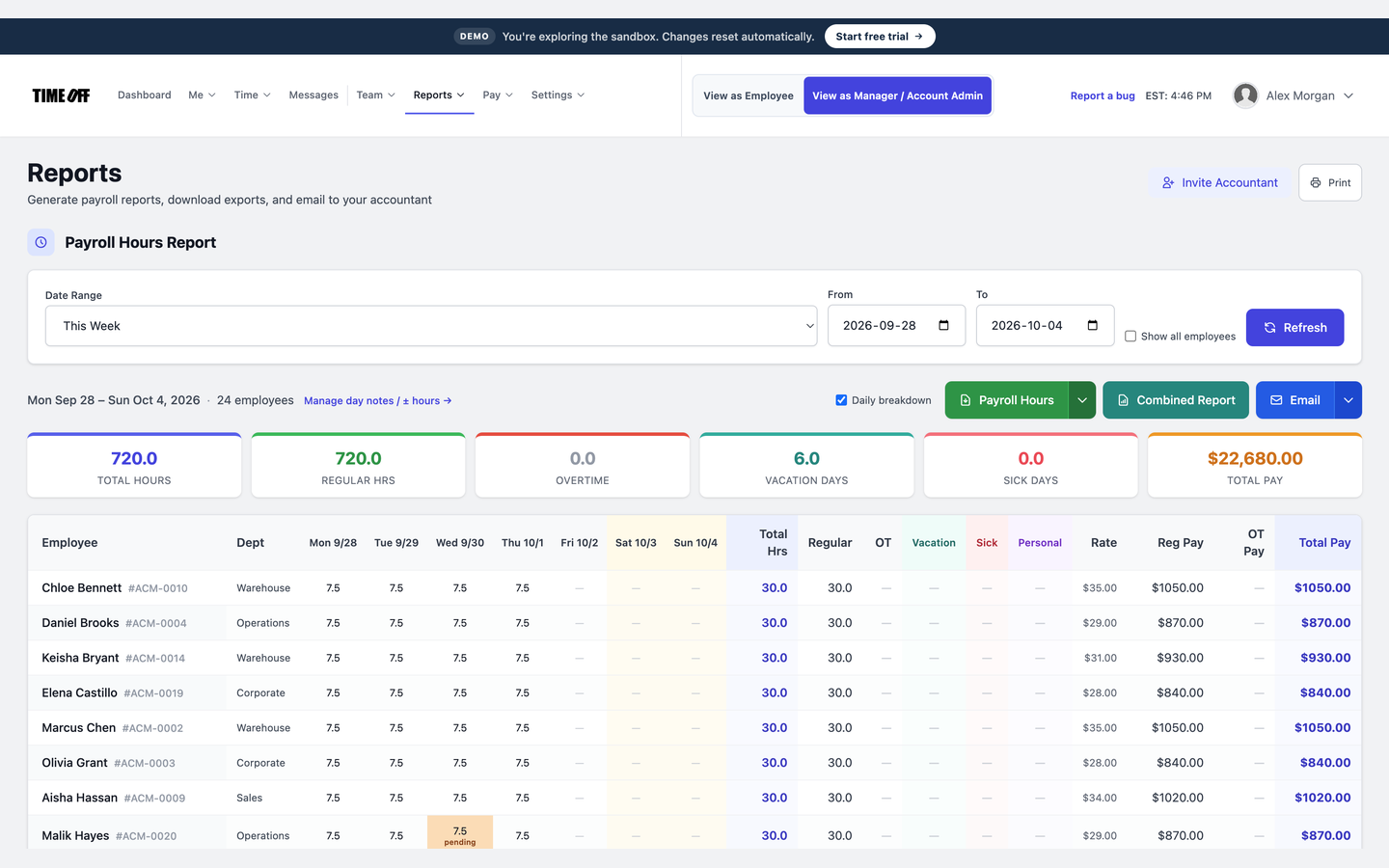
The hours report, ready to download
See it on the real product
These are real TimeOff Manager screens. Open the live demo to click around them yourself.
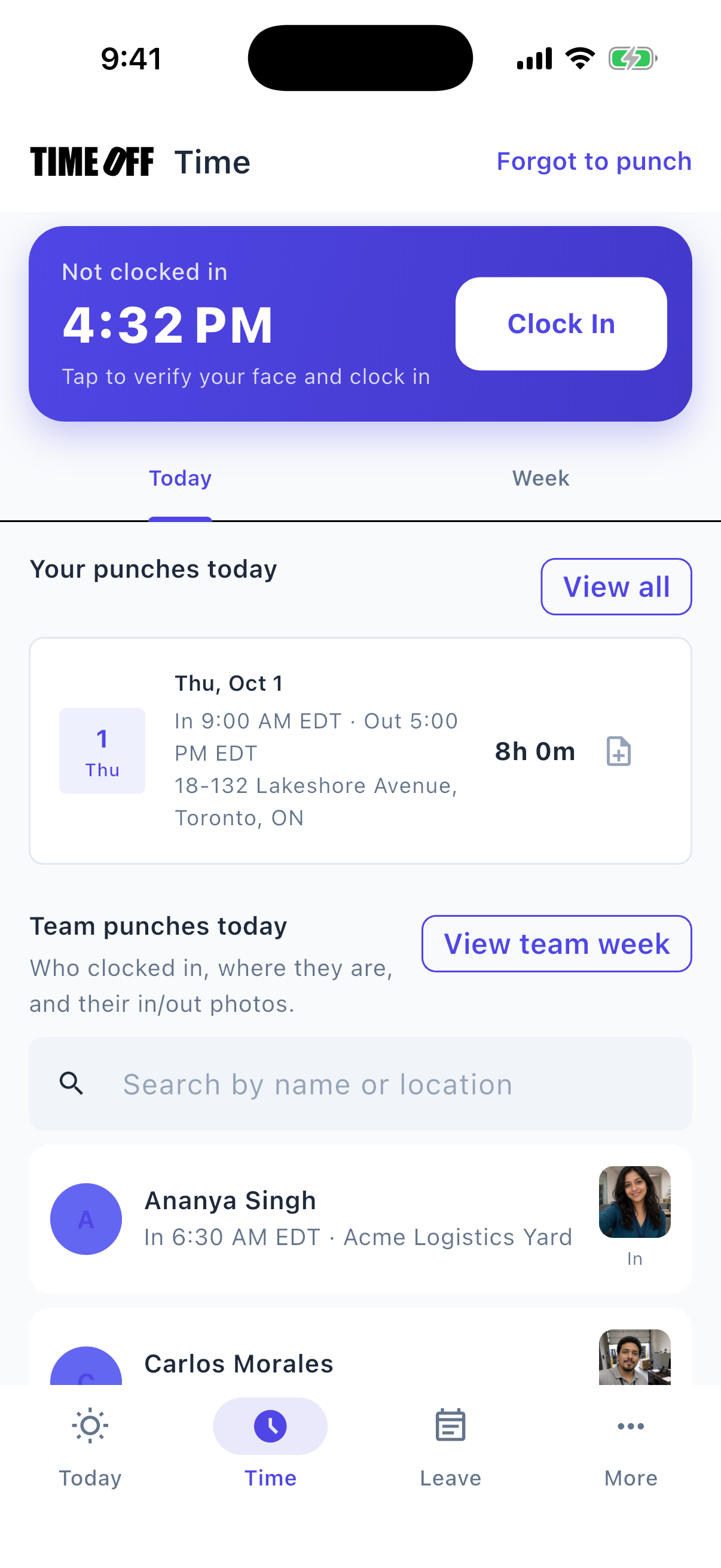
A typical day
-
1
The crew clocks in
They clock in at the yard or at the job address you saved.
-
2
They move to the next call
If that call is saved as its own work location, they clock in there. They log the miles they drove.
-
3
The manager checks the map
The live map shows who is still clocked in.
-
4
Hours go to payroll
Download the approved hours as a file. Your outage system stays separate.
This is not outage management or an asset map
TimeOff Manager does not manage outages, store assets, or send out tickets. It tracks hours, time off, mileage, and where each person clocked in.
Also see time tracking software, TimeOff Kiosk, PTO software, and pricing.
Approved time off can sync to Google Calendar and Microsoft Outlook. Approved hours can go to QuickBooks Online or FreshBooks.


You can also ask ChatGPT, Claude, or Cursor questions about your account, like who is out next week, through Model Context Protocol.

Simple pricing
From $15/mo billed annually. Starter $15/mo · Growth $25/mo · Scale $49.99/mo. Every plan includes time off, clock-in, GPS, a shared-tablet kiosk, mileage, and hour downloads.
Common questions from utility crews
Storm calls often start from home. Can crews clock in there?
You decide. A work location can require the clock-in to happen at the yard or at the job address, or you can allow clock-ins away from those places.
Does it log miles between calls?
Yes. Mileage is logged in the same app as the hours.
Is the live map an outage map?
No. It shows people who are clocked in right now, not circuits or equipment.
How much does it cost?
From $15/mo billed annually after a 14-day trial. Starter is $15/mo for 1–20 people, Growth is $25/mo for 21–50, and Scale is $49.99/mo for larger teams.
Other field crews
- Landscaping
- Construction
- Electrical
- HVAC
- Plumbing
- Trucking
- Delivery
- Agriculture
- Carpenters
- Civil construction
- Concrete and masonry
- Contractors
- Engineering field teams
- Environmental services
- Logistics
- Maritime
- Mining
- Oil and energy
- Painters
- Railroad support
- Renewables
- Roofing
- Surveyors
- Transportation
- Waste and hauling
Track hours on every call, not outages
From $15/mo billed annually after a 14-day trial. Starter $180/year (1–20 users), Growth $300/year (21–50), Scale $49.99/mo or $479.90/year (51–1,000).