
Industries / Construction
Time tracking for construction crews
Your crew clocks in on their phone at the job site. They only clock in at the trailer if that is where they start work. A quick face check shows who showed up, hours are tied to that job, and at the end of the week you download them as a file.
- 14-day trial
- From $15/mo
- Live demo
From $15/mo billed annually. Starter $15/mo · Growth $25/mo · Scale $49.99/mo.
How a construction company uses it
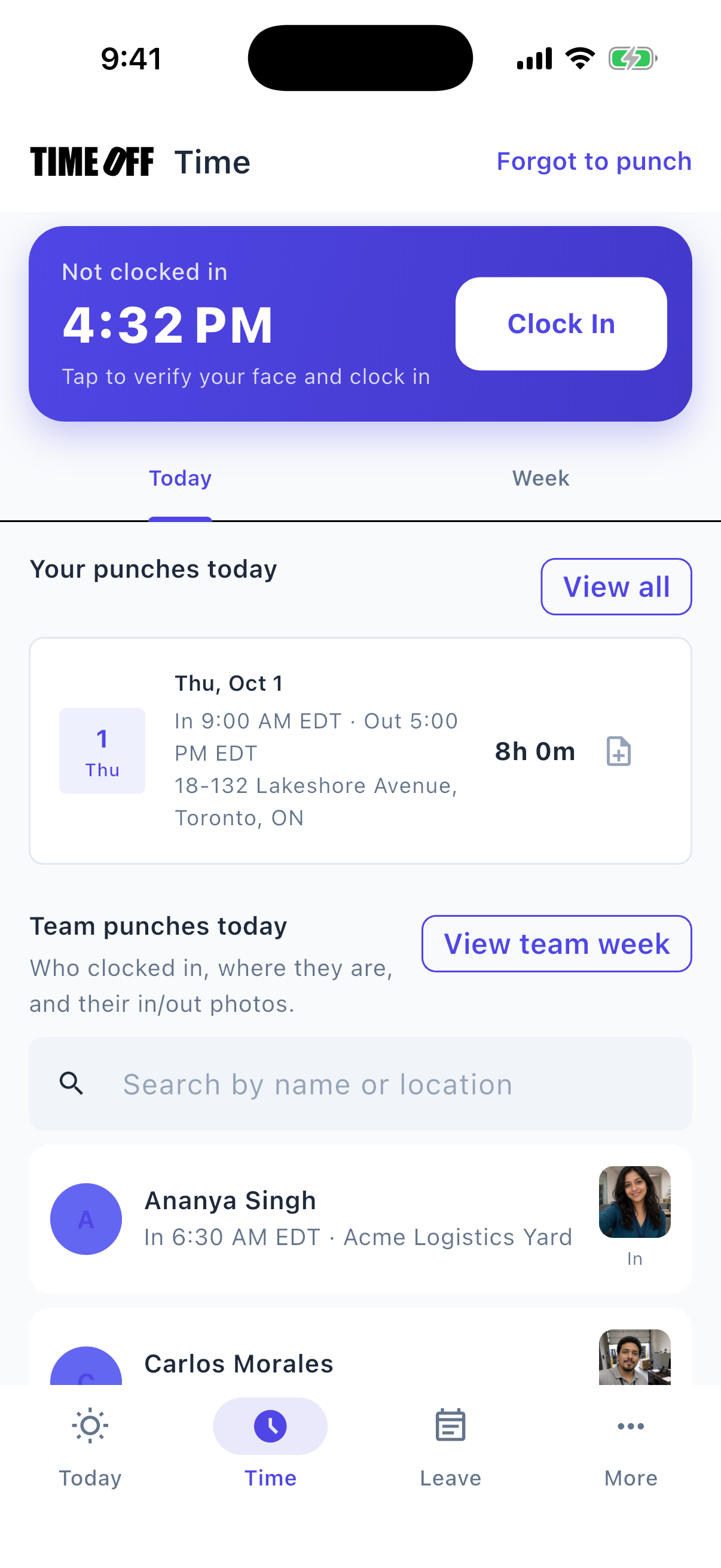
Face check when clocking in at the site
The person on the timesheet is the person at the gate
When the crew shares one phone in the trailer, the lead can clock everyone in before anyone reaches the job site.
Each person clocks in on TimeOff Manager Pro, and the app asks for a quick face check. The GPS location is saved with that clock-in, so you can see it happened at the job site and not just at the yard.
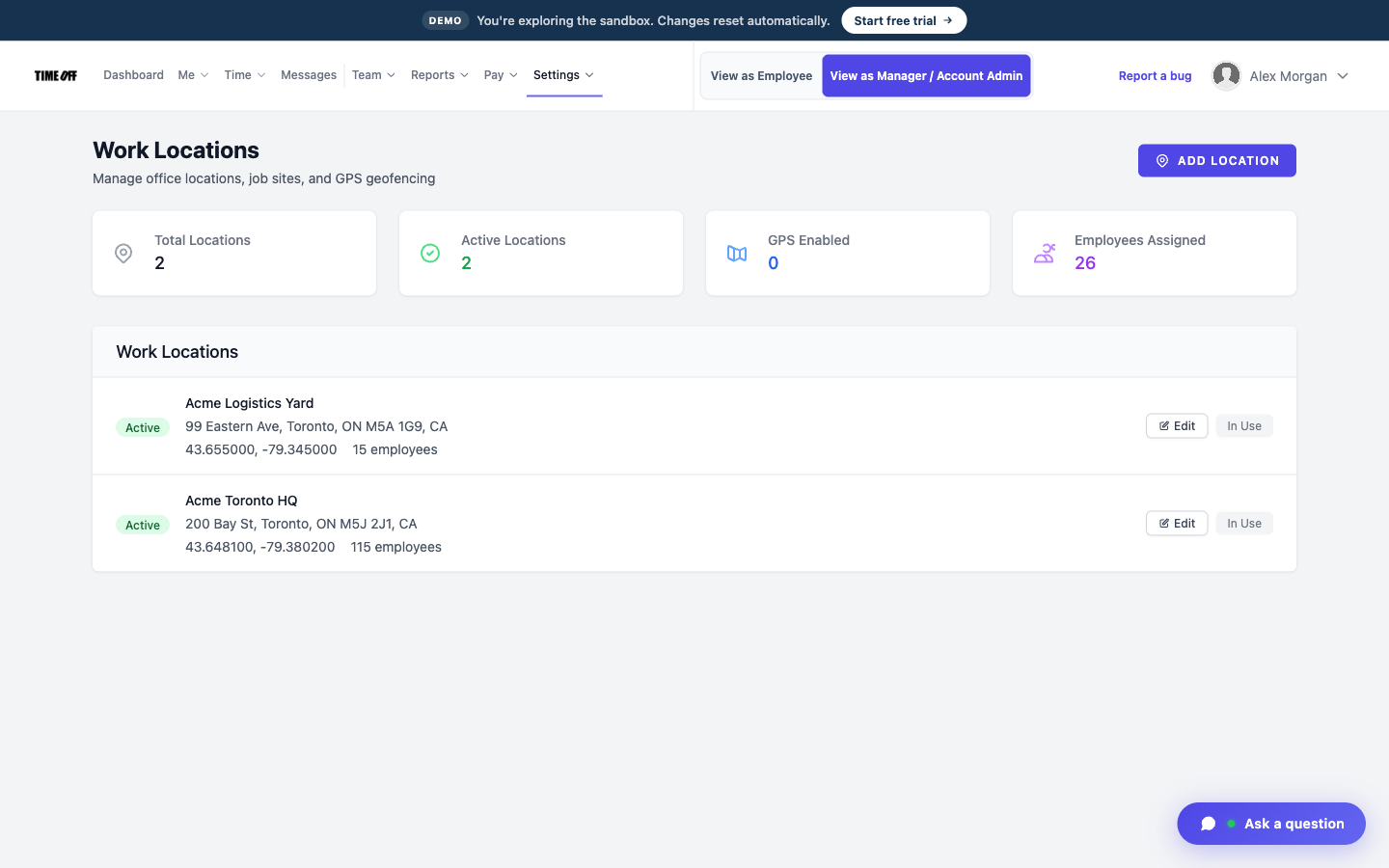
Each job saved as a work location
Hours for each job site
Two addresses and a change order end up in one pile of hours. By Friday, nobody can say which job the hours belong to.
Save each job as a work location. Each clock-in is tied to that address, so you can split the week’s hours by job site. This tracks hours per job. It does not put a price on the bid.
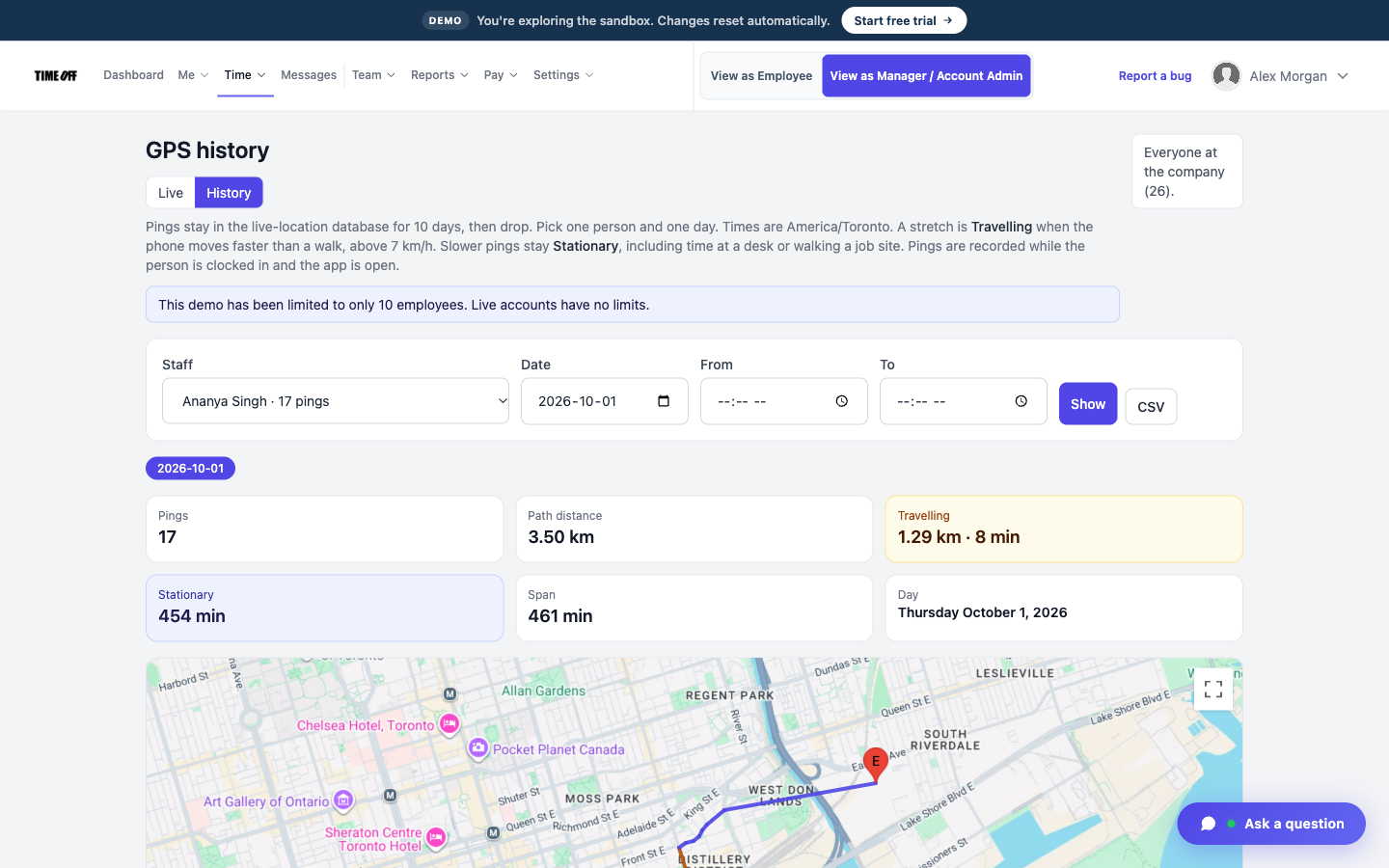
Where the crew clocked in at the site
Make sure they clock in inside the site
Someone can clock in from the truck on the street, and it still looks like they were inside the gate.
If you want, turn on a geofence around that job site. The app then only lets them clock in when they are inside that area.
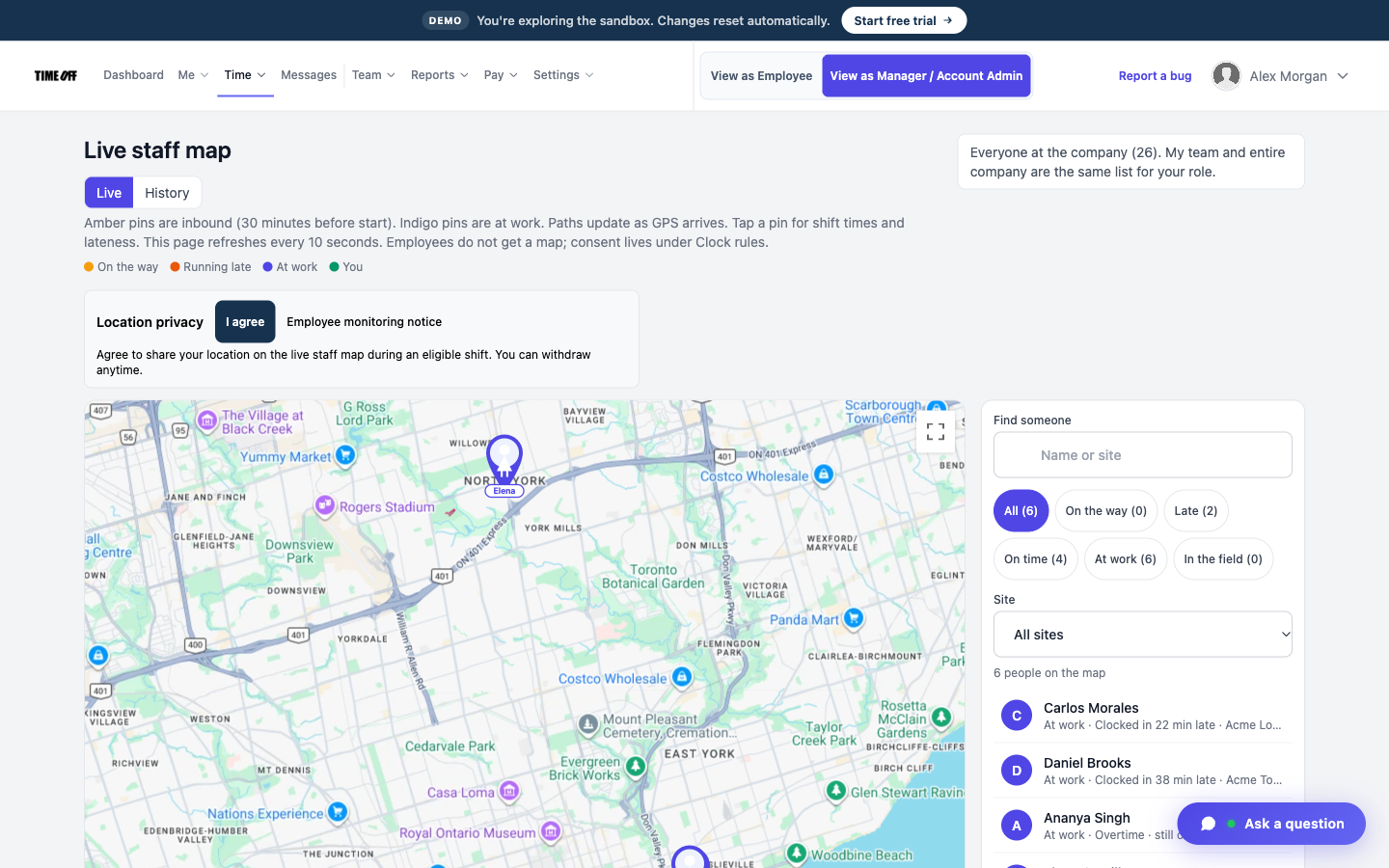
Which crew is still on site
See who is still on the job
Nobody answers the radio, so you drive over to see who is there.
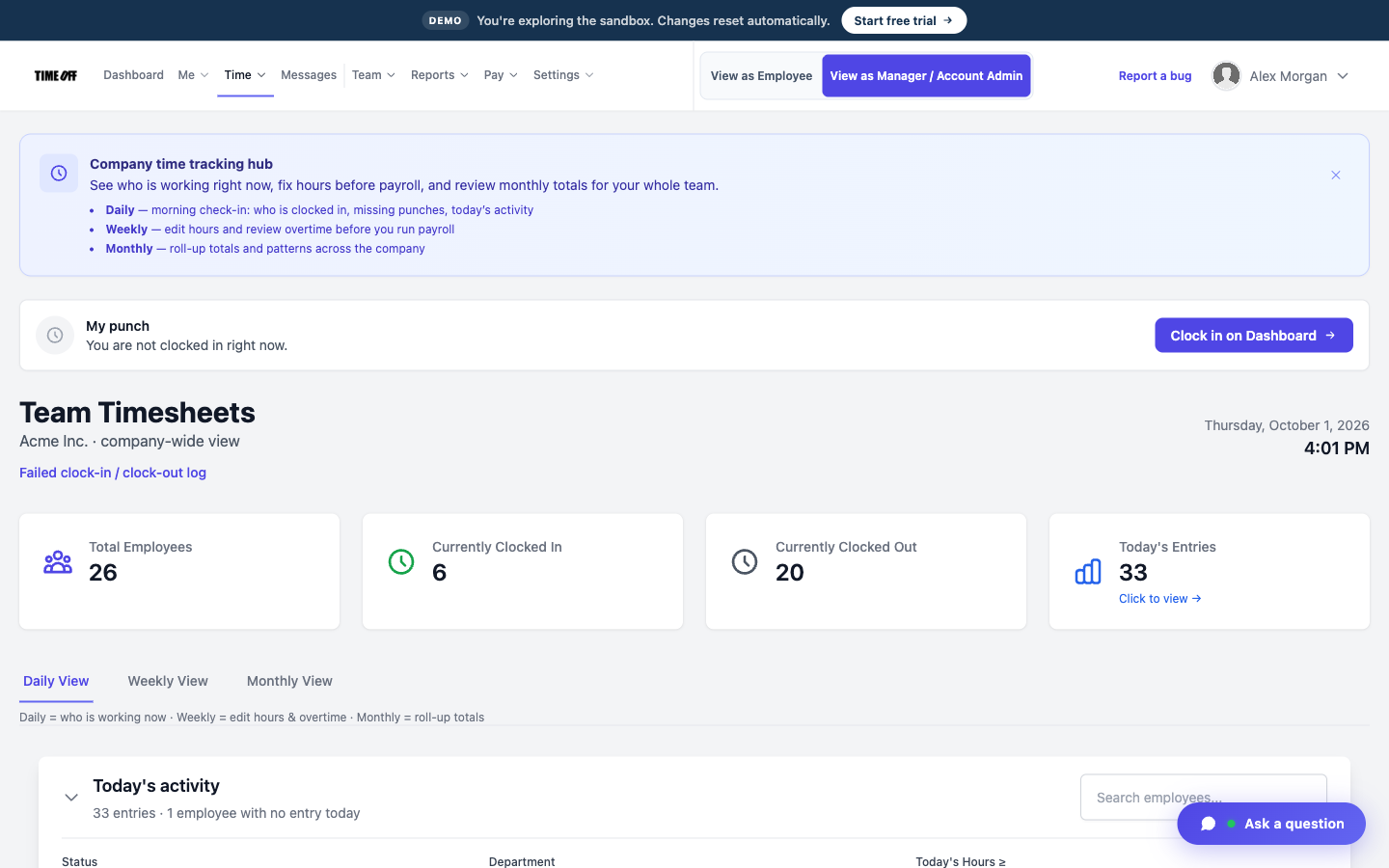
The live staff map shows who is on shift right now, for people who agreed to share their location. This map is separate from the GPS location saved when they clocked in.
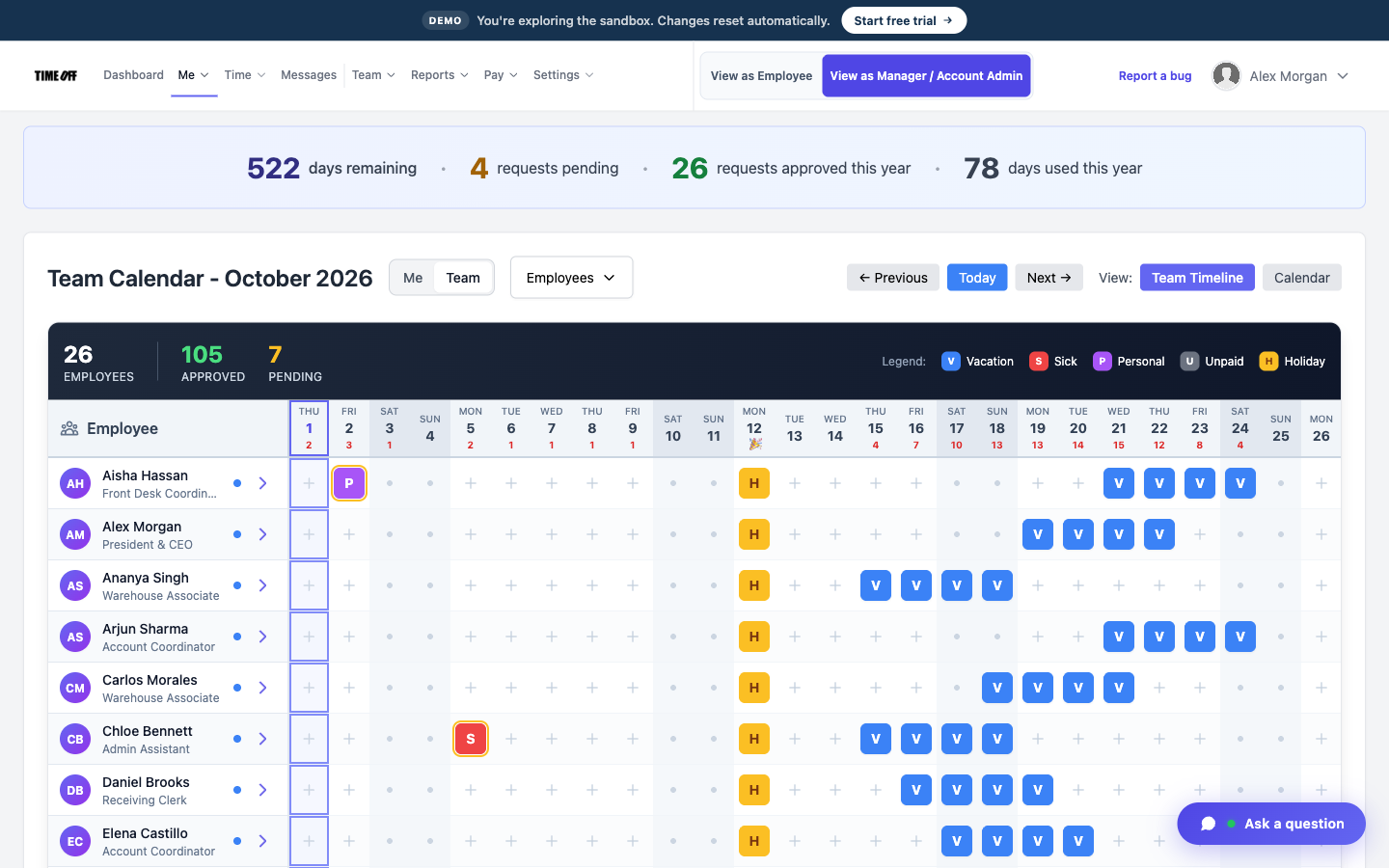
Who is off, on the team calendar
Time off between phases of the job
Rain days and vacation days get written on the whiteboard in the trailer.
Time-off requests, balances, and the team calendar sit right next to the hours. US and Canadian public holidays are already loaded.
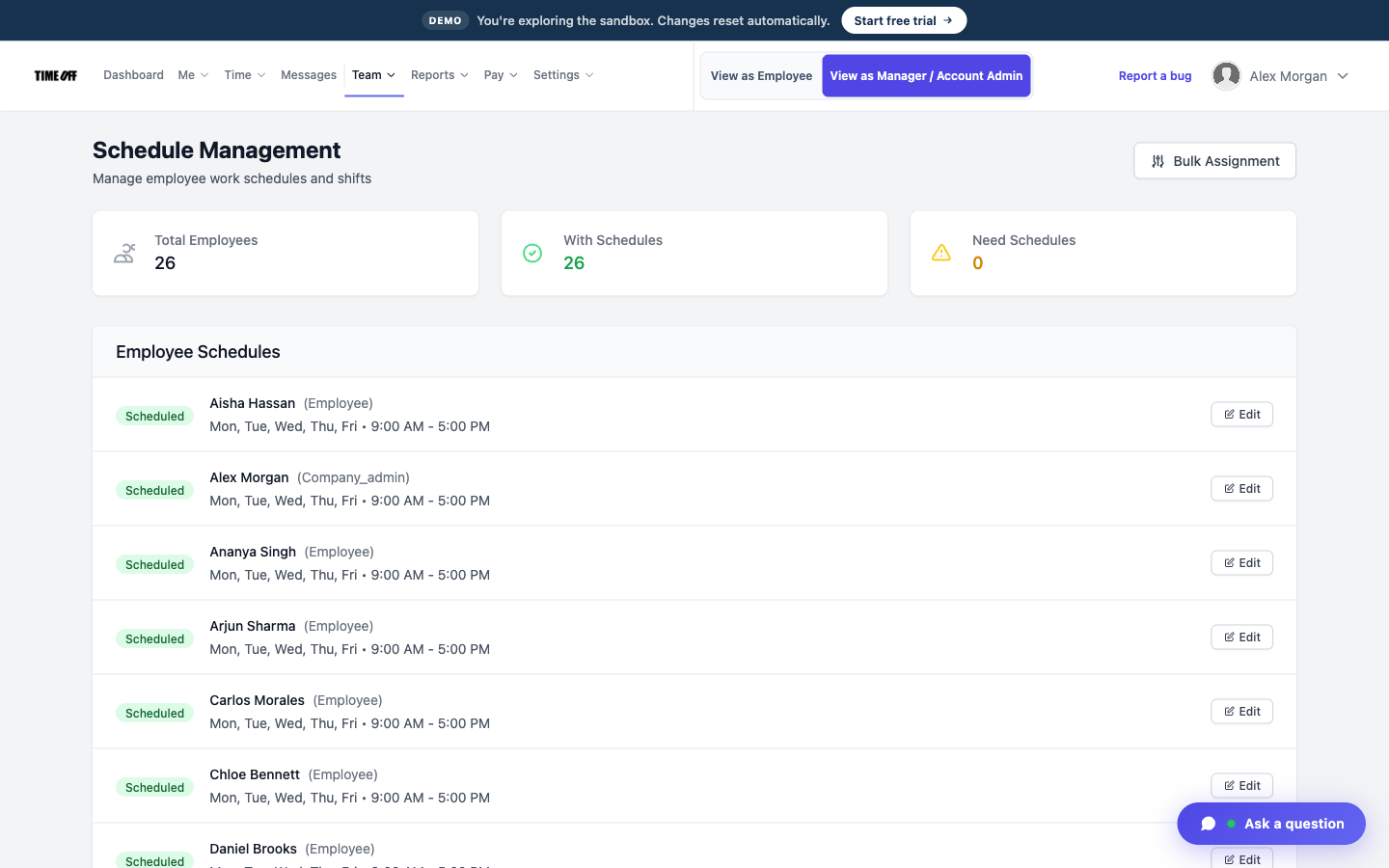
Who was expected on site
Schedules show who was supposed to be there
People clock in on a day they were not sent to the site.
Employee schedules and shift templates show who was expected each day, so you can compare that with who actually clocked in.
Approved hours, ready for your payroll software
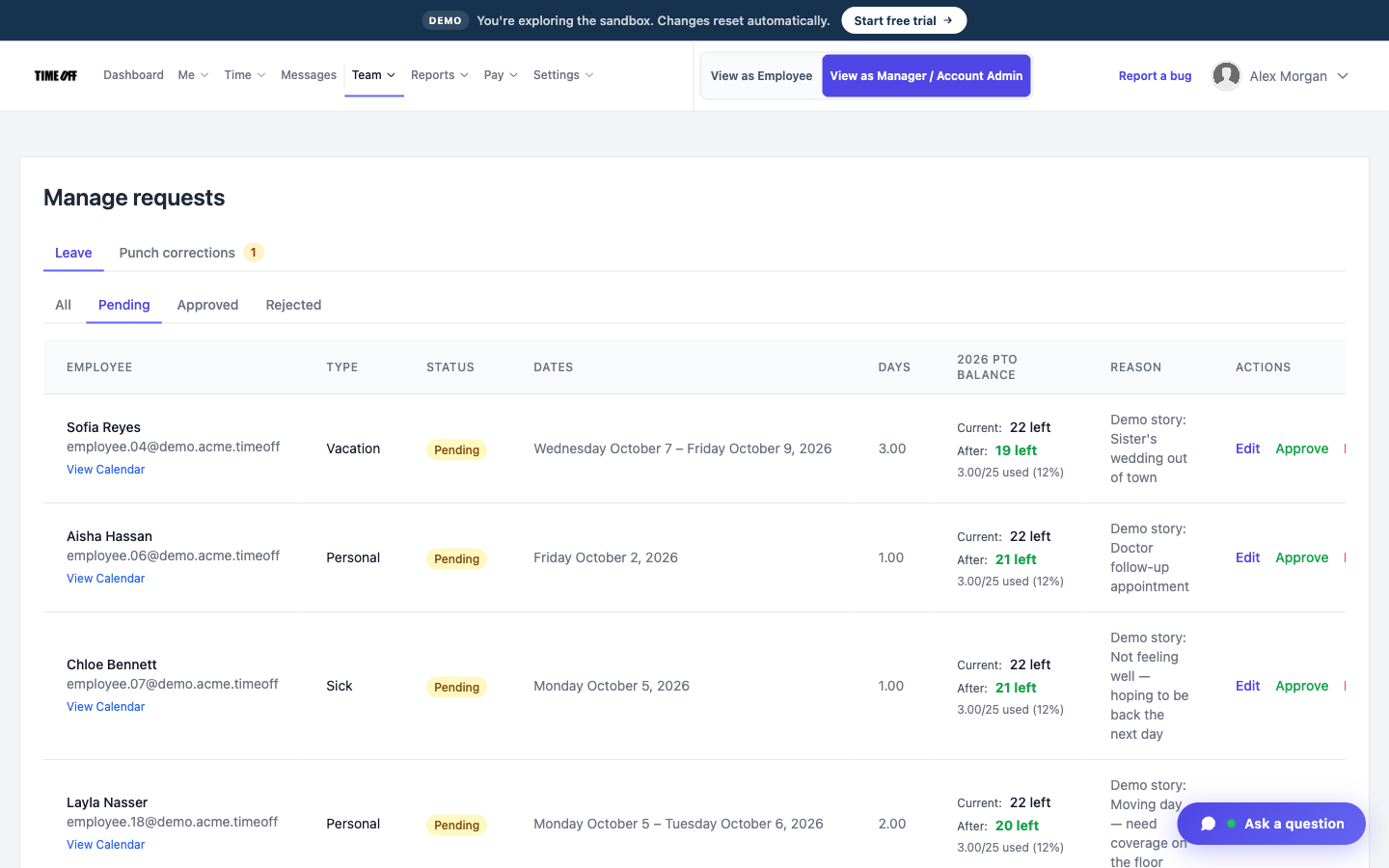
Your bookkeeper should not have to retype a week of job sites. A manager approves the hours, sees any overtime on the timesheet, and downloads an Excel or CSV file. TimeOff Manager does not calculate pay, price the job, or run payroll.
-
Hours are approved first
A manager reviews the week before anything goes out. The file has the approved hours, not a text thread from the superintendent.
-
Overtime is flagged
Hours past the schedule show up on the timesheet, so you can see them. TimeOff Manager does not turn them into a paycheck.
-
Excel or CSV
Send the file to the payroll software you already use. The hours for each job stay saved in TimeOff Manager after you download them.
-
Payroll happens elsewhere
TimeOff Manager does not print checks, file taxes, or do certified payroll. The job site hours leave as a file.
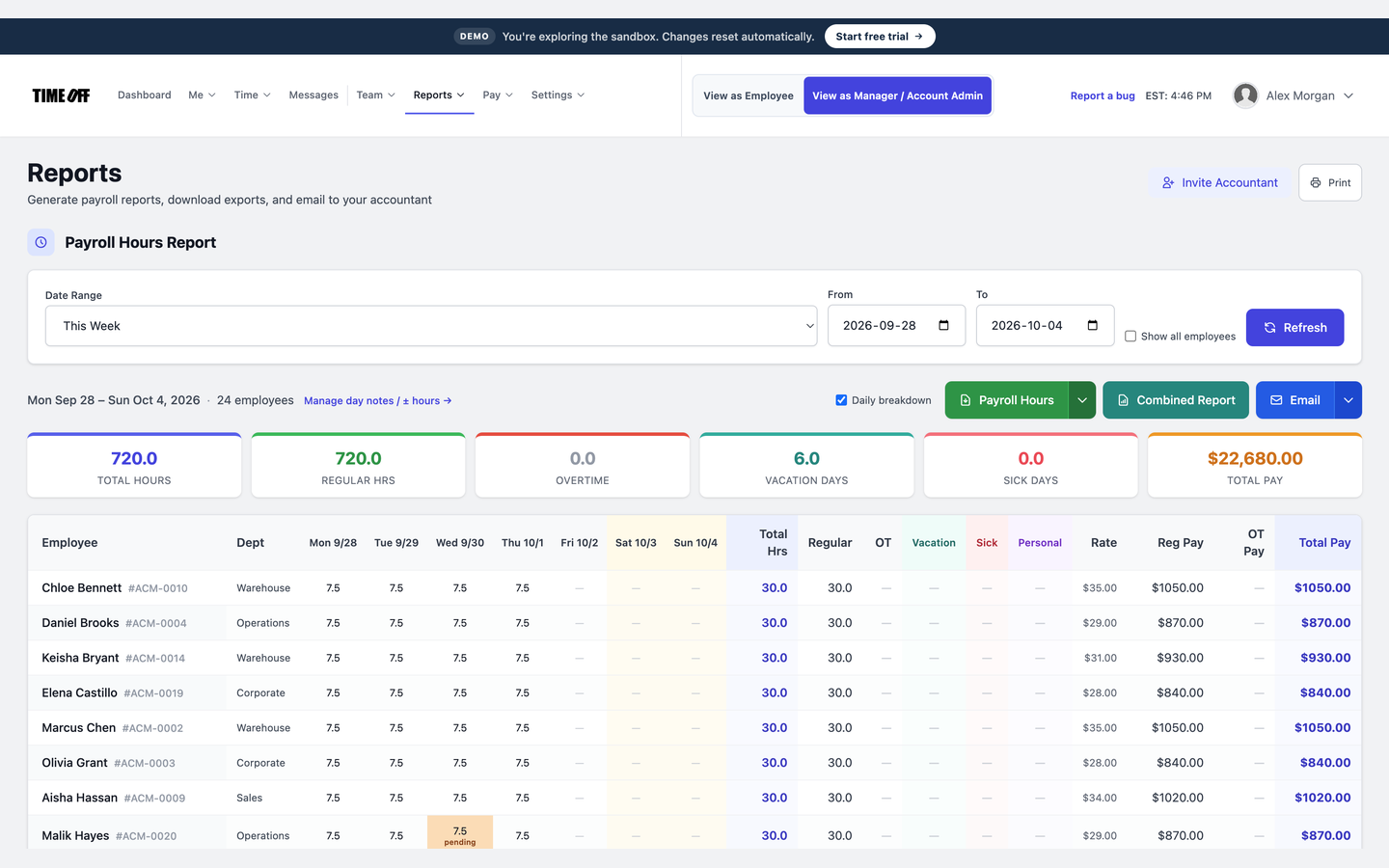
The week’s hours, ready to download
See it on the real product
These are real TimeOff Manager screens. Open the live demo to click around them yourself.
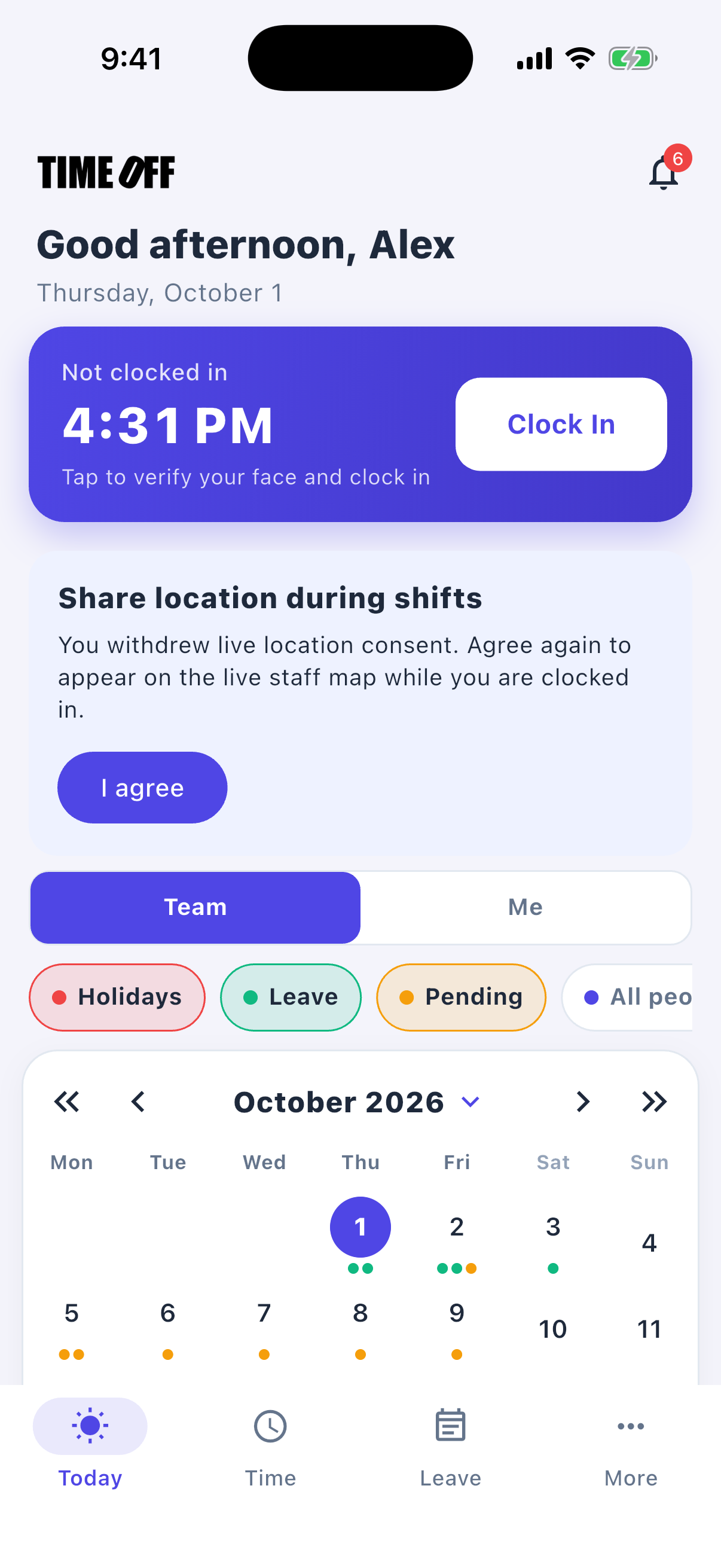
A typical day
-
1
The crew arrives at the job site
The crew opens TimeOff Manager Pro at the job and clocks in. The GPS location is saved with that clock-in.
-
2
A face check shows who started
The face check records who clocked in. If they started at the yard or the trailer first, that clock-in is saved under its own work location.
-
3
You check the live map
During the shift, you open the live staff map to see who is still working. That map is separate from the GPS location saved at clock-in.
-
4
Friday: send hours or approve time off
Download the week’s hours for payroll, or approve time off before a rain week or a gap between phases.
This is not job costing or certified payroll
TimeOff Manager does not price jobs, track cost codes, or file certified payroll. It records who was on the job site, their time off, and the hours you download.
Also see time tracking software, TimeOff Kiosk, PTO software, and pricing.
Approved time off can sync to Google Calendar and Microsoft Outlook. Approved hours can go to QuickBooks Online or FreshBooks.


You can also ask ChatGPT, Claude, or Cursor questions about your account, like who is out next week, through Model Context Protocol.

Simple pricing
From $15/mo billed annually. Starter $15/mo · Growth $25/mo · Scale $49.99/mo. Every plan includes time off, clock-in, GPS, a shared-tablet kiosk, mileage, and hour downloads.
Common questions from construction companies
Can the crew clock in at the job site instead of the trailer?
Yes. Add each job as a work location, and add a geofence if you want one. The clock-in saves the GPS location at the job site, not just at the yard.
Is the live map the same as the GPS saved at clock-in?
No. The GPS saved at clock-in is the location recorded at the moment someone clocks in. The live staff map shows where people are during an open shift, for those who agreed to share their location.
Will this produce certified payroll?
No. You download the hours. Payroll, including certified payroll, stays in the system you already use.
How much does it cost for a small crew?
From $15/mo billed annually after a 14-day trial. Starter is $15/mo for 1–20 people, Growth is $25/mo for 21–50, and Scale is $49.99/mo for larger teams. GPS, time off, the kiosk, mileage, and hour downloads are included in every plan.
Other field crews
- Landscaping
- Electrical
- HVAC
- Plumbing
- Trucking
- Delivery
- Agriculture
- Carpenters
- Civil construction
- Concrete and masonry
- Contractors
- Engineering field teams
- Environmental services
- Logistics
- Maritime
- Mining
- Oil and energy
- Painters
- Railroad support
- Renewables
- Roofing
- Surveyors
- Transportation
- Utilities
- Waste and hauling
Know your crew started at the job site
From $15/mo billed annually after a 14-day trial. Starter $180/year (1–20 users), Growth $300/year (21–50), Scale $49.99/mo or $479.90/year (51–1,000).