
Industries / Restaurants
Time tracking for restaurant teams
Servers and cooks clock in on a tablet on the floor, each with their own PIN. Breaks and the week’s schedule are in the same account. Your register and point of sale stay separate.
- 14-day trial
- From $15/mo
- Live demo
From $15/mo billed annually. Starter $15/mo · Growth $25/mo · Scale $49.99/mo.
The kitchen and the floor, with time off in the same app
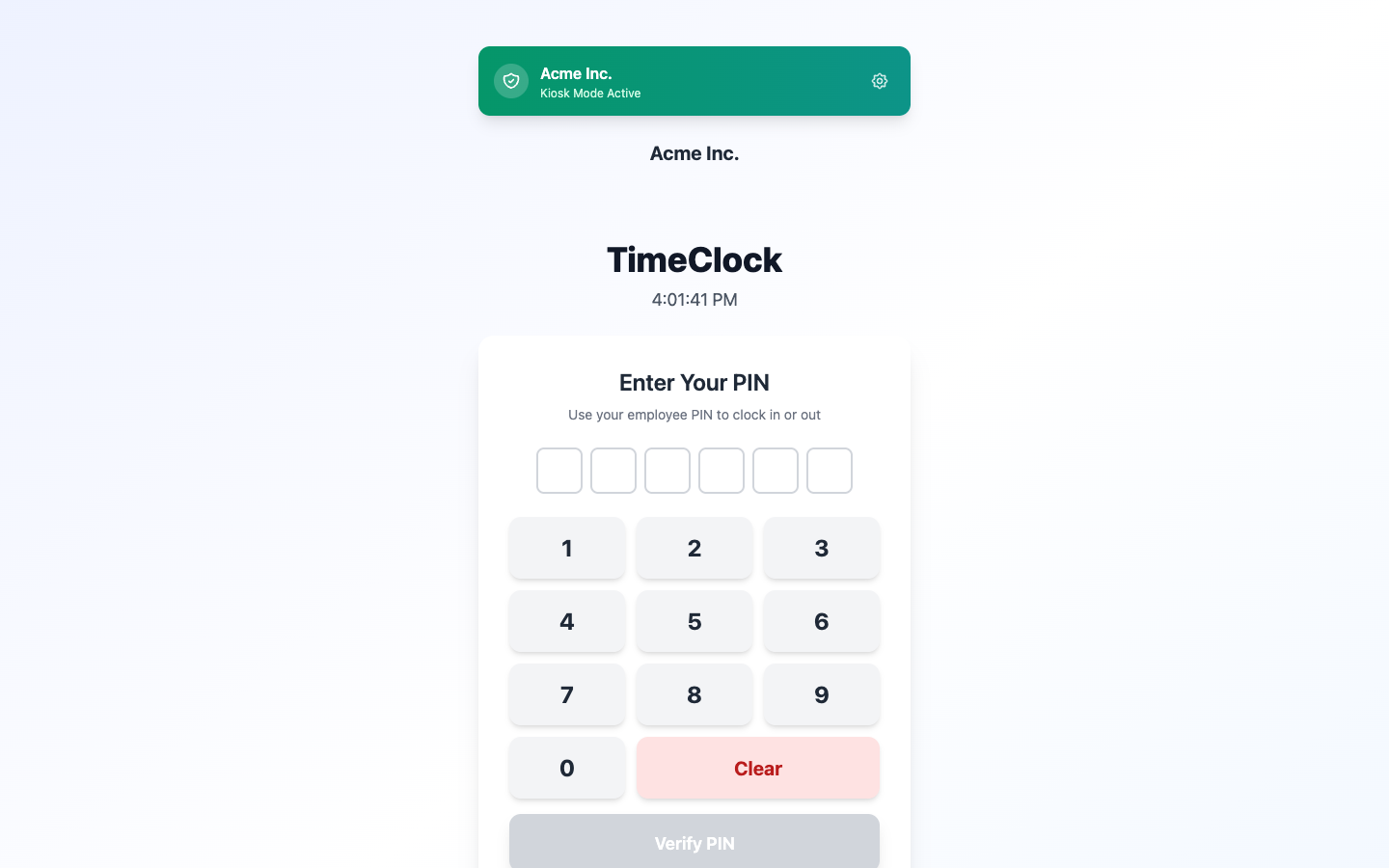
PIN pad on the floor tablet
Each person has their own PIN
With one shared code on the terminal, you can’t tell who actually came in for the dinner rush.
TimeOff Kiosk runs on a tablet on the floor. Every server, cook, and host has a personal PIN, so nobody needs the manager’s login and no one can clock in for someone else.
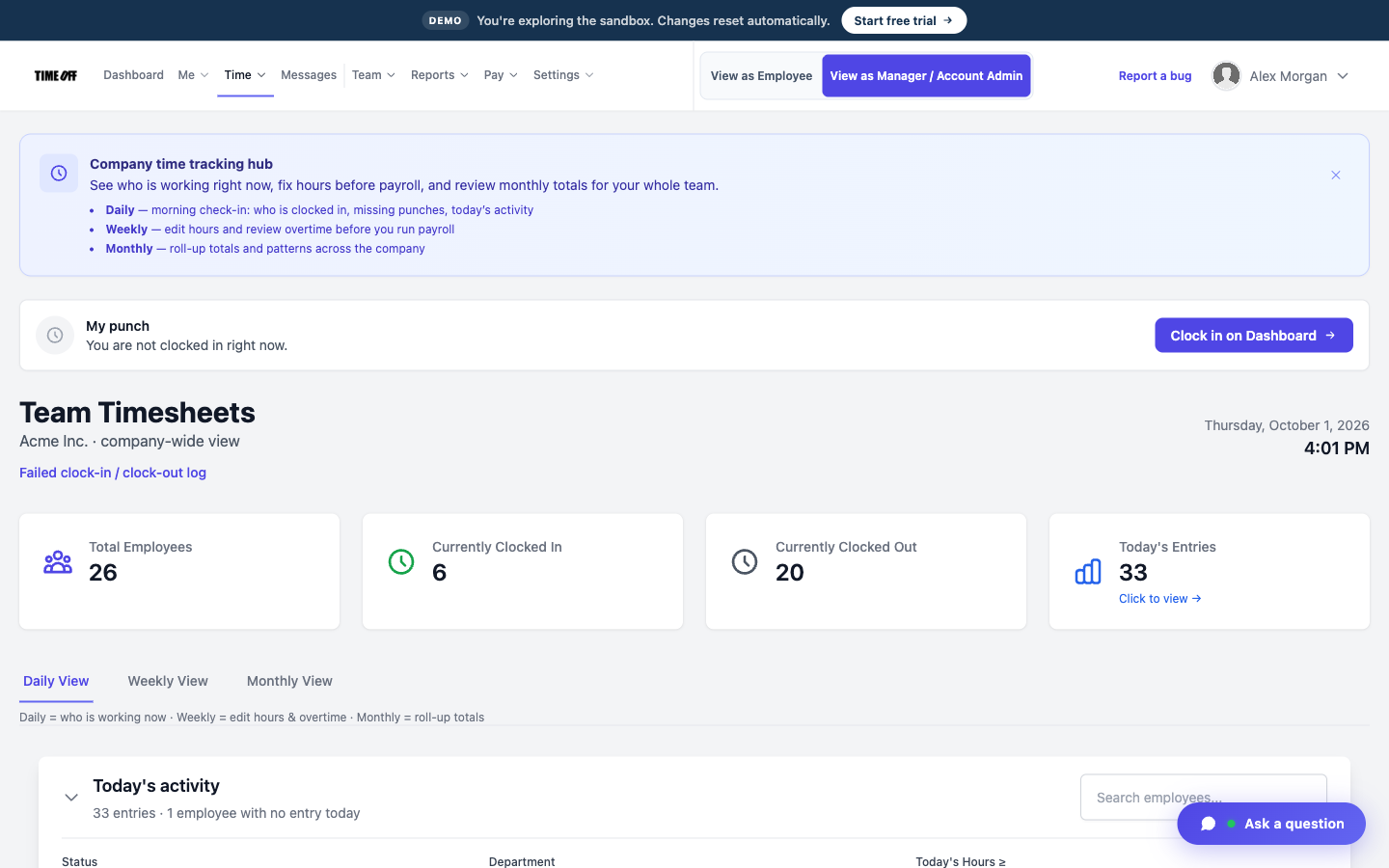
The shift, including the break
Breaks are on the timesheet
A break written on a ticket gets lost, and the long shift turns into an argument on payday.
Turn on break tracking in the clock rules, and each break is recorded with the shift. TimeOff Manager does not calculate meal penalties or pay them.
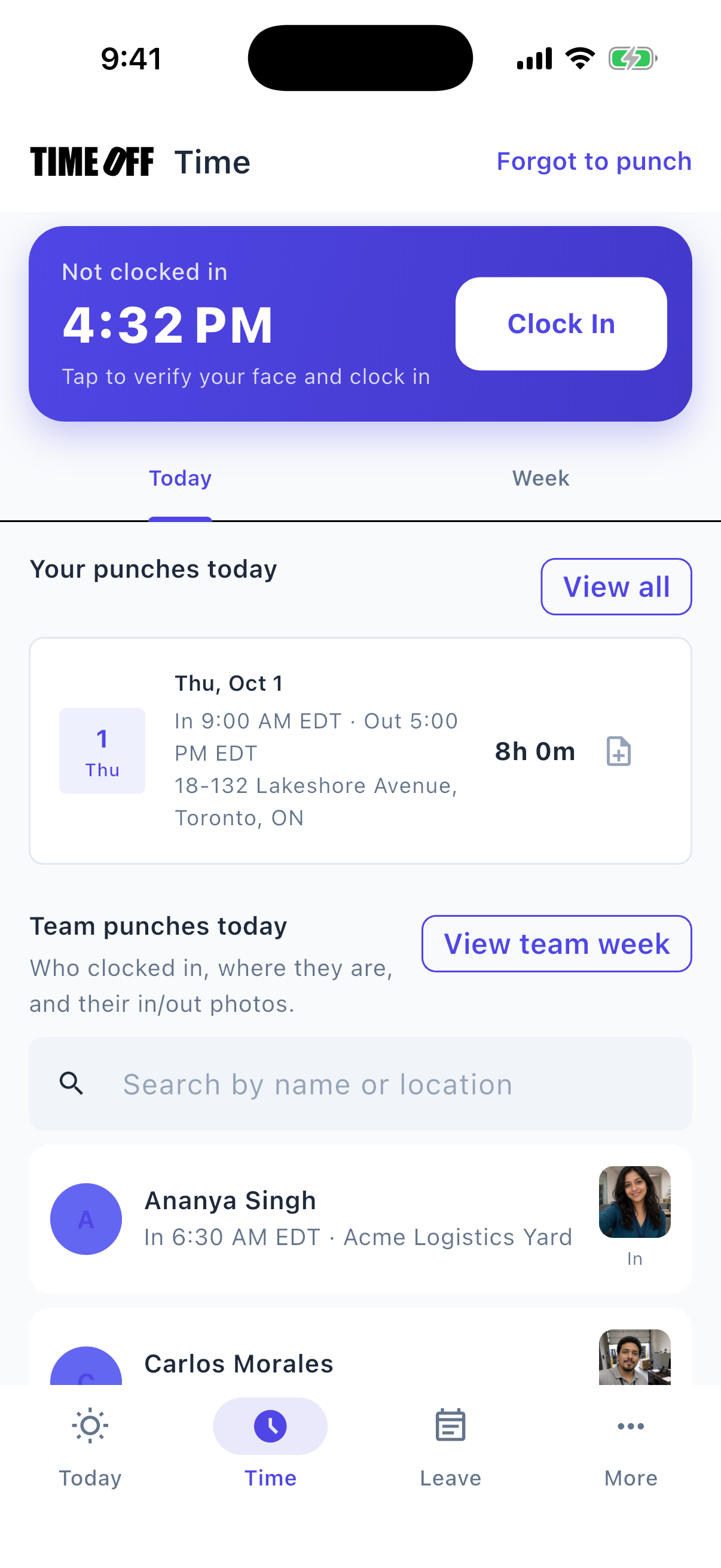
Managers can clock in on their phone when the floor is busy
See overtime before payday
Someone working a double stays clocked in after close, and you only find the extra hours when payroll is already due.
Hours past the schedule show on the timesheet. You can also turn on automatic clock-out at the end of the shift. Pay is still calculated outside TimeOff Manager.
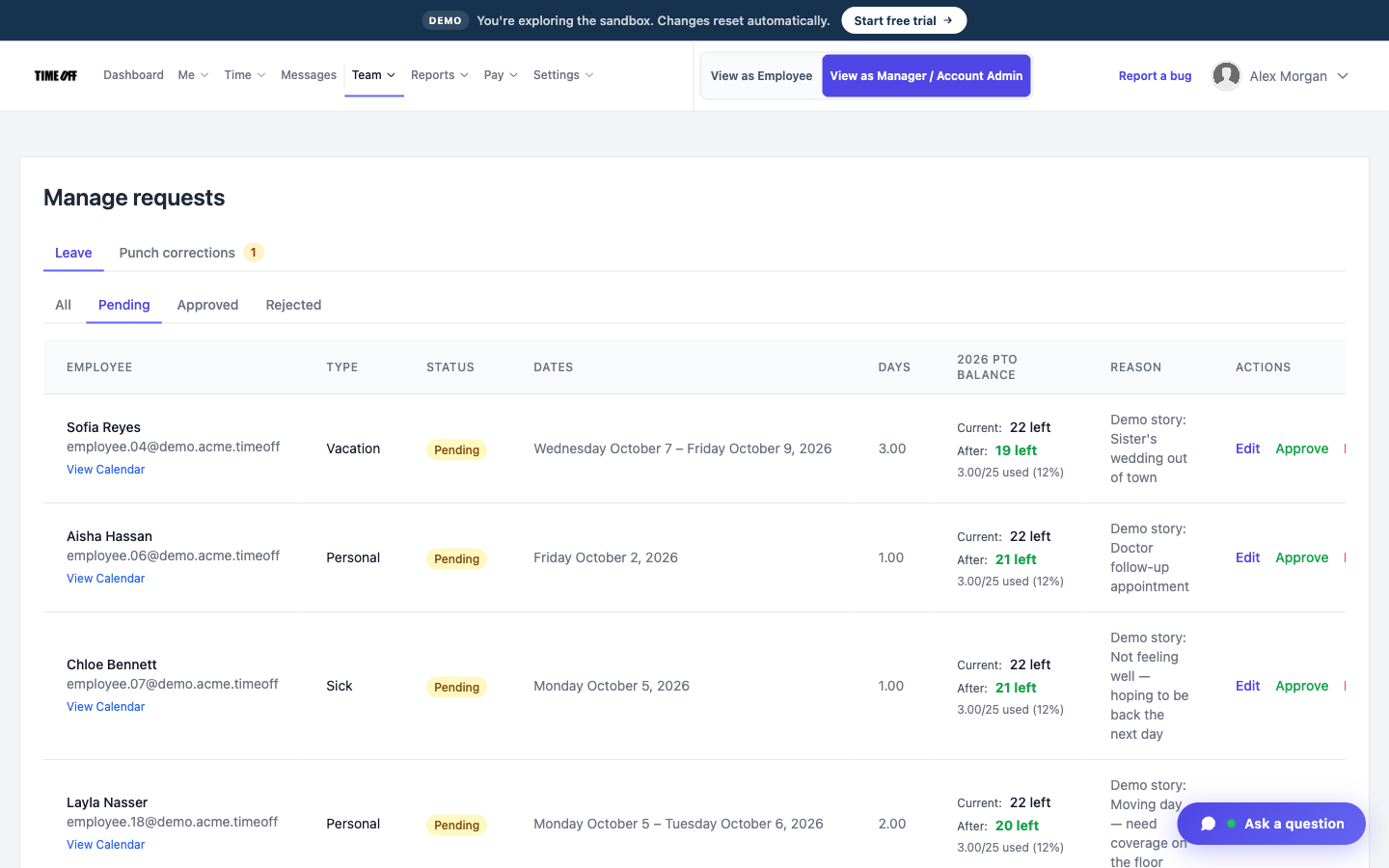
Approve the day off before the rush
Handle a Saturday call-out before 4 p.m.
A server texts that they can’t work, and their section is still on the schedule.
The request goes to the approval list and the team calendar, in the same account as the hours.
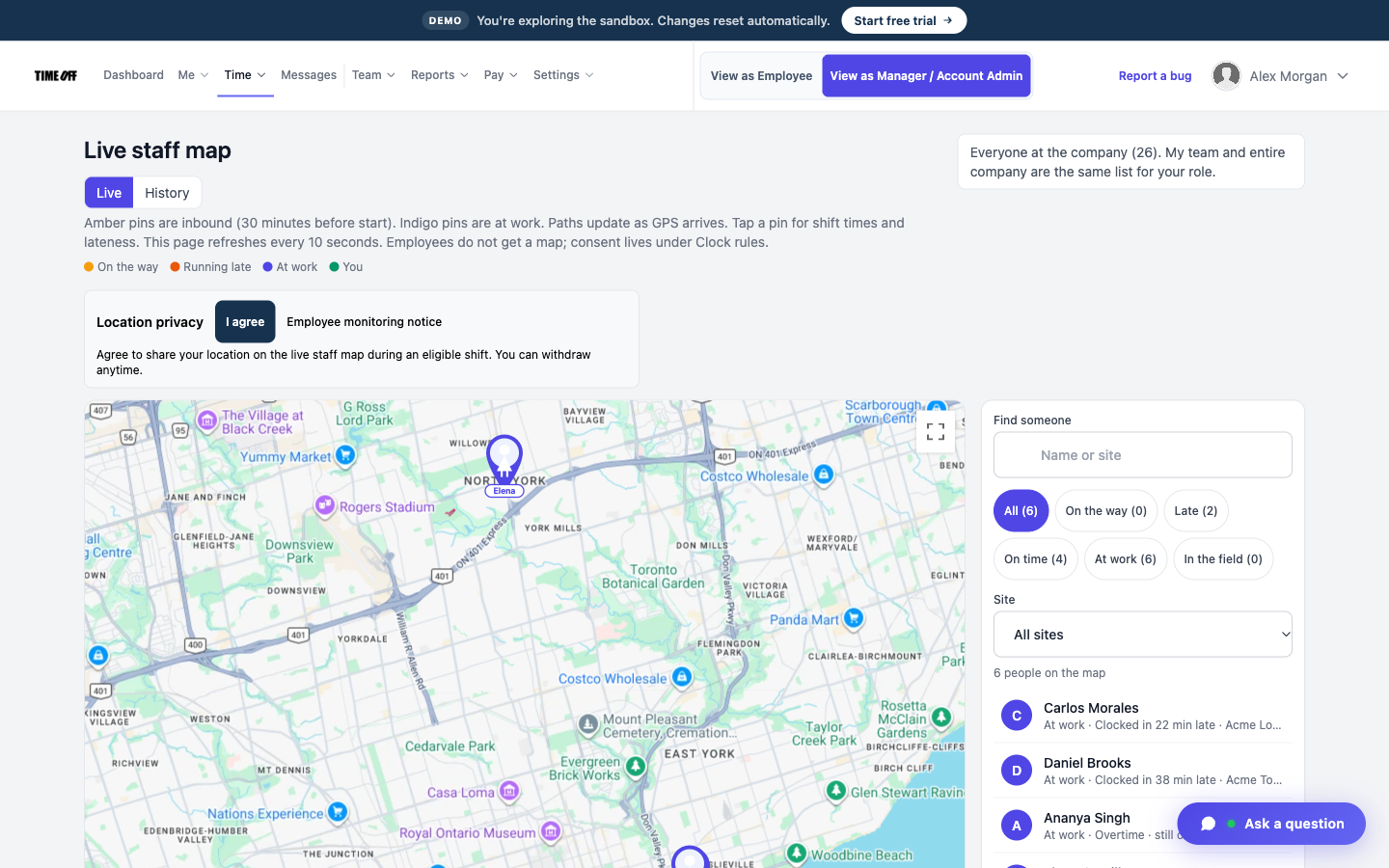
Who is still clocked in
See who else is on the floor
You walk the line to count who is working.
The live staff map shows who is on shift right now. It is not your register, and it is not a table map.
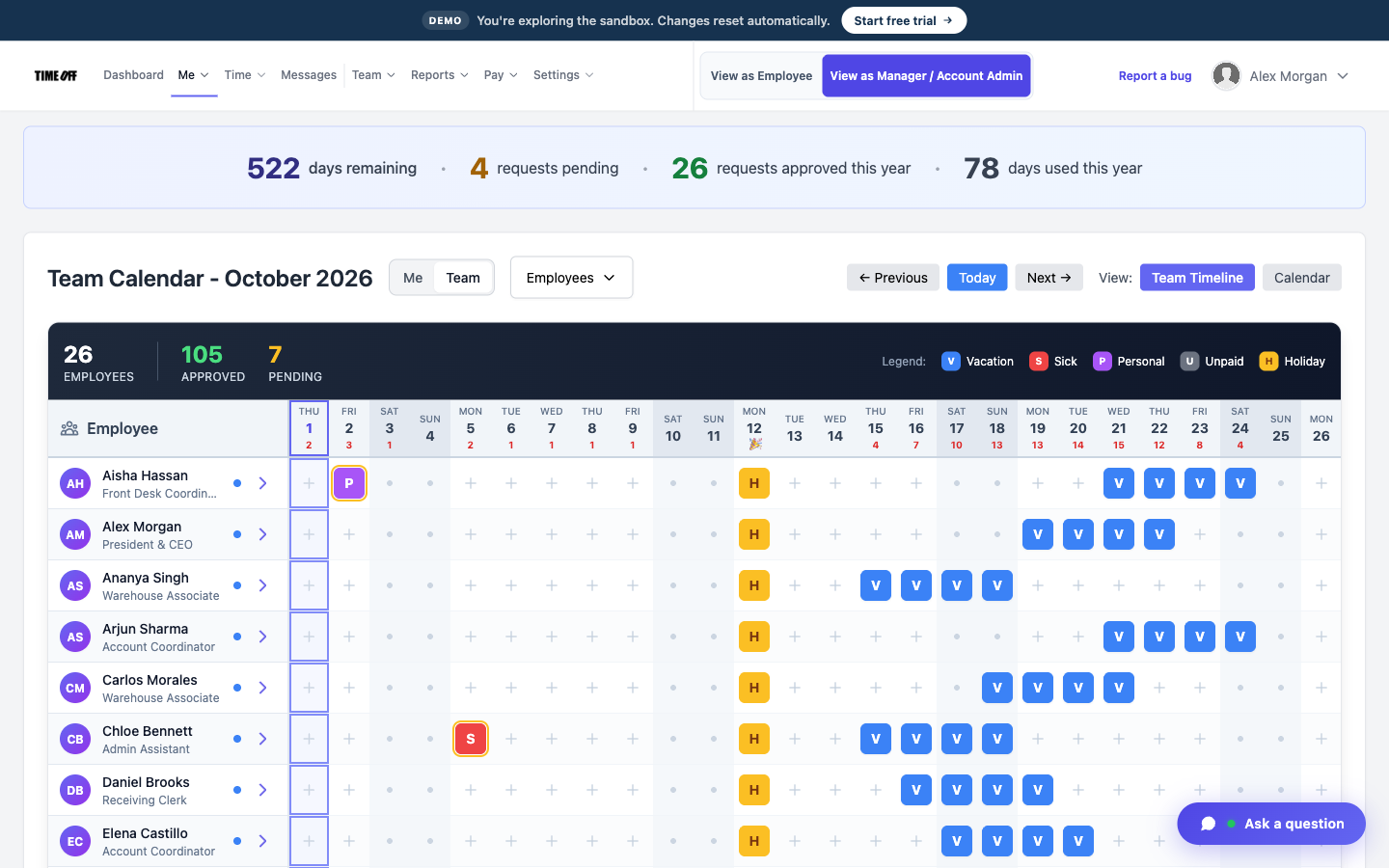
Who already asked for the day off
Front of house and the kitchen on one list
Servers and the kitchen keep two separate notebooks.
Both clock in on the same tablet with their own PINs. Time off for both shows on the same calendar.
Approved hours for payroll. Tips stay where they are.
Payroll needs the hours from each shift. Tip pools are a separate matter, and they are not part of TimeOff Manager. A manager approves the hours, sees any overtime on the timesheet, and downloads an Excel or CSV file. TimeOff Manager does not calculate pay, split tips, or run a register.
-
Hours are approved first
A manager reviews the week’s shifts before the file goes out, so nobody is retyping the schedule at the host stand.
-
Overtime is flagged
A closing shift that ran long shows on the timesheet. The download does not turn those hours into a paycheck.
-
Excel or CSV
Send the file to the payroll software you already use. Breaks recorded on each shift go with the hours.
-
Tips and the register stay separate
No tip pool, no point of sale, and no payroll run. The floor tablet is just a time clock.
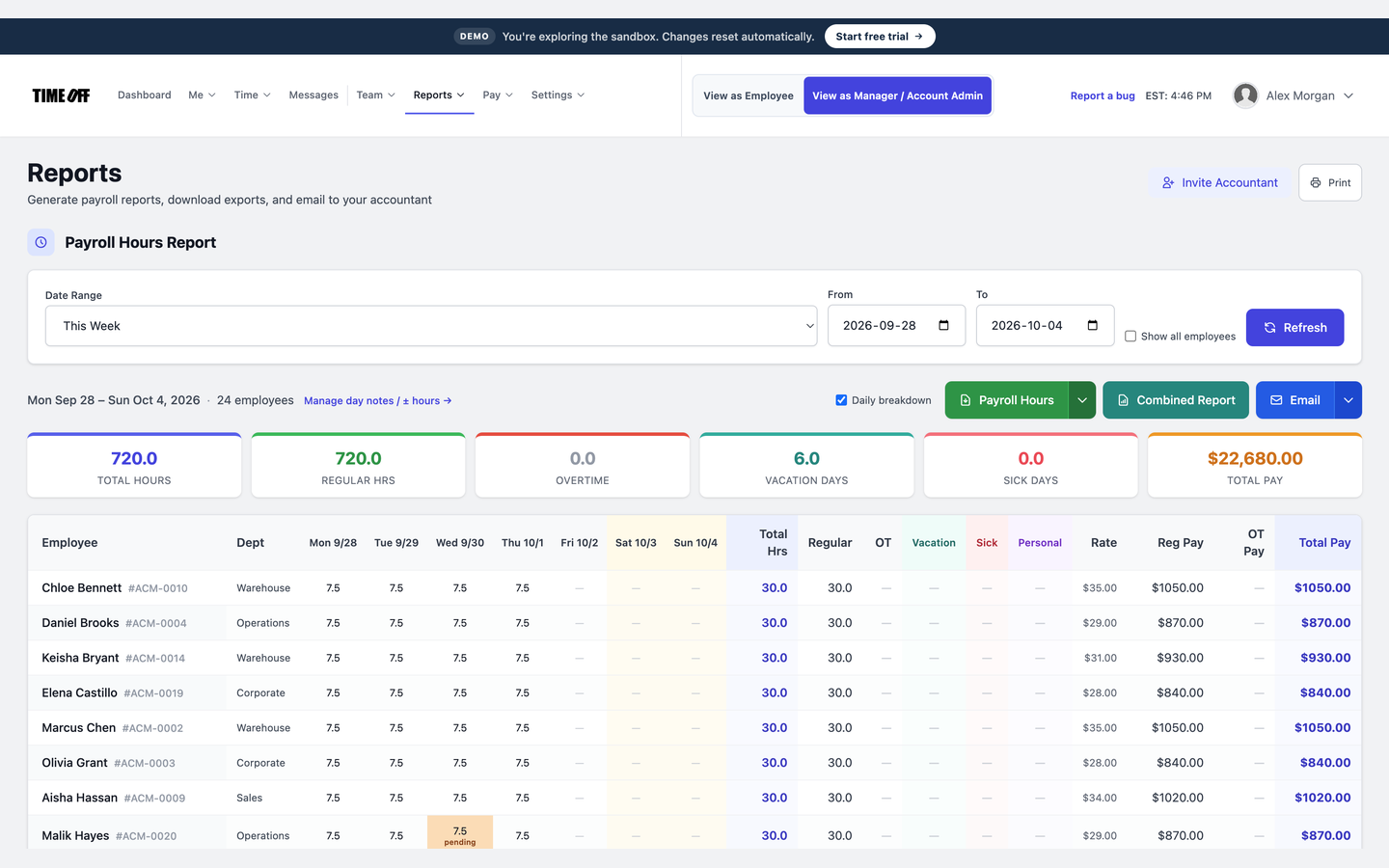
The week’s hours, ready to download
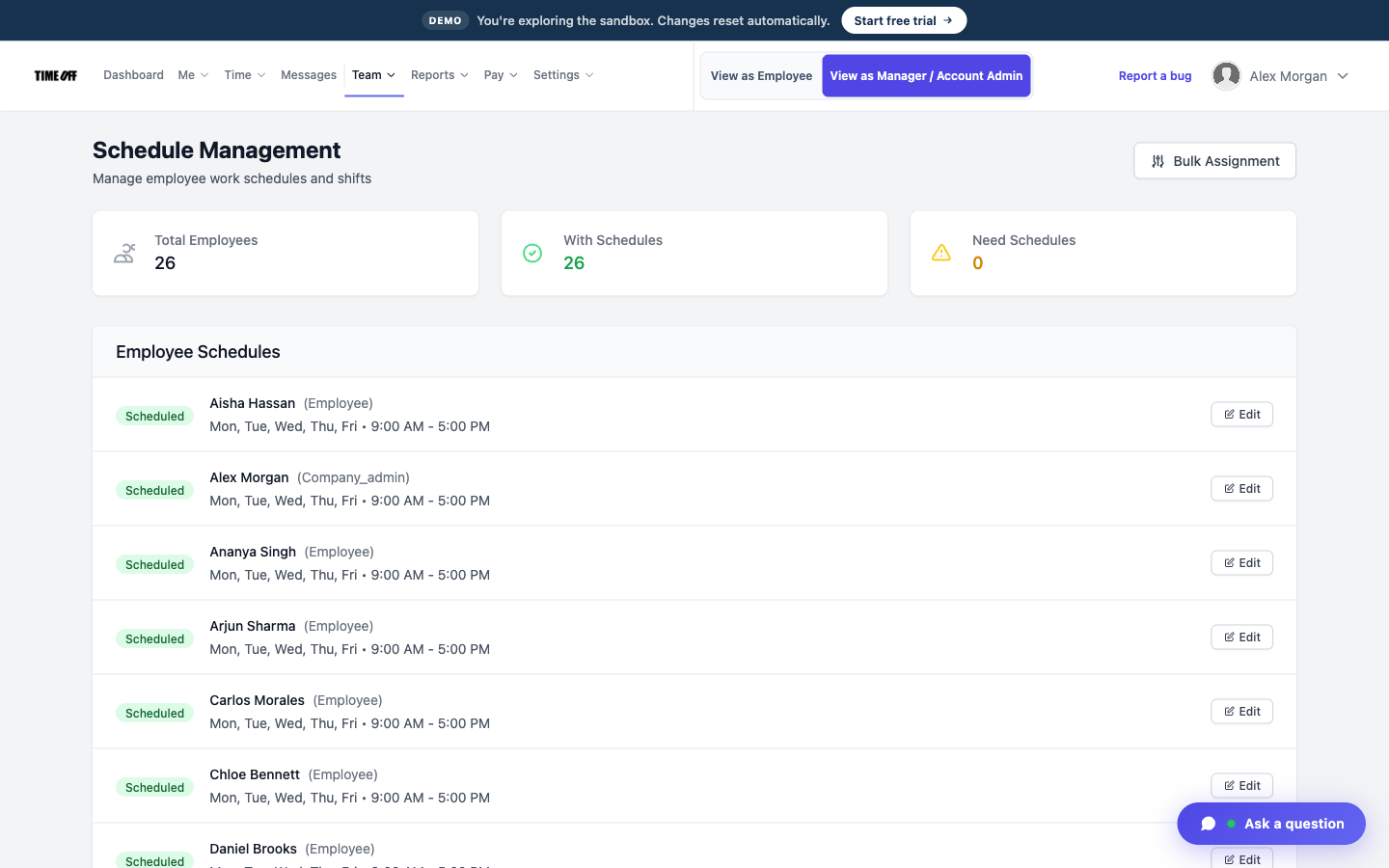
Post the week’s schedule in TimeOff Manager
The schedule written in marker behind the pass is wrong by Wednesday. Employee schedules show who is expected on the floor each night: who opens, who closes, and the stations you assigned. You still write the schedule yourself. TimeOff Manager does not forecast covers or labor percentage, and it does not replace the board you use for sections if you want to keep one. The posted schedule and the clock-in are finally in the same place.
See it on the real product
These are real TimeOff Manager screens. Open the live demo to click around them yourself.
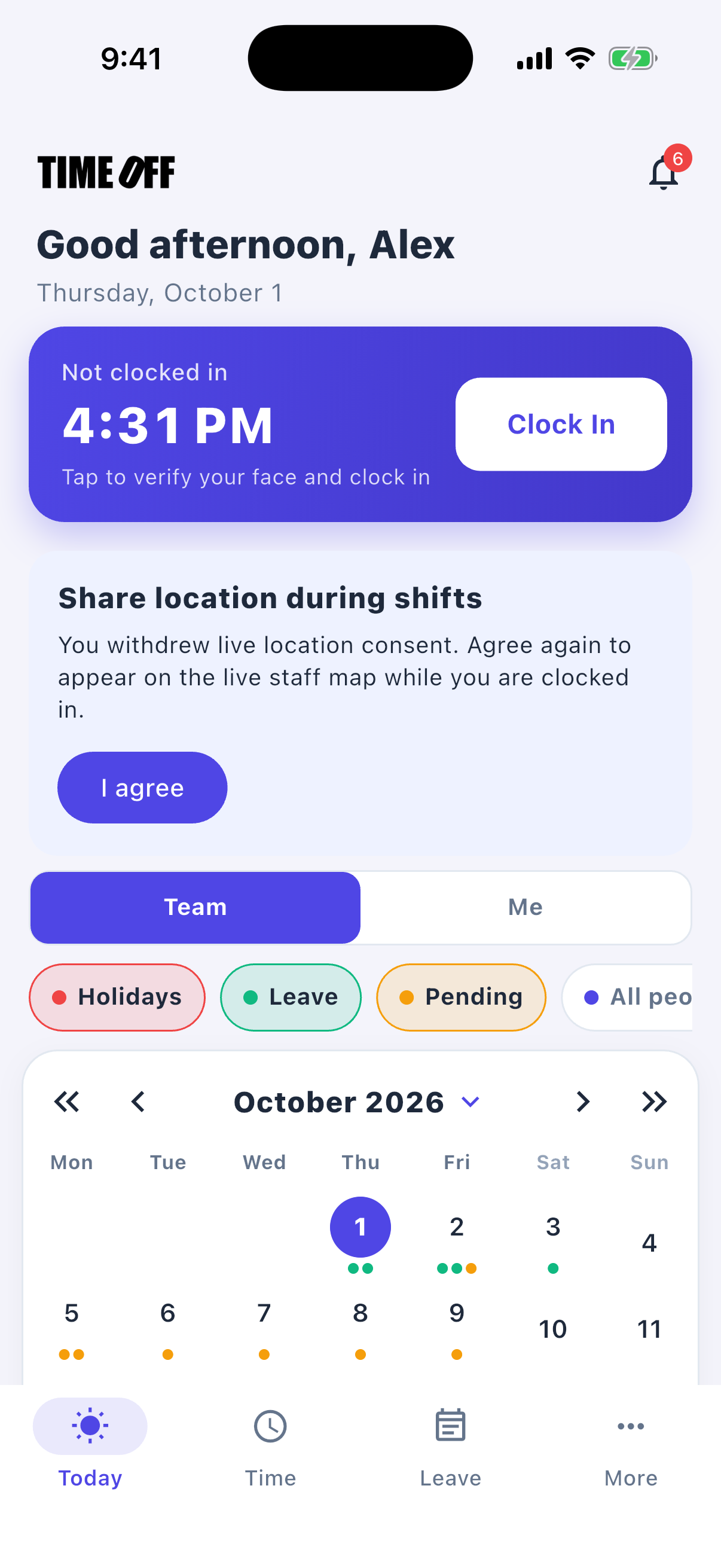
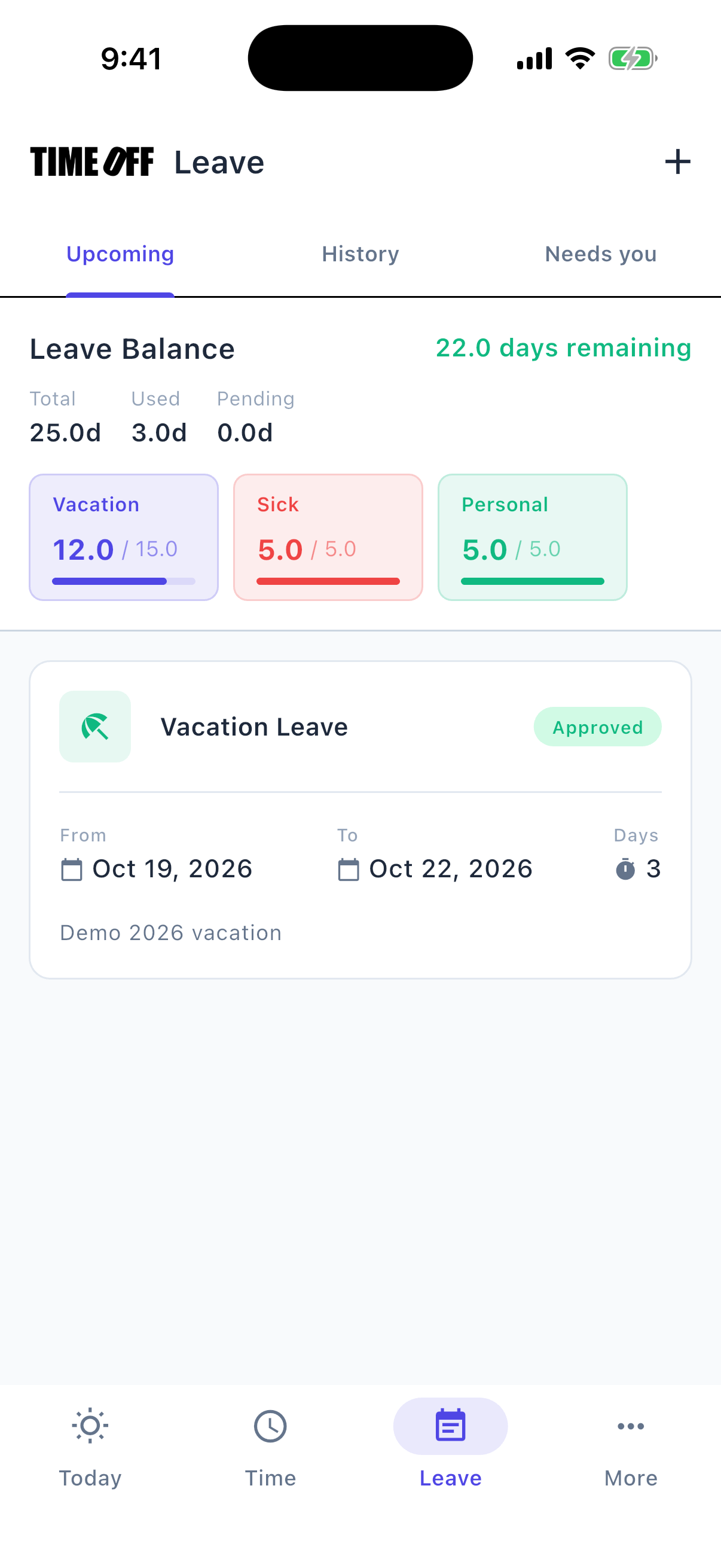
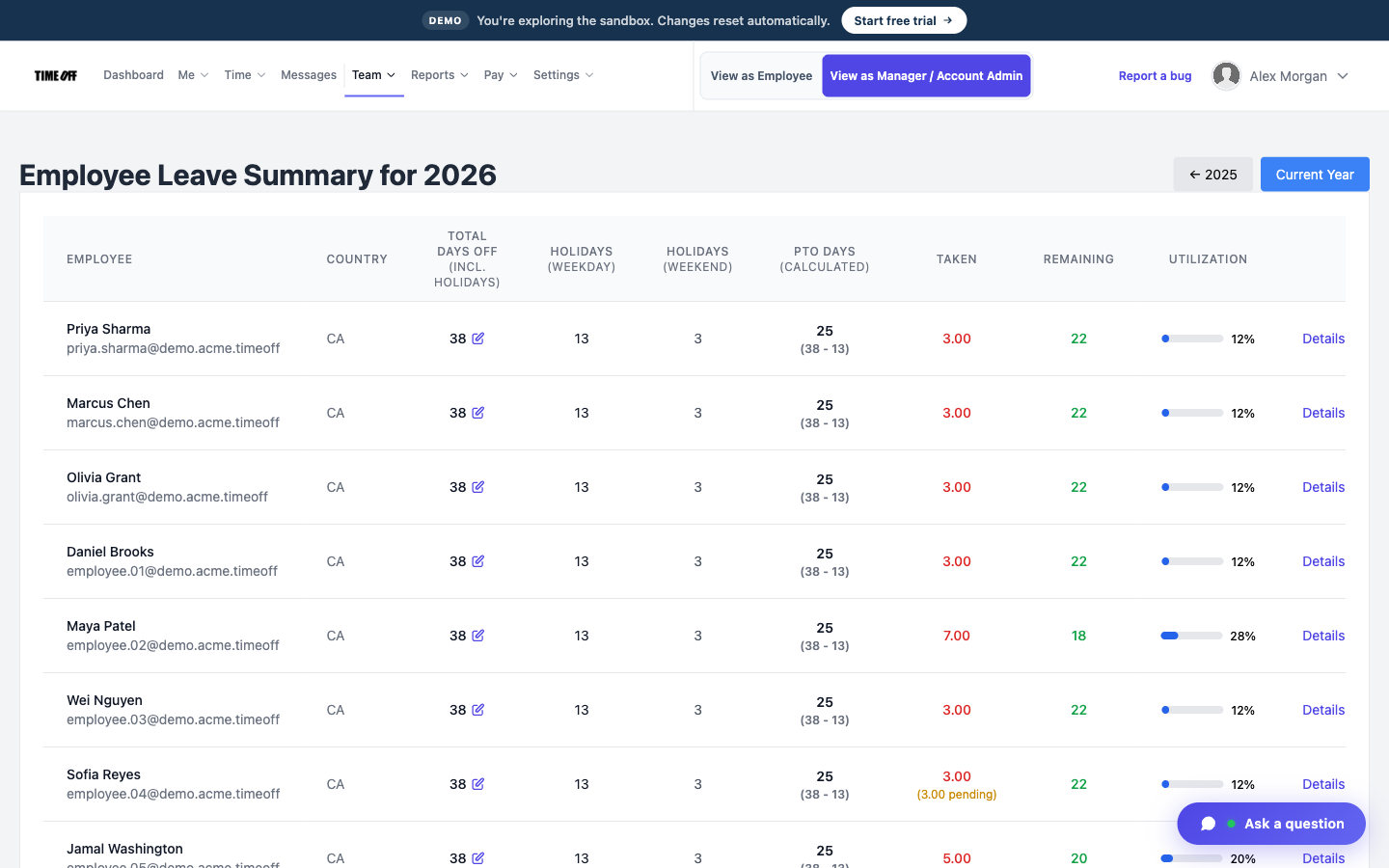
A typical day
-
1
The opener arrives
The opener clocks in on the floor tablet with their PIN.
-
2
Breaks are recorded
If you turned on break tracking, each break is recorded with the shift. The POS is not involved.
-
3
During the shift
The schedule shows who else is working. Time off that is already approved is on the calendar.
-
4
Friday: download the hours
Download the hours. Tip pools and payroll stay in the systems you use for them.
It doesn’t take orders or split tips
TimeOff Manager does not take orders, split tips, or replace your point of sale (POS). It records clock-ins, breaks, schedules, time off, and hours you can download.
Also see time tracking software, TimeOff Kiosk, PTO software, and pricing.
Approved time off can sync to Google Calendar and Microsoft Outlook. Approved hours can go to QuickBooks Online or FreshBooks.


You can also ask ChatGPT, Claude, or Cursor questions about your account, like who is out next week, through Model Context Protocol.

Simple pricing
From $15/mo billed annually. Starter $15/mo · Growth $25/mo · Scale $49.99/mo. Every plan includes time off, clock-in, GPS, a shared-tablet kiosk, mileage, and hour downloads.
Common questions from restaurants
Can the whole floor share one tablet?
Yes. TimeOff Kiosk runs on the shared tablet, and each employee uses their own PIN.
Does it calculate tip pools?
No. You download the hours. Tips stay in your POS or payroll software.
Can we track breaks?
Yes. Break tracking is a clock rule you can turn on. It does not calculate meal penalties.
What does a single restaurant pay?
Starter is $15/mo billed annually for up to 20 people, after a 14-day trial.
Other on-site teams
Each person clocks in with their own PIN
From $15/mo billed annually after a 14-day trial. Starter $180/year (1–20 users), Growth $300/year (21–50), Scale $49.99/mo or $479.90/year (51–1,000).