
Industries / Commercial cleaning
Time tracking for commercial cleaning crews
Your night crew clocks in on a tablet by the door of the client building. Each person uses their own PIN, so one lead can’t clock the whole crew in from the van.
- 14-day trial
- From $15/mo
- Live demo
From $15/mo billed annually. Starter $15/mo · Growth $25/mo · Scale $49.99/mo.
How a cleaning company runs night crews at client buildings
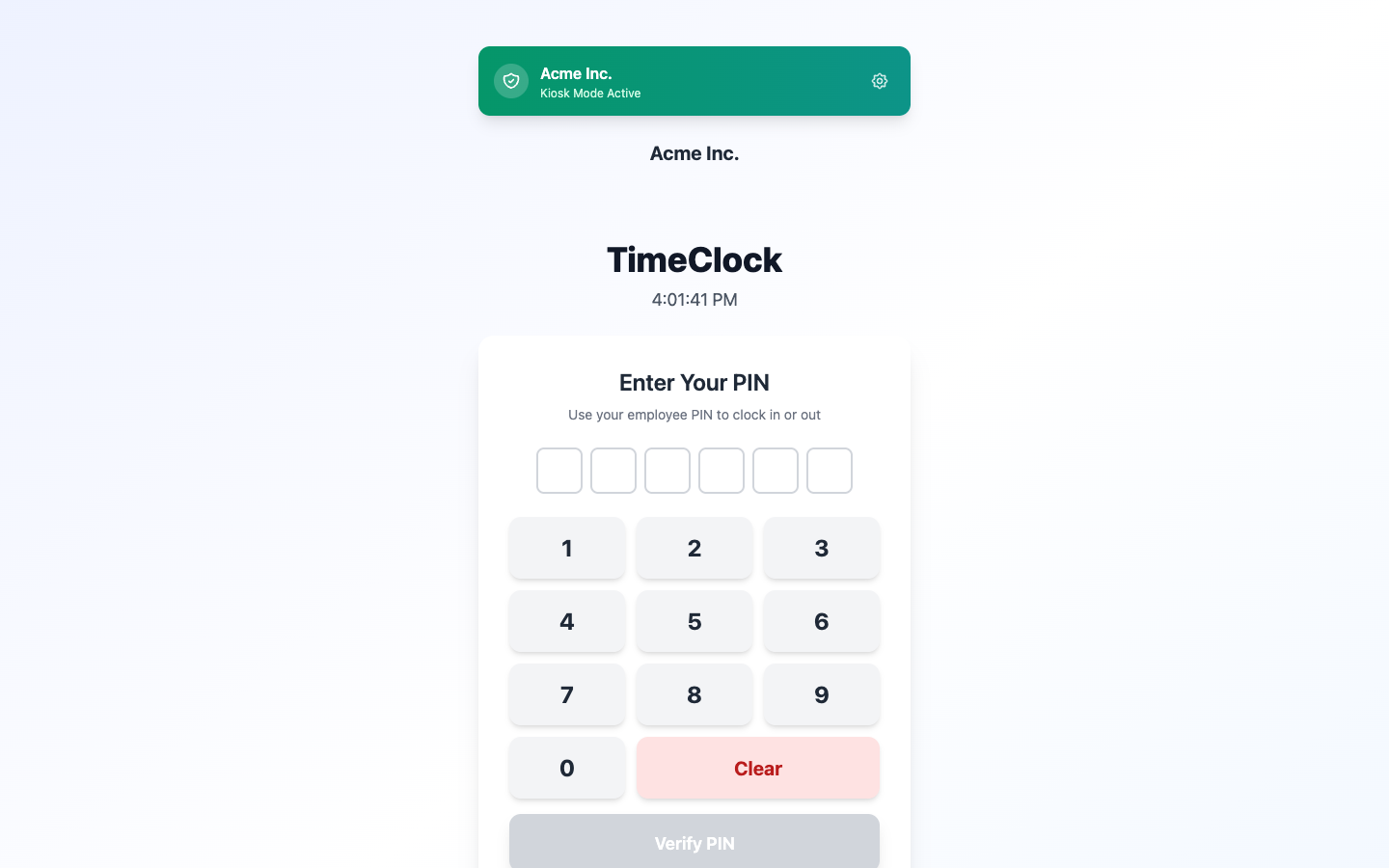
PIN pad at the client’s door
Each cleaner uses their own PIN
With a shared login, the lead can clock everyone in from the parking lot. Later, you find out two people never came inside.
TimeOff Kiosk turns a tablet at the client’s door into a time clock. Each cleaner has a personal PIN, so the person leaving can’t clock in the person arriving.
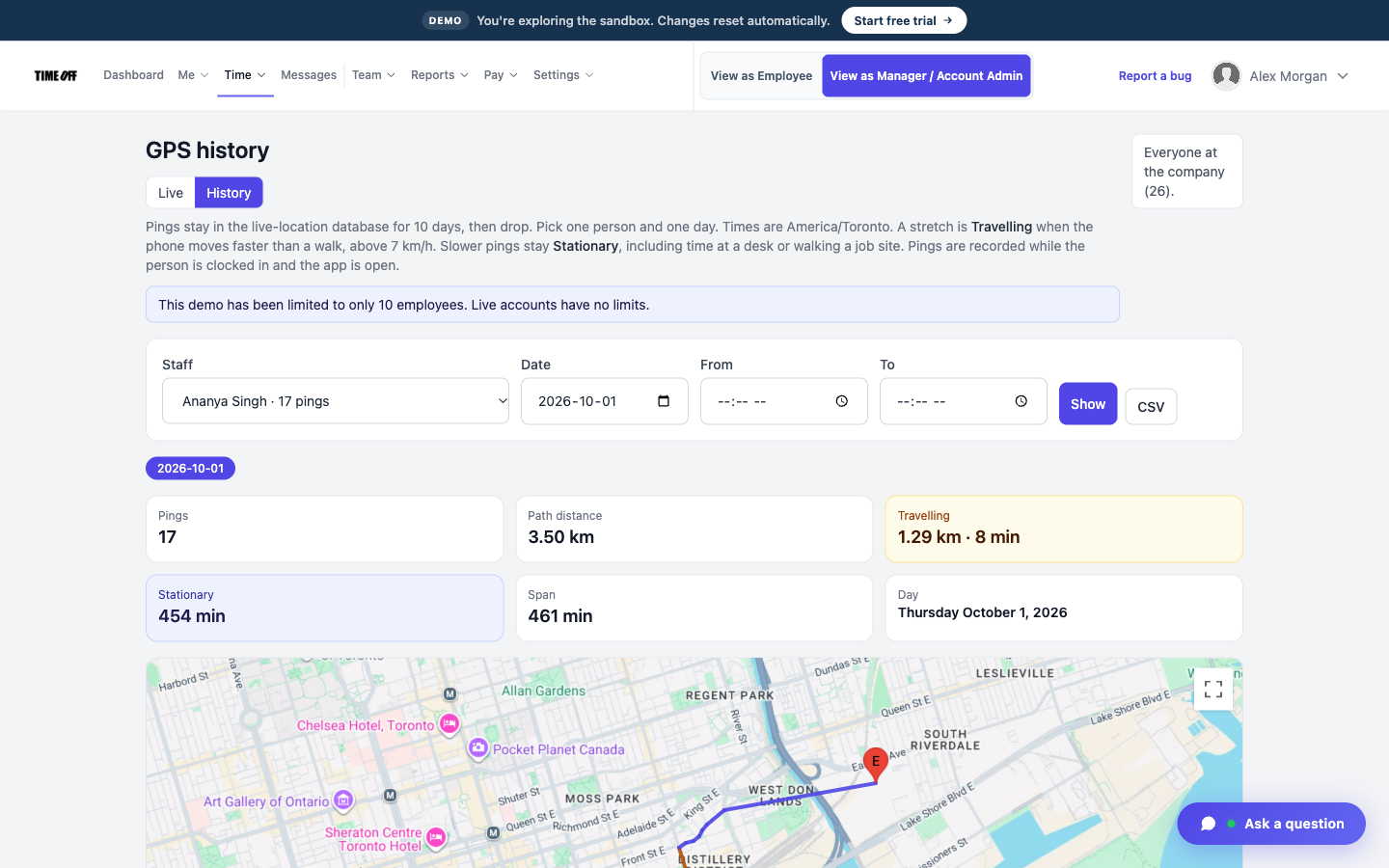
Where the night clock-in happened
They have to clock in at that building
A clock-in from the van on the street still looks like the cleaner was in the lobby.
Save the client building as a work location and turn on a geofence. When cleaners clock in on their phone, the GPS location is saved, and they have to be inside that area. The GPS saved at clock-in is separate from the live map.
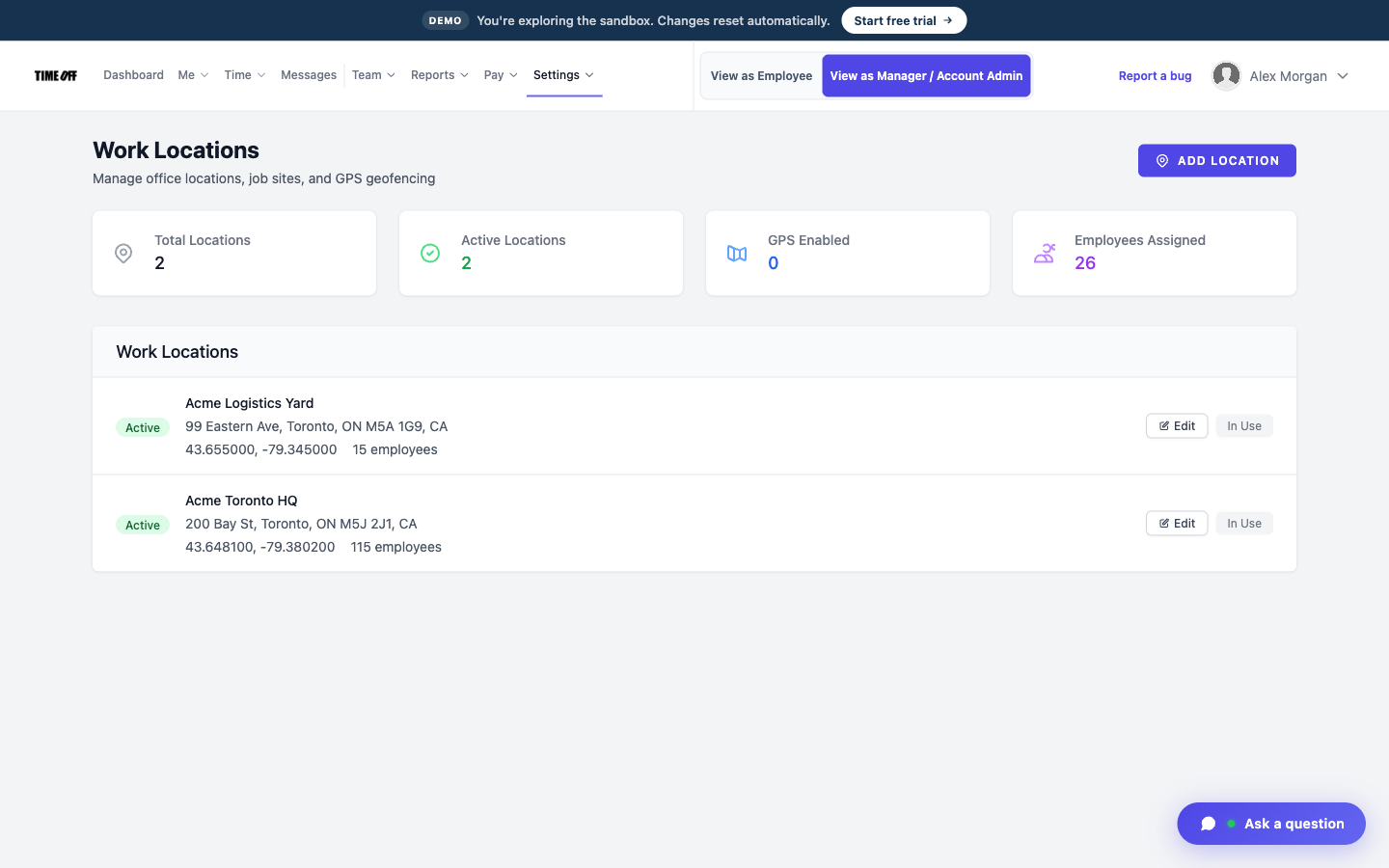
Each client building saved as a location
Hours for each building, not one big total
Three lobbies in one night end up as one line of hours, and the client asks which hours were theirs.
Each building is saved as its own location, so you can see the hours for each one. This shows who was at the site. It is not a quality checklist.
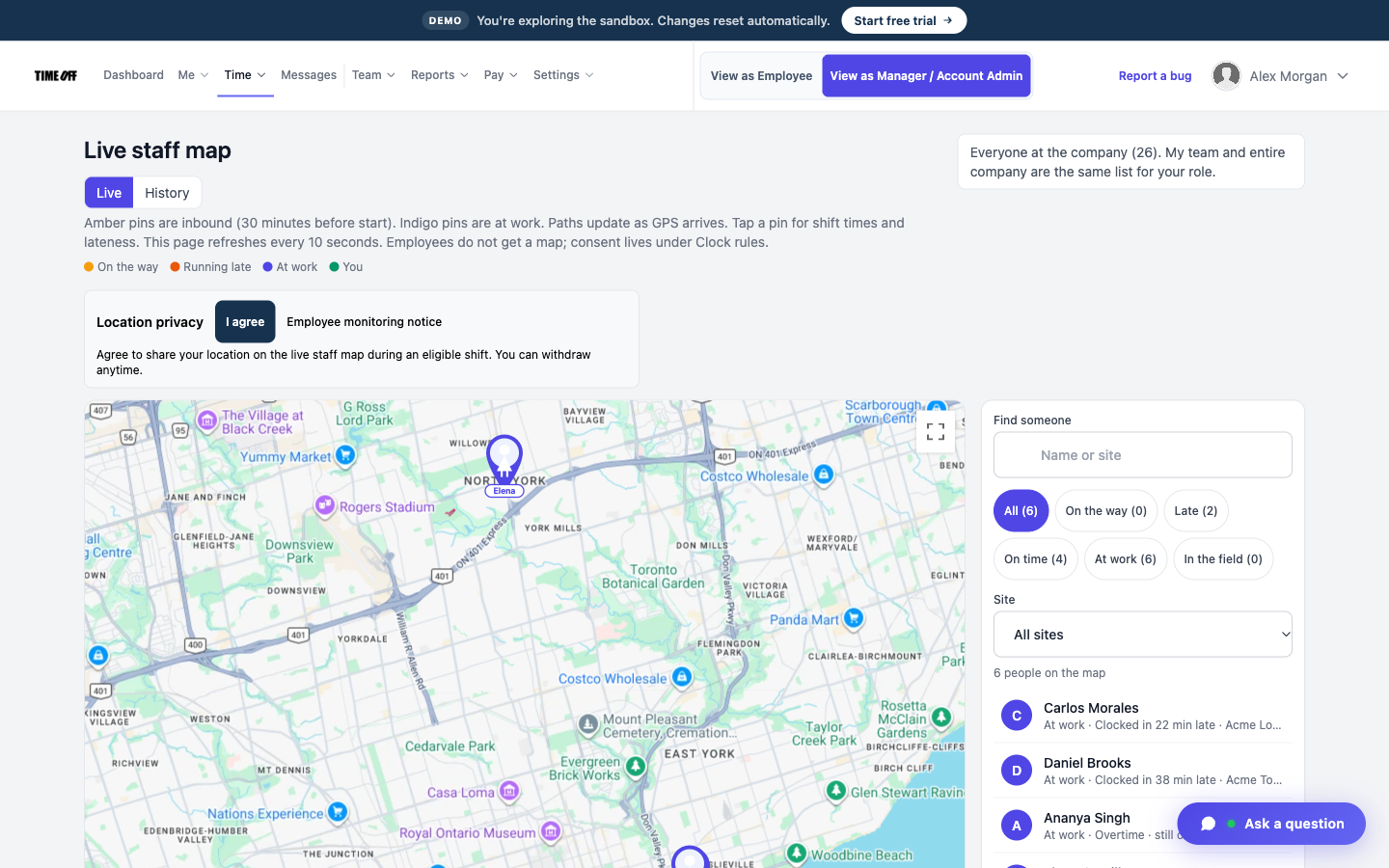
Who is still on the night shift
See who is still in the building
You find out a site was empty when the client calls in the morning.
The live staff map shows who is on shift right now, for people who agreed to share their location. It is a different screen from the GPS saved at clock-in.
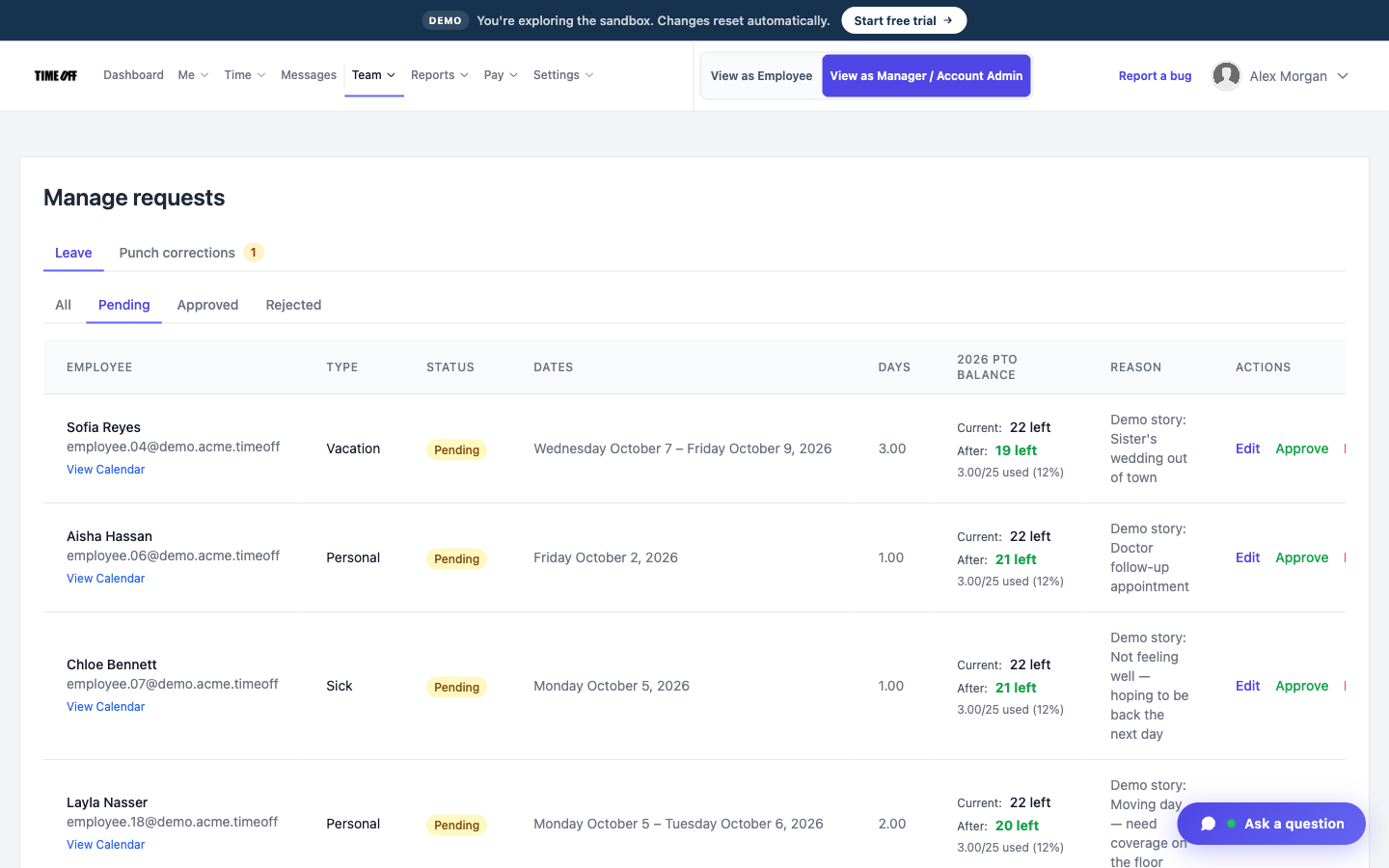
Approve a night off
Know about a call-out before the building is left empty
The night lead texts that they can’t come in after the day porter has already gone home.
Time off is requested and approved in the same account as the hours, so the gap shows on the calendar first.
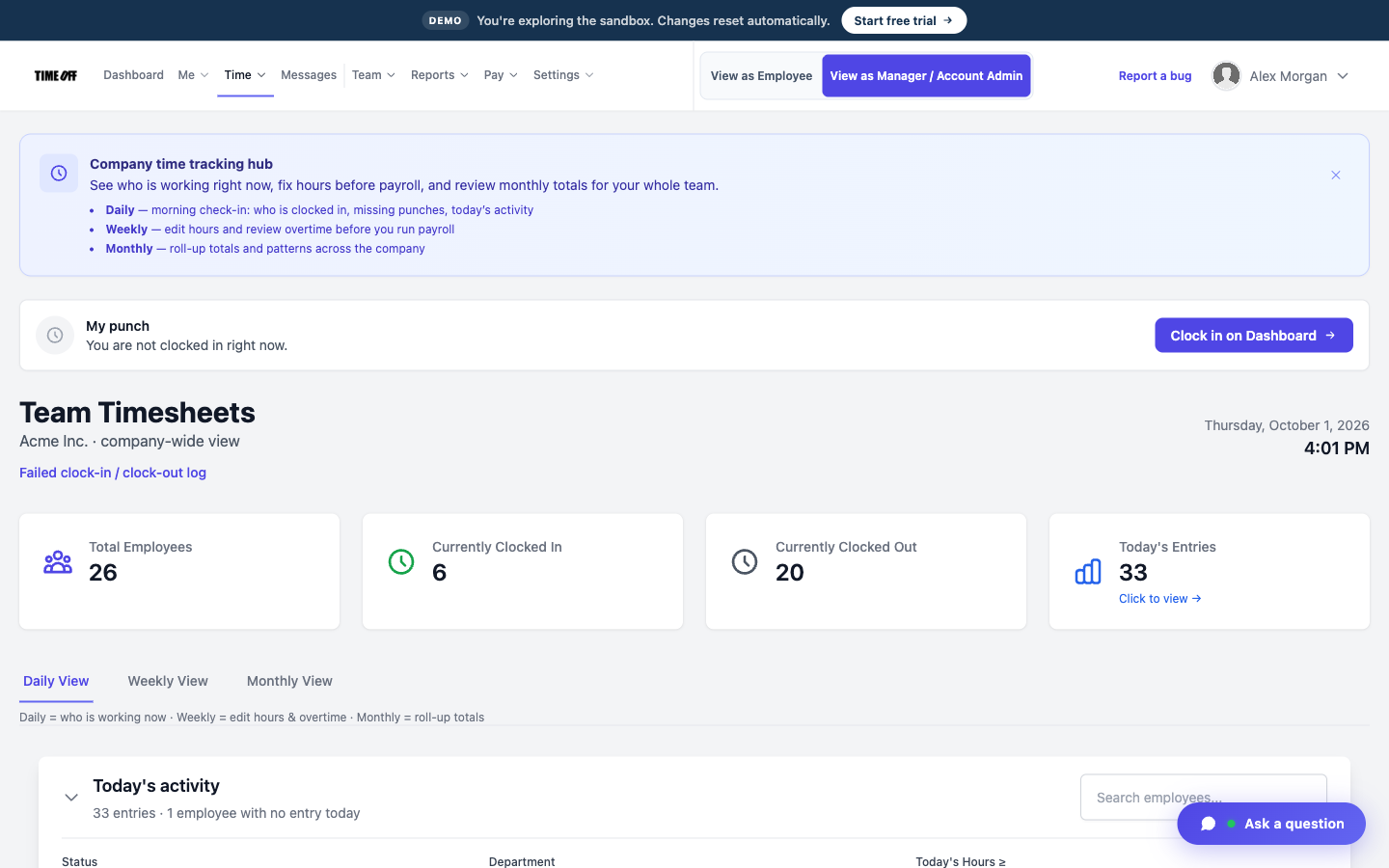
The night’s hours on the timesheet
Breaks on a long night
At a six-hour building, someone takes a break nobody wrote down, and Friday turns into an argument.
You can turn on break tracking in the clock rules. Each break then shows on the timesheet.
Hours for the client bill and your payroll software
The client invoice and the paycheck both start from the same night of work. A manager approves the hours, sees any overtime on the timesheet, and downloads an Excel or CSV file. TimeOff Manager does not write invoices, calculate pay, or run payroll.
-
Approved hours for each building
A manager reviews the week before the file goes out. The hours are tied to the buildings you saved, not lumped into one company total with no address.
-
Overtime is flagged
A long night that runs past the schedule shows on the timesheet, so you can see it. TimeOff Manager does not turn it into wages.
-
Excel or CSV
Give the file to your bookkeeper. Use the same hours to bill the building in whatever invoicing software you already use.
-
Pay and invoices happen elsewhere
TimeOff Manager does not run payroll, write client invoices, or score inspections. The night’s work leaves as a file of hours.
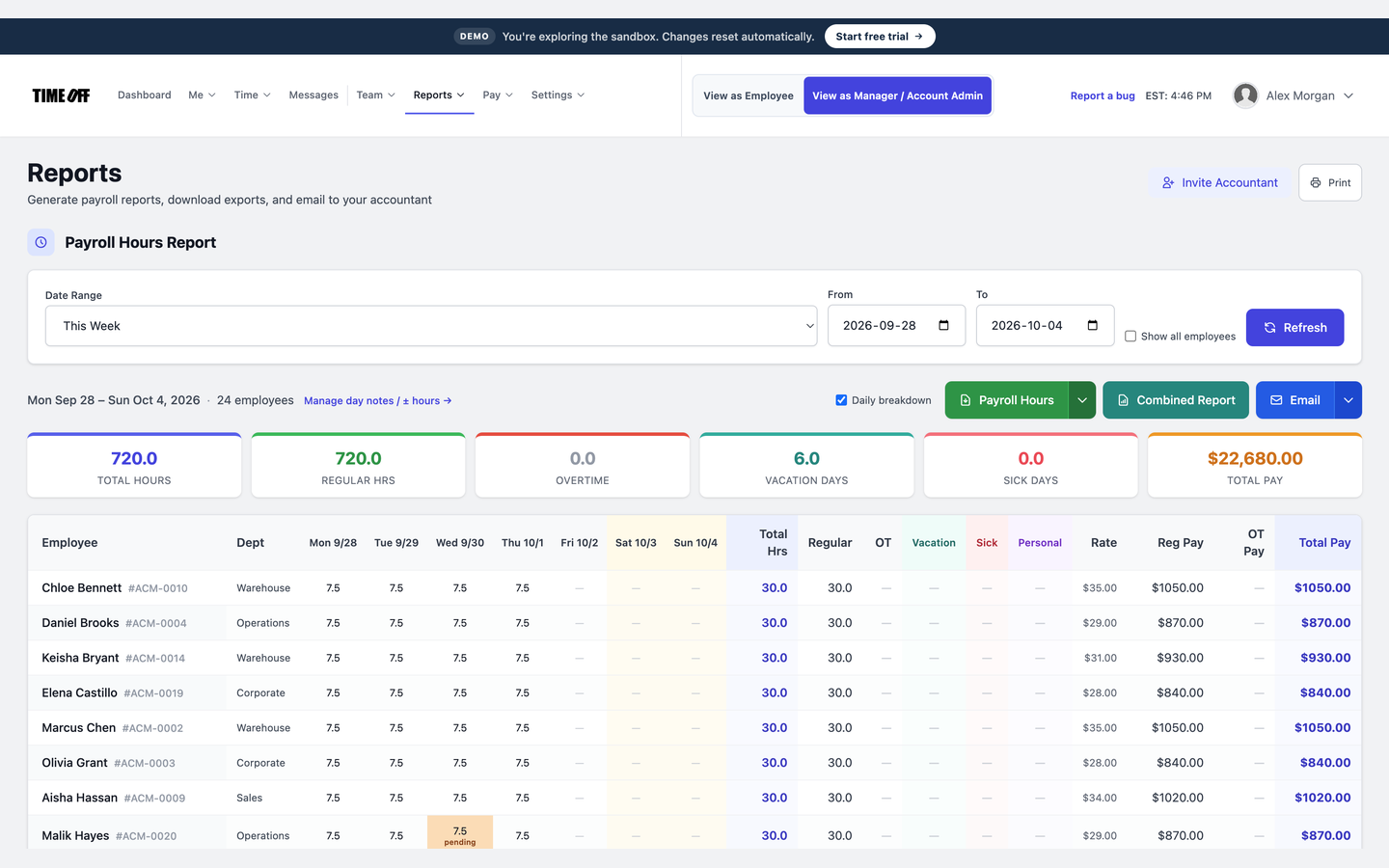
Night hours, ready to download
See it on the real product
These are real TimeOff Manager screens. Open the live demo to click around them yourself.
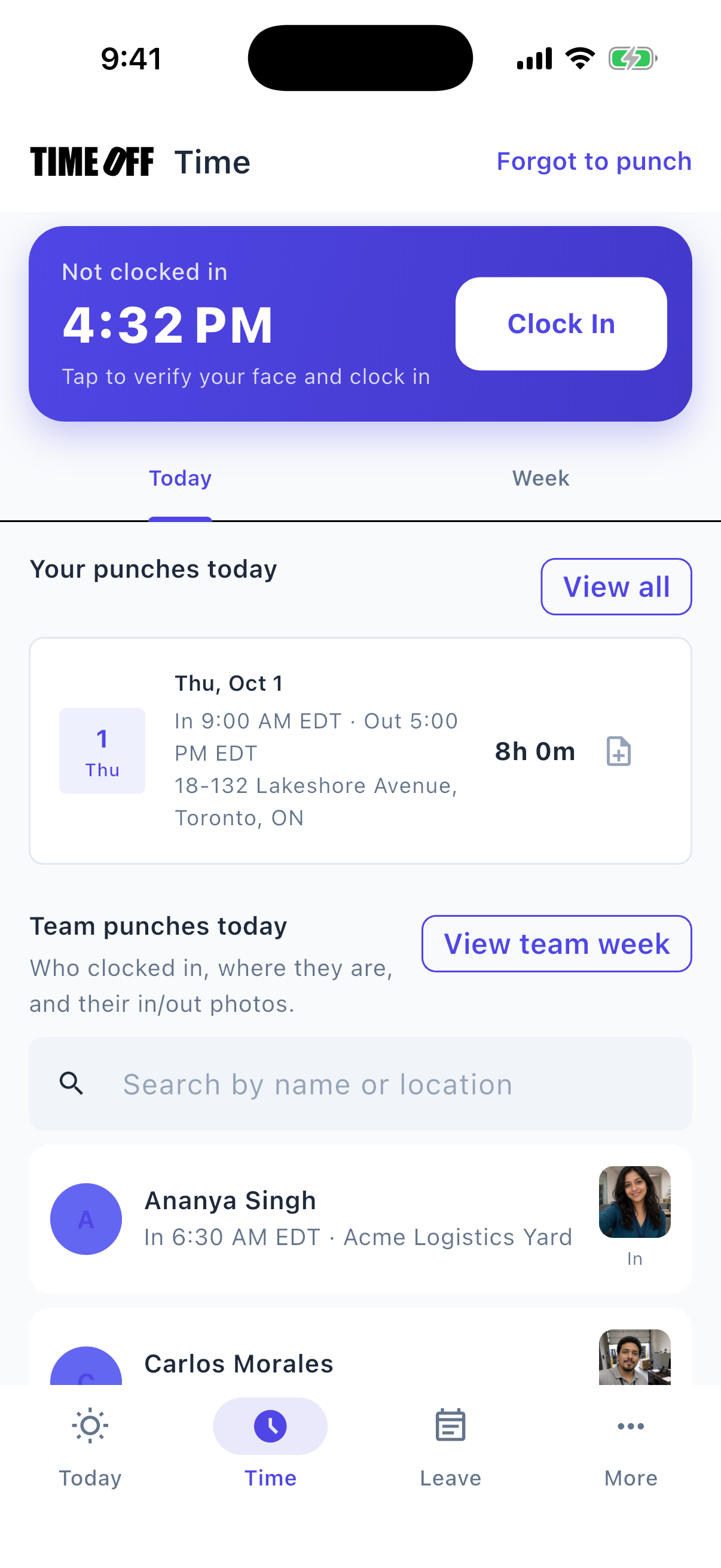
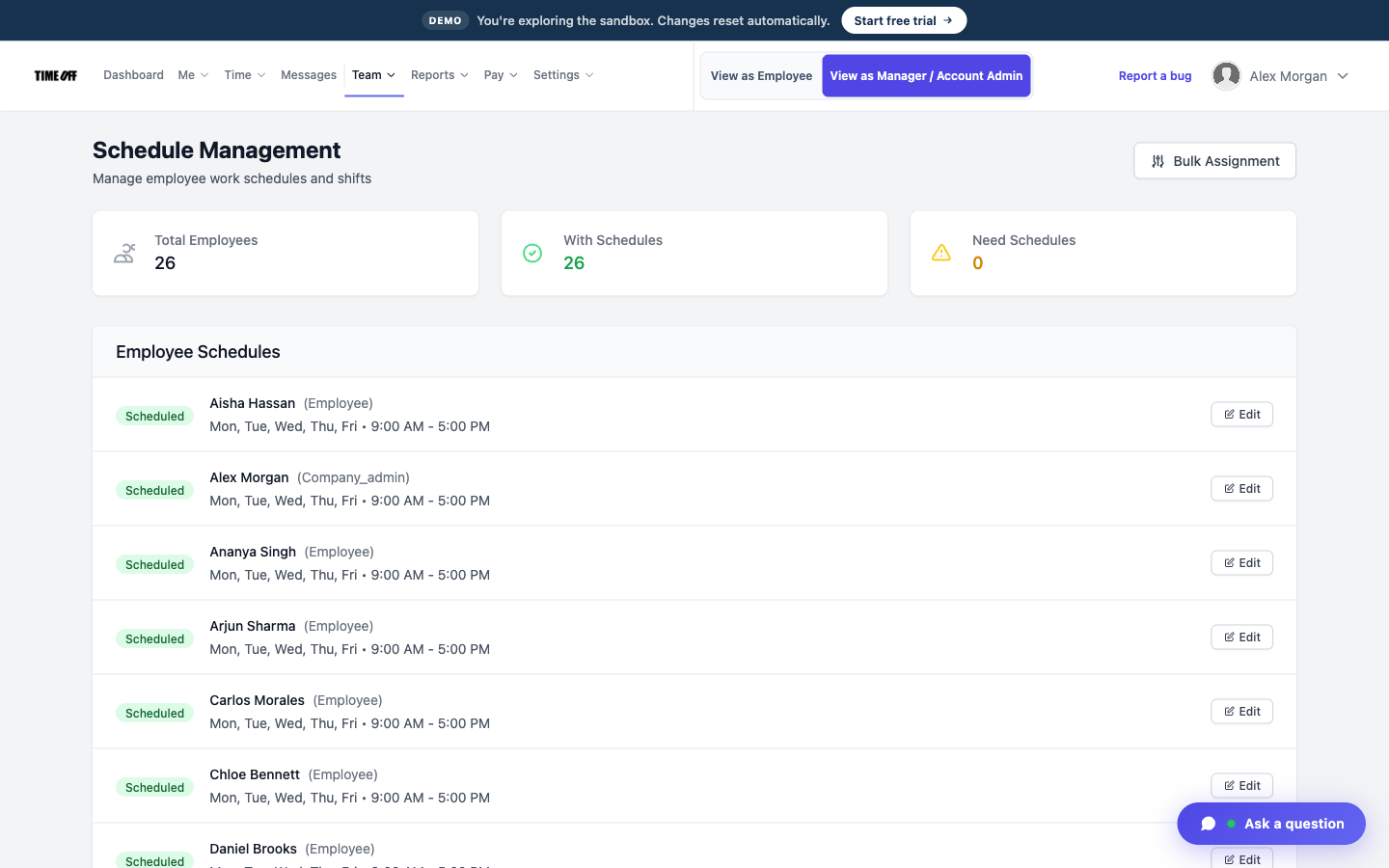
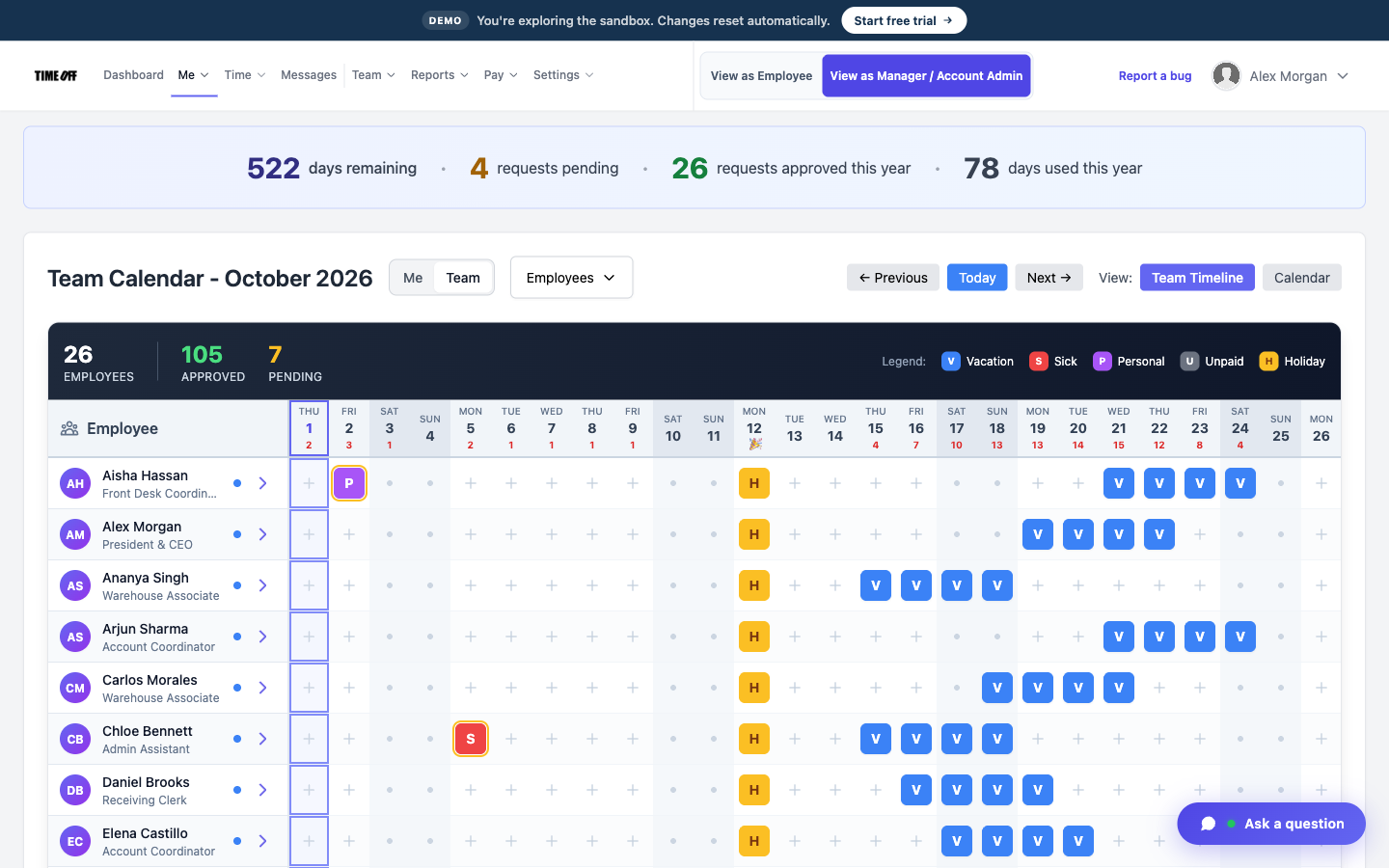
A typical night
-
1
The crew arrives at the client building
Each cleaner enters their PIN on the tablet, or uses their phone if that building has no kiosk.
-
2
They clock in
The kiosk records the PIN clock-in. A phone clock-in can save the GPS location and check the geofence.
-
3
You check the live map
During the shift, open the live staff map to see who is still clocked in. That map is separate from the GPS saved at clock-in.
-
4
Friday: download the hours
Download the hours for payroll and for the client bill you create in other software.
This is not janitorial operations software
TimeOff Manager does not run quality checklists, inspections, or supply orders. It records who clocked in at the client building, their time off, and the hours you download.
Also see time tracking software, TimeOff Kiosk, PTO software, and pricing.
Approved time off can sync to Google Calendar and Microsoft Outlook. Approved hours can go to QuickBooks Online or FreshBooks.


You can also ask ChatGPT, Claude, or Cursor questions about your account, like who is out next week, through Model Context Protocol.

Simple pricing
From $15/mo billed annually. Starter $15/mo · Growth $25/mo · Scale $49.99/mo. Every plan includes time off, clock-in, GPS, a shared-tablet kiosk, mileage, and hour downloads.
Common questions from cleaning companies
Can a night crew clock in at the client building?
Yes. Put TimeOff Kiosk on a tablet by the door, or have cleaners clock in on their phone. A phone clock-in can save the GPS location.
Is the kiosk the same app as the phone app?
No. TimeOff Kiosk runs on the shared tablet, and each person uses a PIN. TimeOff Manager Pro is the app on each person’s own phone. Time off and company settings are managed on the website.
Does it inspect the cleaning?
No. It does not replace a quality checklist. It records attendance and hours.
Is this time tracking for cleaning crews or only for commercial cleaners?
Both. Cleaning crews and commercial cleaners use the same product to track their time at a client building.
How much does it cost?
From $15/mo billed annually after a 14-day trial. Starter is $15/mo, Growth is $25/mo, and Scale is $49.99/mo. The kiosk is included.
Other on-site teams
Know the crew clocked in at the building
From $15/mo billed annually after a 14-day trial. Starter $180/year (1–20 users), Growth $300/year (21–50), Scale $49.99/mo or $479.90/year (51–1,000).