
Industries / Home health
Time tracking for home health aides
Aides clock in on their phone when they arrive at a client’s home. The miles they drive between visits are saved with their hours. Care plans and visit claims stay in your care software.
- 14-day trial
- From $15/mo
- Live demo
From $15/mo billed annually. Starter $15/mo · Growth $25/mo · Scale $49.99/mo.
How a home health agency uses it
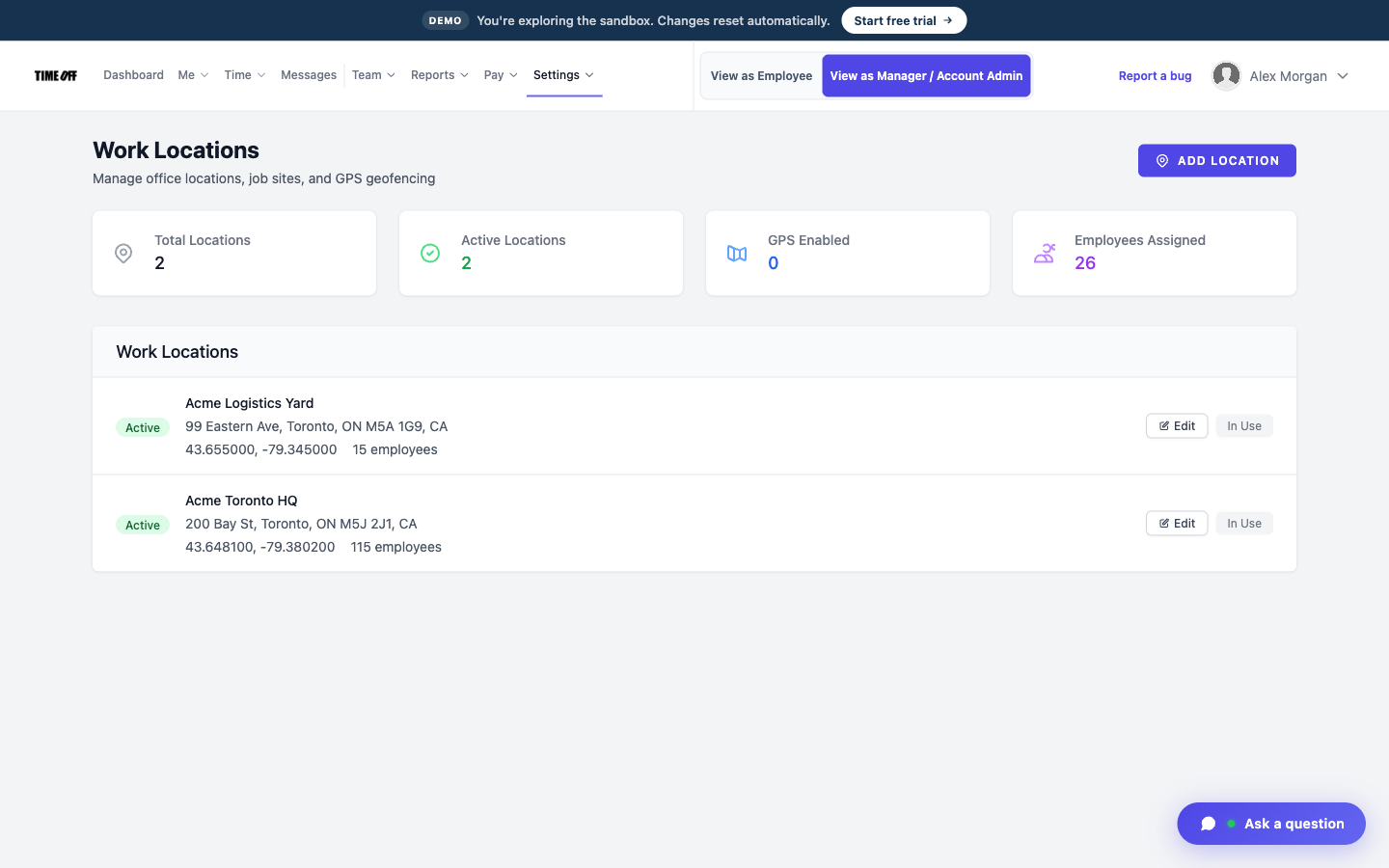
Client homes saved as work locations
Each client’s home is a clock-in location
When an aide clocks in at the office, you can’t tell they actually made it to the client’s home.
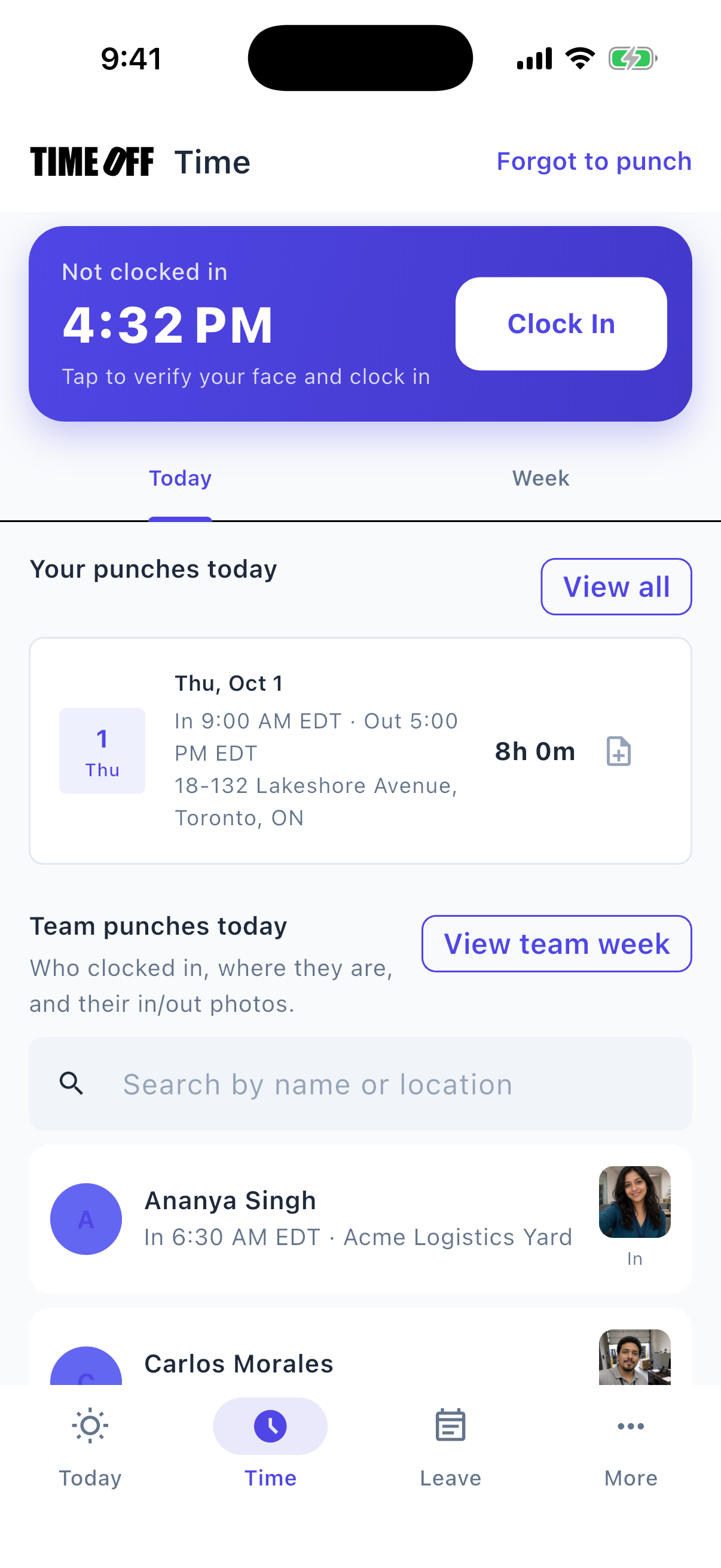
Save each client’s address as a work location. When the aide clocks in on their phone, TimeOff Manager saves their GPS location.
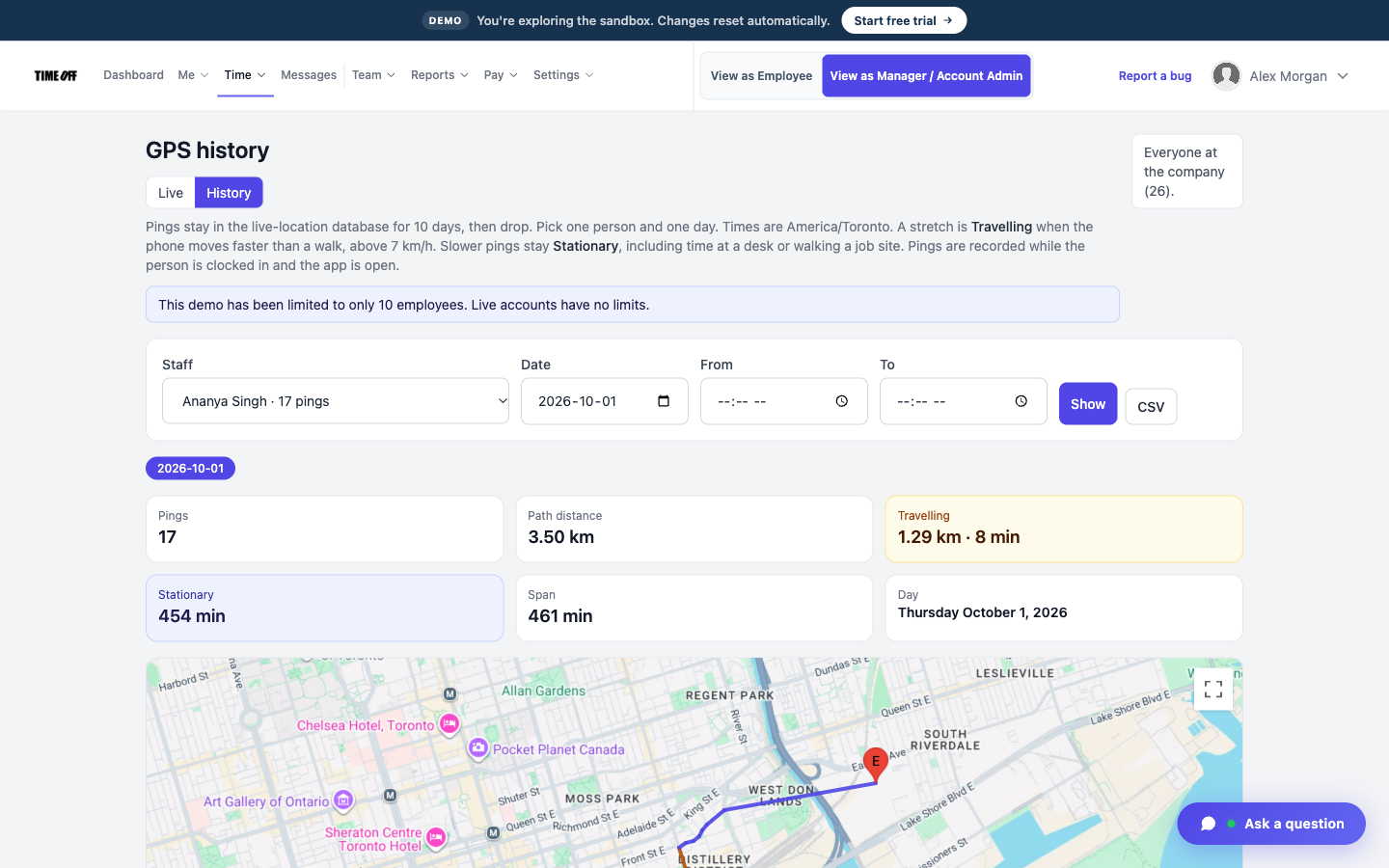
Where each aide clocked in
Aides clock in at the door, not down the street
Your rule may be that aides clock in at the home, and clocking in from a parking lot nearby isn’t good enough.
Draw a geofence around the home. The aide can only clock in inside the area you set.
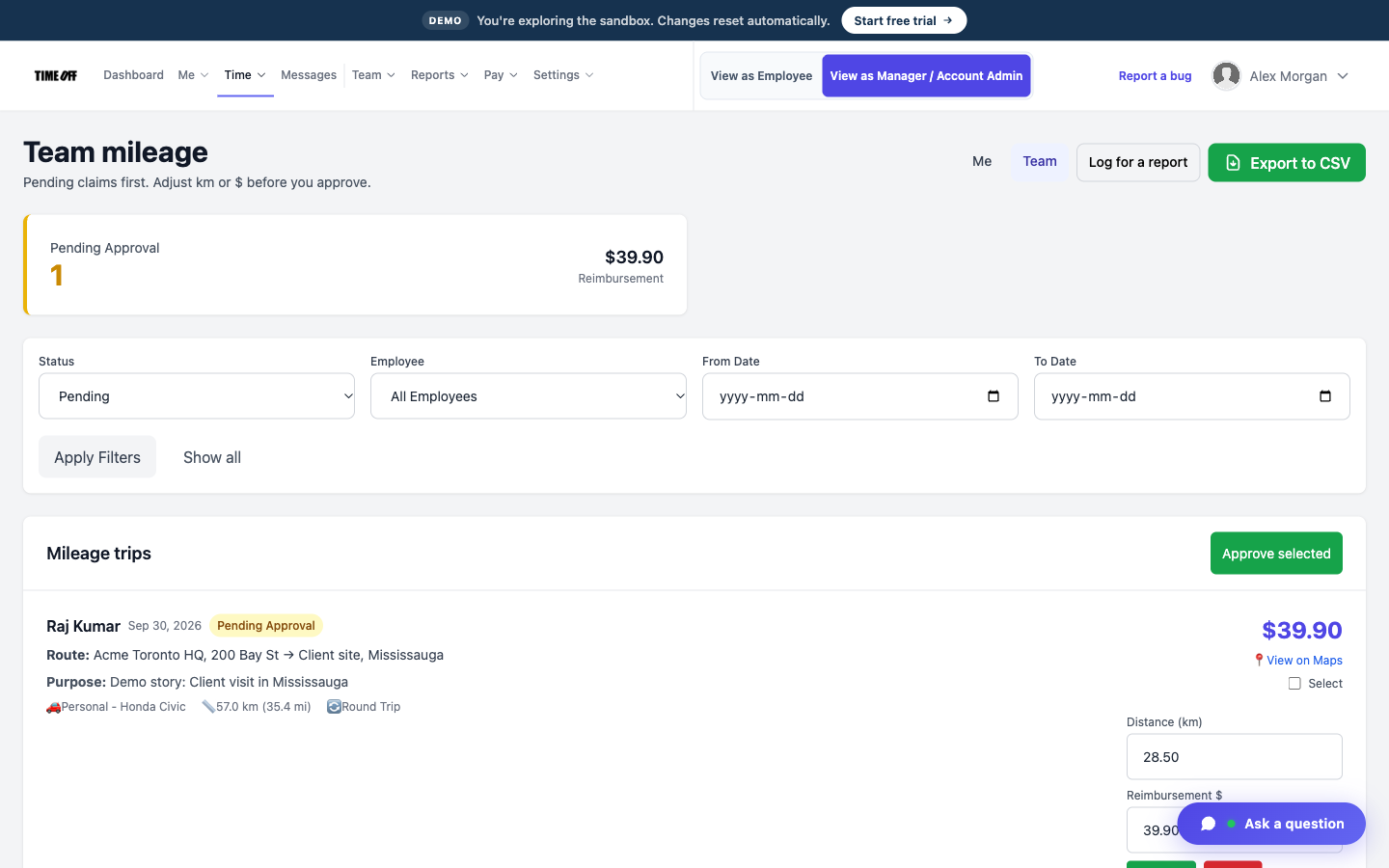
Mileage trips waiting for approval
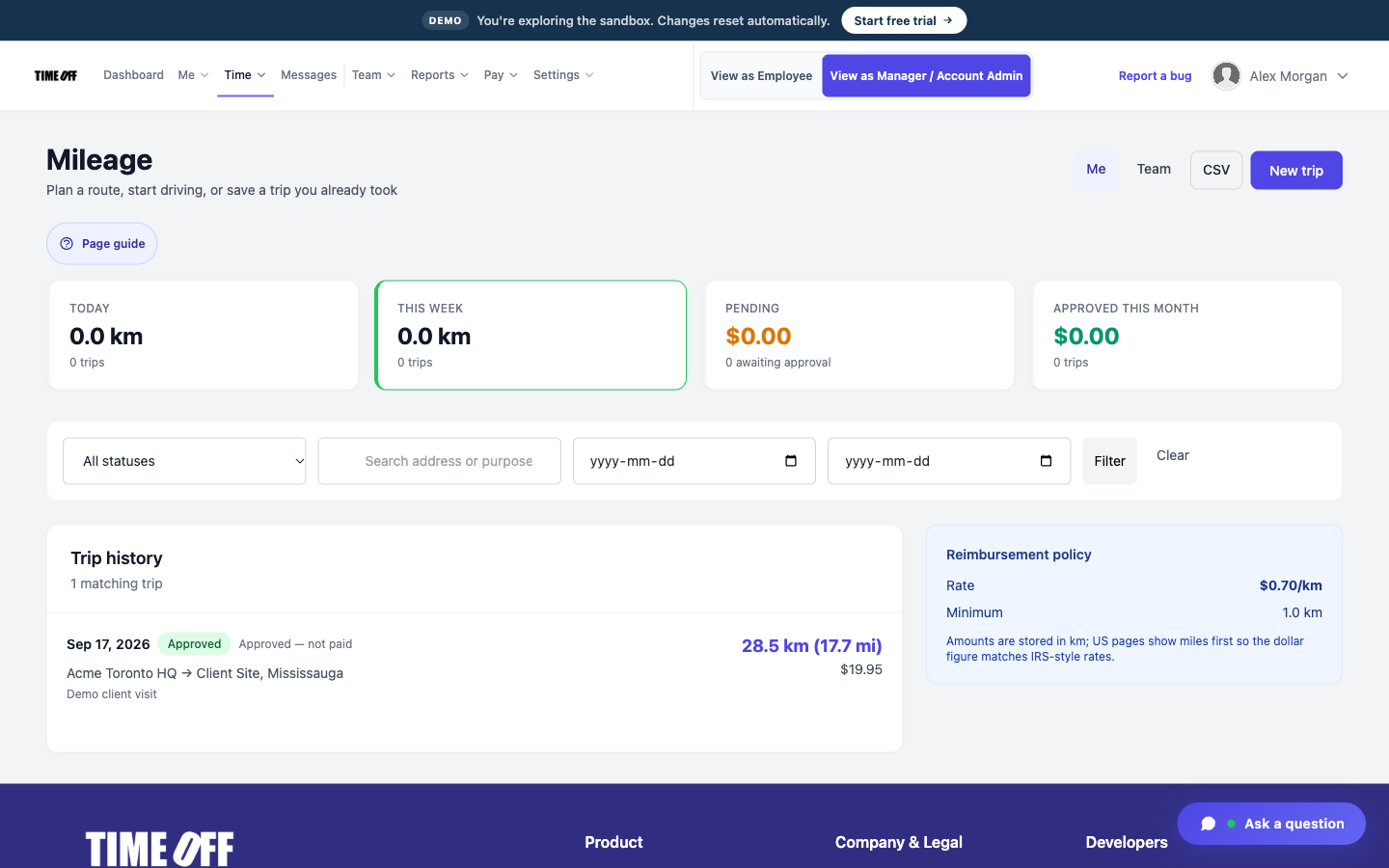
Miles between visits
The drive from one client’s home to the next is work, but it often goes unrecorded.
Aides log the trip in the same app they clock in with. A manager can review and approve each trip.
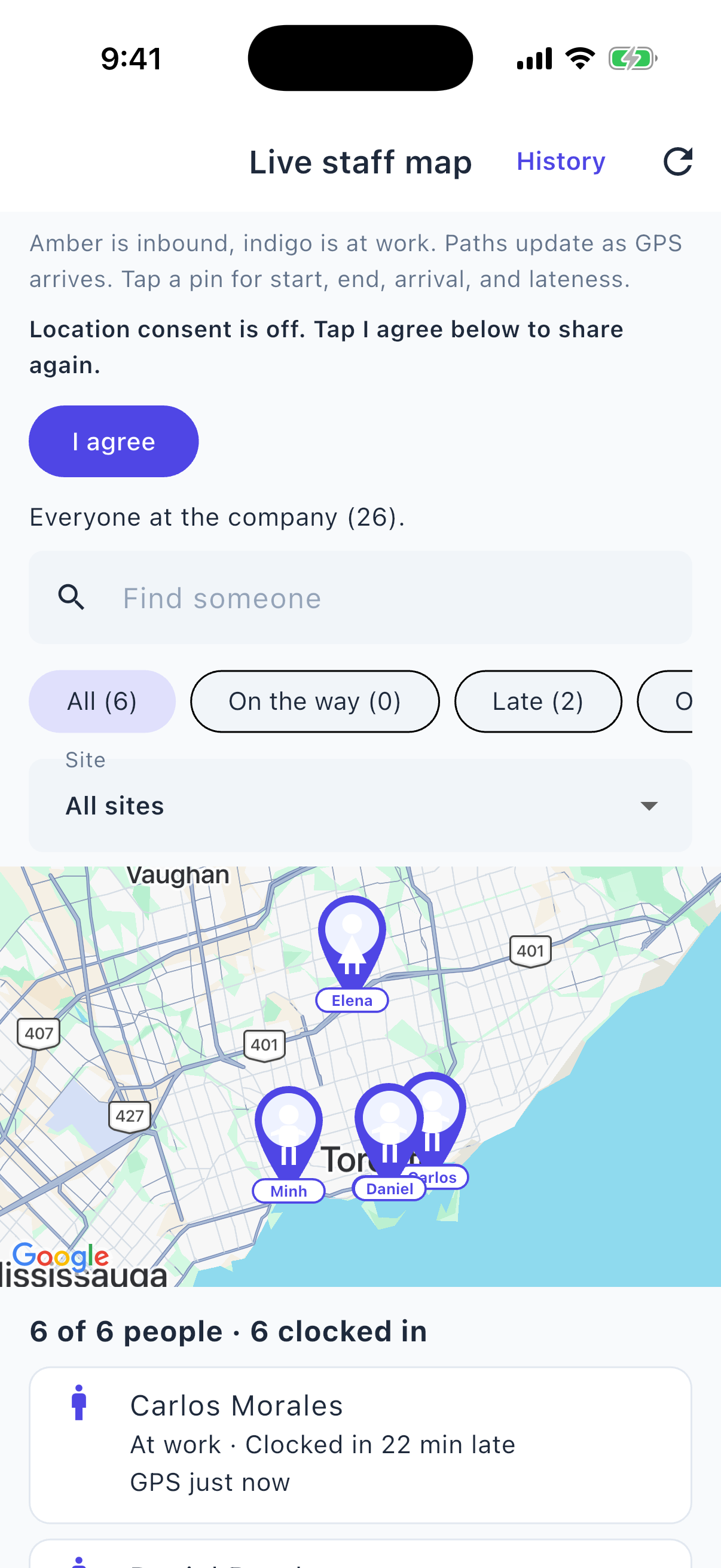
Who is on shift, from your phone
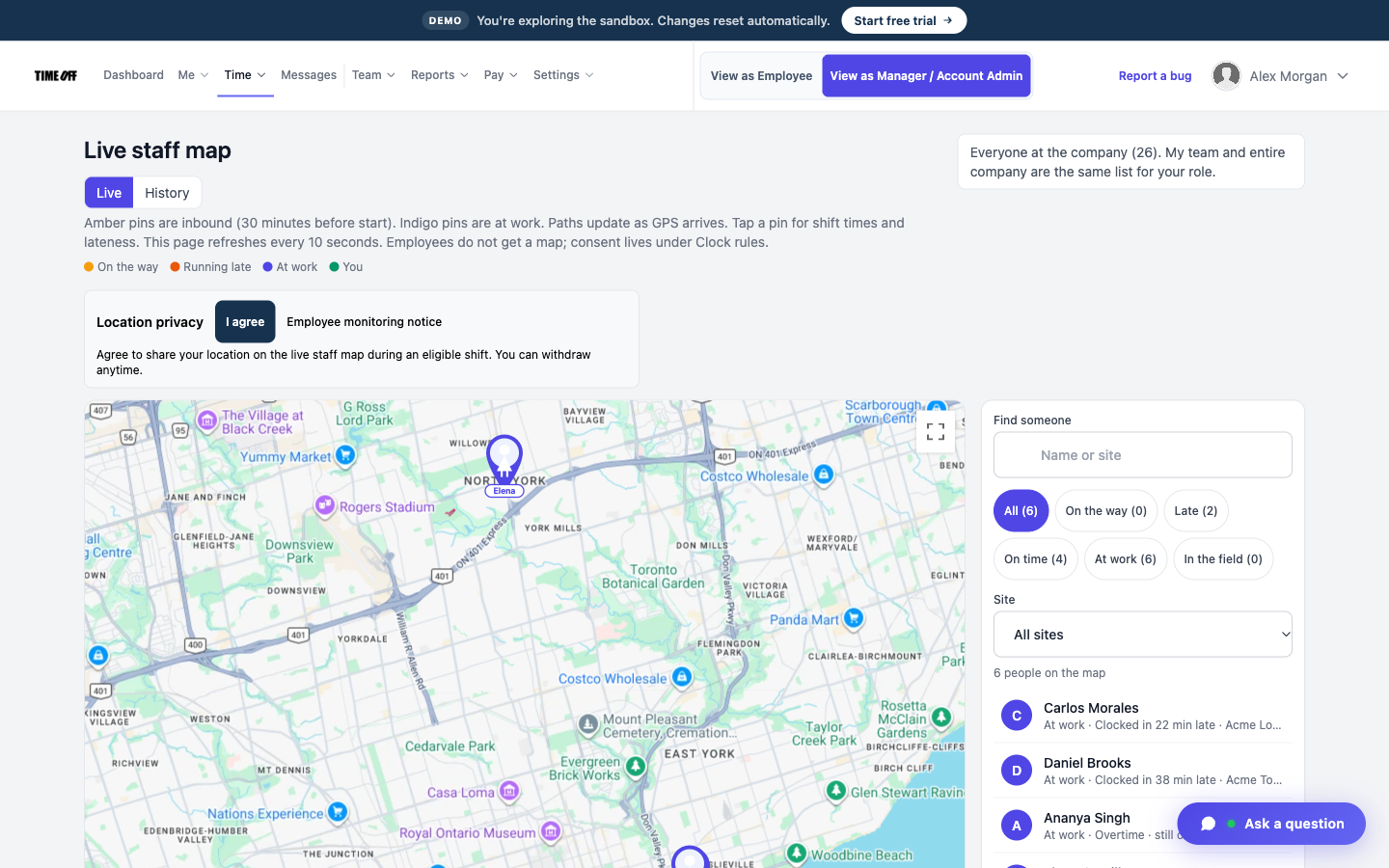
See who is still out on a visit
To find out if an aide is still working, you usually have to call them.
The live staff map shows who is clocked in right now. GPS history is a separate screen that shows where each person clocked in.
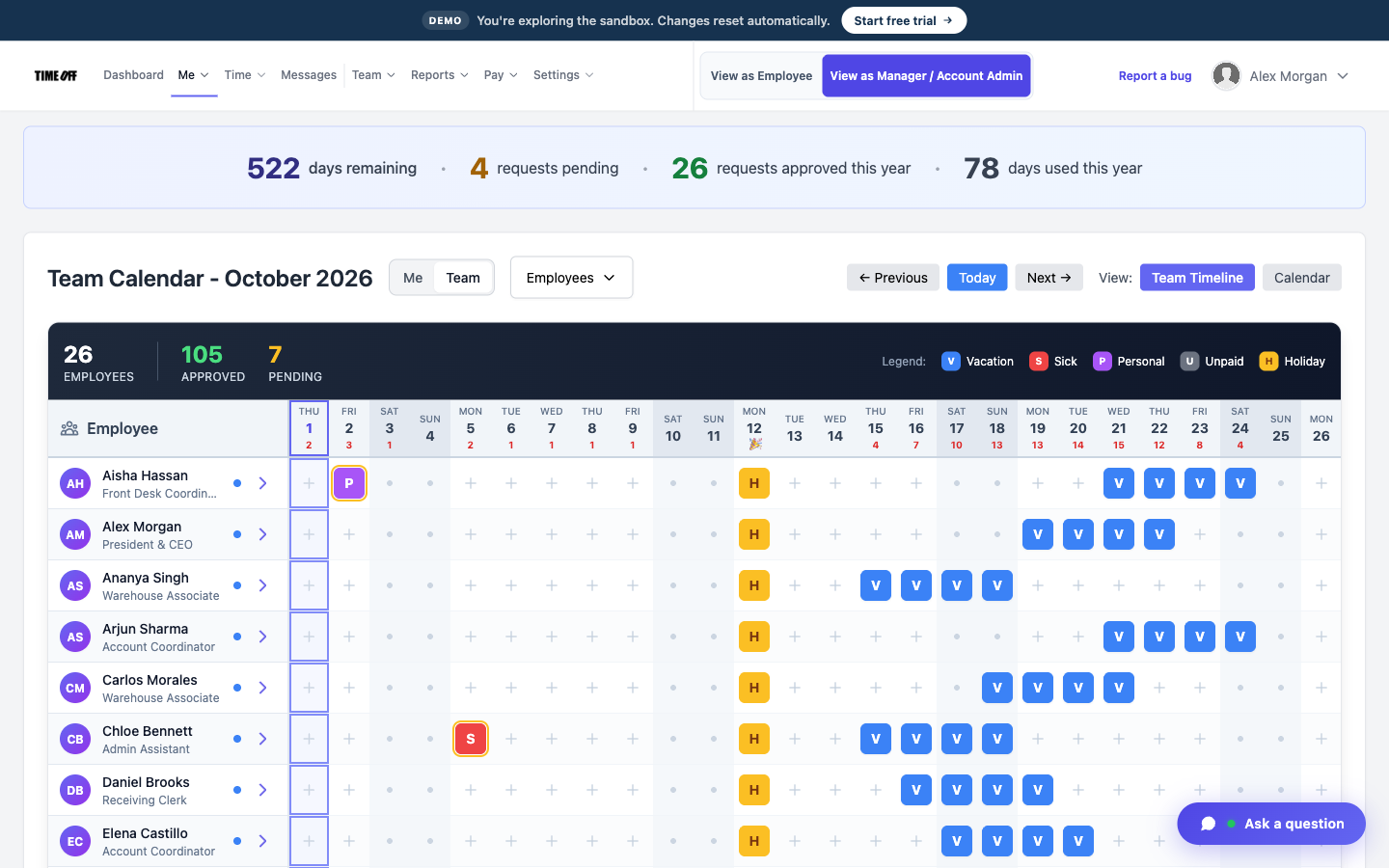
Who is off this month
A sick day doesn’t look like a missed visit
When an aide is out sick and nothing is written down, it looks like they forgot to clock in.
Aides request time off in the app. Once you approve it, the day shows on the team calendar, so you know why there was no clock-in.
Approved hours, ready for payroll
TimeOff Manager tracks hours. It doesn’t pay anyone. At the end of the pay period, a manager reviews and approves the hours. Then you download them as an Excel or CSV file and send it to whoever runs payroll: your bookkeeper, your accountant, or your payroll software.
-
Hours are approved first
A manager checks the hours before they go anywhere, so payroll gets real numbers, not guesses from a group text.
-
Overtime is flagged
Extra hours show up on the timesheet, so you can see overtime before you pay it.
-
Excel or CSV
One download your bookkeeper or payroll software can open.
-
Payroll happens elsewhere
TimeOff Manager does not calculate pay, print checks, or file taxes.
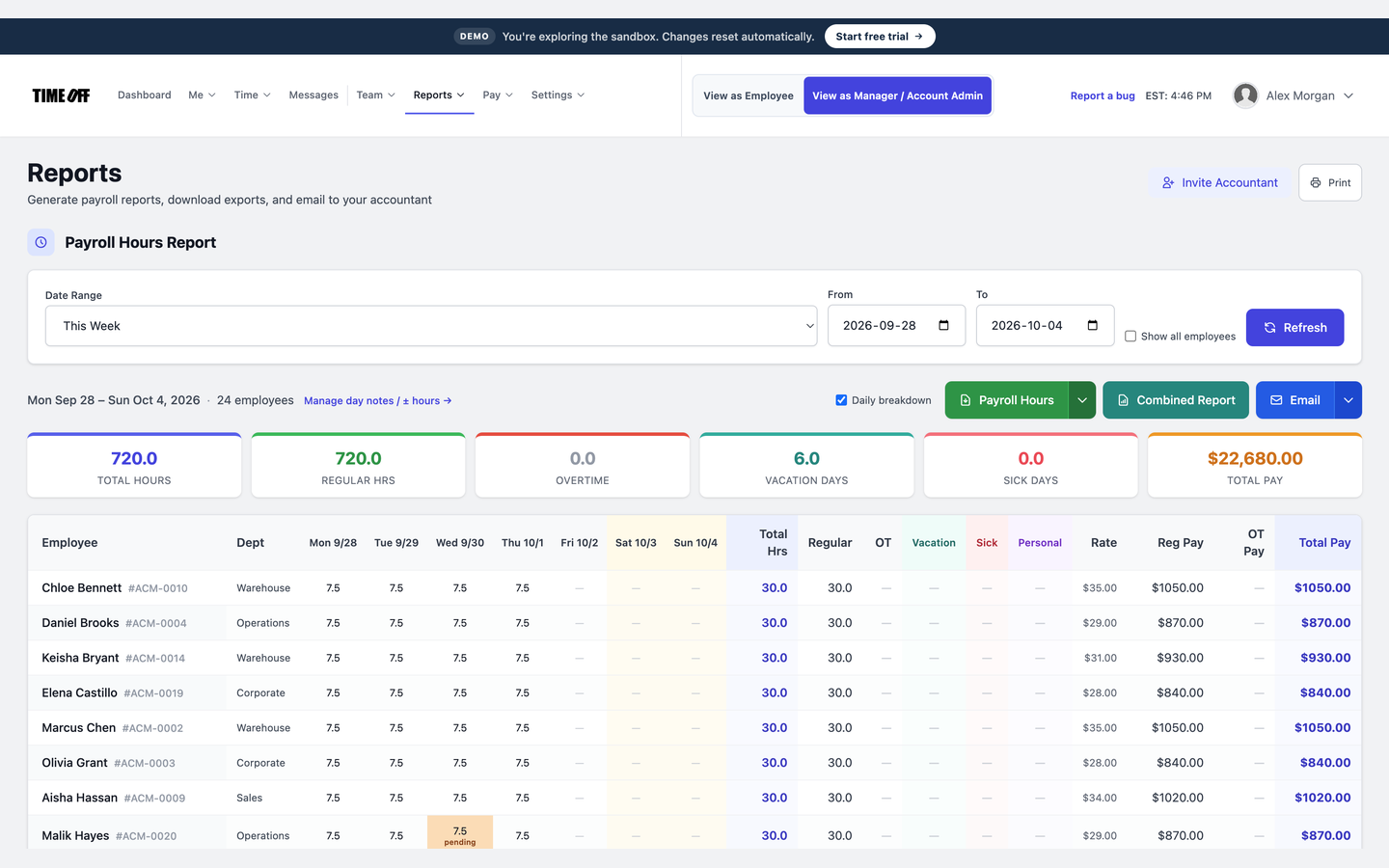
The hours report, ready to download
See it on the real product
These are real TimeOff Manager screens. Open the live demo to click around them yourself.
A typical day for an aide
-
1
Clock in at the first home
The aide clocks in on their phone when they arrive. Their GPS location is saved.
-
2
Drive to the next visit
They clock in at the next address and log the miles they drove.
-
3
Check the map
The office sees who is still clocked in on the live map.
-
4
Send hours to payroll
Download the approved hours as a file. Care notes stay in your care software.
This is not a care plan or visit-claim system
TimeOff Manager does not store care plans, clinical notes, or electronic visit claims. It records the hours aides work, their time off, their mileage, and where they clocked in.
Also see time tracking software, TimeOff Kiosk, PTO software, and pricing.
Approved time off can sync to Google Calendar and Microsoft Outlook. Approved hours can go to QuickBooks Online or FreshBooks.


You can also ask ChatGPT, Claude, or Cursor questions about your account, like who is out next week, through Model Context Protocol.

Simple pricing
From $15/mo billed annually. Starter $15/mo · Growth $25/mo · Scale $49.99/mo. Every plan includes time off, clock-in, GPS, a shared-tablet kiosk, mileage, and hour downloads.
Common questions from home health agencies
Can each client’s home be a clock-in location?
Yes. Add the address as a work location. When the aide clocks in, their GPS location is saved.
Does a geofence submit a visit claim?
No. It only checks that the aide clocked in inside the area you set.
What about an overnight shift?
The aide clocks in when the shift starts and clocks out when it ends, even if that is the next morning.
How much does it cost?
From $15/mo billed annually after a 14-day trial. Starter is $15/mo for 1–20 people, Growth is $25/mo for 21–50, and Scale is $49.99/mo for larger teams.
Other on-site teams
Track hours at the client’s home, without the paperwork
From $15/mo billed annually after a 14-day trial. Starter $180/year (1–20 users), Growth $300/year (21–50), Scale $49.99/mo or $479.90/year (51–1,000).