Hotel and Hospitality Time Tracking: Housekeeping, Front Desk and Night Audit Shifts (2026)
How independent hotels, motels and small resorts clock in housekeeping, front desk and night audit staff, split hours when one person works two jobs, catch overtime early and hand payroll clean hours.
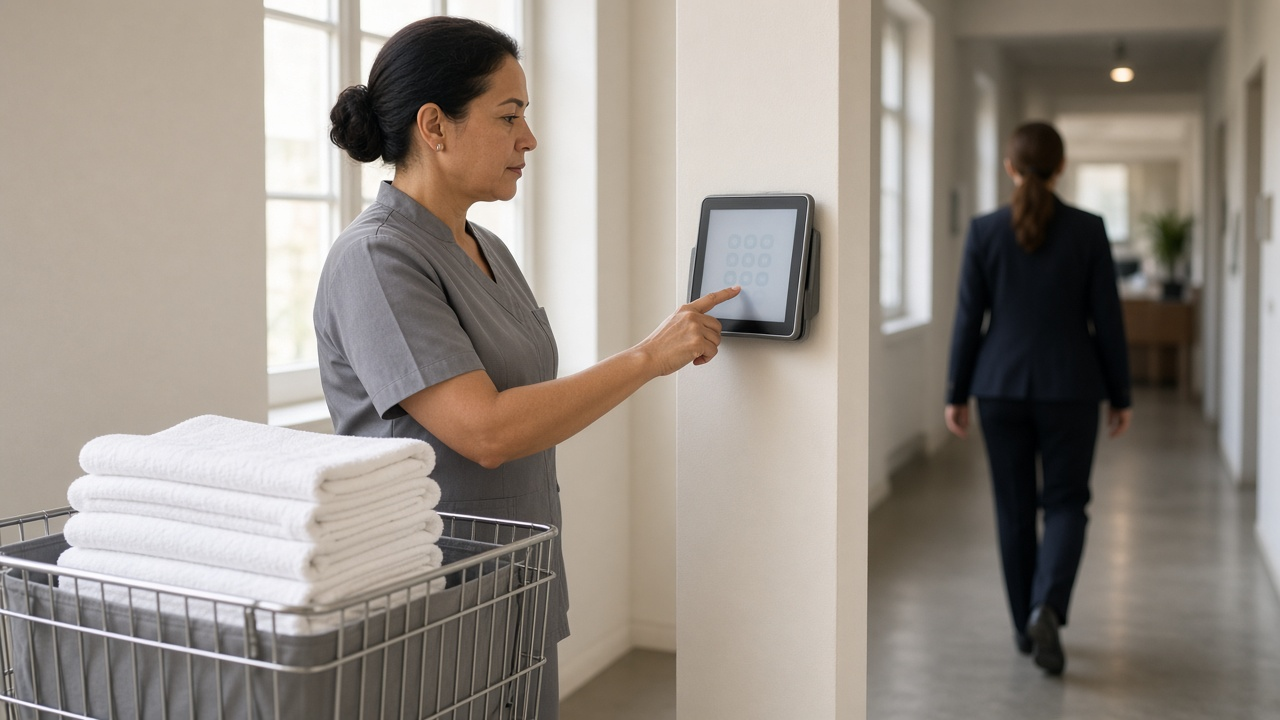
One tablet at the employee entrance, one PIN per person, and every department on one timesheet.
It's 11:20 at night. The evening front desk agent was supposed to leave at 11, but a late check-in group showed up and she's still at the counter. The night auditor clocked in on time. Upstairs, a room attendant who also works banquets on weekends finished her rooms at 3:30 and then set tables until 9. Tomorrow the general manager will piece it together from a paper sign-in sheet and a text thread.
This guide is for people who run hotels at a manageable size: owners and general managers of independent hotels, motels, inns and small resorts, and the HR or operations lead at a small hotel group. It covers clocking in every department, scheduling a property that never closes, night audit and on-call hours, two-job shifts, and clean hours for payroll.
Why time tracking for hospitality is harder than it looks
A hotel is several small businesses under one roof, and they all run on different clocks.
- The front desk never closes. Three shifts a day, seven days a week, and the 11 p.m. to 7 a.m. shift starts on one date and ends on another.
- Housekeeping runs on occupancy. A full house on Saturday needs twice the room attendants a quiet Tuesday does, and the schedule changes the week of.
- People work more than one job. A houseman covers the breakfast room. A maintenance tech serves at a wedding. A front desk agent helps with the night audit. Each job may have a different rate, and some are tipped.
- Shifts run over. A late group or a flooded room keeps people past their scheduled end, and those minutes are hours worked.
- Seasons swing hard. Summer and event weekends bring seasonal hires who need to be set up fast.
What good looks like
- Every person clocks in within seconds at the employee entrance with their own PIN, or on their own phone if they move around the property.
- A night shift is one clock-in and one clock-out, not two half shifts on two dates.
- Hours are split by job when someone works two departments in the same shift.
- Managers see weekly hours per person, with regular and overtime split, before the week is over.
- Missed clock-outs get fixed by the employee, approved by a manager, and leave a record.
- Payroll gets one approved hours file with regular, overtime and holiday hours.
TimeOff Manager tracks staff hours, schedules and leave. It is not a property management system or a point of sale, so it sits next to your reservations and guest systems, not inside them.
A clock-in tablet at the employee entrance
The simplest setup for a hotel is a shared tablet running TimeOff Kiosk. Mount it where staff actually come in: the employee entrance, the housekeeping office, the hallway by the locker room. Not the front desk. An admin or HR manager activates the device once, then everyone clocks in with the PIN from their employee profile.
A few settings matter in a hotel:
- Photo and GPS. In clock rules you can require a photo at clock-in and out, and GPS, so each clock event shows who was at the tablet. That is the simplest answer to one coworker clocking in for another. Our guide to stopping clock-ins for coworkers with kiosk photos goes deeper.
- Schedule required. If you turn on Require a schedule to clock in, the kiosk only lets in people who are scheduled that day, and on the shared tablet that includes admins. Load every schedule first or your executive housekeeper gets locked out on day one.
- Weak signal. Laundry rooms and basements are often dead zones. The PIN lookup needs a network, but once the person is identified, the TimeOff Kiosk app saves a clock event that times out and sends it later with the original time and location. Schedule, geofence and photo rules still apply.
The kiosk guide covers activation and every rule.
Managers, maintenance and anyone who covers more than one building can clock in on their own phone with the TimeOff Manager Pro app. It is a different app from the kiosk: each person signs in with their work email. It also saves a clock event on the phone when there is no signal and sends it later. If you run more than one property, save each address as a work location with an optional GPS geofence, so a phone clock-in has to happen at the right hotel.
Scheduling a property that never closes
Most hotel schedules repeat even when the headcount doesn't. The desk runs 7 to 3, 3 to 11 and 11 to 7. Housekeeping starts at 8 and finishes when the rooms are done. Breakfast starts at 6. Build those patterns once as shift templates. A template is a weekly pattern of days and shift times, and it can carry a default work location. Then use bulk schedule assignment to apply it to a whole group at once, for example every weekday room attendant.
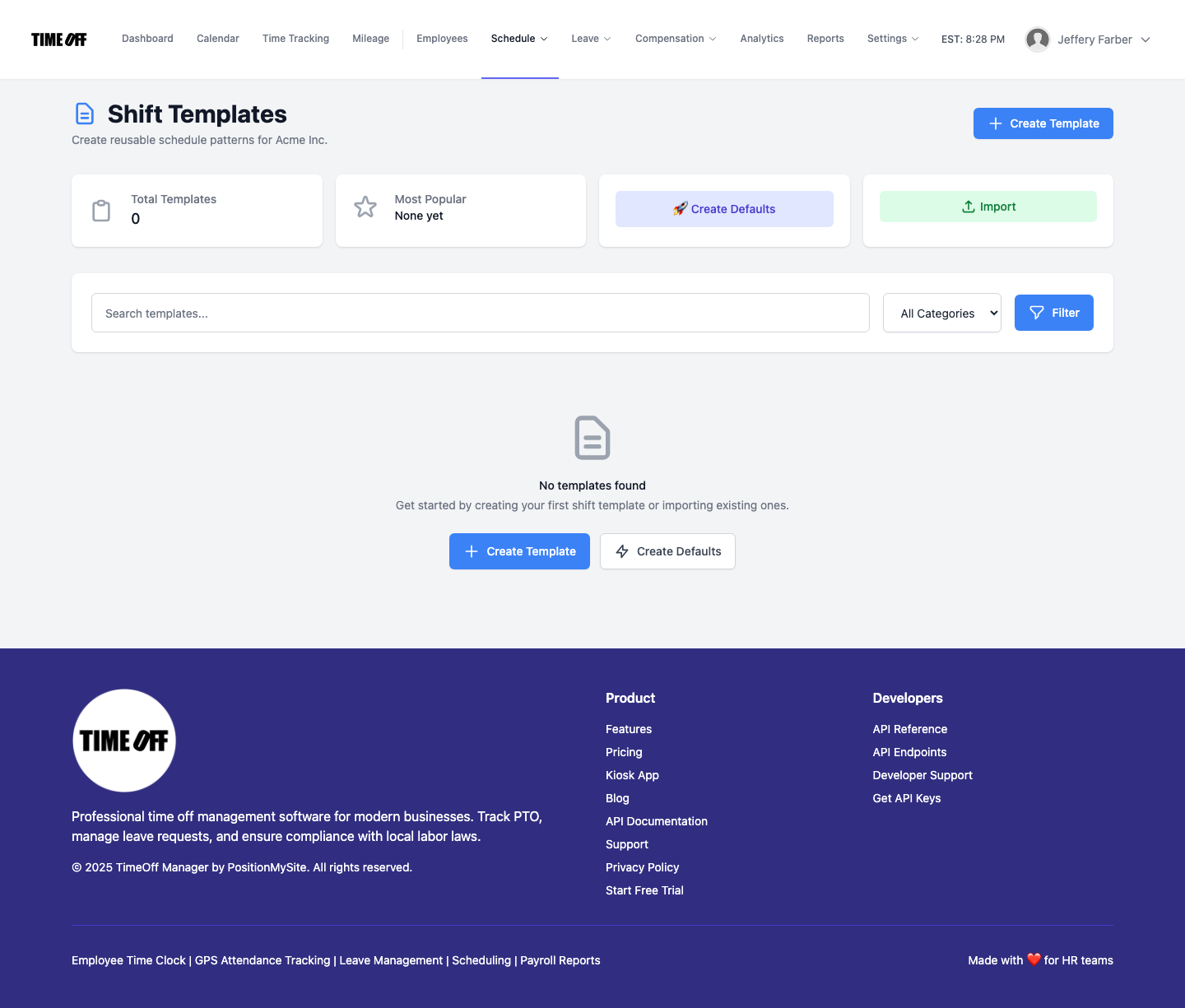
Then adjust for the week. When a wedding block or conference fills the house, edit individual schedules for the extra room attendants and desk coverage. Staff see the result on My Schedule, with approved leave on the same calendar, so nobody shows up on a day they were moved.
Set guardrails too. Schedule validation rules let you set daily and weekly hour limits, maximum shift length, break requirements and consecutive days. Start from a preset (strict, moderate or lenient), adjust the numbers, and run a test scenario so you know what message people will see. In a hotel the useful ones are consecutive days, which catches the desk agent who has said yes to every open shift for two weeks, and maximum shift length, which catches a double that turned into a triple.
Night audit, overnight shifts and missed clock-outs
The night audit shift should be one clock-in at 11 p.m. and one clock-out at 7 a.m. When someone forgets to clock out because the morning agent was late and they handed over in a hurry, they don't text the manager. They open forgot to clock in or out on the website, in the app or on the kiosk with their PIN, enter the real times and a short reason, and submit. The form supports overnight shifts and break minutes, and requests have to be within 60 days.
The manager sees it in the dashboard Approval Center, along with leave requests, mileage and payroll day notes, and can approve the times as submitted or edit them first. Approved requests create or update a completed time entry. If the clock times were right and you only need to explain something, like a shift that ran long because of a late group, use a payroll day note instead, so the original clock times stay untouched. For the whole process, see our guide to fixing missed clock-ins on timesheets.
Two things about nights. Under federal rules, a person on duty for less than 24 hours is generally working even if allowed to sleep when it's quiet, so a night auditor who dozes at 4 a.m. is usually still on the clock. And a maintenance tech required to stay on property on call is generally working; one on call at home usually isn't.
One person, two jobs, one shift
This is where hotel timesheets go wrong most often. A maintenance tech works 7 to 3, then serves at a banquet from 5 to 10. A room attendant covers the breakfast room for two hours. If all of that lands on one line called "hours," payroll can't apply the right rate to each job, and under U.S. rules it can't take a tip credit for the non-tipped hours. The Department of Labor's own example of a dual job is a hotel maintenance person who also works as a server.
Work activities solve the tracking side. They're optional and off by default. Turn them on, then add one activity per job: front desk, housekeeping, laundry, maintenance, breakfast, banquets. While clocked in, a person taps Switch activity on the kiosk or the signed-in timesheet, without clocking out, and each segment stores its own duration. The activity report then shows time by activity for the pay period.
For more, read our guide to work activities and job codes, and if you run a hotel restaurant or bar, our restaurant time clock guide covers servers and kitchen staff.
Catching overtime before payroll does
Hotel overtime rarely comes from one decision. It comes from 20 minutes past every shift and a weekend banquet nobody added to the week.
Open the manager timesheet hub at the start of each shift. The daily view shows who is clocked in or out right now. The weekly view is the one that saves money: each person's days across the week, with regular and overtime hours split, so on Thursday you can see who is already at 36 and shouldn't take Saturday's banquet.
In Overtime Management you set the company-wide weekly threshold and multiplier. Add per-employee rules only where someone's arrangement is different, such as a daily or weekly threshold that doesn't match the default. For the bigger picture, see time tracking software.
Time off when everyone wants the holidays
Staff request time off in the app, and the request goes to their approver. Before saying yes, the approver opens the team coverage calendar. Each row is a person and each column a day, with short codes for vacation, sick, personal, unpaid and holiday. If two of your three night auditors already have the week after Christmas, you'll see it before you approve a third.
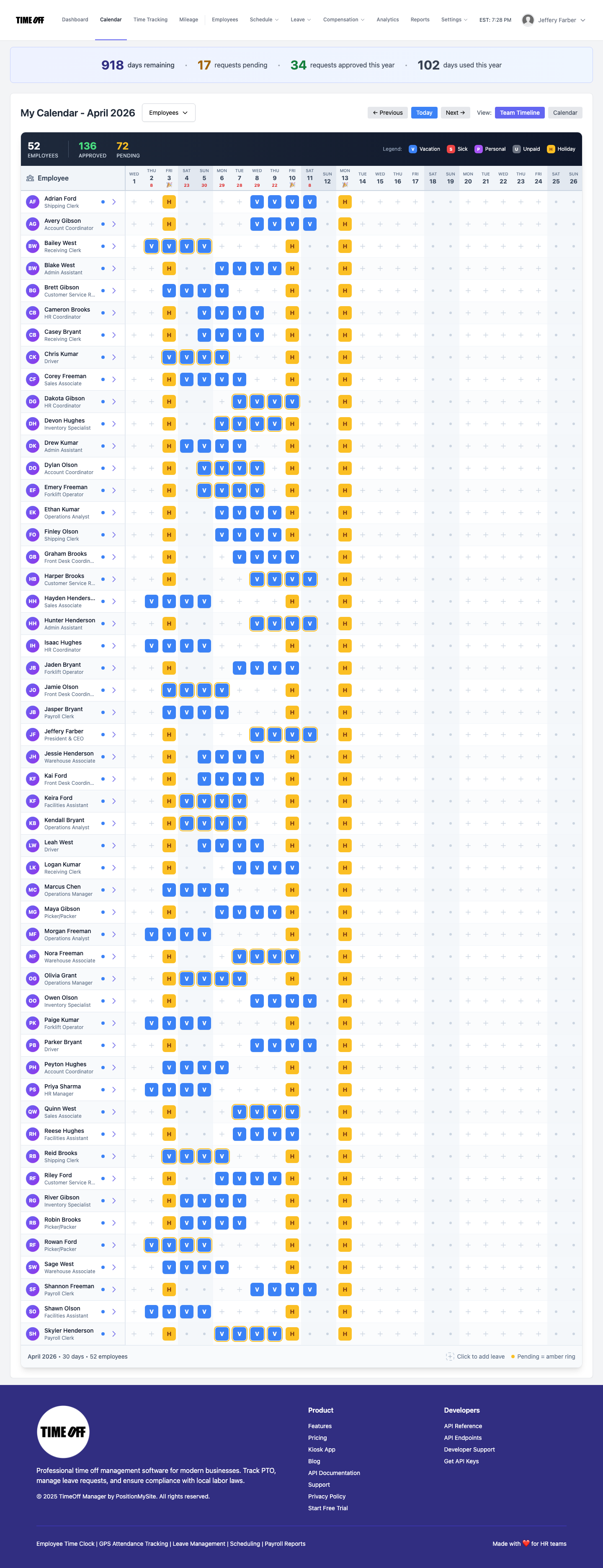
Approvals happen in one inbox. The leave requests guide explains the Approval Center and the leave-only queue. If you need categories beyond vacation and sick, such as bereavement or unpaid leave, turn on custom leave types and add them, so reports match your policy. Add your company holidays in holiday management so they show on everyone's calendar; our 2027 holiday calendar lists the U.S. and Canadian dates. See PTO software for how balances and requests work.
When something changes for everyone, like the pool closing for repairs or a conference block arriving Friday, send a staff message. It's a one-way announcement with an optional acknowledgement, not a chat, and it can arrive as a push notification in the app.
Hours ready for payroll
At the end of the pay period, managers review the weekly grid and approve hours. The payroll hours report pulls everyone into one download: Excel or CSV, plus ADP RUN and Paychex SPI hours files for import. These are hours only: regular, overtime and holiday.
Be clear about the split. TimeOff Manager doesn't track tips, apply a tip credit, split service charges, calculate pay or taxes, or run payroll. Those stay with your payroll provider. If an outside bookkeeper handles payroll, give them accountant access so they can pull the report without asking you for it every week.
A rollout you can do one department at a time
- Turn on time tracking and set clock rules: photo, GPS, and whether a schedule is required to clock in.
- Save each property as a work location with its address and geofence radius.
- Activate one tablet at the employee entrance and hand out PINs.
- Start with housekeeping, your biggest team. Run one pay period next to the old sheet and compare totals, then add the desk and night audit.
- Turn on work activities if anyone works two jobs, and set up one activity per job.
- Build shift templates for each department, bulk-assign them, and set validation and overtime rules.
- Move time-off requests into the app and give department heads access to their own team.
- Every pay period: approve missed clock-in fixes, review the weekly grid, approve hours and export for payroll.
Rules worth checking
This is not legal advice. Employment rules vary by country, state, province and sometimes by contract.
- Hours worked. Under the Fair Labor Standards Act, non-exempt employees generally earn time and a half for hours over 40 in a workweek. Work your managers allow after the end of a shift counts, on-call time on the premises usually counts, and short rest breaks are usually paid. See the U.S. Department of Labor fact sheet on hours worked.
- Tipped and dual jobs. If you take a tip credit for bell staff, servers or bartenders, you can only take it for the hours worked in the tipped job, and a compulsory service charge is not a tip under federal rules. Overtime for tipped staff is figured on the full minimum wage. See the Department of Labor fact sheet on tipped employees. Many states set a higher cash wage or ban the tip credit.
- Breaks and scheduling laws. Federal law doesn't require meal breaks, but many states do, and some cities have predictive scheduling rules that cover hotels. Check your state and city.
- Canada. Overtime is set by each province. Ontario generally pays overtime after 44 hours a week. See the Ontario overtime guide.
Try it with your team
Start with a full year free. A full year to try it with your team: you pay $0 for 12 months. A card is required to start, and the yearly price is charged on the anniversary unless you cancel first. After the year, Starter (1 to 20 people) is $180 a year, Growth (21 to 50) is $300 a year, and Scale (51 to 1,000) is $479.90 a year or $49.99 a month. Get comfortable before you decide: start with housekeeping, run a pay period with a busy weekend in it, then add the desk and the night audit.
FAQ
What is the best time clock for a hotel?
For most independent hotels, motels and small resorts, a shared tablet at the back-of-house entrance works best. Each person clocks in with their own PIN, and the clock event can carry a photo and GPS when your clock rules require them. Managers and maintenance can clock in on their own phone with a signed-in app. What matters most is that every department lands on one timesheet per person.
How do I track hours for staff who work two departments in one shift?
Turn on work activities and set up one activity per department or job, such as front desk, housekeeping, maintenance and banquets. A clocked-in employee can switch activity on the kiosk or the signed-in timesheet without clocking out, and the activity report shows time by activity. That matters under U.S. rules when one of those jobs is tipped and the other is not.
Is a night auditor working if they are allowed to sleep?
Under the U.S. Fair Labor Standards Act, an employee who is on duty for less than 24 hours is generally working even when they are allowed to sleep or do personal things when it's quiet. A night audit shift of 8 or 12 hours is usually all hours worked. This is not legal advice, so check your state rules and confirm with counsel or your payroll provider.
Does on-call time count as hours worked in a hotel?
It depends where the person has to wait. Under federal rules, someone required to stay on call on the premises is generally working. Someone on call at home who can be reached by phone usually is not, unless the restrictions are heavy. If a maintenance tech has to stay on property overnight, count those hours.
Can TimeOff Manager calculate tips, tip credits or service charges?
No. TimeOff Manager tracks hours, schedules and leave, not pay. It does not track tips, apply a tip credit or split service charges. The payroll hours report gives your payroll system clean regular, overtime and holiday hours, and the activity report shows hours by job when work activities are on. Pay math stays with your payroll provider.
How do we handle time off requests during peak season?
Staff request time off in the app and the request goes to their approver. Before approving, the manager checks the team coverage calendar, where each row is a person and each column is a day. Approvals all happen in one Approval Center, so peak-week requests don't get lost in a group chat.
What does it cost after the free year?
New companies get a full year free, $0 for 12 months, with a card required to start. If you continue, the yearly price is charged on your anniversary unless you cancel first: Starter (1 to 20 people) is $180 a year, Growth (21 to 50) is $300 a year, and Scale (51 to 1,000) is $479.90 a year or $49.99 a month.