Payroll day notes / hours
When the punch is already correct: employees propose a note or ± hours at /timesheet/payroll-adjustment. Admins review at /admin/payroll-adjustments. Different from Forgot to punch.
/timesheet/payroll-adjustment
Roles
Employee · Manager · HR manager · Company admin
Payroll day notes / hours are for days when the clock times are already right and you still need a note or a small ± hours change on the next payroll report.
Purpose
Employees open /timesheet/payroll-adjustment from Time Tracking. Managers and company admins review (or apply immediately) at /admin/payroll-adjustments. Open items also appear in My pending and the dashboard Approval Center.
Not Forgot to punch
Missing or wrong in/out times belong on Forgot to punch. Day notes never rewrite punches; they annotate payroll hours for that work date.
Employee form
Heading is Payroll day note / hours. Required: work date and a note. Optional hours delta is a small adjustment (the form caps the range). Staff wait for approval unless they are a manager applying immediately.
Admin queue
Heading is Payroll day notes / hours. Admins can approve employee proposals or add a note that applies on the next payroll report (the admin form posts with apply-immediately).
Product screenshots
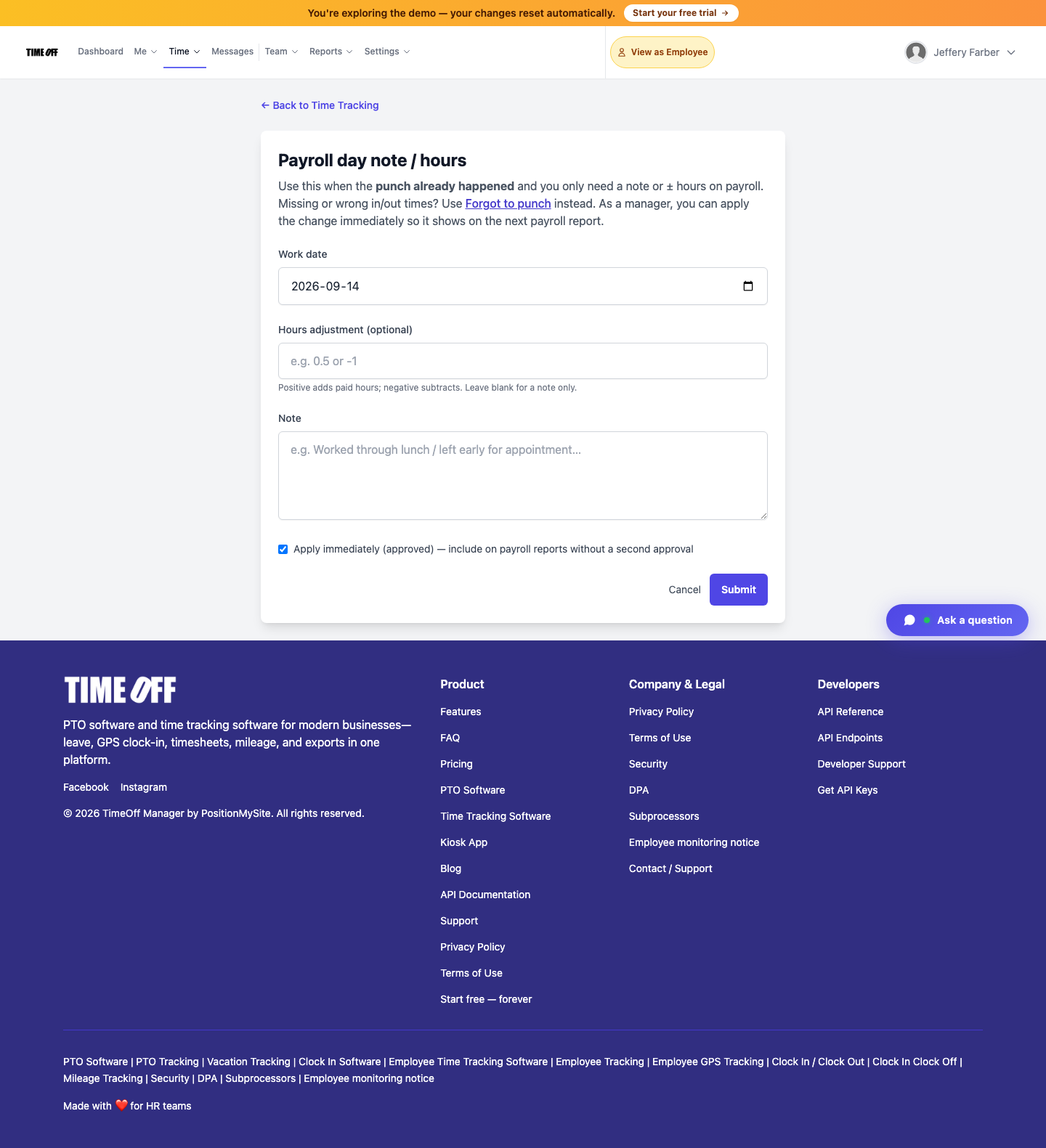
Employee form — /timesheet/payroll-adjustment (Acme demo).
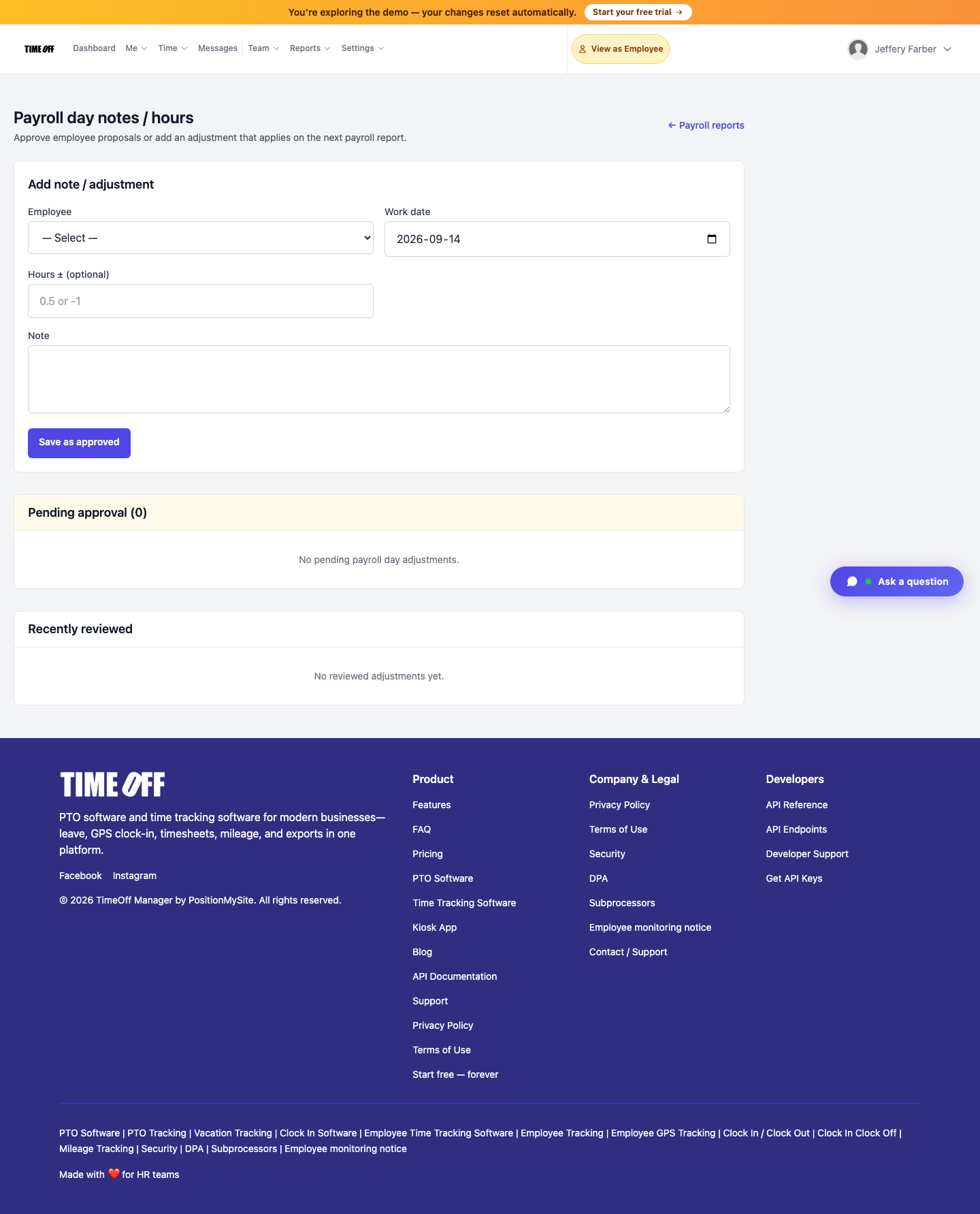
Admin queue — /admin/payroll-adjustments (Acme demo).