Approvals inbox & leave queue
Dashboard Approval Center (#approval-center) lists leave, missed punches, mileage, and day notes. /admin/requests remains the leave-only queue.
/dashboard#approval-center
Roles
Company admin · HR manager · Manager (direct reports)
Managers do not only approve vacation anymore. The dashboard Approval Center (/dashboard#approval-center) is one inbox for leave, missed punches, mileage, and day notes / ± hours, soonest first.
Approval Center
After sign-in, the yellow Pending Approvals card jumps here — not to /admin/requests.
Tabs filter by type. Approve or reject in place. Employees waiting on their own items use My pending instead.
The same mixed inbox is More → Approvals in the TimeOff Manager app. Leave “needs you” remains a leave shortcut.
Leave-only queue
/admin/requests is still the dedicated leave list (approve/reject with PTO context). Year roll-up stays at /admin/summary.
Who can use it
Managers (usually direct reports), HR, and company admins. Pure employees never use Approval Center; they submit and watch My requests and My pending.
Product screenshots
Acme demo, company admin.
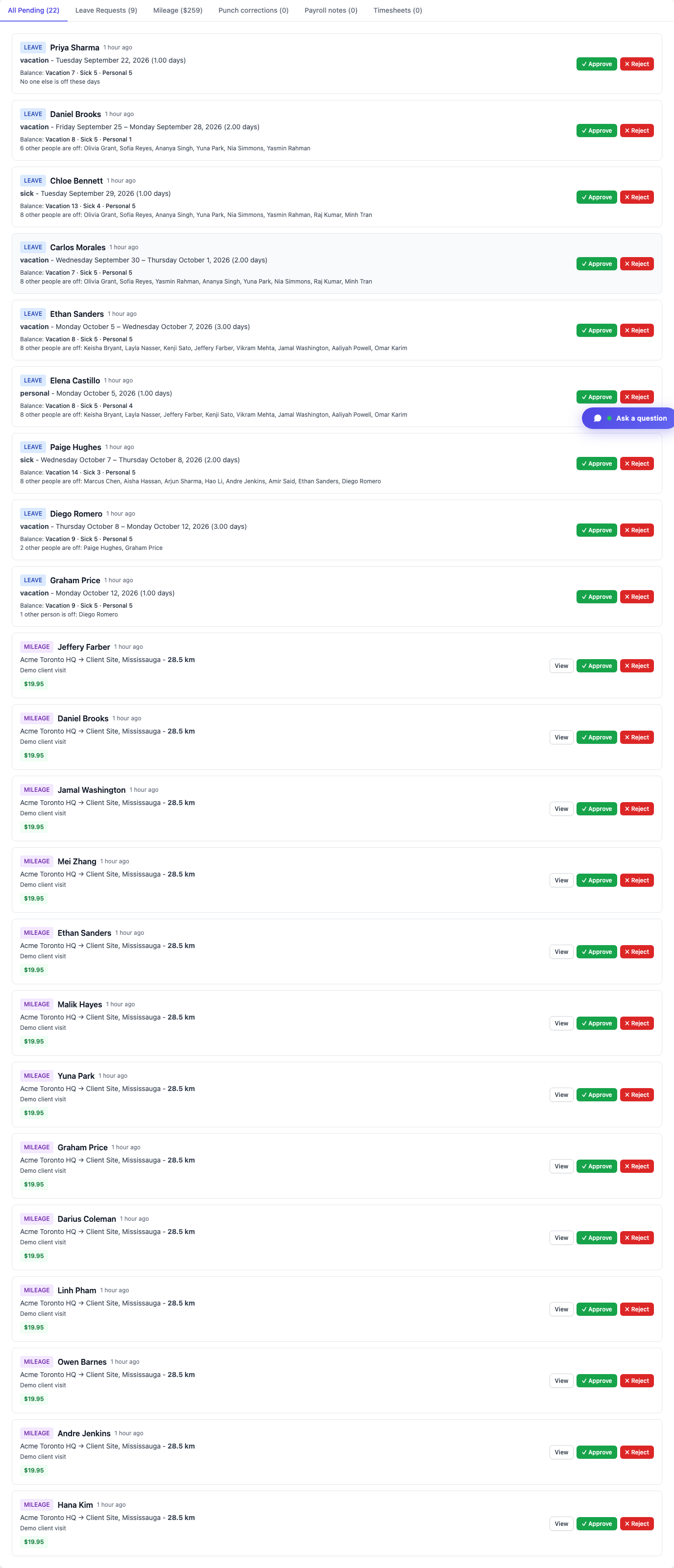
Approval Center on the dashboard (Acme demo).
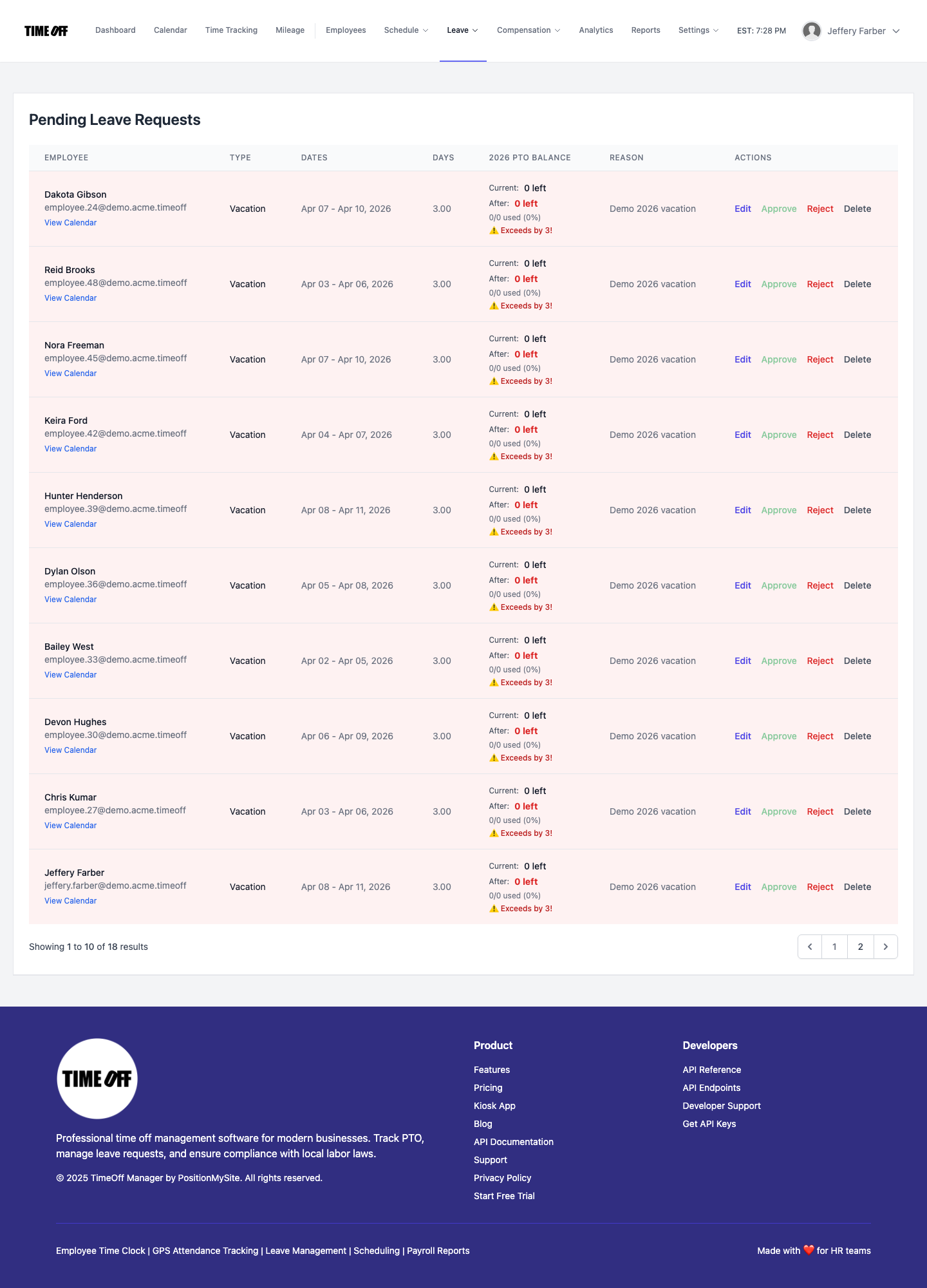
Leave queue at /admin/requests (Acme demo).