Restaurant Time Clock: Kiosk Clock-In for Servers and Kitchen Staff (2026)
One tablet by the kitchen, a personal PIN for every server and cook, breaks on the shift and overtime you see before payday. Here's how to set up a restaurant time clock that actually holds up on a Friday night.

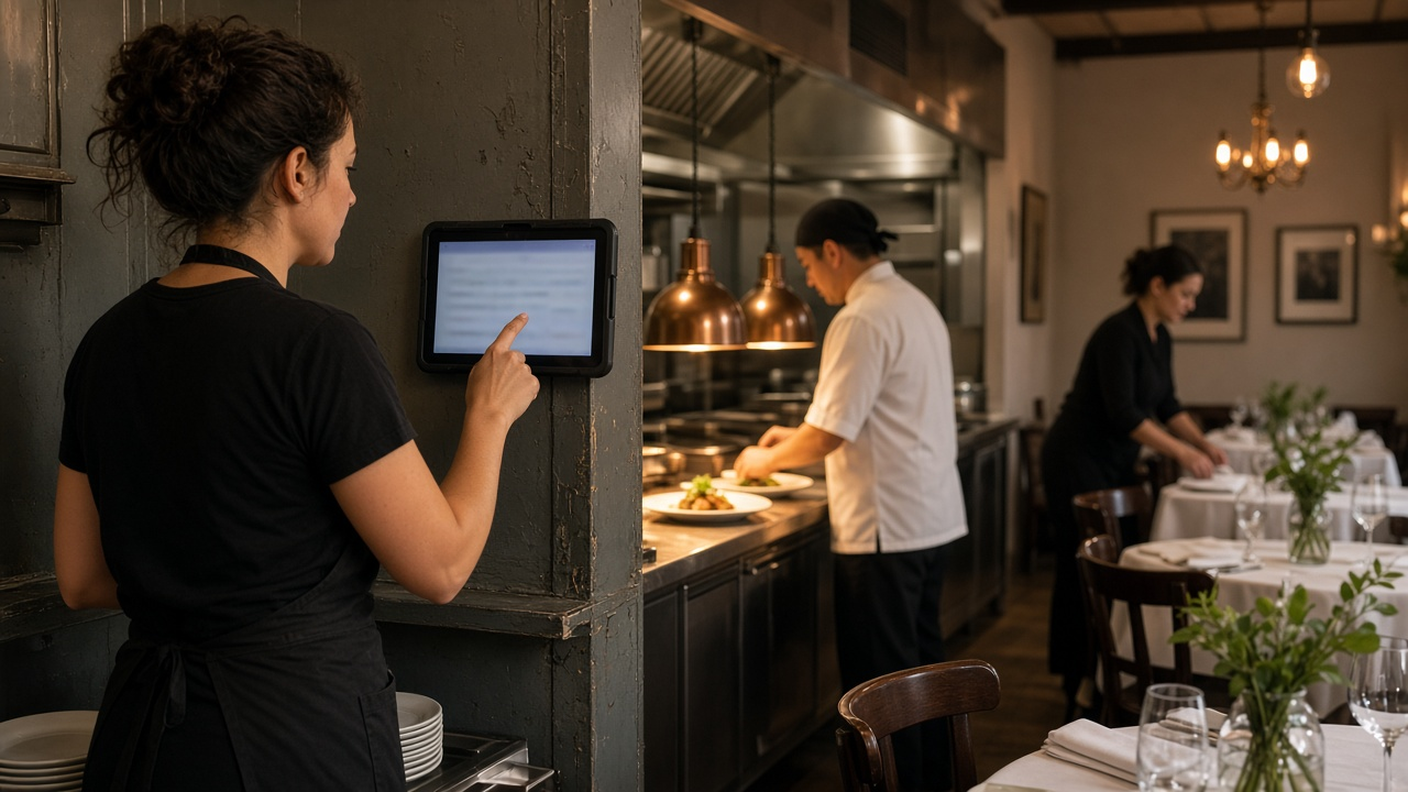
One tablet by the pass, a personal PIN for every server and cook.
It's 4:55 on a Friday. Three servers are waiting to clock in on the old terminal by the dish pit, one of them is typing in a code that belongs to someone who isn't here yet, and your line cook from the lunch shift is still on the clock because nobody remembered to close him out. You'll find out about all of it on Tuesday, when payroll is due and the numbers don't match the schedule.
A restaurant time clock should fix that, not add another screen to babysit. This guide walks through what a good restaurant time clock actually does on a busy floor, how servers, cooks and managers each use it, how to set one up in an afternoon, and the overtime and break rules that trip up restaurant owners every year.
Why restaurant time clocks break down
Restaurants are hard on time tracking for reasons an office never deals with. Shifts start and end in waves. People pick up doubles, swap sections and stay late when a party of twelve walks in at 9:40. Half the team is under 25 and on their phone, the other half doesn't want an app at all. And the person who's supposed to check the hours is also expediting.
Here's where the hours usually go wrong:
- Shared codes. One code on the terminal means anyone can clock in for anyone. You can't tell who actually showed up for the dinner rush.
- Paper breaks. A 30-minute break written on a ticket gets lost, and a long shift turns into an argument on payday.
- Nobody clocks out after close. The closer goes home and the clock keeps running until someone notices days later.
- The schedule lives on a whiteboard. The marker schedule behind the pass is wrong by Wednesday, so you can't compare who worked with who was supposed to.
- Time off by text message. A server texts that they need Saturday off, the manager says "sure," and nobody writes it down until the section is short.
None of that is a people problem. It's a tool problem. The fix is one clock everyone can reach, tied to the schedule and the time-off calendar, with a manager review before anything goes to payroll.
What a good restaurant time clock looks like
You don't need a lot of features. You need the right few, and you need them in one place.
- A tablet on the floor with a personal PIN for every person. Servers, hosts, bussers and cooks each get their own PIN, so nobody needs the manager's login and nobody can clock in for a friend.
- Breaks recorded with the shift. When break tracking is on, each break is saved on the timesheet with the hours instead of on a ticket.
- Overtime you can see before payday. Hours past the schedule show up on the weekly timesheet while there's still time to adjust next week's schedule.
- A way to fix a missed clock-in that isn't retyping the timesheet. The employee asks for the correction, the manager approves it, and the record shows who changed what.
- The schedule and time off in the same account. If the clock, the schedule and the leave calendar live in three different places, you'll reconcile them by hand every week.
- Hours you can hand to payroll. An Excel or CSV file of approved hours, regular and overtime split, ready for the payroll provider you already use.
What it should not try to be: your point of sale, your tip pool calculator or your payroll run. Keep those where they are. A time clock that tries to do everything usually does the hours worst of all.
Servers and cooks vs. the manager: who does what
In TimeOff Manager, restaurant staff and managers use different tools for different jobs, and it helps to be clear about that on day one.
Servers, hosts and kitchen staff
Staff clock in and out on TimeOff Kiosk, a PIN time clock that runs on a shared tablet by the kitchen or the host stand. They don't sign in to the full product on that tablet. They type their PIN, and that's it. If your company turned on work activities, someone clocked in as a host can switch to bussing without clocking out.
On their own phones, staff can use the signed-in TimeOff Manager app to see their shifts on My Schedule, request a day off and check how many days they have left. Those are two different apps: the kiosk for the shared tablet, and the TimeOff Manager app for each person's own phone.
Forgot to clock in? The employee can send a correction from the kiosk with their PIN or from their phone, using the missed clock-in request. They pick the date, the in and out times and a short reason. Overnight shifts and break minutes are supported.
Managers and owners
Managers work from the manager timesheet: a daily view of who's clocked in right now, a weekly grid with regular and overtime hours split, and a monthly rollup. Missed clock-in requests and time-off requests land in the same approvals inbox on the dashboard, so you're not checking three places between tables.
Managers and HR can also open the live staff map to see who is on shift right now. Employees don't get that map. It's not a table map and it's not tied to your register.
How to set up a restaurant time clock in one afternoon
You can do this on a Monday when the dining room is closed. Here's the order that works.
- Add your team. Put everyone into the employee roster, front of house and kitchen. Each person gets a PIN on their employee profile.
- Set your clock rules. In company settings, decide whether you want break tracking, automatic clock-out at the end of the shift, GPS or a photo at clock-in. Most single-location restaurants turn on break tracking and auto clock-out first.
- Decide whether people must be scheduled to clock in. There's a rule called Require a schedule to clock in. If it's on, the kiosk needs a schedule for everyone, admins included. If you call people in on short notice a lot, you might leave it off at first.
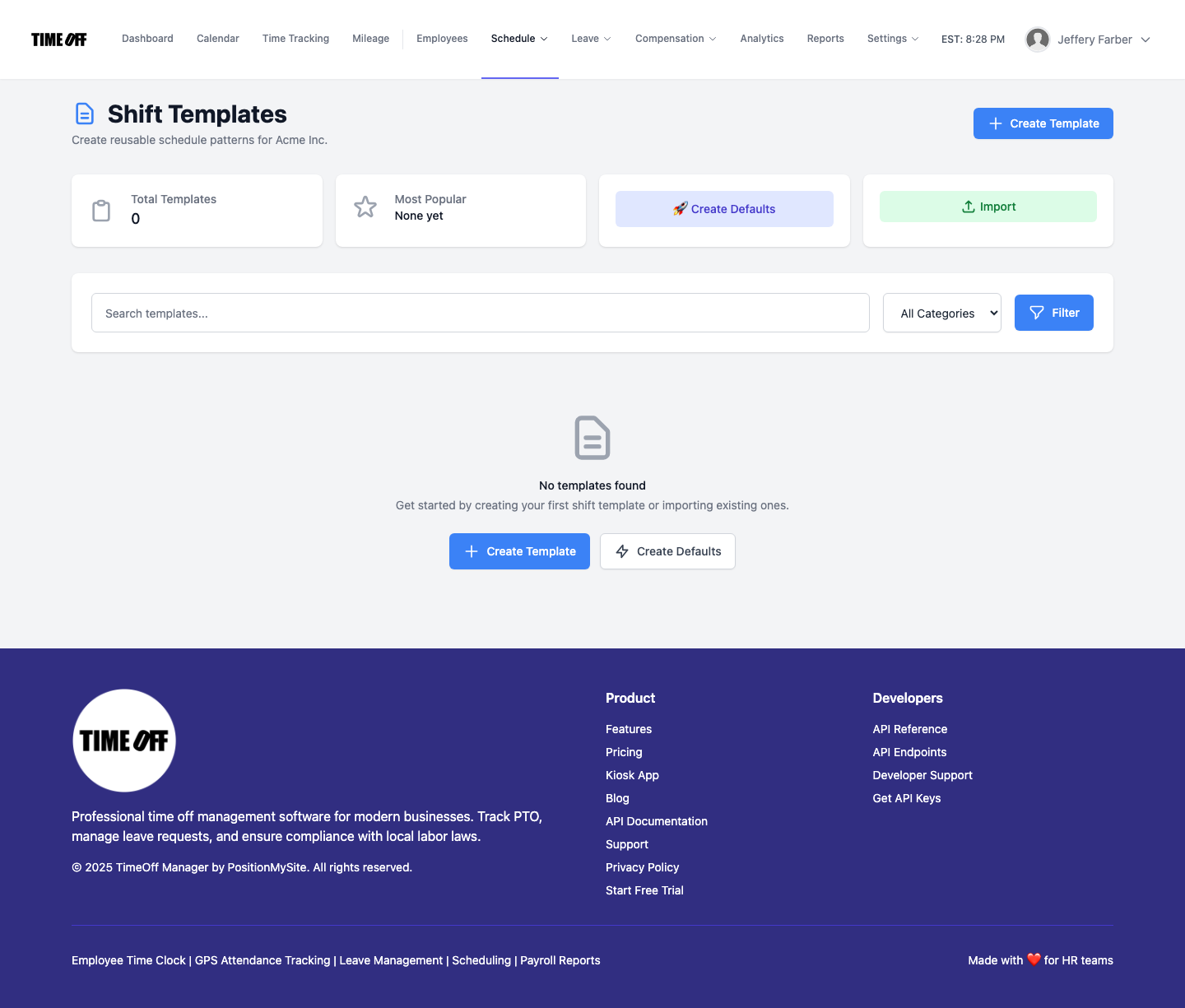
- Build shift templates. Create reusable patterns like "Dinner server, Thu to Sun, 4 p.m. to close" in shift templates, then assign them to many people at once with bulk assignment. You still write the schedule yourself. TimeOff Manager doesn't forecast covers or labor percentage.
- Set overtime thresholds. Use overtime rules to set your company-wide weekly threshold, plus individual rules for anyone who needs something different.
- Add validation rules if you want warnings. Schedule validation rules can flag shifts that run past your daily or weekly limits, skip a break, or stack too many days in a row.
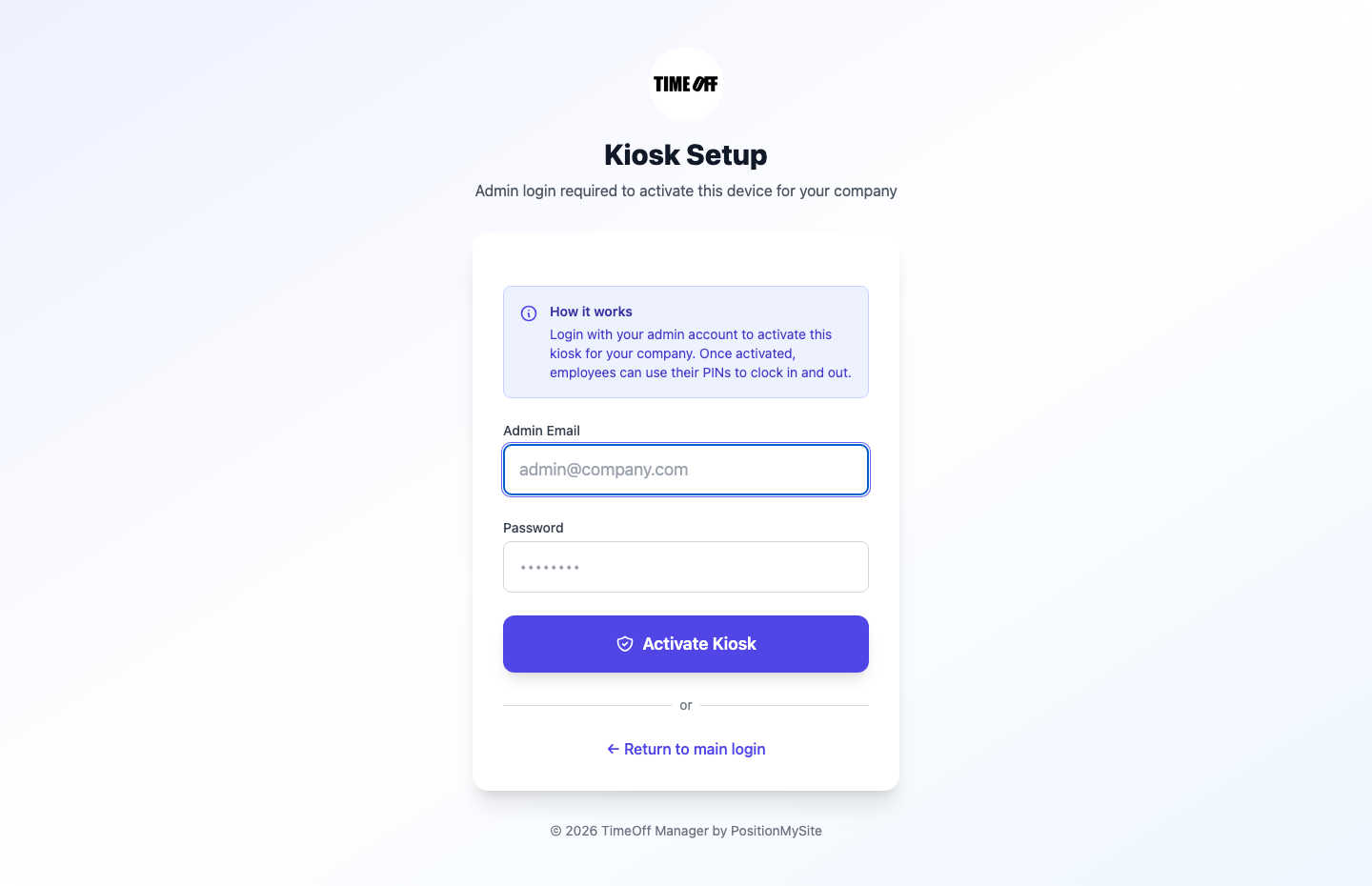
- Activate the tablet. Open the kiosk on the floor tablet and have an admin or HR manager sign in once to tie it to your restaurant. After that, staff only ever see the PIN pad. The full walkthrough is in the TimeOff Kiosk guide.
Mount the tablet where people actually walk at the start of a shift, usually by the kitchen door or the server station, not in the office. If it's out of the way, people clock in late and blame the tablet.
A weekly routine that keeps the hours clean
The clock only helps if someone looks at it. This takes about fifteen minutes a week once it's in place.
- Every morning: open the daily view. Anyone still clocked in from last night? Fix it now while the closer still remembers when they left.
- Mid-week: look at the weekly grid. If a server is already at 34 hours on Wednesday, adjust the weekend before it becomes overtime.
- Before the schedule goes up: check the team calendar for approved time off, so you don't schedule someone who's already out.
- End of the pay period: clear the approvals inbox, then run the Payroll Hours Report in reports. Download Excel or CSV, or the ADP RUN or Paychex SPI hours file if you use one of those. These files carry hours only. TimeOff Manager doesn't calculate pay, split tips or run payroll.
If you want more on the scheduling side, our guide to shift scheduling software for small business covers templates and coverage in more depth. And if missed clock-ins are your biggest headache, read how to fix a missed clock-in without retyping the timesheet.
What about the Wi-Fi?
Restaurant Wi-Fi is famously bad right where you need it, usually by the walk-in. The TimeOff Kiosk app handles the common case: looking up the person by PIN still needs a connection, but once the employee is identified, if the clock-in or clock-out request times out, the tablet saves the event and shows a receipt that it's waiting to send. When the connection comes back, it sends the saved event with the original time. Your schedule, location and photo rules still apply to what was captured at the tap.
If your signal drops completely for long stretches, put the tablet closer to the router or on a cellular plan before you blame the clock.
Overtime, tips and break rules restaurants get wrong
This is not legal advice. Rules change, and your state, province or city may add its own. Check the official sources below or talk to your accountant before you set policy.
United States
- Overtime is weekly under federal law. The Fair Labor Standards Act requires time and a half after 40 hours in a workweek. Each workweek stands on its own, so you can't average a 50-hour week with a 30-hour week. Some states, like California, also have daily overtime. See the U.S. Department of Labor overtime page.
- Tipped staff overtime is based on the full minimum wage. If you take a tip credit and pay a cash wage as low as $2.13 an hour, overtime is still figured from the full minimum wage, not the cash wage. The DOL explains it in Fact Sheet #15 on tipped employees.
- Federal law doesn't require breaks, but it does say how to count them. Short breaks of about 5 to 20 minutes count as hours worked. A real meal break, usually 30 minutes or more where the person is fully relieved of duty, doesn't. See the DOL page on breaks and meal periods.
- States add their own break rules. California, for example, requires a 30-minute meal period before the end of the fifth hour of work and a 10-minute rest break for every four hours or major fraction. The California Labor Commissioner's meal period FAQ covers the meal rules in detail.
- Some cities regulate schedules. New York City, Seattle, Chicago and the state of Oregon, among others, have fair workweek rules that require advance schedule notice for certain larger food-service employers. If you're covered, a posted schedule with a history matters.
Canada (Ontario example)
- Under Ontario's Employment Standards Act, overtime generally starts after 44 hours in a work week.
- Employees can't work more than five hours in a row without a 30-minute eating period.
- Employees generally get at least 11 consecutive hours off work each day, which matters for close-then-open shifts.
See Ontario's guide to the Employment Standards Act for the full rules. Other provinces set their own thresholds.
TimeOff Manager records the clock-ins, breaks and overtime hours. It doesn't calculate meal penalties, tip credits or pay. Those stay with your payroll provider and your accountant.
Try it on your own floor
The easiest test is a real shift. Put the TimeOff Kiosk on a tablet by the kitchen, add your Friday crew and see what the hours look like on Monday morning. Start a 14-day trial, or open the live demo to click through the timesheet, schedule and approvals first. If you'd rather start with the floor plan for restaurants, there's an overview on our restaurant time tracking page.
FAQ
What's the best way to set up a time clock in a restaurant?
Put one tablet where staff walk in at the start of a shift, give every employee their own PIN, turn on break tracking and automatic clock-out, and review the weekly timesheet before payroll. Keep the time clock separate from your point of sale.
Can servers and cooks share one tablet to clock in?
Yes. TimeOff Kiosk runs on a shared tablet, and each person clocks in with their own PIN, so front of house and the kitchen use the same device without sharing a login.
Does TimeOff Manager track tips or connect to my POS?
No. TimeOff Manager records clock-ins, breaks, schedules, time off and hours you can download. It doesn't take orders, split tips, replace your point of sale or run payroll.
How is overtime calculated for tipped restaurant employees?
Under federal law, overtime for tipped employees is based on the full minimum wage, not the lower cash wage, after 40 hours in a workweek. State rules can add more. This is not legal advice, so confirm with your payroll provider or accountant.
What happens if the restaurant Wi-Fi drops during a shift change?
Looking up a PIN still needs a connection. Once the employee is identified, if the clock-in or clock-out request times out, the TimeOff Kiosk app saves it on the tablet and sends it with the original time when the connection returns.
What if someone forgets to clock out after close?
You can turn on automatic clock-out at the end of the shift. If the times are still wrong, the employee sends a missed clock-in request with the right times, and a manager approves or edits it in the approvals inbox.
Do I need a schedule in the system for the kiosk to work?
Only if you turn on the Require a schedule to clock in rule. While it's on, the kiosk needs a schedule for everyone, including admins. You can turn it off in company settings if you call people in on short notice.