Forgot to Clock In? Fix Missed Hours Without Messy Timesheets (2026)
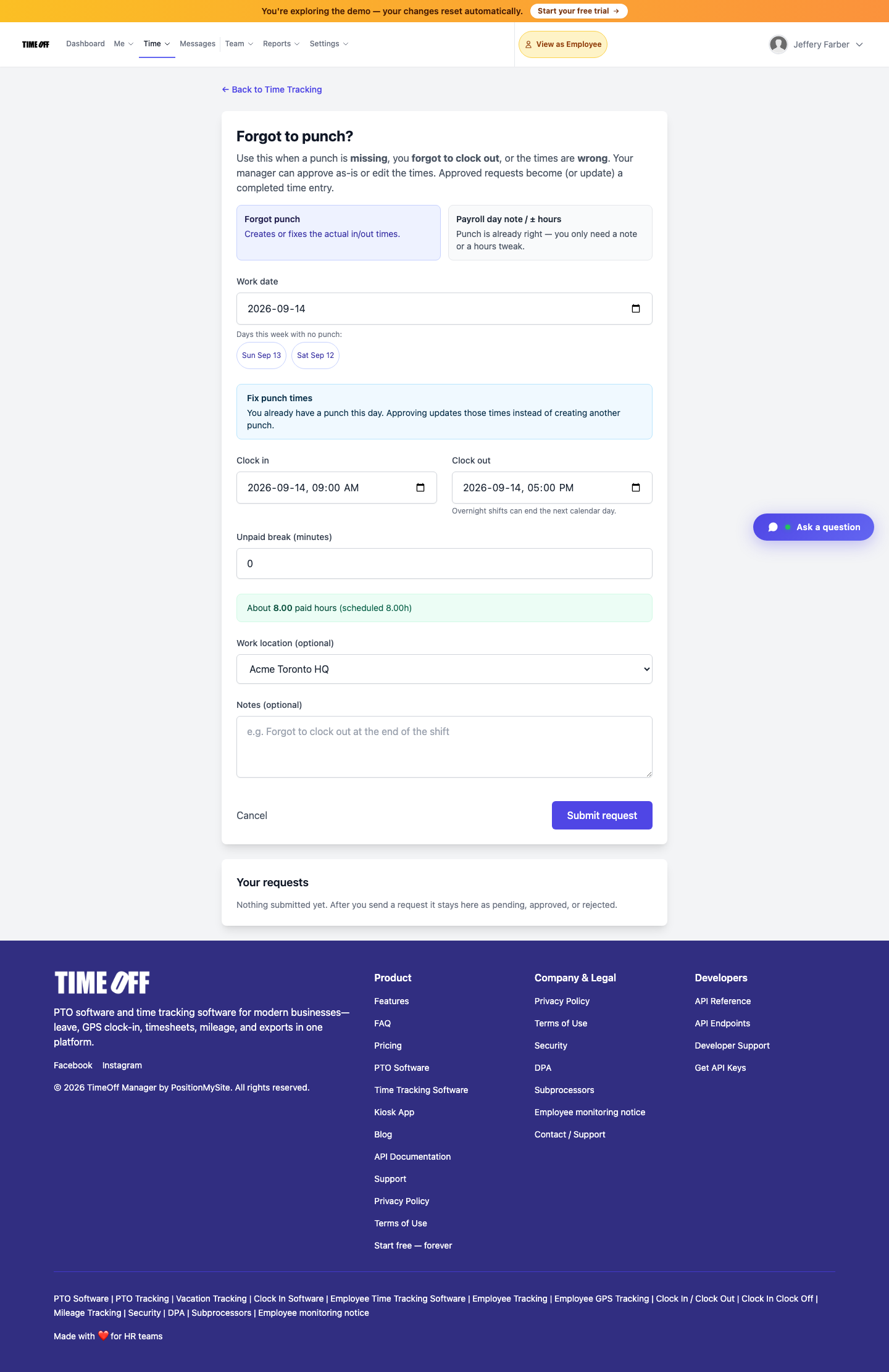
Employees submit missing, wrong, or forgotten clock-ins via Forgot to clock in. Managers approve or edit times in the Approval Center—approved requests become completed time entries (60-day window). Also in the app and kiosk PIN.

Employees submit missing, wrong, or forgotten clock-ins via Forgot to clock in. Managers approve or edit times in the Approval Center—approved requests become completed time entries (60-day window). Also in the app and kiosk PIN.
Missed the clock-in after a rush job. Forgot to clock out when the shift ran late. Put the wrong times on an overnight. Those moments do not need a spreadsheet archaeology project—or a manager rewriting the week by hand.
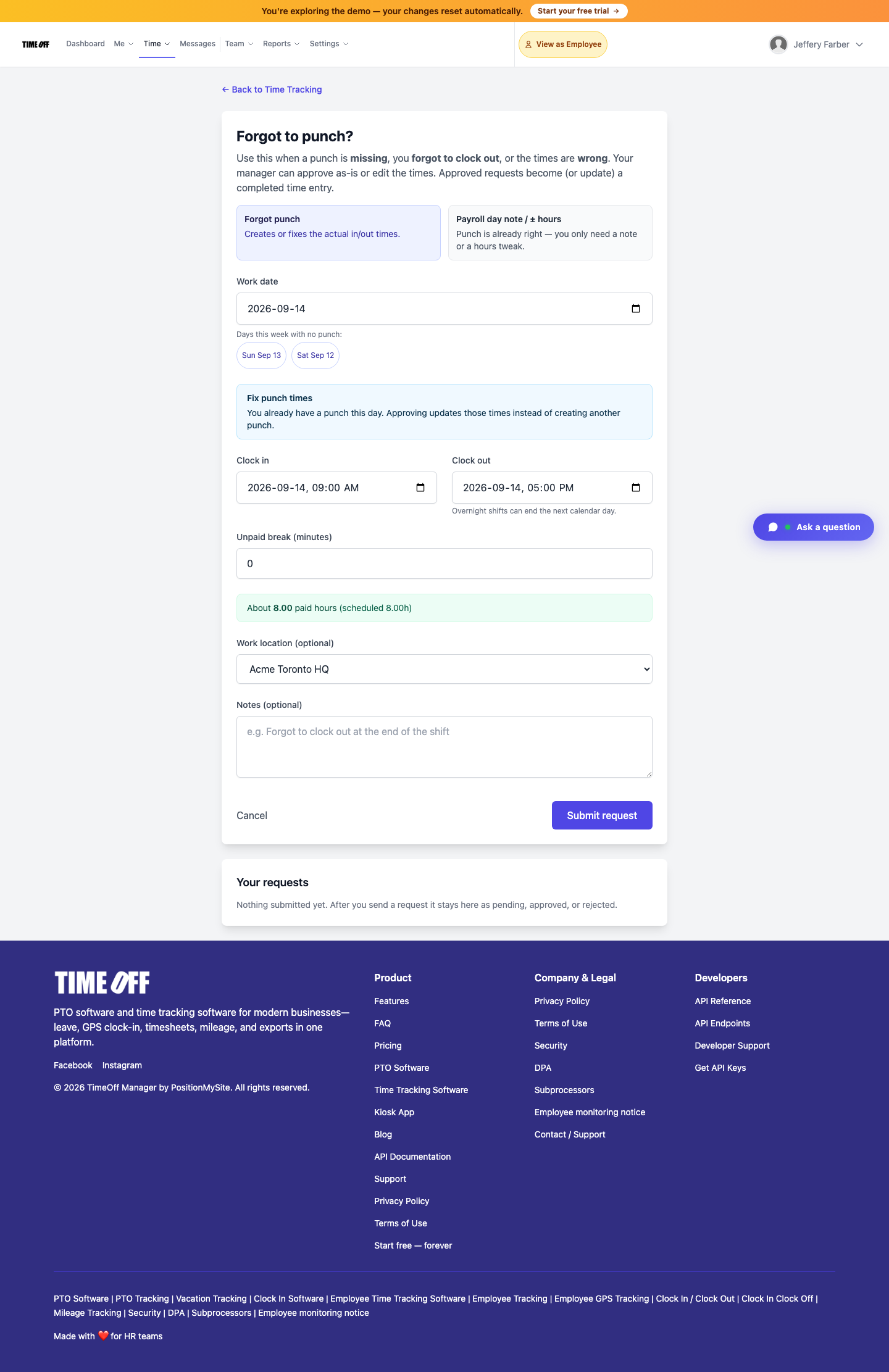
TimeOff Manager’s Forgot to clock in? flow at /timesheet/forgot-punch lets employees submit a missing, wrong, or forgotten clock-in or clock-out. Managers approve (or edit the times) in the Approval Center. Approved requests become—or update—a completed time entry. The same path exists in the TimeOff Manager app and as a PIN missed clock-in fix on an activated kiosk.
/timesheet/forgot-punch)Why “just fix the timesheet” fails
On timeoffmanager.us, search interest around time-clock, GPS clock-in, and PTO software stays healthy, and product traffic already hits leave requests and timesheets—yet payroll still inherits messy weeks when clock-ins are missing. Common failure modes:
- Employees text screenshots of “I worked 9–5” into a group chat
- Managers open a blank spreadsheet and reconstruct hours from memory
- Overnight shifts get split across the wrong calendar day
- Small hour tweaks get buried in notes nobody reads at payroll
Missed clock-in recovery is one of the most underused signup paths: you already track leave and clock-ins; you still need a clean recovery path when someone forgets to clock in or clock out.
What Forgot to clock in does
Path: /timesheet/forgot-punch (“Forgot to clock in?”).
Use it when a clock-in is missing, you forgot to clock out, or the times are wrong. The form supports overnight shifts (clock-out can end the next calendar day), unpaid break minutes, optional work location, and a short note. Stay inside the 60-day window. After submit, status stays pending until a manager acts; you can cancel while it is still pending.
On the same screen you can toggle Payroll day note / ± hours when the clock times are already right and you only need a note or a small hours tweak—distinct from creating or fixing in/out times.

How managers approve
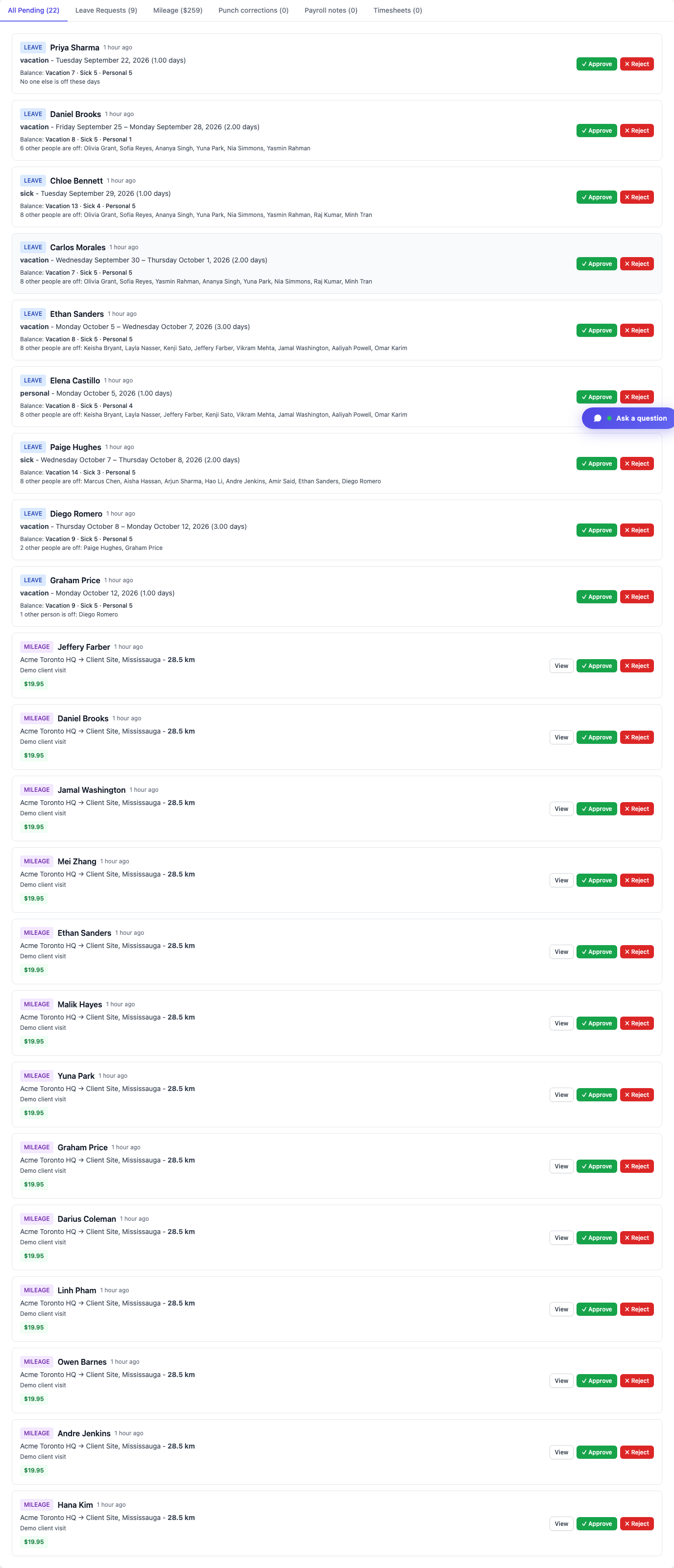
Approvers see the request in the dashboard Approval Center (and can get an email with approve/reject links). They can accept the times as submitted or edit them before approval. Approved requests create or update a completed time entry—so the timesheet and payroll hours stay aligned without a side spreadsheet.
Line managers review their team; company admins and HR see a wider queue.
Distinct from kiosk, GPS clock-in, and live staff map
- Kiosk PIN clock-in is for shared door tablets when you are clocking in on time.
- GPS / geofence clock rules validate location at clock-in time.
- Live staff map shows who is inbound or on site when live location is on.
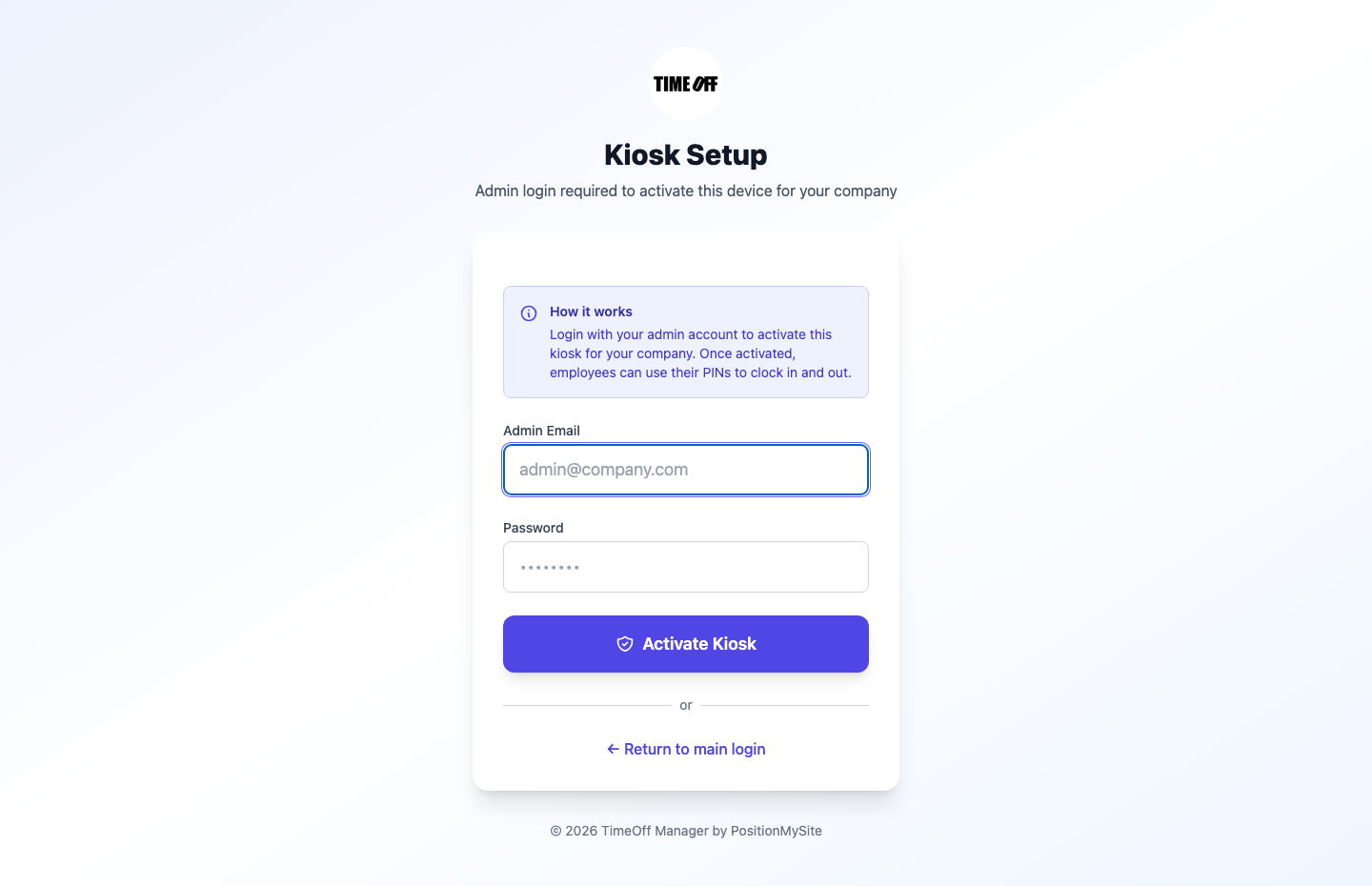
Forgot to clock in is the recovery path after the fact—when the clock-in or clock-out was missed or wrong—not a replacement for those controls. You can still use the PIN missed clock-in fix on an activated kiosk when someone needs to correct a miss from the door tablet.
How to submit (real product path)
- Sign in and open Time → employee timesheet, then Forgot to clock in (or go straight to
/timesheet/forgot-punch) - Choose Forgot to clock in (or Payroll day note / ± hours for small tweaks)
- Pick the work date, clock-in / clock-out, unpaid break minutes, location if needed, and a short reason
- Click Submit request
- Wait for Approval Center action—or cancel while pending
Need the longer in-product walkthrough? See Forgot to clock in.
Who this is for
- Field and shift teams that occasionally forget to clock in under pressure
- Managers tired of rewriting timesheets from chat threads
- HR that wants a 60-day, auditable fix with approval history
- Companies already on TimeOff Manager clock-in who need a clean recovery path before the next pay run
FAQ
What is the Forgot to clock in path?
It is the employee form at /timesheet/forgot-punch for missing, wrong, or forgotten clock-in and clock-out times. Managers approve or edit the times in the Approval Center. Approved requests become completed time entries.
How long do I have to submit a missed clock-in?
Stay inside the 60-day window. After you submit, the request stays pending until a manager acts; you can cancel while it is still pending.
Is a missed clock-in the same as a payroll day note?
No. Use Forgot to clock in when in/out times are missing or wrong. Use Payroll day note / ± hours when the clock times are already right and you only need a note or a small hours tweak.
Can managers change the times before approving?
Yes. Approvers can accept the times as submitted or edit them before approval. Approved requests create or update a completed time entry so the timesheet stays aligned.
Does this replace kiosk or GPS clock-in?
No. Kiosk PIN and GPS/geofence rules are for clocking in on time. Forgot to clock in is the recovery path after a miss. You can still run the PIN missed clock-in fix from an activated kiosk.
Where do managers see these requests?
In the dashboard Approval Center (and via email approve/reject links). Line managers see their team; company admins and HR see a wider queue.
Related: Help: Forgot to clock in · Approval Center · Time tracking software
Start your 1 year free trial (then Starter, Growth, or Scale)
See Forgot to clock in on your own company workspace—web, app, and kiosk PIN paths.
You get a 1 year free trial and pay $0 for 12 months. A card starts the year. Nothing is charged until then. Cancel before your anniversary and you owe nothing; otherwise choose Starter, Growth, or Scale based on seats and features. Register at https://timeoffmanager.us/register/company.