Year-End PTO Carryover: Carry Over, Pay Out or Let It Expire? (2026)
The three year-end rules for unused vacation, where US states and Canadian provinces limit use-it-or-lose-it, an October-to-January checklist, and how to close the year with a carryover and payout report.


Decide what happens to unused vacation before the December rush, not after it.
It's the second week of December. Your best tech has 9 vacation days left, your office manager has 14, and three people just asked for the same week between Christmas and New Year's. Someone asks, "Do my days roll over?" and you realize the honest answer is "I'm not sure." If that sounds familiar, this guide is for you. You'll see the three year-end PTO carryover rules small businesses actually use, where the law limits your choice in the US and Canada, and how to close the year with numbers payroll can trust.
The three year-end PTO rules
Almost every small business ends up with one of these three rules for unused vacation. There's no single right answer. What matters is that you pick one, write it down, and apply it the same way to everyone.
- Carry over with a cap. Unused days roll into next year up to a limit, often five or ten days. Anything over the cap is either paid out or lost, depending on your policy and the law where you operate.
- Pay out, no carryover. At year-end you pay employees for unused vacation and everyone starts the new year at their fresh allowance. Clean, but it costs cash in December.
- Use it or lose it. Unused days expire. It pushes people to take their time off, but it's the rule with the most legal limits, and it can feel harsh to the people who couldn't get away during a busy year.
Here's how they compare in practice:
- Cost in December: highest with payout, low with carryover, lowest with expire.
- Liability on your books: carryover keeps some balance rolling forward; payout and expire reset it.
- December coverage: expire rules cause the biggest end-of-year rush for time off. Carryover spreads it out.
- Legal risk: lowest with carryover or payout, highest with expire in states and provinces that protect earned vacation.
Where the law limits your choice (US)
There's no federal US law that requires paid vacation, so the FLSA doesn't tell you what to do with unused days. State law does, and it varies a lot.
- States that protect earned vacation. California, Colorado, Montana and Nebraska are the best-known states where earned vacation is treated like wages, so a pure use-it-or-lose-it rule isn't allowed. Employers there usually set a cap on how much vacation can build up instead.
- States that allow expiry with a clear policy. Many states allow use-it-or-lose-it if it's in writing and employees know about it ahead of time. The written policy is what makes it enforceable, so don't rely on an unwritten habit.
- Payout when someone leaves. Some states require unused vacation to be paid at separation, others only if your policy promises it. Your year-end rule and your termination rule should match.
- Paid sick leave is different. Most state and city paid sick leave laws require unused accrued sick time to carry over, often with a cap on how much carries or how much can be used in a year. Don't run sick time through a vacation expire rule.
If you have people in more than one state, the strictest state they work in usually drives the policy you can use for them. Our guide to US and Canada leave minimums is a good starting point. This isn't legal advice, so check your state labor department or employment counsel before you rely on an expire rule.
Where the law limits your choice (Canada)
In Canada, every province and the federal Canada Labour Code set a minimum vacation entitlement and vacation pay. That minimum can't just expire.
- Ontario: statutory vacation has to be scheduled and taken within 10 months after the end of the vacation entitlement year, and statutory vacation pay is owed even if the time isn't taken.
- Federally regulated employers: the Canada Labour Code also requires vacation to be granted within a set window after the year it was earned.
- Extra days above the minimum are where your company rule comes in. If you give five weeks and the minimum is two, your carryover, payout or expire rule applies to the extra three.
We cover the provincial details in Canadian PTO and vacation entitlements.
How to pick the right rule for your team
Start with these four questions:
- Where do your people work? If anyone is in a state or province that protects earned vacation, an expire rule is off the table for them.
- Can you afford a December payout? If cash is tight at year-end, carryover with a cap spreads the cost into next year.
- Is December your busy season? Retail, delivery and trades often can't spare people in December. An expire rule makes everyone try to burn days at the worst time. A carryover cap avoids that.
- How do you want people to feel? A carryover cap of about a week is the most common middle ground. People can save a few days for a long trip, and balances don't pile up forever.
For most small teams in the US and Canada, carryover with a cap is the safest default. Payout works well if you'd rather start every year clean. Use it or lose it can work, but only with a written policy, early reminders and a check of local law.
A year-end PTO checklist (October to January)
- October: confirm your rule in writing. Send every employee their remaining balance and a reminder of the rule.
- Early November: look at the team coverage calendar for December. If half the team is off the same week, deal with it now, not on December 20.
- Early December: send a second balance reminder. Approve or decline holiday requests quickly from the Approval Center so people can make plans.
- Mid December: check who still has a large balance. A short conversation now beats a surprise payout or an upset employee in January.
- After the last pay period: run your year-end report, review carryover and payout amounts, and hand them to payroll.
- January: set next year's allowances, update your company holiday calendar, and send everyone their new balance.
How TimeOff Manager handles year-end carryover
In TimeOff Manager, the year-end rule is a company setting, not a spreadsheet formula. Under Company settings, the Unused vacation at year-end option gives you three choices:
- Carry over up to 10 days, pay out the rest
- Use it or get paid out (no carry-over)
- Unused days expire (no carry-over, no payout)
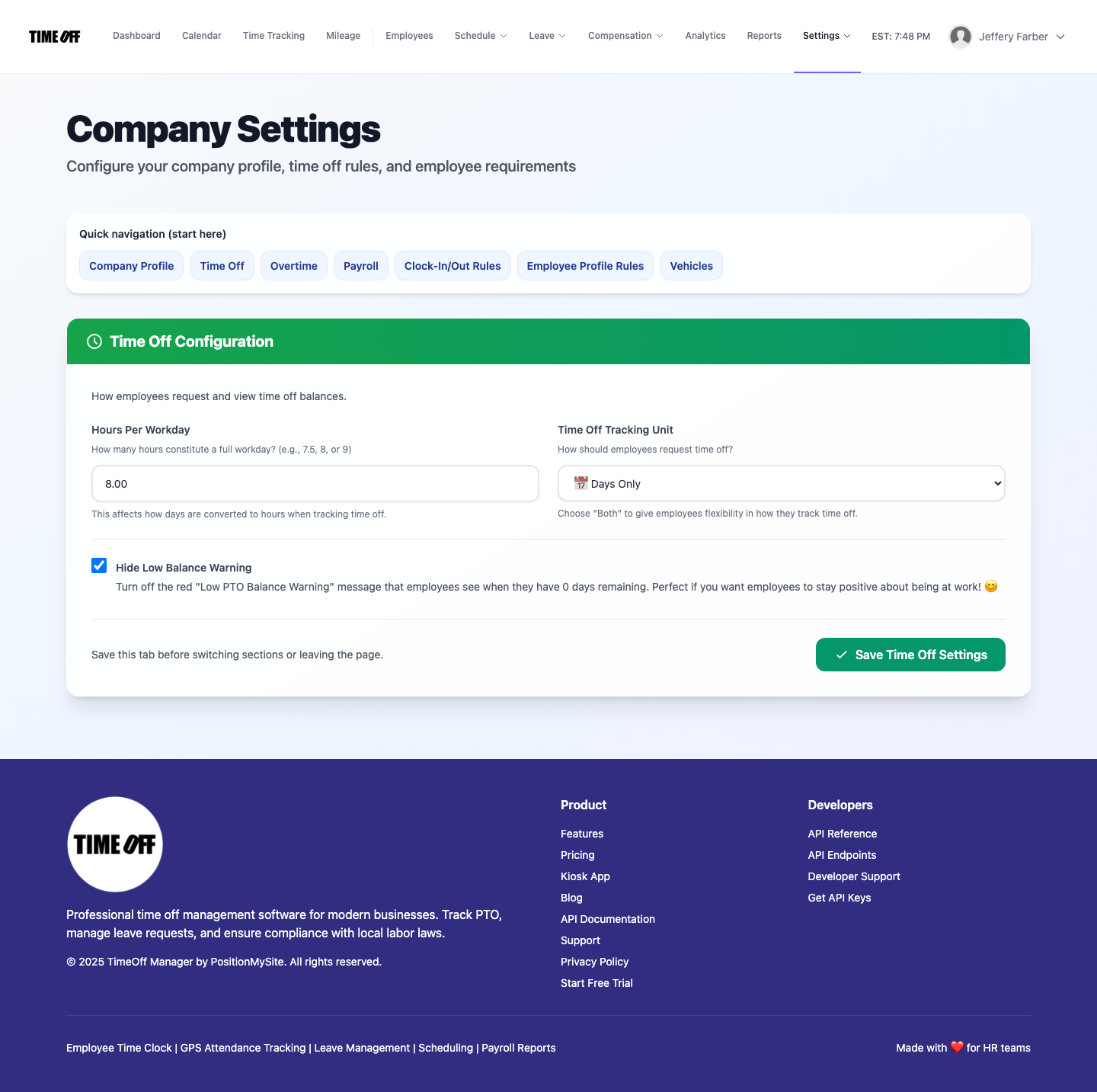
That choice drives the Year-End report. From the employee list, export it to Excel or CSV. For every employee you get allocated, used and remaining days by leave type, the vacation carryover, vacation payout days and hours, and a yes or no flag for who needs a payout. Payroll and HR work from the same numbers instead of two different spreadsheets.
Say Maria has 13 vacation days left on December 31:
- Under carry over up to 10 days, the report shows 10 days carried into next year and 3 days for payout review.
- Under pay out, no carry-over, all 13 days show as payout days, with hours calculated from your workday length.
- Under expire, nothing carries and nothing is paid out.
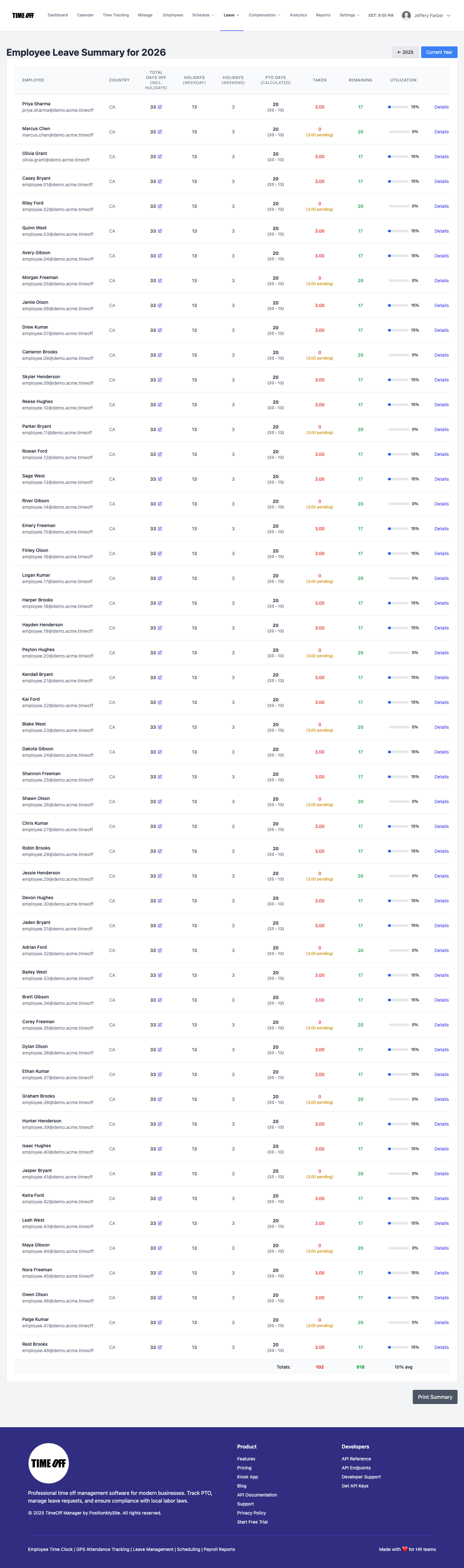
During the year, the employee leave summary shows each person's PTO taken versus remaining, so you can spot big balances in October instead of finding them in January. Managers see their direct reports, and admins see the whole company.
A few honest notes. TimeOff Manager works with annual allowances, so you set each person's yearly vacation, sick and personal days rather than having hours build up every pay period. Vacation and sick are always on, and if you need more categories you can add custom leave types. The carryover cap on the carryover option is 10 vacation days. And TimeOff Manager doesn't run payroll for you. It gives your payroll provider or bookkeeper clean, approved numbers. If an outside accountant does your year-end, accountant access and Excel exports let them pull the reports without borrowing your login.
Want the full picture of PTO features beyond year-end? See PTO tracking software for US and Canada teams, or read how teams use time-off reporting by team to plan coverage all year.
Mistakes to avoid
- Changing the rule in December. Switching from carryover to expire two weeks before year-end is a fast way to lose trust, and in some places it can create legal trouble. Announce changes for next year, not this year.
- No written policy. If it's not in the handbook or offer letter, an expire rule is hard to defend.
- Treating sick time like vacation. Sick leave usually has its own carryover rules under state and local law.
- Forgetting the liability. Unused vacation you carry over or owe is a real cost. Your accountant will want the number before they close the books.
- Letting December decide coverage. If everyone is burning days at once, the problem started in October.
Close the year without the spreadsheet
Pick your rule, tell your team early, and let the report do the math. Start with a full year free to try it with your team. You pay $0 for 12 months. A card is required to start, and the yearly price is charged on the anniversary unless you cancel first. After that, Starter (1 to 20 people) is $180 a year, Growth (21 to 50) is $300 a year, and Scale (51 to 1,000) is $479.90 a year or $49.99 a month. Get comfortable before you ever pay.
FAQ
Is use-it-or-lose-it PTO legal?
In most US states, yes, as long as your written policy says so and employees get a fair chance to use their time. California, Colorado, Montana and Nebraska are the best-known exceptions, where earned vacation is treated like wages and can't simply be forfeited. Paid sick leave laws usually require carryover. In Canada, statutory vacation can't expire. Check your state or province before you rely on an expire rule. This is not legal advice.
How many PTO days should we let employees carry over?
A common cap is about one week, or five to ten days. It keeps your liability predictable while letting people save a few days for a longer trip. TimeOff Manager's carryover option carries up to 10 vacation days and flags the rest for payout.
Do we have to pay out unused vacation at year-end?
Not under federal US law. Some states require earned vacation to be paid when someone leaves, and some don't allow it to be forfeited at year-end, which pushes many employers toward a carryover cap or a payout. In Canada, statutory vacation pay is owed even if the time isn't taken.
Does sick leave carry over to the next year?
Under most state and city paid sick leave laws, unused accrued sick time has to carry over, though the law often lets you cap how much carries or how much can be used in a year. Check the rule where each employee works.
When should we tell employees about their unused PTO?
Send balances in October and again at the start of December. That gives people time to book days off and gives you time to plan coverage, instead of everyone asking for the last two weeks of December.
How does TimeOff Manager handle year-end carryover?
In Company settings you pick one rule for unused vacation: carry over up to 10 days and pay out the rest, pay out unused days with no carryover, or let unused days expire. The Year-End report, exported to Excel or CSV from the employee list, shows each person's allocated, used and remaining days, the vacation carryover and the payout days and hours under that rule.
What does TimeOff Manager cost after the free year?
Starter (1 to 20 people) is $180 a year, Growth (21 to 50) is $300 a year, and Scale (51 to 1,000) is $479.90 a year or $49.99 a month. The first 12 months are $0, a card is required to start, and you can cancel before the anniversary.