Forgot to punch
Submit a missed or wrong punch at /timesheet/forgot-punch (60-day window). Managers approve or edit times; approved requests become a time entry.
/timesheet/forgot-punch
Roles
Employee · Manager · HR manager · Company admin
Forgot to punch? at /timesheet/forgot-punch is how you fix a missing, wrong, or forgotten clock-out without asking someone to type a timesheet by hand.
When to use it
- You never clocked in (or out) for a day you actually worked.
- The times on the punch are wrong.
- Overnight shifts and break minutes are supported; stay inside the 60-day window.
If the punches are already right and you only need a note or a small hours tweak, use a payroll day note / ± hours instead (linked from the same form).
How to submit
- Open Time → employee timesheet, then Forgot to punch (or go straight to
/timesheet/forgot-punch). - Pick the date, in/out times, location if asked, and a short reason.
- Submit. Status is pending until a manager acts. You can cancel while it is still pending.
The same flow exists in the TimeOff Manager app and as PIN forgot punch on an activated kiosk.
How managers approve
Approvers see the request in the dashboard Approval Center (and can get an email with approve/reject links). They can accept the times as submitted or edit them. Approved requests create or update a completed time entry.
Who can use it
Anyone who clocks for your company. Line managers review their team only. Company admins and HR see a wider queue.
Product screenshot
Acme demo, company admin.
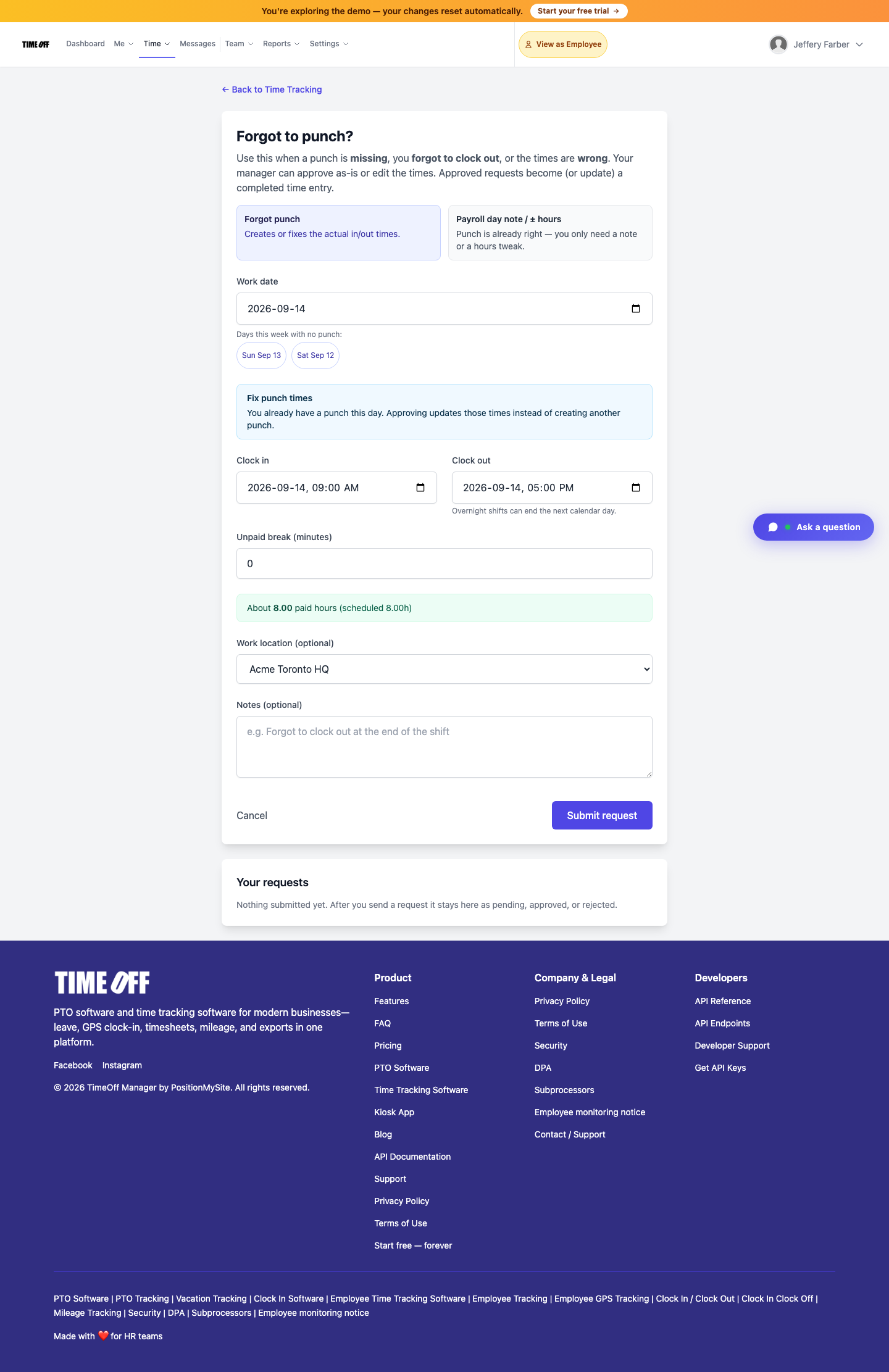
Forgot to punch — submit a missed or wrong punch (Acme demo).