My Schedule
Your week or month at /schedule, with leave overlay. Managers can switch to Team. Admin assignment still lives at /admin/schedule.
/schedule
Roles
Employee · Manager · HR manager · Company admin
My Schedule at /schedule is the staff view of when you (or your team) are expected to work, with leave overlaid.
Purpose
Check this week’s shifts, next week, or a month grid. Managers switch Me / Team. This is not the admin assignment hub. If your company requires a schedule to clock in, today’s row here is what unlocks the punch — admins can turn that rule off under Company settings → Clock rules.
Week, month, team
- Week or month navigation.
- Approved leave shows on the same calendar so coverage is obvious.
- Managers can use a one-day override from the related admin tools; staff still read the result here.
Changing the pattern
Admins and permitted managers still edit weekly hours at /admin/schedule and the per-person editor (including the separate one-day hours card). The phone app can edit a report’s pattern when you have that permission.
Product screenshot
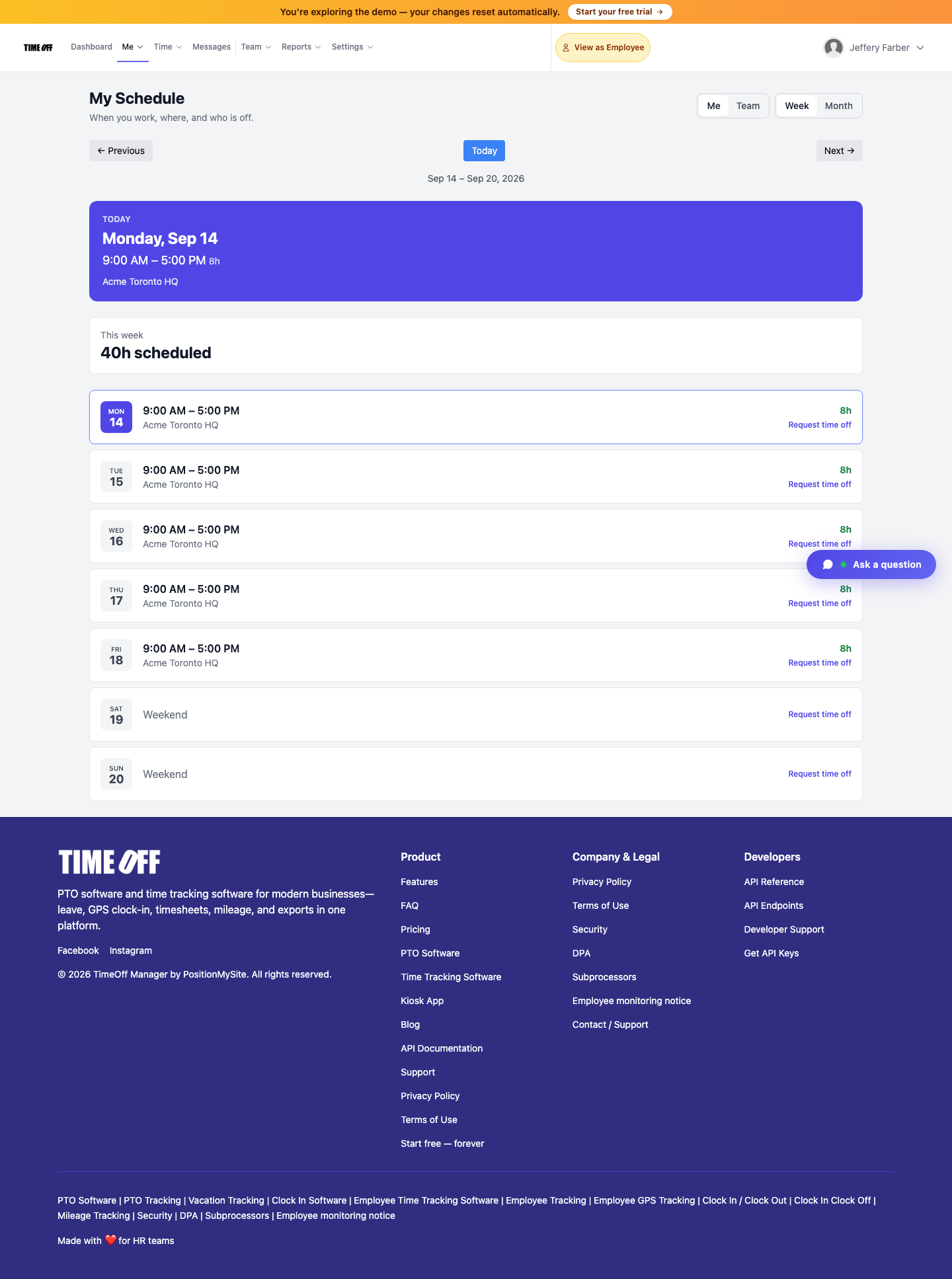
My Schedule — Acme demo.