Pharmacy Staff Scheduling and Time Tracking: Pharmacists, Techs and the Flu Shot Rush (2026)
How independent and community pharmacies schedule pharmacists first, then technicians and clerks, track clock-ins across counters and stores, and get through flu shot season and holiday time-off requests without overtime surprises.


Pharmacist and technician sharing the counter at a community pharmacy.
It's 8:40 on a Saturday in November. The flu shot line is already out the door, your technician is setting up the counter, and the relief pharmacist who was supposed to cover just texted that she's sick. You can't open the pharmacy side without a pharmacist, and you won't know until Monday how many hours everyone actually worked this week. If that sounds familiar, this guide is for you: a practical way for independent and community pharmacies to schedule pharmacists, technicians and clerks, track real clock-ins across counters and stores, and get through the vaccine and holiday rush without overtime surprises.
Why pharmacy scheduling is harder than it looks
A pharmacy isn't a normal retail store with a pharmacy attached. It's two operations sharing one front door, and they run on different rules.
- The pharmacist is the gate. Without a pharmacist on duty, the dispensing side can't open. One missed shift isn't a staffing gap. It's lost prescriptions, angry patients and transfers to the chain down the street.
- Roles aren't interchangeable. A clerk can't cover a technician's work, and a technician can't cover a pharmacist's. You can't just grab "anyone free."
- Hours are long and uneven. Opening at 9, closing at 9, weekend hours, and the pharmacist who stays 40 minutes late to finish verifications. Those 40 minutes add up across a week.
- Fall is the busiest time of year. Flu and COVID shot season runs from October into December, right when your staff start asking for holiday time off.
- Many independents run more than one store. Relief pharmacists and floating technicians move between locations, and their hours get split across two schedules and two sets of paper.
Most owners solve this with a spreadsheet, a group text and a lot of memory. That works until the week it doesn't.
What good looks like for a pharmacy
- Every open hour has a pharmacist scheduled first, and you can see it at a glance.
- Technicians and clerks are scheduled around pharmacist coverage, not the other way round.
- Staff clock in and out themselves, on a shared tablet at the counter or on their own phone, at the right store.
- Time-off requests come in through one place, and you approve them while looking at who else is already out.
- You see overtime building on Wednesday, not on payday.
- Approved hours go to payroll as an export your bookkeeper can use, with no retyping.
None of this needs pharmacy management software. Your dispensing system handles prescriptions. A time and scheduling tool handles people. Keep them separate and each does its job well.
Schedule the pharmacist first, then build around it
Start every week with one question: who is the pharmacist on duty for every hour we're open? Fill that row before anything else.
In TimeOff Manager you can save repeating weekly patterns as shift templates, for example "Pharmacist open 9 to 5," "Pharmacist close 1 to 9," "Tech weekday" and "Clerk Saturday." Templates hold the days, times and the work location, so you set up a pattern once and apply it to the right people. The schedule management page shows who has a schedule and who still needs one, and bulk assignment applies a template to several people in one step.
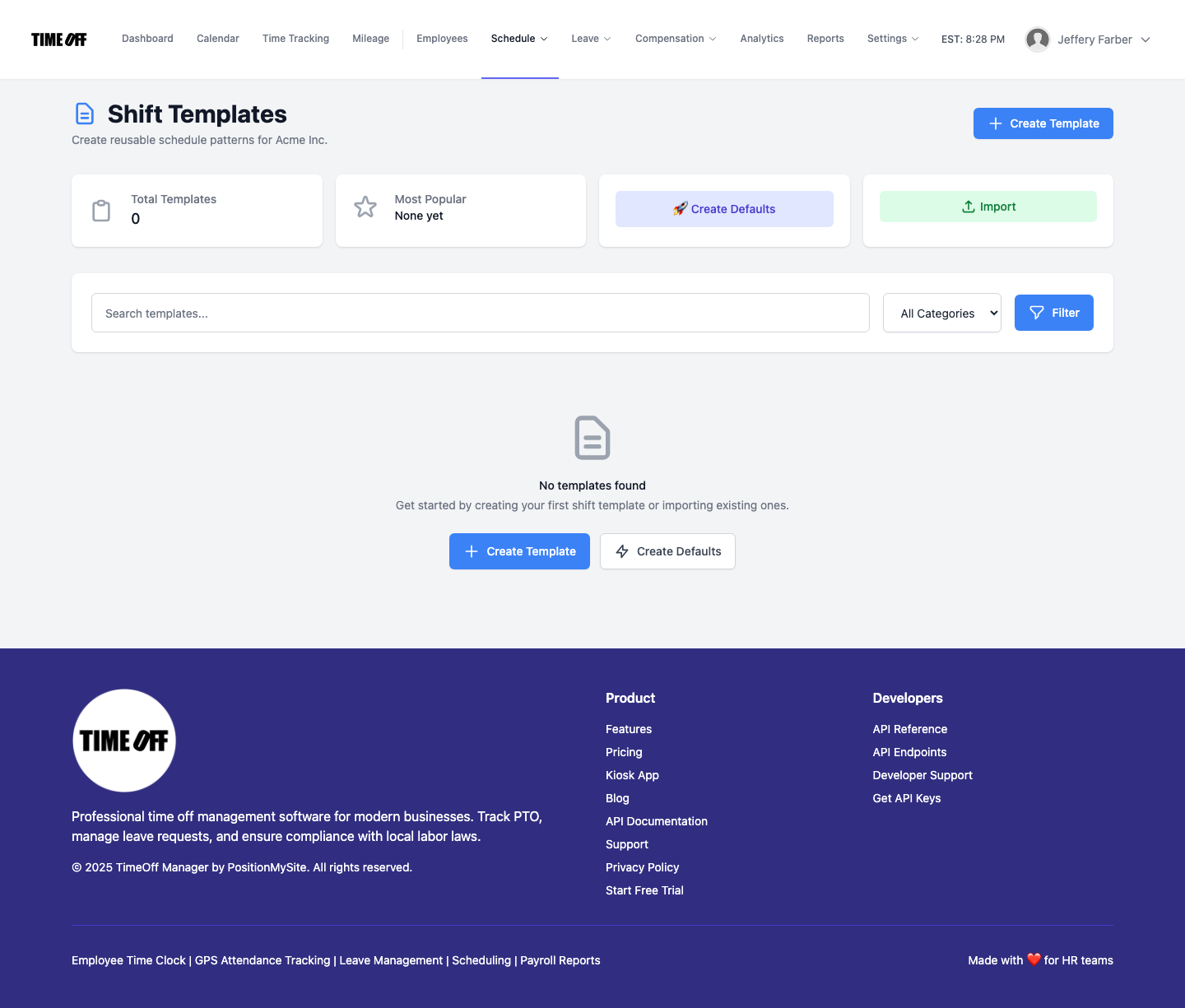
A simple order that works for most community pharmacies:
- Pharmacist coverage for every open hour, including your relief pharmacist days.
- Technicians for the busiest fill windows (often late morning and after work).
- Clerks and front-store staff for the register and drive-through.
- Extra technician or clerk hours on vaccine clinic days.
Staff see their own shifts in My Schedule, so nobody has to ask "am I on Saturday?" in the group chat.
If you want the general version of this playbook for any small team, our guide to shift scheduling software for small business covers the basics.
Set guardrails so schedules don't drift
Long pharmacy days are where breaks get skipped and weeks quietly go over 40 hours. Schedule validation rules let you set daily and weekly limits, shift length, break requirements and consecutive-day thresholds. Pick a preset (strict, moderate or lenient), adjust the numbers to your policy, and run a test scenario to see what gets flagged.
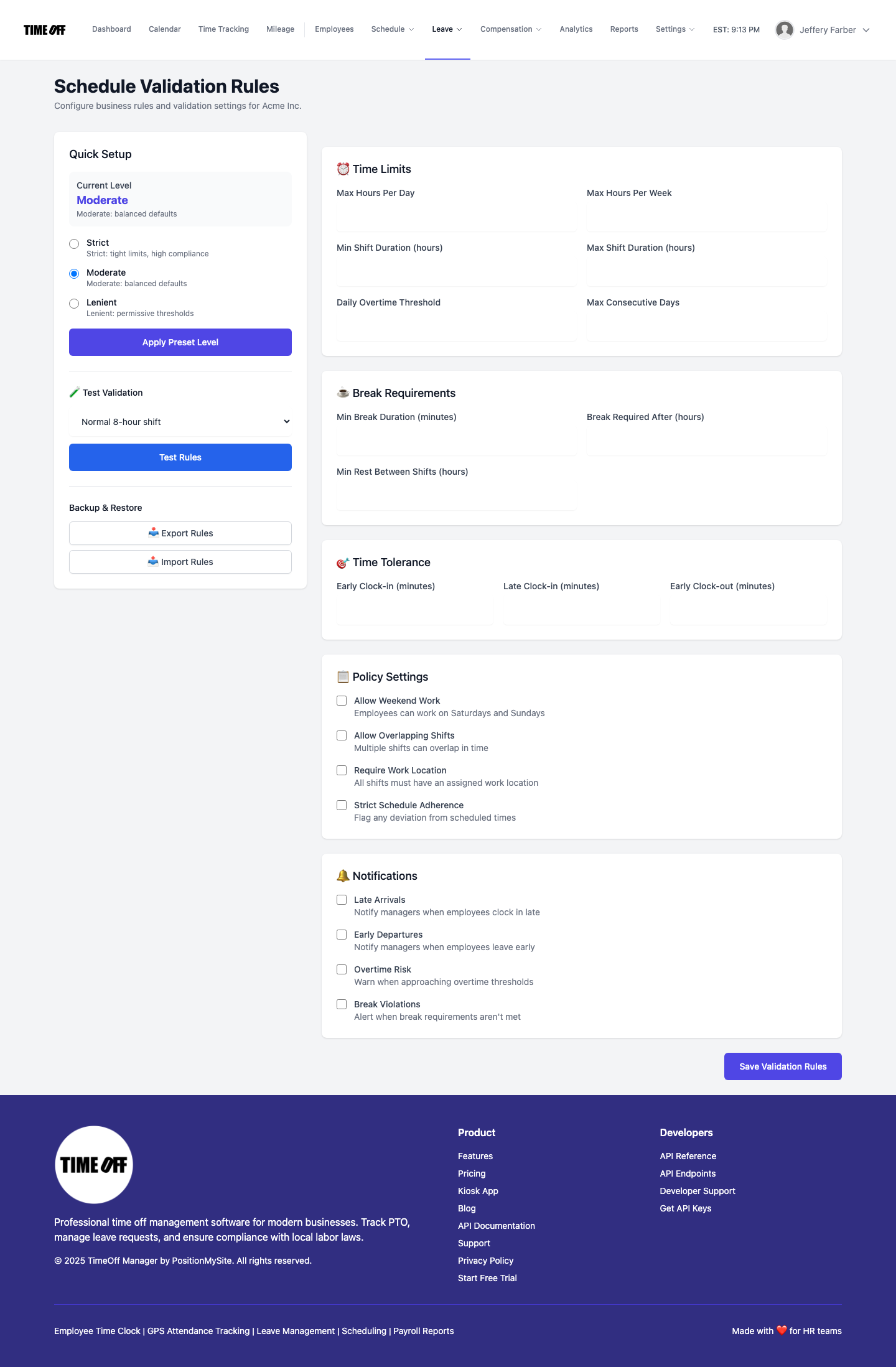
One honest note: the validation rules check hours, breaks and limits. They don't know which person holds a pharmacist licence. Keeping a pharmacist on every open hour is still your call when you build the week. Building that row first, every time, is what keeps you covered.
Clock-ins at the counter and across stores
Pharmacy staff are on their feet and behind a counter. Make clocking in quick.
- Shared tablet at the counter. TimeOff Kiosk turns a tablet into a PIN time clock. Each person clocks in with their own PIN, so nobody clocks in for a coworker. See the kiosk overview for setup.
- Their own phone. Relief pharmacists and floating techs who move between stores can use the signed-in TimeOff Manager Pro app. That's a separate app from the kiosk.
- The right store. Add each pharmacy as a work location, with an optional GPS geofence, and attach locations to shifts. Hours land against the store where they were worked.
If you want staff to clock in only on days they're scheduled, there's a company setting that requires a schedule to clock in. Managers and admins can still clock in without one, which helps when the owner-pharmacist jumps in to cover.
Someone will still miss a clock-in on a crazy Saturday. They can submit a forgot-to-clock-in request with the real time, and you approve it from the approvals inbox. Our post on fixing missed clock-ins before payroll walks through that flow.
Flu and COVID shot season: plan the rush
Vaccine season changes your week. Walk-ins pile up after work and on weekends, you may run clinic days at a local business or seniors' residence, and paperwork takes longer than anyone expects. A few habits help:
- Add a "clinic day" template. Extra technician and clerk hours on the days you run shot clinics, so you're not rebuilding the week by hand each time.
- Track clinic time separately if you want to know what it costs. Optional work activities let staff tag hours, for example "Dispensing," "Vaccine clinic" or "Front store." You'll see how many hours the shot program actually took. Skip it if you don't need that detail.
- Watch the 40-hour line weekly. Shot season is when technicians drift into overtime without anyone deciding they should.
Holiday time off during the busiest weeks
November and December bring the most time-off requests and the least room to give them. Decide the rules before the requests come in, and say them out loud: for example, "no more than one technician off per store per week from December 15 to January 2," or "pharmacists trade holidays year to year."
Then make the requests visible. Staff request time off from My requests. You review them in leave requests and check the team calendar timeline before you say yes. If your relief pharmacist is already off the week of the 22nd, you'll see it before you approve a second pharmacist.
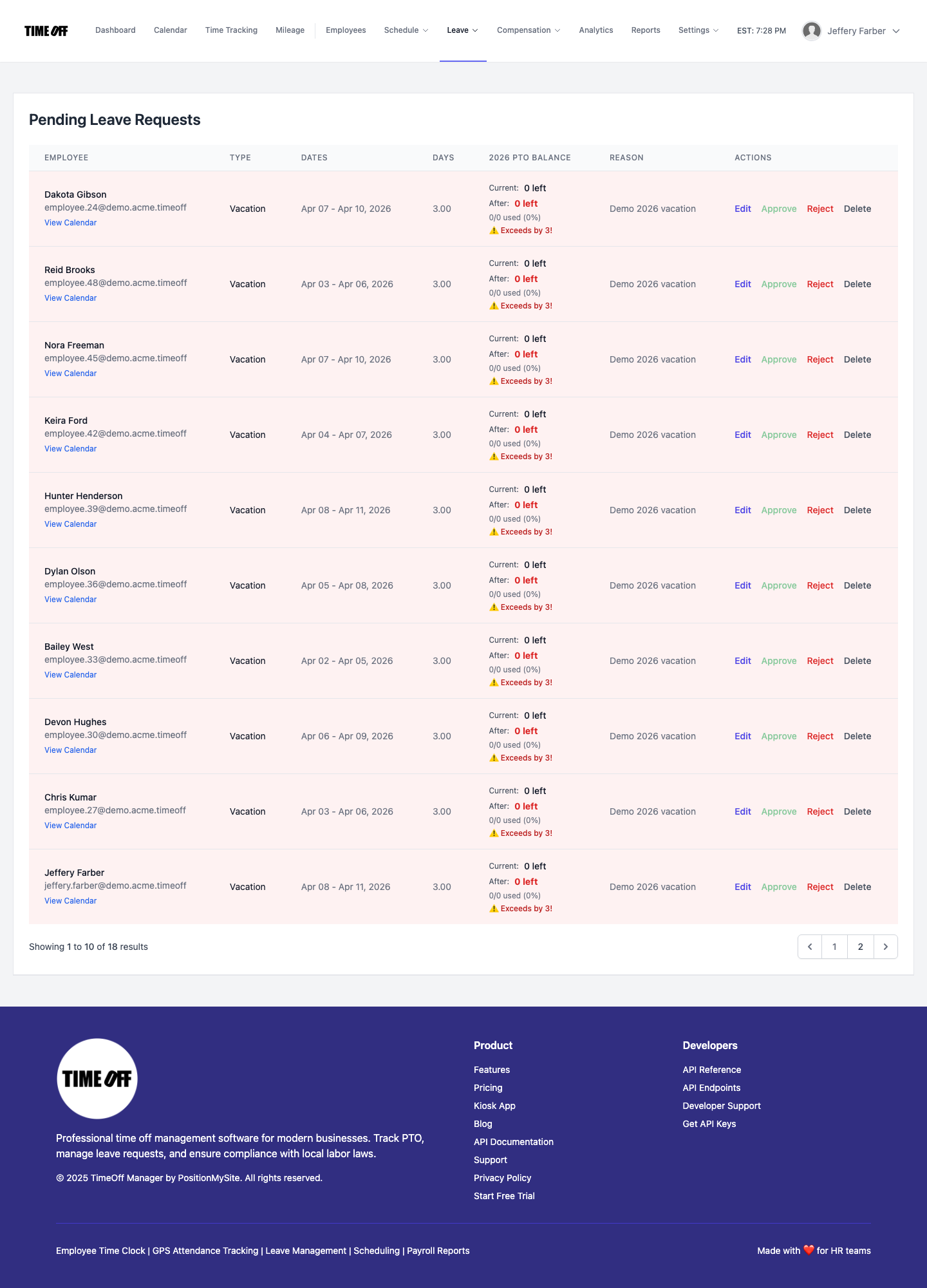
Set up your leave types (vacation, sick, personal, unpaid) and your public holidays once, so balances and closed days are right for each store. For more on running PTO this way, see our PTO software page.
Overtime you can see before payday
Overtime in a pharmacy usually comes from three places: the pharmacist who stays late to finish verifications, the technician who covers a sick call, and the clinic day that ran long. None of them is a problem by itself. The problem is finding out on payday.
In overtime management you set company-wide thresholds and, where someone needs a different rule, a per-employee override. Managers check hours during the week in the timesheet hub (daily, weekly and monthly views), so you can move a Friday shift before the week tips over.
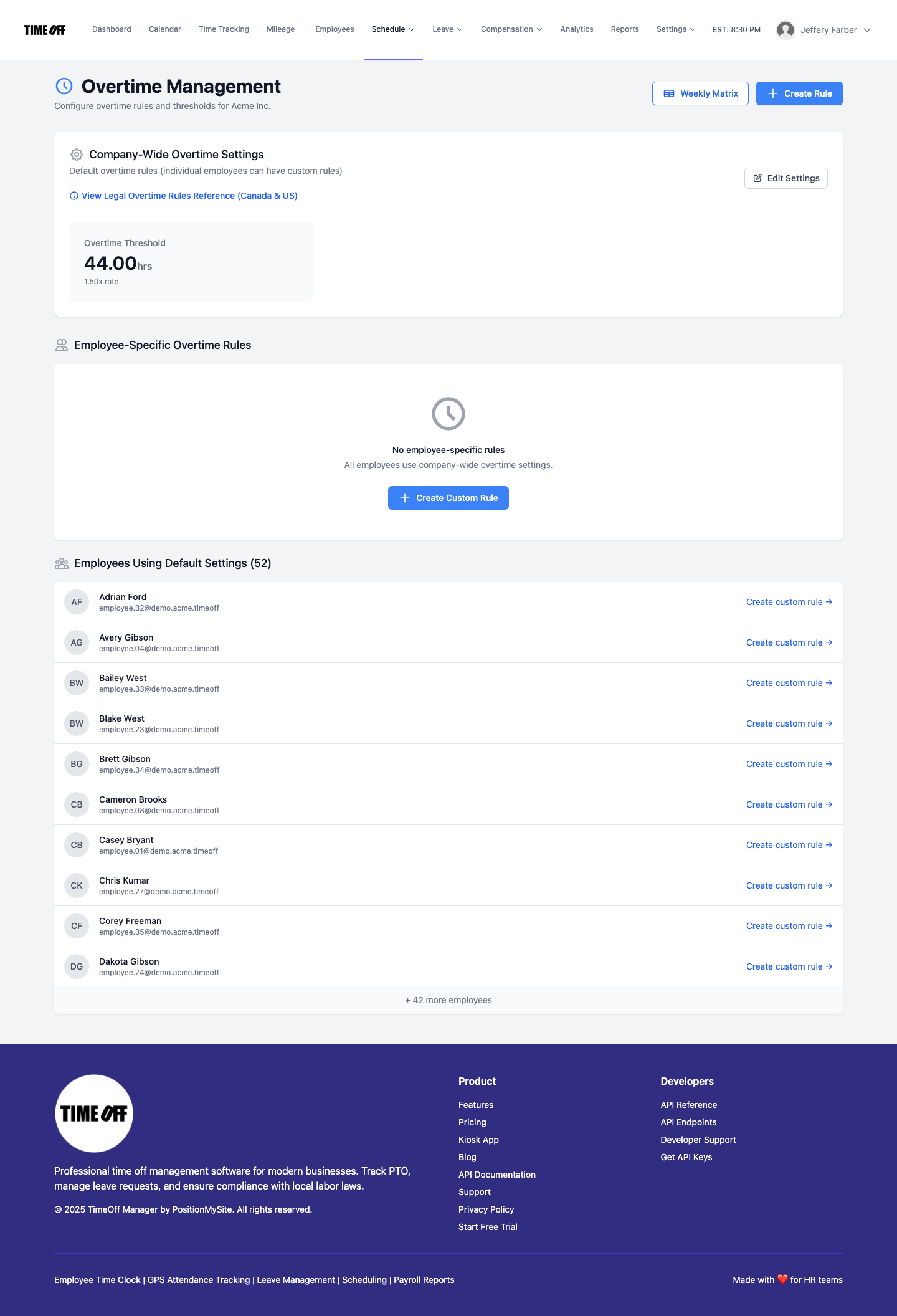
For the full picture on this, our post on overtime tracking and payroll exports goes deeper. The time tracking software page shows the clock and timesheet side.
Payroll: send approved hours, not guesses
Once hours are approved, export them. TimeOff Manager exports approved hours and leave so your payroll provider or bookkeeper can process them. It doesn't replace your payroll provider. If your accountant handles payroll, accountant access gives them their own login to pull the reports they need, without you emailing spreadsheets every two weeks.
Keep one rule: nothing goes to payroll that a manager hasn't approved. Missed clock-ins are fixed first, overtime is checked, and the numbers match what actually happened at the counter.
A simple setup for a community pharmacy
- Add each store as a work location. Turn on the GPS geofence if you want clock-ins checked against the address.
- Add staff with their role in the name or job title (Pharmacist, Technician, Clerk) so the schedule is easy to read.
- Create shift templates for each role and each store, plus a "clinic day" template.
- Assign templates in bulk, then fill pharmacist coverage for every open hour first.
- Set validation rules for breaks and weekly limits, and set your overtime thresholds.
- Put a tablet with TimeOff Kiosk at the counter; give floating staff the phone app.
- Publish your holiday time-off rules and turn on leave requests.
- Each pay period: fix missed clock-ins, review overtime, approve, export.
Running a different kind of clinic too? Our guides for physician practices and dental offices cover the same problems with different roles. You can also see how TimeOff Manager fits pharmacies on our industry page.
Rules worth checking
This is not legal advice. Pharmacy staffing touches both employment law and pharmacy regulation, and both vary by state and province.
- United States. Under the federal Fair Labor Standards Act, non-exempt employees generally earn overtime after 40 hours in a workweek; some states add daily overtime. Salaried pharmacists are often treated as exempt, but technicians and clerks usually are not. See the U.S. Department of Labor overtime page.
- Canada. Overtime and public holiday rules differ by province. Ontario, for example, generally pays overtime after 44 hours a week; see the Ontario overtime guide.
- Pharmacy regulation. Your state board of pharmacy or provincial college sets rules on pharmacist supervision, technician duties and how the dispensary operates when no pharmacist is present. Check your own regulator. Scheduling software helps you follow your plan; it doesn't decide what the rules are.
Try it with your pharmacy
Start with a full year free to try it with your team. You pay $0 for 12 months. A card is required to start, and the yearly price is charged on the anniversary unless you cancel first. After that, Starter (1 to 20 people) is $180 a year, Growth (21 to 50) is $300 a year, and Scale (51 to 1,000) is $479.90 a year or $49.99 a month. Get comfortable before you decide: add your stores and staff, build a December week with pharmacist coverage first, and see how a busy Saturday looks.
FAQ
Can I make sure a pharmacist is scheduled for every open hour?
You build pharmacist coverage first using shift templates for each store, and the schedule and team calendar show who's on and who's off. The software doesn't check licences, so keeping a pharmacist on every open hour is part of how you build the week.
Can relief pharmacists and floating technicians clock in at more than one store?
Yes. Add each pharmacy as a work location and attach locations to shifts. Floating staff can clock in on the TimeOff Manager Pro phone app, or with their PIN on the kiosk tablet at whichever store they're working.
How do I handle time-off requests during flu shot season and the holidays?
Set your rules early, for example how many technicians can be off per store each week. Staff request time off in the app, and you approve it while looking at the team calendar, so you can see who else is already out.
Will it flag overtime before payroll?
You set company-wide overtime thresholds and per-employee rules, and managers review daily and weekly hours in the timesheet hub. That way you can see a week heading over the limit and adjust a shift before payday.
What if a technician forgets to clock out after a late close?
They submit a forgot-to-clock-in or clock-out request with the correct time. A manager approves it, and the timesheet is corrected before hours are exported.
Does it connect to my pharmacy management system?
No. TimeOff Manager handles schedules, clock-ins, time off and overtime. It doesn't store prescriptions or patient records. Approved hours are exported for your payroll provider or bookkeeper.