Hospital and Clinic Time Clock: 12-Hour Shifts, Night Shifts and Overtime (2026)
How clinics, urgent care centers and small hospitals clock staff in at the entrance, schedule 12-hour and overnight shifts, fix missed clock-outs after a long night and see overtime while there's still time to change the schedule.
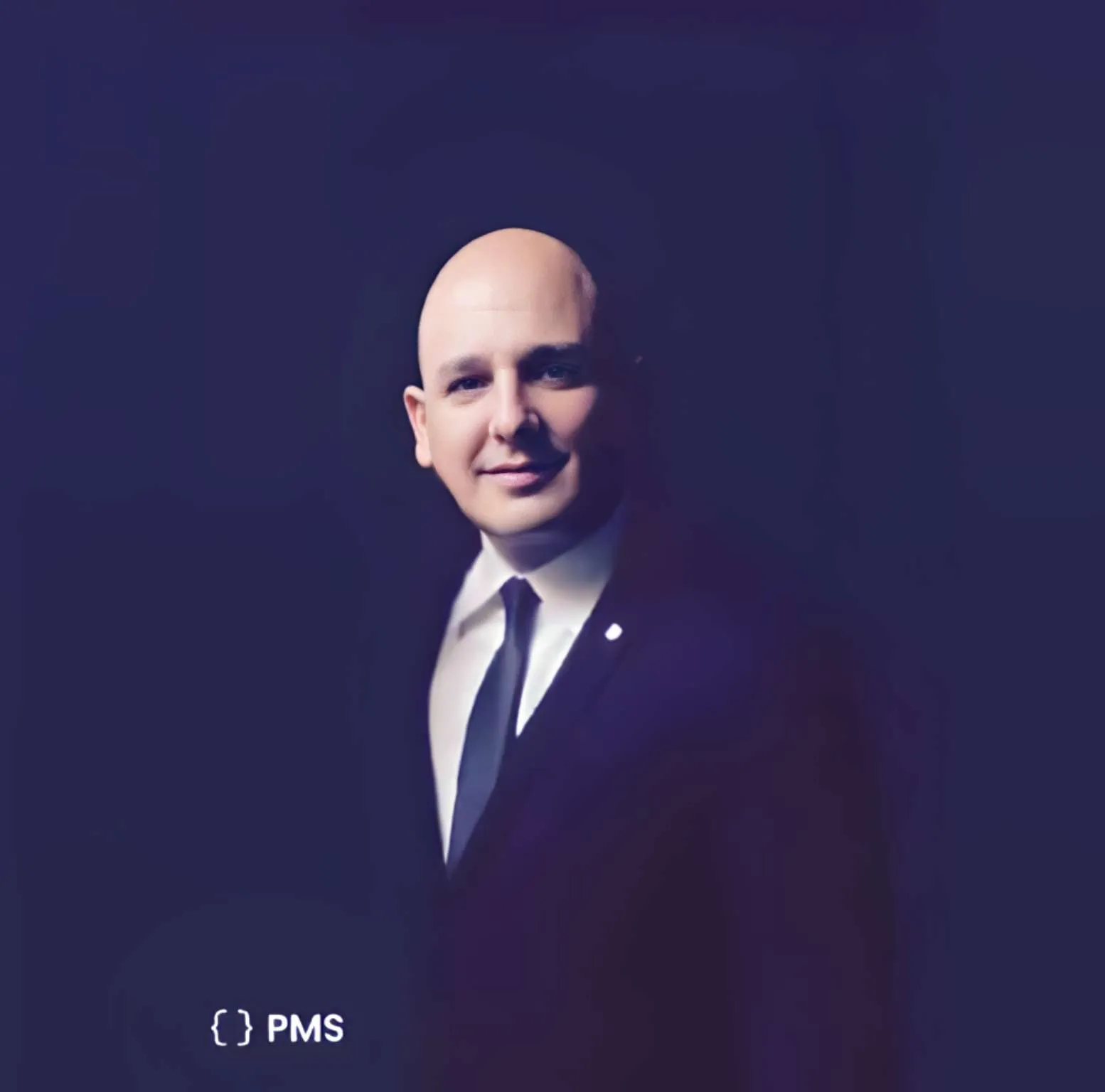
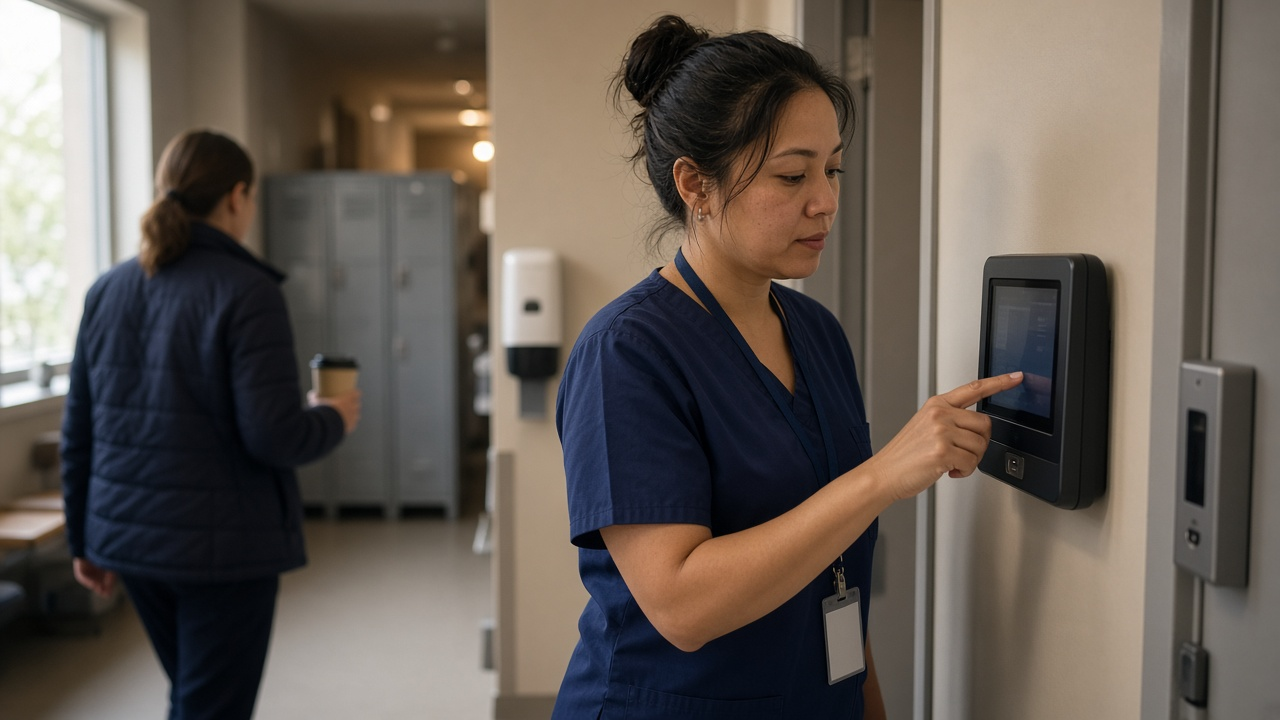
One tablet at the staff entrance, one PIN per person, and every 12-hour shift on one timesheet.
It's 7:40 in the morning and the night nurse is still at the station giving report. Her shift ended at 7:00. She clocks out on the way to the parking lot, and that 40 minutes lands on a paper sheet that the unit manager will try to read on Friday. Down the hall, a tech who picked up a fourth 12-hour shift this week is about to cross 40 hours on Saturday night, and nobody will notice until payroll does.
This guide is for people who run healthcare shifts at a manageable size: urgent care and walk-in clinic owners, outpatient and surgery center managers, and HR or operations leads at small community hospitals. It covers how to clock staff in at a busy entrance, schedule 12-hour and overnight shifts, catch overtime while you can still do something about it, and hand payroll hours it can trust.
Why a hospital time clock is harder than an office one
An office runs 9 to 5 and everyone leaves at roughly the same time. Healthcare doesn't work like that.
- Shifts cross midnight. A 7 p.m. to 7 a.m. shift starts on one date and ends on another. If your sheet has one row per day, half the shift goes missing or gets counted twice.
- Shift change runs over. Report, a late admission or a patient who goes sideways keeps people 20 to 45 minutes past the end of a shift. Those minutes are hours worked, and they add up across a pay period.
- Three 12s is a full week. Someone on three 12-hour shifts is at 36 hours. One extra shift and they're at 48.
- People float. Per diem staff, a float pool, a nurse who covers the urgent care across town on Saturdays. Their hours end up on more than one sheet.
- Coverage is not optional. You can't leave a front desk or a nursing station empty because two people were approved for the same week off.
What good looks like
- Every person clocks in within seconds at the staff entrance with their own PIN, or on their own phone when they work across buildings.
- A night shift is one clock-in and one clock-out, not two half shifts on two dates.
- Schedules for 12-hour, 8-hour and overnight shifts are built once and reused.
- Managers see weekly hours per person, split into regular and overtime, before the week is over.
- Missed clock-outs after a long shift get fixed by the employee, approved by a manager, and leave a record.
- Time off is approved after checking coverage, not in the hallway.
- Payroll gets one approved hours file with regular, overtime and holiday hours.
TimeOff Manager tracks staff hours, schedules and leave. It is not an EHR and does not hold patient records, so it sits next to your clinical systems, not inside them.
A clock-in tablet at the staff entrance
The fastest setup for a clinic or hospital is a shared tablet running TimeOff Kiosk. Mount it where staff actually walk in: the staff entrance, the badge door, the break room by the locker area. An admin or HR manager activates the device once, then everyone clocks in with the PIN from their employee profile.
A few settings matter in healthcare:
- Photo and GPS. In clock rules you can require a photo at clock-in and out, and GPS, so each clock event shows who was at the tablet and where. That is the simplest answer to one coworker clocking in for another. Our guide to stopping clock-ins for coworkers with kiosk photos goes deeper.
- Schedule required. If you turn on Require a schedule to clock in, the kiosk only lets in people who are scheduled that day, and on the shared tablet that includes admins. Leave it off until every schedule is loaded, or your charge nurse may get locked out on day one.
- Dead zones. Basements, imaging suites and older buildings are bad for signal. Looking a person up by PIN still needs a network, but once the employee is identified and the GPS and photo are captured, the TimeOff Kiosk app saves the clock event on the tablet if the request times out and sends it with the original time and location when the connection returns. Schedule, geofence and photo rules still apply.
The kiosk guide covers activation and every rule.
Supervisors, per diem staff and anyone who covers more than one building can clock in on their own phone with the TimeOff Manager Pro app. It is a different app from the kiosk: each person signs in with their work email. It also saves a clock event on the phone when there is no signal and sends it later. If you run more than one site, save each address as a work location with an optional GPS geofence, so a phone clock-in has to happen at the right building.
Scheduling 12-hour, 8-hour and overnight shifts
Most healthcare schedules repeat. Days are 7 to 7, nights are 7 to 7, the front desk is 8 to 4:30, the lab has an evening shift. Build those once as shift templates. A template is a weekly pattern of days and shift times, and it can carry a default work location. Then use bulk schedule assignment to apply it to a whole group at once, for example every day-shift nurse at the main clinic.
Rotations that change week to week still need a person-by-person touch. Edit an individual schedule for the weeks that differ, and use a one-day override when someone swaps a single shift. Staff see the result on My Schedule, with approved leave on the same calendar, so nobody shows up for a shift that moved.
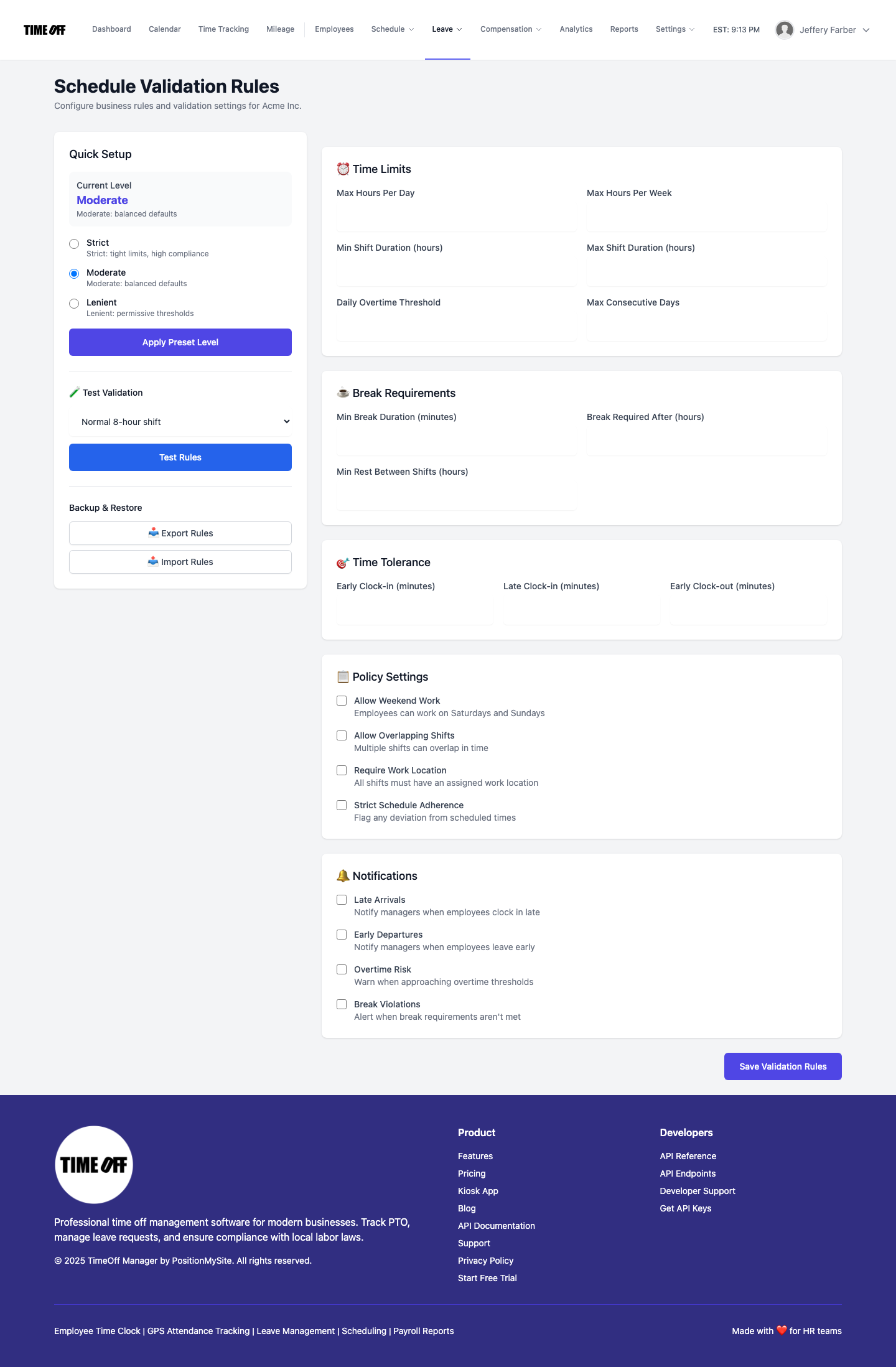
Then set guardrails. Schedule validation rules let you set daily and weekly hour limits, maximum shift length, break requirements and consecutive days. Start from a preset (strict, moderate or lenient), adjust the numbers, and run a test scenario so you know what message people will see. For 12-hour units, the useful ones are shift length, which catches a 16-hour day before it becomes a habit, and consecutive days, which catches the person who said yes to every extra shift this week.
Night shifts and missed clock-outs
A night shift should be one clock-in at 7 p.m. and one clock-out at 7 a.m. When someone forgets the clock-out after a long night, which will happen, they don't email the manager or leave a sticky note. They open forgot to clock in or out on the website, in the app or on the kiosk with their PIN, enter the real times and a short reason, and submit. The form supports overnight shifts and break minutes, and requests have to be within 60 days.
The manager sees it in the dashboard Approval Center, along with leave requests, mileage and payroll day notes, and can approve the times as submitted or edit them first. Approved requests create or update a completed time entry. If the clock times were right and you only need to explain something, like a shift that ran long because of a code, that's a payroll day note instead, so the original clock times stay untouched. For the whole process, see our guide to fixing missed clock-ins on timesheets.
Catching overtime before payroll does
Healthcare overtime usually doesn't come from one big decision. It comes from a fourth 12-hour shift, 30 minutes of report every day, and a per diem nurse whose hours at two sites nobody added together.
Open the manager timesheet hub at the start of each shift. The daily view shows who is clocked in or out right now. The weekly view is the one that saves money: each person's days across the week, with regular and overtime hours split, so on Thursday you can see who is already at 36 and who is at 20.

In Overtime Management you set the company-wide weekly threshold and multiplier, and you decide whether approvers can enter overtime manually. Add per-employee rules only where someone's arrangement is different, such as a daily or weekly threshold that doesn't match the default. For more on this, read our guide to overtime tracking and payroll exports.
Coverage-first time off
Staff request time off in the app, and the request goes to their approver. Before saying yes, the approver opens the team coverage calendar. Each row is a person and each column a day, with short codes for vacation, sick, personal, unpaid and holiday.
Approvals happen in one inbox. The leave requests guide explains the Approval Center and the leave-only queue. If you need categories beyond vacation and sick, such as bereavement or continuing education days, turn on custom leave types and add them, so reports match your policy. See PTO software for how balances and requests work.
When the schedule changes for everyone, like a closed clinic on a holiday or a new parking rule, send a staff message. It's a one-way announcement with an optional acknowledgement, not a chat, and it can arrive as a push notification in the app.
Hours ready for payroll
At the end of the pay period, managers review the weekly grid and approve hours. The payroll hours report pulls everyone into one download: Excel or CSV, plus ADP RUN and Paychex SPI hours files for import. These are hours only: regular, overtime and holiday.
Be clear about the split. TimeOff Manager doesn't calculate pay, shift differentials, the regular rate or taxes, and it doesn't run payroll. Those stay with your payroll provider. If an outside bookkeeper or accountant handles payroll, give them accountant access so they can pull the report without asking you for it every week.
Who does what
Staff clock in at the entrance tablet or on their phone, check their schedule, request time off and fix a missed clock-out themselves.
Charge nurses and unit or clinic managers watch who is clocked in, approve missed clock-in fixes and time off for their team, and check weekly hours before handing out extra shifts.
HR, the office manager or the owner sets up clock rules, work locations, shift templates, validation and overtime, then exports approved hours for payroll.
Running a smaller practice? Our physician practice time tracking guide covers front desk and provider coverage, and the home health and assisted living guide covers caregivers who work in the field.
A rollout you can do one unit at a time
- Turn on time tracking and set clock rules: photo, GPS, and whether a schedule is required to clock in.
- Save each building as a work location with its address and geofence radius.
- Activate one tablet at the busiest staff entrance and hand out PINs.
- Start with one unit or one clinic. Run one pay period next to the old sheet and compare the totals, especially for nights.
- Build shift templates from that unit's patterns, then bulk-assign them as you add the next unit.
- Set validation and overtime rules to match your workweek and policy.
- Move time-off requests into the app and give managers access to their own team.
- Every pay period: approve missed clock-in fixes, review the weekly grid, approve hours and export for payroll.
For the clock-in side in general, see time tracking software.
Rules worth checking
This is not legal advice. Employment rules vary by country, state, province and sometimes by contract.
- United States, the 40-hour workweek. Under the Fair Labor Standards Act, non-exempt employees generally earn time and a half for hours over 40 in a workweek. The regular rate used for overtime includes shift differentials and many bonuses, a common mistake in healthcare payroll. See the U.S. Department of Labor fact sheet on overtime in health care.
- The 8 and 80 system. Hospitals and residential care establishments may use a fixed, recurring two-week work period instead, paying overtime for hours over 8 in a day and over 80 in the period. It needs an agreement with employees before the work is performed, and you can't use both systems for the same person. Check with your payroll provider before you rely on any tool for this.
- Breaks and nurse overtime. Federal law doesn't require meal breaks, but many states do, and a number of states limit mandatory overtime for nurses. Check your state's rules.
- Canada. Overtime is set by each province. Ontario generally pays overtime after 44 hours a week. See the Ontario overtime guide.
Try it with your team
Start with a full year free. A full year to try it with your team: you pay $0 for 12 months. A card is required to start, and the yearly price is charged on the anniversary unless you cancel first. After the year, Starter (1 to 20 people) is $180 a year, Growth (21 to 50) is $300 a year, and Scale (51 to 1,000) is $479.90 a year or $49.99 a month. Get comfortable before you decide: set up one unit, run a pay period with nights in it, then add the next.
FAQ
What is the best time clock for a hospital or clinic?
For most clinics, urgent care centers and smaller hospitals, a shared tablet by the staff entrance works best: each person clocks in with their own PIN, and the clock event can carry GPS and a photo when your clock rules require them. Staff who move between buildings can clock in on their own phone with a signed-in app. What matters more than the device is that every clock-in lands on one timesheet per person, so 12-hour shifts, overnight shifts and overtime show up before payroll.
How do I track a night shift that crosses midnight?
Clock in at the start of the shift and out at the end, on the tablet or the phone app. If someone forgets to clock out after a night shift, they send a forgot to clock in or out request with the real times; in TimeOff Manager that form supports overnight shifts and break minutes, and a manager approves it before it becomes a completed time entry.
Do three 12-hour shifts count as overtime?
Not under the federal 40-hour rule. Three 12-hour shifts add up to 36 hours. A fourth shift in the same workweek takes the person to 48 hours, which is usually 8 hours of overtime for a non-exempt employee. Hospitals may use the 8 and 80 system instead, but only with an agreement in place before the work is done. This is not legal advice, so confirm your setup with counsel or your payroll provider.
Can TimeOff Manager calculate shift differentials or 8 and 80 overtime?
No. TimeOff Manager tracks hours, not pay. Overtime settings use a weekly threshold and multiplier, with per-employee rules where someone needs a different daily or weekly threshold. Shift differentials, the regular rate and any 8 and 80 calculation belong in your payroll system. The payroll hours report gives payroll clean regular, overtime and holiday hours to work from.
How do clinic managers see who is clocked in right now?
The daily view of the manager timesheet hub shows who is clocked in or out today. If live location is turned on in clock rules, managers can also open the live staff map while consented staff are clocked in. Employees do not get that map.
Can we stop people from clocking in when they are not on the schedule?
Yes. Turn on Require a schedule to clock in under clock rules, and regular staff can only clock in on days they are scheduled. On the shared tablet that rule applies to everyone, admins included, so load every schedule first. Managers and admins can still clock in without a schedule on the web or the phone app.
What does it cost after the free year?
New companies get a full year free, $0 for 12 months, with a card required to start. If you continue, the yearly price is charged on your anniversary unless you cancel first: Starter (1 to 20 people) is $180 a year, Growth (21 to 50) is $300 a year, and Scale (51 to 1,000) is $479.90 a year or $49.99 a month.