Home Health and Assisted Living Time Tracking: Caregiver Hours, Visits and Shifts (2026)
How home health agencies and assisted living operators track caregiver hours at client homes and in the building, pay travel between visits, cover every shift, and hand payroll one approved file.
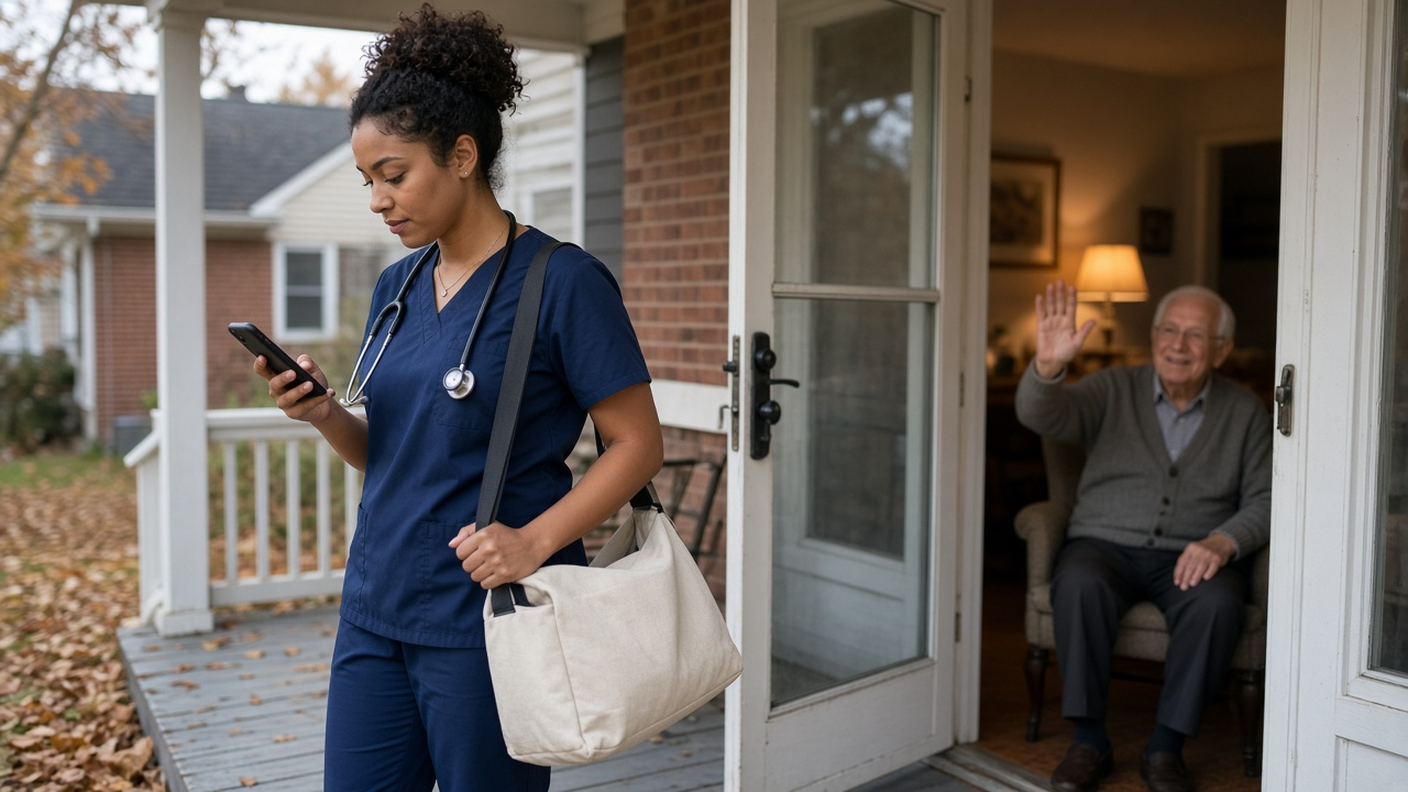
Caregivers clock in at the client's door. Miles between visits get logged with the shift.
It's 6:40 a.m. and the night aide at Mrs. Patel's house is texting you: her relief hasn't shown up. Across town, your assisted living building is short one caregiver on the evening shift because two people swapped days and nobody told the scheduler. And the timesheets from last week are still sitting in a shoebox, with half the clock-outs written in after the fact.
Care work runs on hours. You pay for every one of them, families and residents count on every one of them, and the rules about which ones count are stricter than most industries. This guide is for home health agencies and assisted or senior living operators with 10 to 200 caregivers. It shows how to track caregiver hours at client homes and in your building, pay travel between visits correctly, cover every shift, and hand payroll one approved hours file. It also says plainly what a time clock doesn't do, starting with Medicaid EVV.
Why caregiver hours are harder to track
- Nobody works at the office. Home health aides start at a client's front door, not at your building. A paper sheet signed at the end of the week tells you very little.
- Travel between clients is paid time. Under US federal rules, the drive from the first client to the second is work time. The commute from home to the first client usually isn't. Mixing those up costs you money or exposes you to a wage claim.
- Buildings never close. Assisted living runs day, evening and night shifts, every day. A missed handoff at 11 p.m. is a real safety problem, not a paperwork one.
- Overtime sneaks in. Caregivers pick up extra shifts, stay late with a client who isn't ready to be alone, and work six days in a row during flu season. You find out when payroll runs.
- Time off is hard to cover. One approved vacation can leave a client with no aide that week if nobody checks the calendar first.
What good looks like
- Home health aides clock in on their own phone when they arrive, with GPS saved at that moment.
- In the building, staff clock in on one shared tablet with a personal PIN.
- Drives between clients are logged as mileage trips and approved with the hours.
- Shifts come from templates, and scheduling rules flag long shifts and too many days in a row.
- Missed clock-outs are fixed through a request a manager approves, not by editing the sheet.
- Time off is requested in the app and checked against the coverage calendar before anyone says yes.
- Payroll gets one approved file with regular hours, overtime and leave days.
Home health: clock in at the client's door
For aides who go from house to house, the TimeOff Manager Pro phone app is the right fit. Each caregiver signs in on their own phone and clocks in when they arrive. GPS is saved at the moment they clock in, so you can see that the 8 a.m. visit started at the client's address and not in the parking lot of a coffee shop. The phone app help page walks through setup.
If you want clock-ins at a client's home to fall inside a boundary, save that home as a place in Work locations and turn on GPS validation. Keep the name generic, like a client code or a street name, rather than the client's full name. For clients you see once a month, leaving GPS validation off is usually fine. The GPS time clock page explains how GPS at clock-in works.
One thing to tell your staff up front: location is recorded at clock-in, and if you turn on live location during shifts, while they're on the clock. GPS history is kept for a short rolling window, not forever. Put it in your employee monitoring notice.
Pay travel between visits the right way
This is where home health agencies lose the most money and take the most risk. The US Department of Labor's travel time guidance for direct care workers is clear on the basics: ordinary travel from home to the first client and back home at the end of the day generally isn't work time, but travel that is "all in the day's work" is. That includes driving from one client to the next, or driving a client to an appointment.
The simple way to handle it: caregivers log each drive between clients as a mileage trip. They can start live GPS tracking for the trip or log it by hand afterward. You approve the miles in the same inbox as the hours, so the trip and the shift sit side by side. The mileage admin page covers rates and approvals, and our mileage reimbursement guide explains the policy side.
Make sure the time between visits is also on the clock. If an aide clocks out at the first client and clocks back in at the second, the drive falls in the gap. Decide on one rule, write it down, and train everyone on it. Many agencies have aides stay clocked in between visits on the same day and only log the miles separately.
Assisted and senior living: one PIN clock at the door
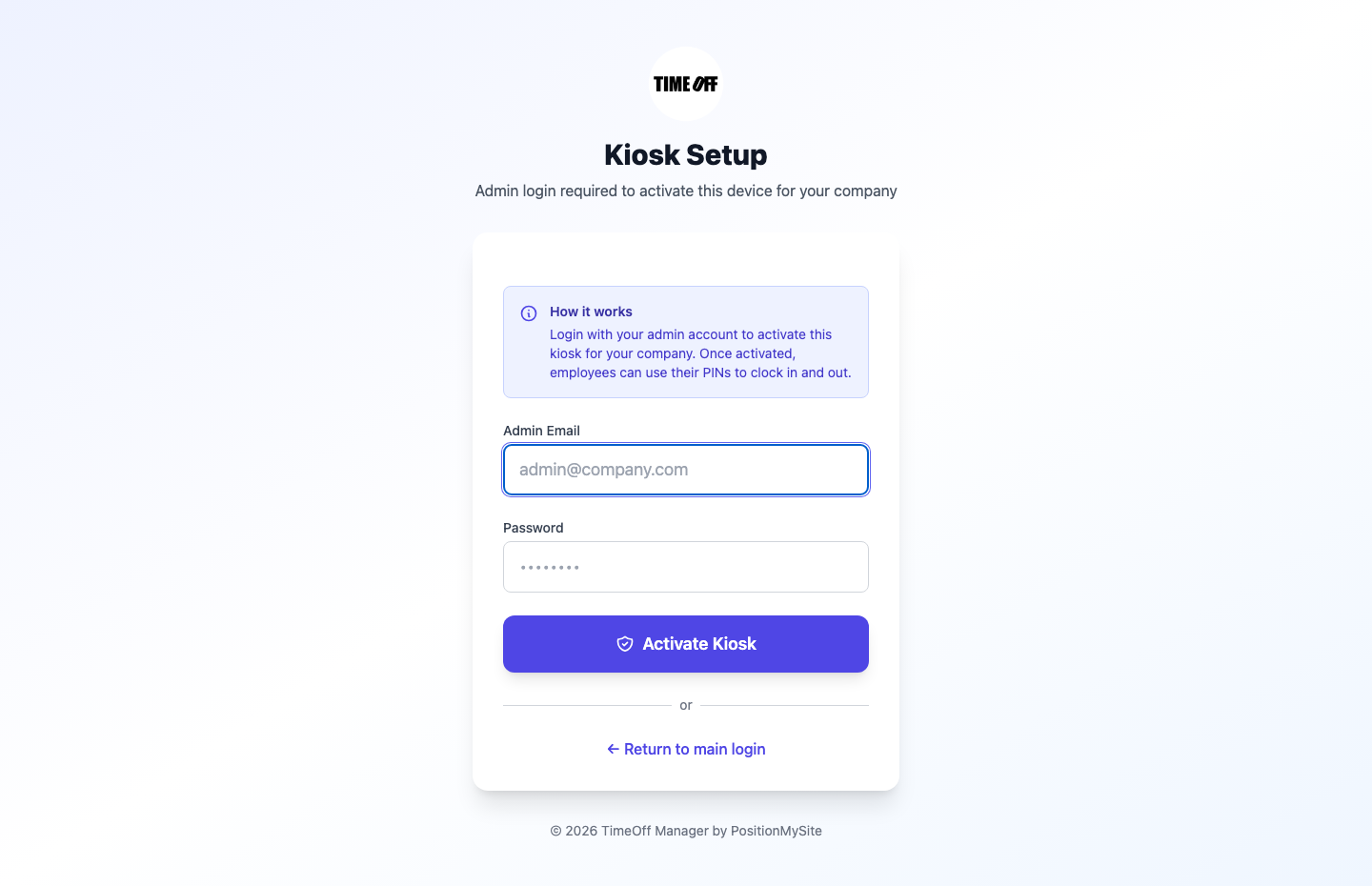
In a building, a shared tablet is usually easier than everyone using their own phone. Put the TimeOff Kiosk app at the staff entrance or the nurses' station. Each caregiver enters a personal PIN to clock in and out. Nobody needs a company phone, and nobody signs in to someone else's account. The kiosk setup guide covers activating the tablet.
Don't mix up the two apps. TimeOff Manager Pro is the personal, signed-in phone app. TimeOff Kiosk is the shared PIN clock. Plenty of operators use both: kiosk for the building, phone app for the activities director or maintenance lead who moves between sites.
Cover every shift with templates and rules
Care schedules repeat. Build shift templates once for your day, evening and night patterns, with the work location attached when it helps, and apply them across your team instead of rebuilding the week by hand. Caregivers see their own week in My Schedule.
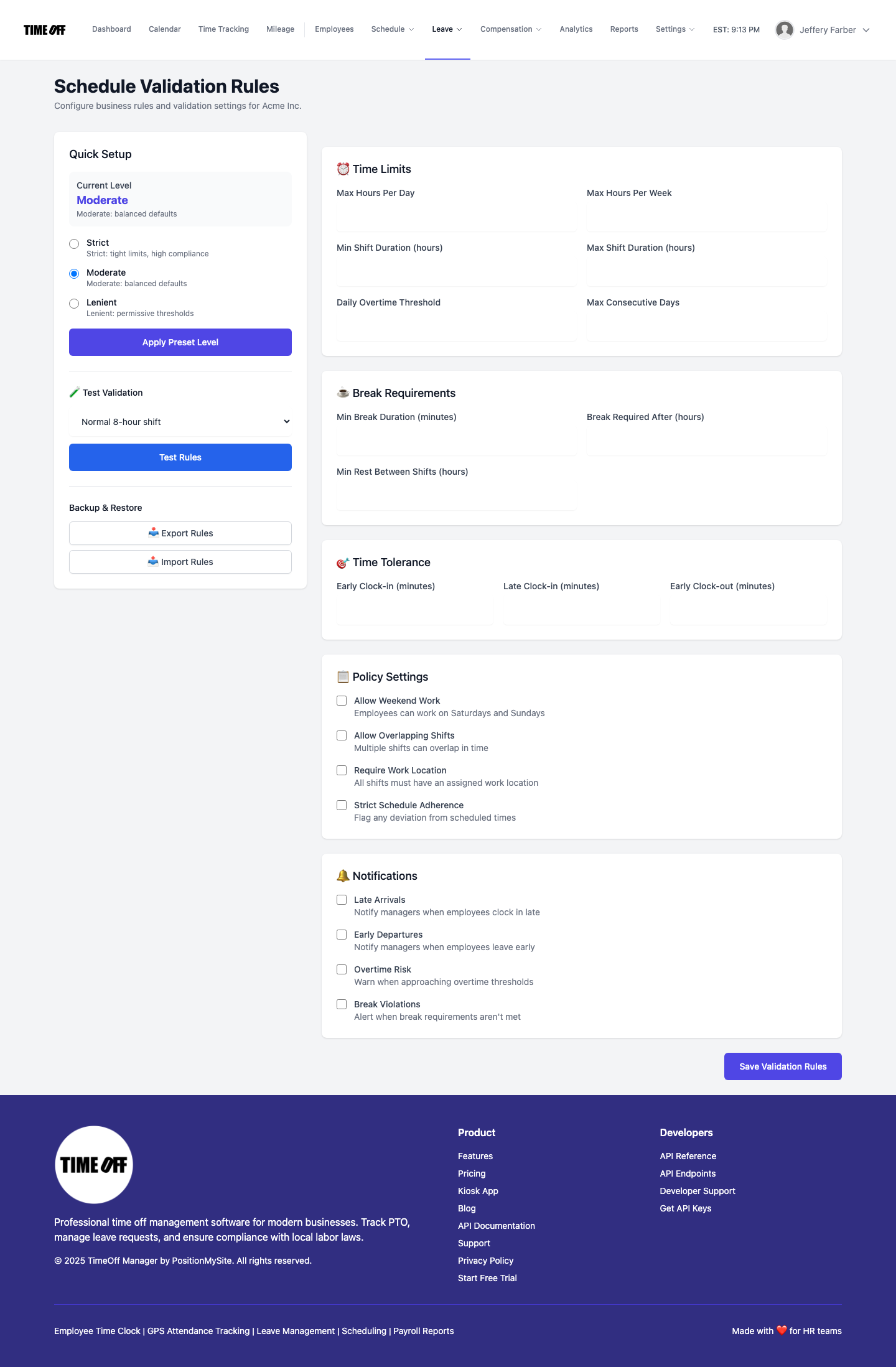
Then set scheduling rules that match how you want to run: daily and weekly hour limits, maximum shift length, breaks and consecutive days. Pick a preset, adjust the numbers and test a few scenarios. When someone is scheduled for a seventh straight day or a 16-hour double, the system flags it before it becomes a tired caregiver at 3 a.m.
Caregiver, scheduler and administrator: who does what
Caregiver. Clocks in on the phone app at the client's home or on the kiosk in the building. Logs miles between visits. Requests time off from the app. If they forget to clock out after a hard shift, they send a missed clock-in request with the real time and a note.
Scheduler or care coordinator. Builds the week from templates, checks the team calendar before approving time off, and watches for gaps. Managers can open the live staff map to see which home health aides are on the way, running late or clocked in, if you turn live location on. Caregivers don't get that map.
Administrator or owner. Reviews the manager timesheet by day, week or month, and approves missed clock-ins, time off and mileage from one approvals inbox on the dashboard. Our guide to the approvals inbox shows how that works.
Overtime before payroll, not after
Care work runs long. Set your rules in Overtime settings so extra hours are flagged on the weekly timesheet while there's still time to adjust next week's schedule.
In the US, most home care workers employed by agencies have been entitled to minimum wage and overtime since the DOL's domestic service rule took effect in 2015. Hospitals and residential care facilities may also use the "8 and 80" overtime system with a prior agreement, which counts overtime over a fixed two-week period instead of a single workweek. If you use it, confirm with your payroll provider how they calculate it, and make sure your TimeOff overtime settings flag the hours you need to see. In Ontario, the Employment Standards Act guide to hours of work sets the limits.
Time off without leaving a client uncovered
Caregivers request vacation and sick days in the same app they clock in with. Before you approve, look at the coverage calendar. If two of the three aides who know Mr. Alvarez's routine are off the same week, you want to know before you say yes, not the morning of. The PTO software page covers balances and leave types.
What a time clock doesn't do: EVV and care records
Be clear about this one. If you bill Medicaid for personal care or home health visits, the 21st Century Cures Act requires electronic visit verification. EVV records the type of service, who received it, the date, the location, who provided it, and when it started and ended, and it reports through your state's system or approved vendor.
TimeOff Manager is not an EVV system and doesn't send visit data to your state. It keeps employee hours, overtime, time off, mileage and where people clocked in, so you can pay your staff correctly and run the schedule. Many agencies use both. TimeOff Manager also isn't a care plan, a medication record or a billing system. Keep health details out of timesheet notes.
Friday: one approved hours file
Once the pay period is approved, open Reports. The payroll hours report shows regular hours, overtime and leave days for the date range. Download it as Excel or CSV, or as an hours file for ADP RUN or Paychex. You can also send approved hours to QuickBooks Online or FreshBooks. TimeOff Manager doesn't calculate pay or run payroll. It gives you hours you trust and hands them to the software that does.
If you place clinicians through a staffing agency rather than employing them directly, our medical staffing timesheet guide covers that setup instead.
Set it up in a week
- Add your caregivers, schedulers and office staff.
- Save your building and the client homes you want GPS boundaries for as work locations, using generic names.
- Put a kiosk tablet at the staff entrance and hand out PINs. Have home health aides install the phone app.
- Build shift templates for each pattern and set scheduling and overtime rules.
- Write a one-page rule on travel between clients and mileage, and train everyone on it.
- Run one pay period, approve it, download the hours file, and fix whatever confused people before the next one.
Rules worth checking
This is not legal advice. A few rules matter more in care work:
- Travel time. Travel between clients during the workday is generally paid. See DOL Fact Sheet 79D on hours worked in domestic service, including sleep time and on-call time for live-in staff.
- Records. The FLSA requires employers to keep time and pay records. The DOL recordkeeping fact sheet lists what to keep.
- EVV. Medicaid-funded visits need your state's EVV, separate from your time clock.
- Location notice. Tell employees when location is recorded.
Try it with your caregivers
A full year to try it with your team. Get comfortable before you pay. Start your free year: you pay $0 for 12 months. A card is required to start, and the yearly price is charged on your anniversary unless you cancel first. After the year, Starter (1 to 20 people) is $180 per year, Growth (21 to 50) is $300 per year, and Scale (51 to 1,000) is $479.90 per year or $49.99 per month.
See how it fits on the home healthcare page or the assisted living page, or read the time tracking software overview first.
FAQ
What is the best time tracking software for home health care?
Look for caregivers clocking in on their own phone at the client's home, GPS saved at the moment they clock in, an easy way to log miles between visits, and a missed clock-in request instead of hand edits. Managers should approve hours, time off and mileage in one place and download one hours file for payroll. TimeOff Manager covers that for the people you employ. If you bill Medicaid, you still need your state's EVV system.
Is TimeOff Manager an EVV system?
No. Medicaid electronic visit verification has its own rules: it records the service type, the person receiving care, the location and start and end times, and it reports to your state or its vendor. TimeOff Manager tracks employee hours, overtime, time off and mileage for payroll. Many agencies use both: EVV for billing, a time clock for paying staff and approving time off.
Do home health aides get paid for travel time between clients?
Under US federal rules, travel between clients during the workday is generally work time and must be paid. The first trip from home to the first client and the last trip home usually are not. State rules can go further, so check yours. This is not legal advice.
What's a good time clock setup for assisted living or senior living?
A shared tablet with a PIN clock at the staff entrance or nurses' station works well, because staff don't need a company phone and nobody signs in to anyone else's account. Add shift templates for day, evening and night, set overtime and scheduling rules, and use the team calendar to see coverage before you approve time off.
Can caregivers fix a missed clock-out after a long shift?
Yes. They send a missed clock-in or clock-out request with the real time and a note, from the phone app or the kiosk with their PIN. It goes to the manager's approvals inbox, and nothing changes on the timesheet until someone approves it.
Should we put client health details in timesheet notes?
No. Keep notes about the shift, such as a late start or a client who asked the aide to stay longer, and keep care details in your clinical or care records. A time clock is for hours, not health information.
How does the 1 year free offer work?
A full year to try it with your team. New companies pay $0 for 12 months. A card is required to start, and the yearly price is charged on your anniversary unless you cancel first. After the year, Starter (1 to 20 people) is $180 per year, Growth (21 to 50) is $300 per year, and Scale (51 to 1,000) is $479.90 per year or $49.99 per month.