Remote Work & Modern HR Practices: A Complete SMB Guide (June 2026)
Managing a remote team means juggling time zones, compliance, and communication. Discover how TimeOff Manager unifies your HR processes to simplify remote work, from PTO requests to overtime tracking and payroll integration.


Managing a remote team means juggling time zones, compliance, and communication. Discover how TimeOff Manager unifies your HR processes to simplify remote work, from PTO requests to overtime tracking and payroll integration.
The Remote Work Reality: Are Your HR Systems Keeping Up?
You’ve embraced remote work, or maybe it chose you. Either way, you know the drill: your team is distributed, time zones are a puzzle, and keeping track of who’s working, who’s off, and who’s owed overtime feels like a full-time job in itself. Spreadsheets get edited after the fact. Managers approve PTO without seeing if someone's already scheduled for a critical shift. Payroll becomes a scramble to reconcile clock-ins with approved leave. It’s a mess, and it costs you time, money, and peace of mind.
Modern HR, especially for remote teams, needs more than separate tools. You need one reliable place for all your employee data. TimeOff Manager was built to solve these problems for businesses like yours, giving you the control and visibility to succeed.
The Problem: Why Traditional HR Breaks in a Remote World
Remote work brings new challenges that traditional HR methods fall short on. Here are the common problems:
- Time Zone Chaos: An employee clocks in at 9 AM Pacific, but your HR manager is 3 hours ahead. When does their shift really start for payroll? This isn't just about simple math; it's about accurate overtime calculations and adherence to local labor laws, which can vary wildly by employee location.
- Visibility Gaps: You can't just walk over to someone's desk. You don't see who's logged in, who's on a break, or if that PTO request conflicts with a major project deadline. This lack of real-time insight leads to understaffing, missed deadlines, and frustrated employees.
- Compliance Nightmares: Each state, sometimes even each city, has unique labor laws. Minimum wage, break requirements, overtime rules—they all differ. When your employees are spread across multiple jurisdictions, keeping compliant manually is a recipe for fines and legal trouble.
- Siloed Data: Your PTO requests are in one system, time clock-ins in another, and scheduling in a third. When it's time for payroll, someone has to manually merge these separate data sets. This leads to errors, delays, and wasted effort.
- Manual Overtime Tracking: Calculating overtime for remote workers, especially those crossing state lines or working unusual hours, is incredibly complex without automation. Did they hit 40 hours in their work week? Or 8 hours in a day? What about daily overtime in states that require it? If their approved leave isn't factored in automatically, you're guessing.
- Uncontrolled Spending: Without accurate time tracking and mileage reimbursement software, you're leaving money on the table or overpaying. Remote employees might use personal vehicles for business, and without a streamlined process, tracking and reimbursing those expenses becomes a burden.
What "Integrated" Actually Means for Remote HR
When we say TimeOff Manager offers an integrated solution for remote work, we mean it simplifies how you manage your team. It’s not just a few features under one login; it's a single workflow that connects everything:
- One Employee Record: Every piece of information—PTO balances, time clock-ins, scheduled shifts, compensation details, work locations—lives in a single, secure profile. No more cross-referencing multiple systems.
- One Clock Surface: Whether your remote team clocks in from their mobile device, a web browser, or even a shared kiosk if they occasionally come into an office, all time entries feed into the same system. This gives you a consistent, auditable record.
- One Weekly/Pay-Period View: Managers see a complete picture of an employee's week: scheduled shifts, actual clock-ins, approved leave, and calculated overtime. This visibility is critical for making informed decisions before payroll runs. You can open the Manager & HR hub at
/timesheetand see the weekly grid, daily roster, or monthly rollups. - Reports That Match Approvals: When you generate a report for payroll or compliance, you can trust that the data reflects exactly what was requested, approved, and worked. No discrepancies between leave requests and actual time worked.
- Automated Compliance Checks: Set up validation rules for breaks, shift limits, and overtime thresholds. The system flags potential issues *before* they become problems, keeping you compliant across different jurisdictions. Learn more about schedule validation rules.
Empowering Your Remote Team: Employee vs. Manager Workflows
Remote work thrives on clear communication and self-service. TimeOff Manager provides intuitive interfaces for both your employees and your management team, reducing administrative burden and improving transparency.
For the Remote Employee: Clarity and Control
Your remote employees need to easily manage their own time and requests without constant back-and-forth. They access a personalized dashboard where they can:
- Request Time Off: Submitting a PTO request is straightforward. They see their available balances for different leave types (sick, vacation, personal) and can easily select dates. This reduces email clutter and ensures requests are routed for approval correctly. They can find this under My requests.
- Clock In/Out: Whether using a web browser or the mobile app, clocking in and out is simple and secure. If location tracking is enabled, a GPS time clock feature can confirm they are at an approved work location. This helps with remote work accountability.
- View Their Timesheet: Employees can review their own hours, clock-ins, and approved leave for the current or past pay periods on their employee timesheet overview. This transparency helps them catch any discrepancies before payroll and fosters trust.
- Submit Mileage: If your remote employees use their personal vehicles for company business, they can easily log their trips and submit them for reimbursement using the Mileage module. This ensures accurate reimbursement and compliance with IRS guidelines.
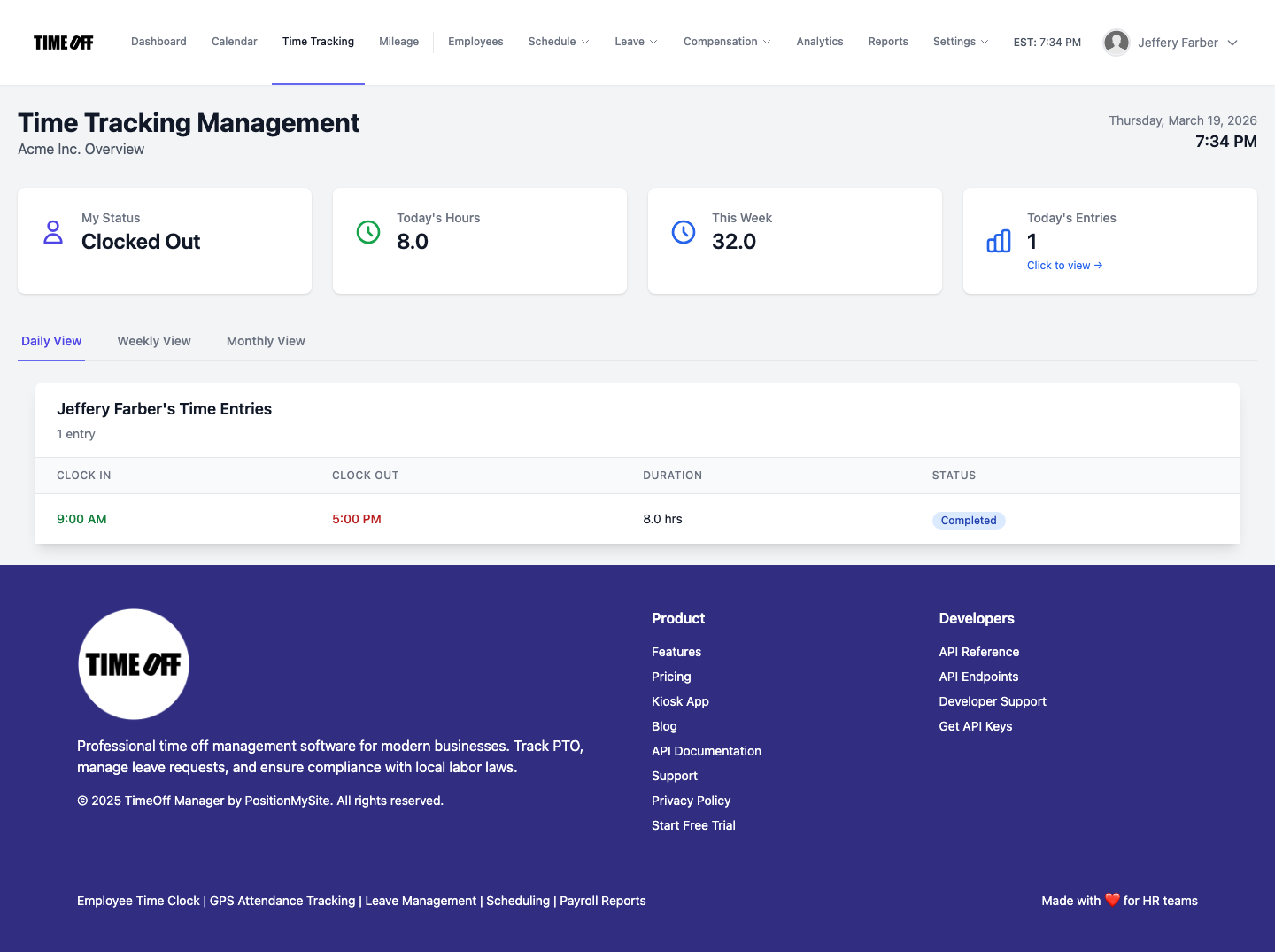
For the Remote Manager & HR: Oversight and Efficiency
Managers need a bird's-eye view of their remote team's activities to ensure coverage, approve requests, and monitor compliance. The Manager & HR hub is their command center:
- Daily Roster: Quickly see who's scheduled to work, who's clocked in, and who's on leave for the day. This helps managers make on-the-fly decisions about coverage.
- Weekly Grid: Get a comprehensive view of all team members' hours, clock-ins, and leave for the entire week. This is invaluable for reviewing time before payroll and identifying potential overtime.
- Monthly Rollups: Track trends and ensure long-term coverage planning.
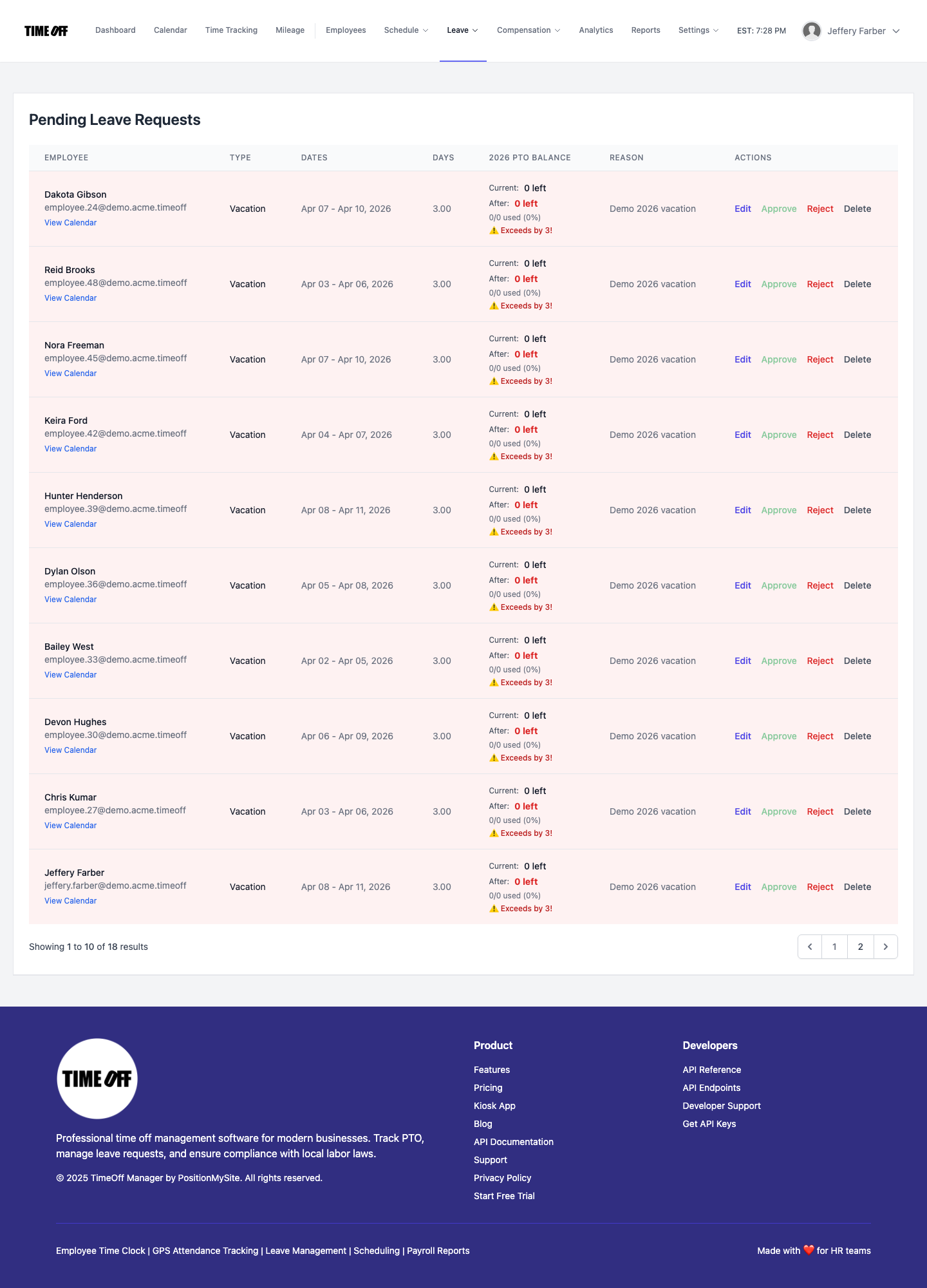
- Approve Leave Requests: Managers receive notifications for pending leave requests. Before approving, they can instantly see potential conflicts with scheduled shifts or other team members' leave, preventing coverage gaps.
- Manage Schedules: Create and distribute shift templates, build schedules, and make bulk or per-employee edits. For remote teams, this means you can build schedules that account for different time zones and ensure equitable distribution of work.
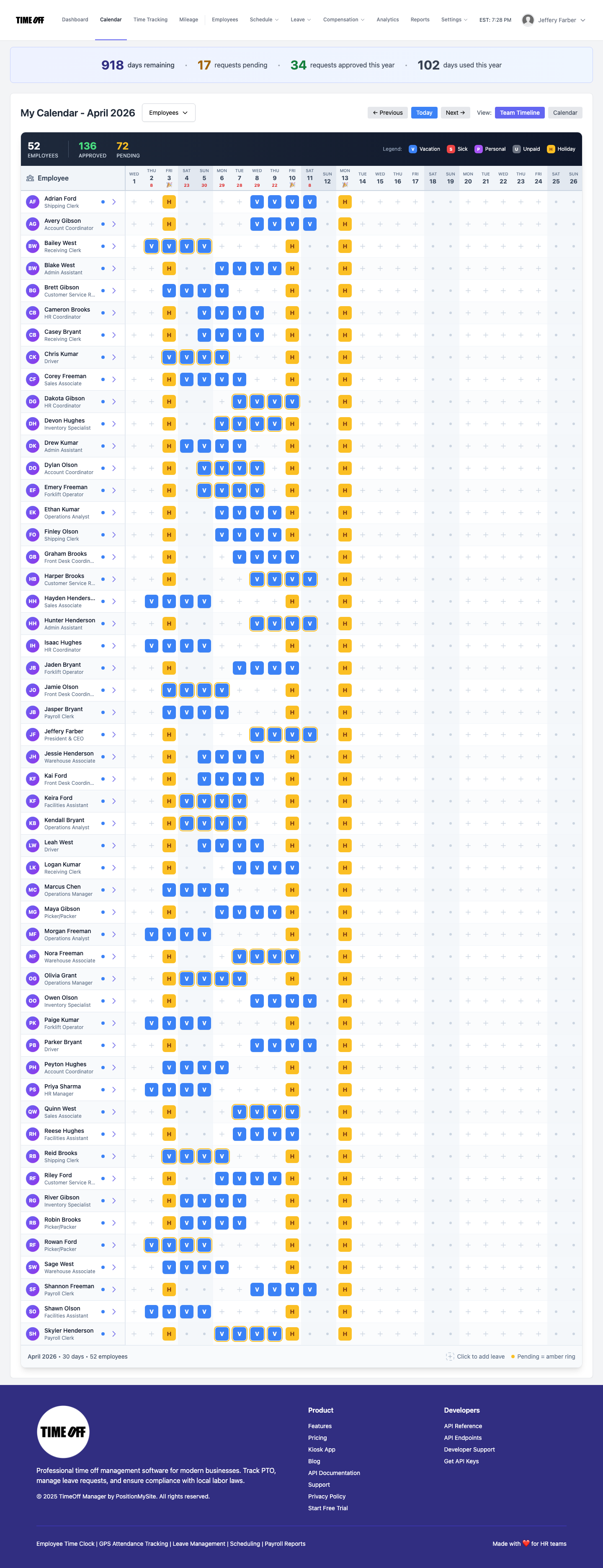
Figures: Visualizing Modern Remote HR
Let's look at how TimeOff Manager works in practice to manage your remote team.
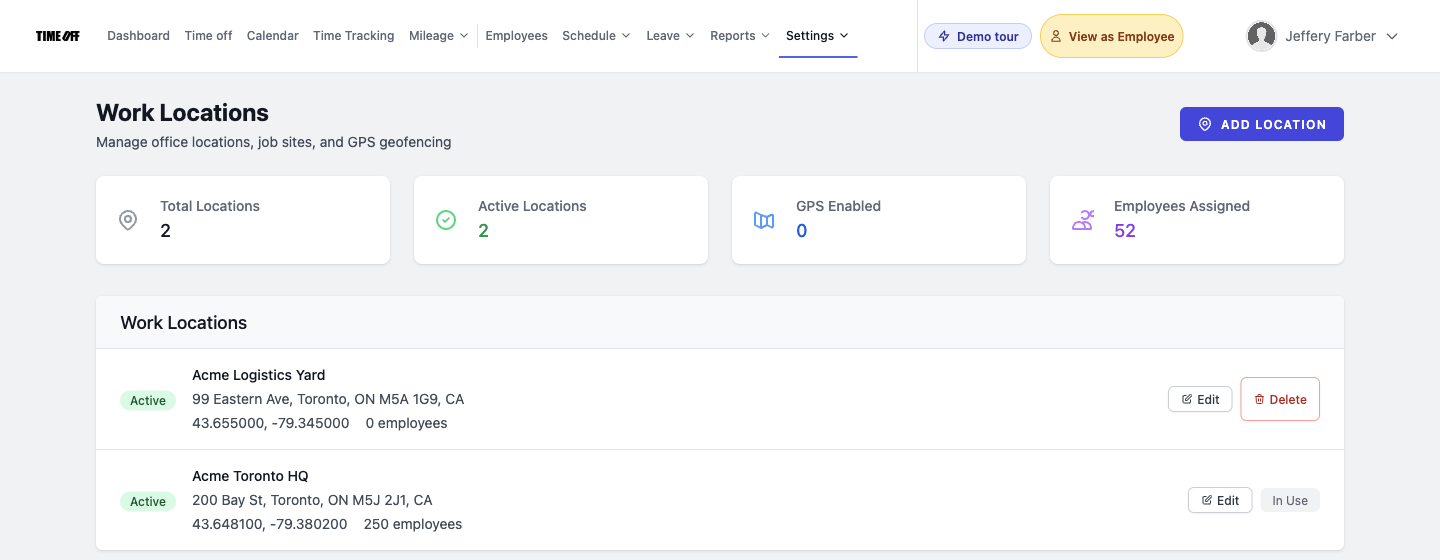
When you're dealing with a distributed team, knowing where everyone is working from is key for compliance and resource allocation. TimeOff Manager allows you to define and manage work locations, which can be crucial for applying location-specific rules or for enabling GPS time clock features.
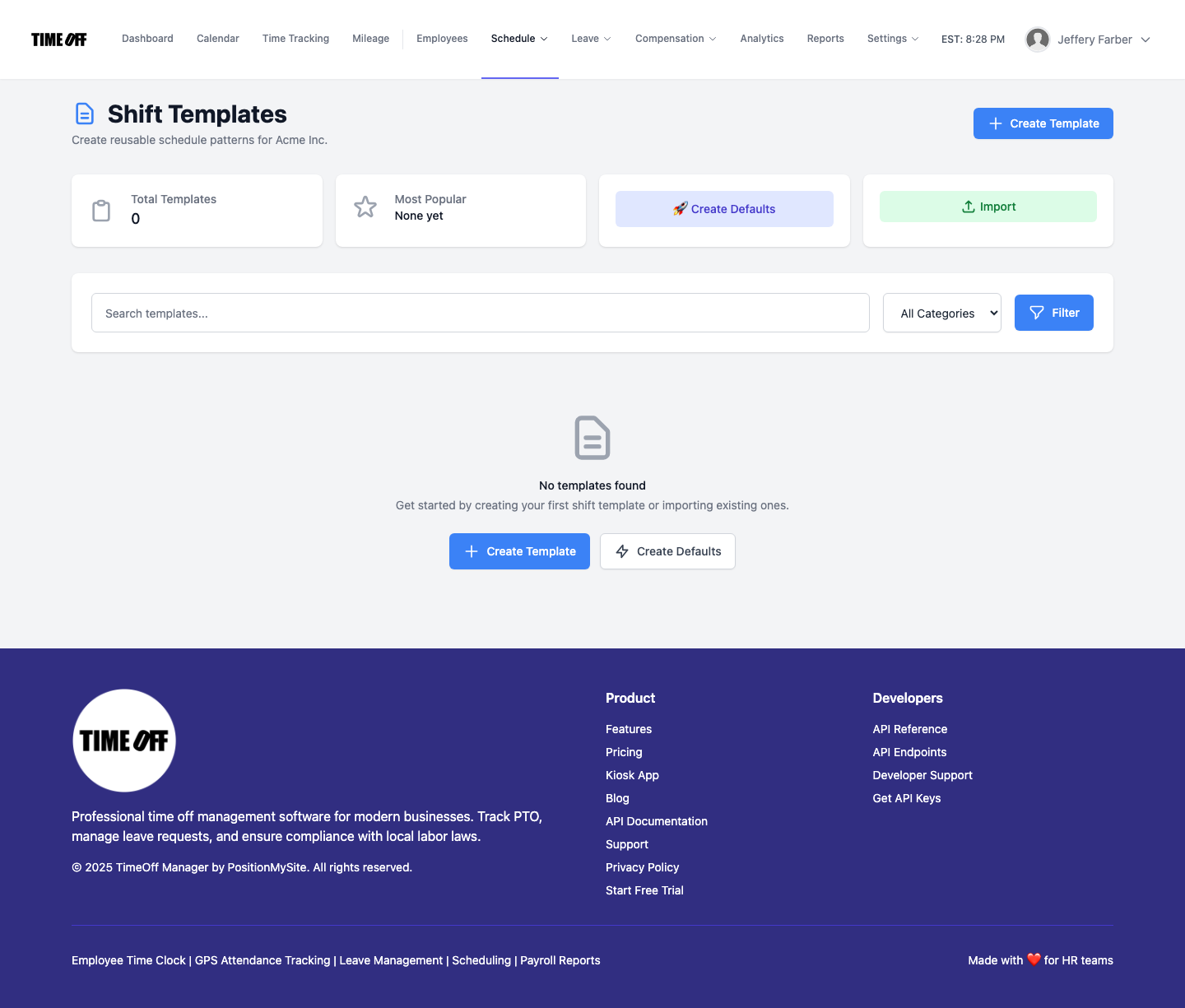
Creating consistent schedules for remote teams that span different time zones can be a headache. Shift templates simplify this by allowing you to pre-configure common shifts, ensuring fairness and consistency across your distributed workforce.
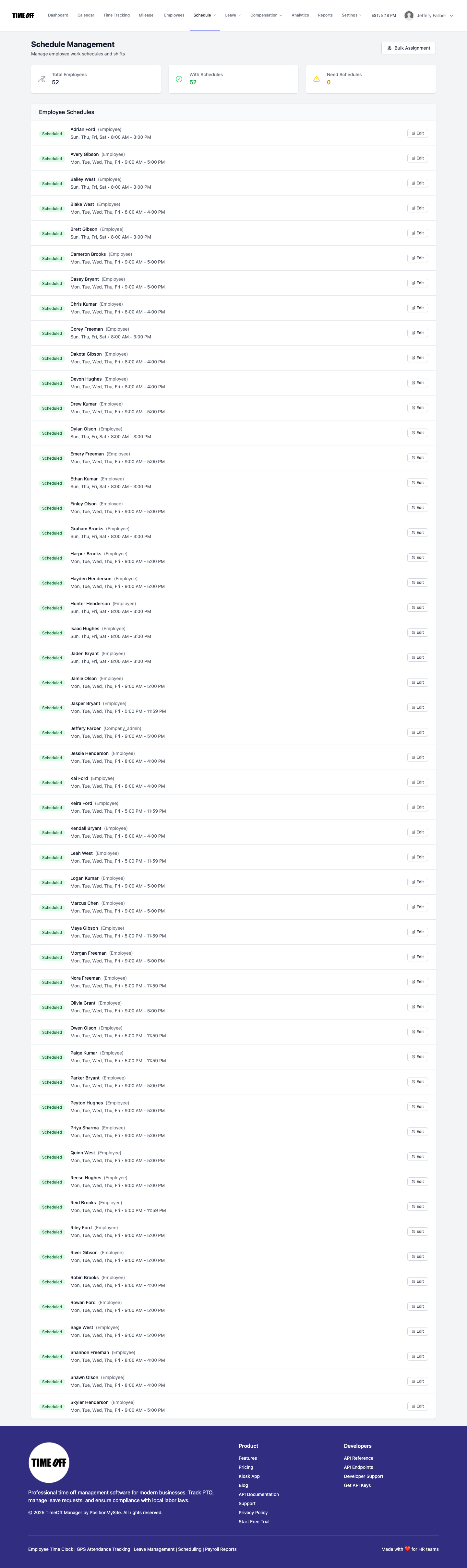
Once you have your templates, you can build out your team's schedule, making adjustments as needed. This centralized schedule management is vital for remote coordination.
And finally, seeing the full picture of your team's time, including all clock-ins, leave, and calculated overtime, is where the rubber meets the road. The weekly view in the Manager & HR hub gives you this clarity.

Beyond daily operations, understanding your HR data trends is critical for strategic planning in a remote environment. Our analytics dashboard gives you insights into attendance, leave patterns, and overtime costs.

From Clock-in to Overtime: Streamlining Remote Payroll Prep
The journey from an employee clocking in remotely to their accurate paycheck hitting their bank account should be seamless. Here’s how TimeOff Manager makes it happen:
1. Company settings for defaults
Before anyone clocks in, you define your foundational rules. In Company Settings, you set your default work week, company-wide holidays, and general overtime rules. For remote teams, this is where you can specify time zones for different locations or departments, ensuring that all time calculations are accurate regardless of where an employee is physically located.
Then, dive into Overtime Admin at /admin/overtime. Here, you configure specific rules. Do you have daily overtime after 8 hours? Weekly overtime after 40? Are there special rules for working on holidays? You can set thresholds and multipliers that automatically apply to employee hours, even for complex state-specific regulations. This automation is a lifesaver when your team spans multiple states with different labor laws.
2. Recording clock-ins and leave
Your remote employees use their preferred method to track time:
- Mobile Time Clock: Many remote workers use their smartphones to clock in and out. If enabled, GPS time clock functionality can verify they are within an approved work location, adding accountability.
- Web Clock-in: Employees can simply log into their TimeOff Manager dashboard and clock in/out via their web browser.
- Leave Requests: When an employee needs time off, they submit a request through their dashboard. This request is tied directly to their time record and their current leave balances. Managers receive alerts and can approve or deny from their admin requests queue, seeing potential scheduling conflicts instantly.
3. Reviewing and labeling overtime
As a manager, you don’t want surprises on payroll day. The Manager & HR hub at /timesheet is where you review your remote team's time:
- Weekly Grid: You see all clock-ins, approved leave, and scheduled shifts for the week. The system automatically highlights potential overtime based on the rules you set in Overtime Admin.
- Adjustments: If a remote employee forgot to clock out, or if there was an approved change to their hours, you can make quick edits directly in the timesheet.
- Approval: Once you’ve reviewed and confirmed everything looks correct, you approve the timesheet. This locks in the hours, including any calculated overtime, ready for payroll.
4. Seamless payroll handoff
With all time, leave, and overtime data consolidated and approved, handing off to payroll becomes a breeze. TimeOff Manager provides robust reports and exports that are clean, accurate, and ready for your payroll provider. This eliminates manual data entry, reduces errors, and ensures your remote employees are paid correctly and on time, every time.
You can even use the Payroll Runs & History feature to track past payroll periods, ensuring consistency and auditability.
A simple story for your CFO or owner
Imagine you're the owner of a small design agency with a team spread across three states. Here’s how TimeOff Manager simplifies your week:
- Monday Morning, 9:00 AM EST: Your lead designer in California submits a PTO request for a week in July. You get an instant notification. You click the link, and before approving, you check the Team Timeline calendar. You see another designer is already off that week. You politely decline the request, suggesting an alternative week, ensuring you maintain project coverage. No email chains, no guesswork.
- Tuesday, 10:00 AM MST: Your marketing specialist in Colorado uses the mobile time clock to clock in from her home office. The GPS verification confirms she's at her approved work location. Later, she drives to a local vendor meeting and logs her mileage instantly through the app.
- Wednesday, 2:00 PM CST: A new project comes in. You quickly use shift templates to create a new "Project X Sprint" schedule, assigning specific shifts to your remote developers, accounting for their time zones. The system alerts you if anyone is accidentally scheduled for more than 10 hours in a day, preventing potential daily overtime issues.
- Friday, 4:00 PM EST: It’s time to close out the week for payroll. You open the Manager & HR hub at
/timesheet. The weekly grid shows all your employees' actual clock-ins, their approved leave, and any automatically calculated overtime based on your configured rules. You quickly spot a late clock-out for your junior designer; a quick edit, and you approve the timesheets. - Friday, 4:30 PM EST: You generate the payroll report. All the data—regular hours, overtime, approved PTO, and mileage reimbursements—is consolidated and accurate. You send it to your payroll provider. Done. No manual spreadsheet merging, no frantic last-minute calls.
This isn't a dream; it's the reality for SMBs using TimeOff Manager. You get your time back, reduce errors, and stay compliant, even with a complex remote workforce.
Questions to ask any vendor: Separate products vs. one workflow
When you're looking for remote HR solutions, you'll find many options. Most vendors offer separate tools: one for PTO, one for time tracking, another for scheduling. They often claim to "integrate," but what does that really mean?
Often, it means a clunky API connection that breaks, or CSV exports you still have to manually merge. It means different user interfaces, separate logins, and data silos that lead to the same old problems. You end up paying for multiple subscriptions and still doing manual work.
TimeOff Manager was built from the ground up as a single, unified platform. PTO, time tracking, scheduling, overtime rules, and even mileage reimbursement—they are all managed in the same system, sharing the same employee data. This means:
- True Integration: Data flows seamlessly. A PTO request automatically impacts available work hours. A clock-in is immediately applied to the employee's timesheet and factored into overtime calculations.
- Single Source of Truth: One place for all your employee time and leave data means less confusion, fewer errors, and easier compliance.
- Simpler Management: One vendor, one login, one support team. You learn one system, not five.
- Cost Savings: Consolidating your HR software reduces subscription fees and eliminates the hidden costs of manual reconciliation and error correction.
Ask yourself: Does this solution truly unify your remote HR workflow, or is it just patching together separate products? For modern HR and remote work, a truly integrated platform is non-negotiable.
Compliance in a Remote World: What You Need to Know
Navigating HR compliance for remote workers is complex. You're not just dealing with federal laws, but often the labor laws of every state and even city where your employees reside. This includes rules around:
- Overtime: Federal FLSA rules apply, but many states have stricter daily or weekly overtime thresholds.
- Breaks and Meal Periods: Requirements vary by state.
- Paid Sick Leave: Many states and cities mandate paid sick leave, often with specific accrual and usage rules.
- Record Keeping: Accurate and detailed records of hours worked and leave taken are essential for audit purposes.
- Mileage Reimbursement: If your remote employees use personal vehicles for business, IRS rules and state-specific rates apply.
- IRS: Standard Mileage Rates
- For more details on managing this, read our guide on Mileage Reimbursement for SMBs.
- Work Locations: Defining and tracking where employees work is critical for applying the correct local laws. Check out our guide on Workforce Management SMB Compliance.
TimeOff Manager helps you configure these rules, track hours accurately, and generate reports that support your compliance efforts. This article and TimeOff Manager are not legal advice. Always consult a legal or HR expert for full compliance with all federal, state, and local labor laws for your specific business and remote employee locations. For general guidance on managing leave, you might also find our article on PTO & Leave Management helpful.
Ready to See TimeOff Manager in Action?
The best way to understand how TimeOff Manager can transform your remote HR practices is to experience it yourself. We offer a fully resettable demo environment where you can explore every feature, from setting up custom leave types to approving timesheets and running payroll. No commitment, just a hands-on look at how we simplify modern HR.
Access our Demo Logins here and start building your ideal remote HR workflow today.