Mileage hub
Your mileage home at /mileage: Start a live GPS trip, summary cards, trip history, and shortcuts to log a trip by hand.
/mileage
Roles
Employee · Company admin
Mileage at /mileage is your hub for business travel: Start a live GPS trip, summary cards, trip history, and a path to log a trip by hand.
Overview
After your company enables mileage, this page is the default destination from the Mileage navigation entry. It complements the approver hub Mileage: Management (admin) at /admin/mileage — employees stay on /mileage to manage their own submissions.
Summary cards
The top row typically includes:
- Today — distance and trip count for the current date.
- This week — rolling week totals.
- Pending — outstanding reimbursement (and trips awaiting approval).
- Approved this month — approved reimbursement and trip count for the calendar month.
Labels and math follow your tenant configuration (units, approval rules).
Live GPS trip
Open New trip to pick start and destination, see the map and estimate, then tap Start driving. Mileage shows a Driving now banner until you Stop and save. If you already finished the drive, use Already drove — save trip on the same form.
Trip history
The Trip history list shows recent trips. Each row usually includes date, status (pending / approved / rejected), route summary, purpose, distance, and reimbursement when applicable. Receipt photo counts may appear when attachments exist.
Open a trip from the list to edit or delete while your policy allows — for example before approval or within your company’s rules.
Log & edit
- Use Log New Trip (primary button) to open the create form — see Mileage: Submit a trip.
- Use per-trip actions on the list or edit screen to update details after submission if permitted.
Requirements
You must be signed in, and mileage must be enabled for your company. If /mileage returns a “not available” style message or the menu is hidden, ask an administrator to enable the module.
Product screenshot
Below is a live UI capture of My Mileage (demo tenant; click to enlarge).
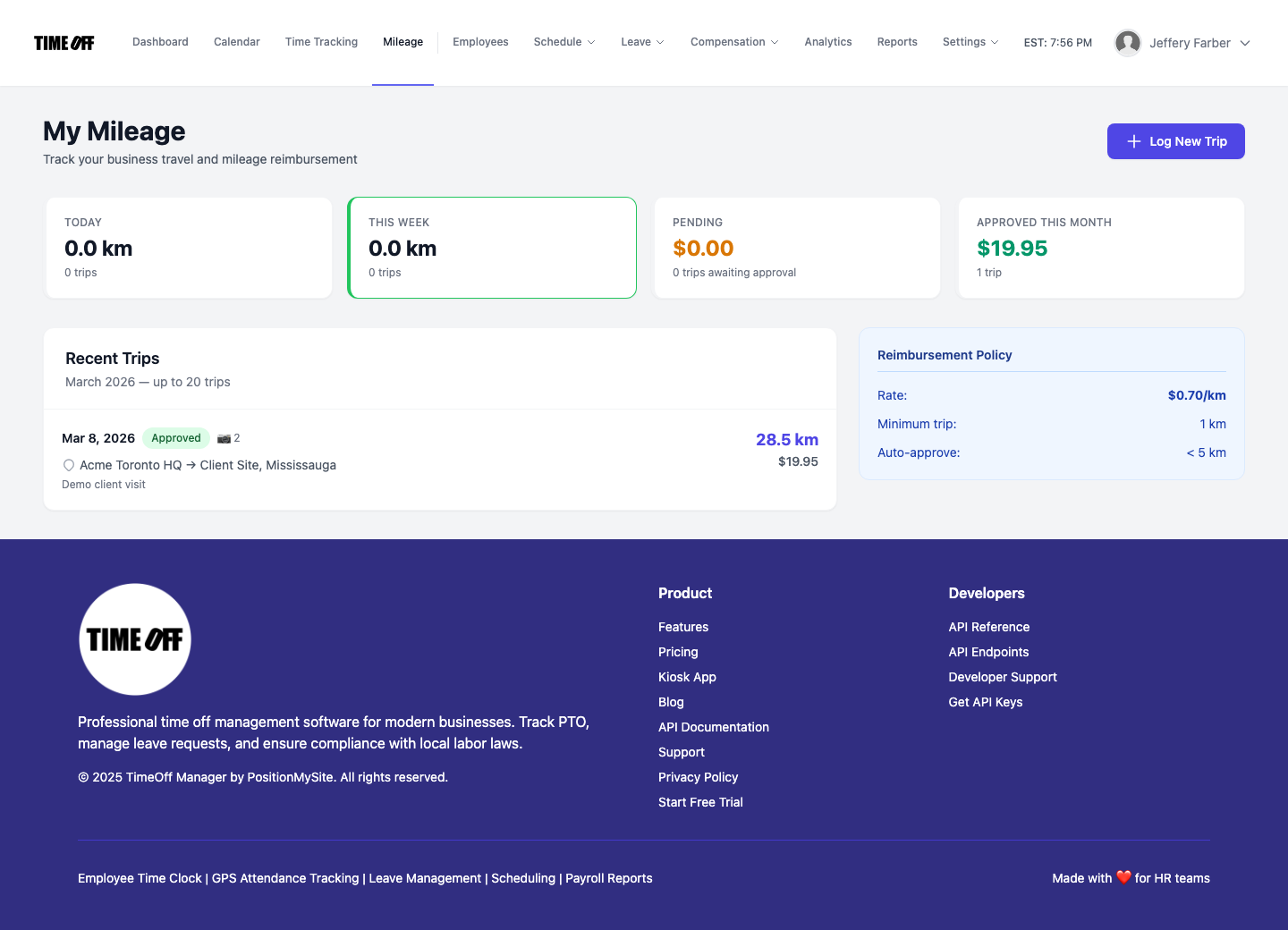
Mileage hub — /mileage (Acme demo).