Payroll: Runs & history (admin)
Hub at /admin/payroll: Run Payroll, filter, approve, export, mark paid. After mark-paid, employees see stubs at /pay-stubs.
/admin/payroll
Roles
Company admin
Payroll Management at /admin/payroll is where company administrators start new payroll runs, review history, filter by status or pay period, and open a run to process approvals, exports, and payment steps your build supports. Open it from Pay → Payroll runs when compensation & payroll is enabled.
Overview
The page subtitle sums it up: Manage payroll runs, view history, and process payments. Each row usually represents one payroll run tied to a pay period, with headcount amounts, gross/net totals, and status (draft through paid—or approval substeps when your company uses an approval chain).
Enabling access
Compensation & Payroll must be on for the company (see Setup wizard). The route is restricted to company admin–class accounts (not generic HR-only roles unless your tenant equates them with company admin). With the feature off, you’ll see a prompt to enable it in setup.
What’s on the page
- Header — Payroll Management plus the subtitle above.
- Run Payroll — primary action to open the create run screen (documented here at /admin/payroll/create).
- Filters — Status (draft, processing, approved, paid, voided, etc.), pay period, and Filter.
- Table — Pay period, pay date, employees, totals, status (including pending approver labels when applicable), and View to the run detail.
- Empty state — If there are no runs yet, a short message with Run Payroll.
Typical workflow
- Ensure data — time worked and compensation records are ready for people in the pay group.
- Run payroll — use Run Payroll /admin/payroll/create for the target period and review calculated payslips.
- Approvals — if your company uses multi-step sign-off (set in Company settings → Payroll), complete the chain before marking paid.
- Distribute & record — export payslips or bank files as offered, then mark the run paid. Employees then see PDFs on Pay stubs at
/pay-stubs.
Related
Payroll: Create run (/admin/payroll/create) — working screen for a new run. Employee stubs after mark-paid: Pay stubs. Employee-level pay structures: Compensation records. New hires: Job offer wizard.
Product screenshot
Automated capture: full page as demo company admin with compensation & payroll enabled.
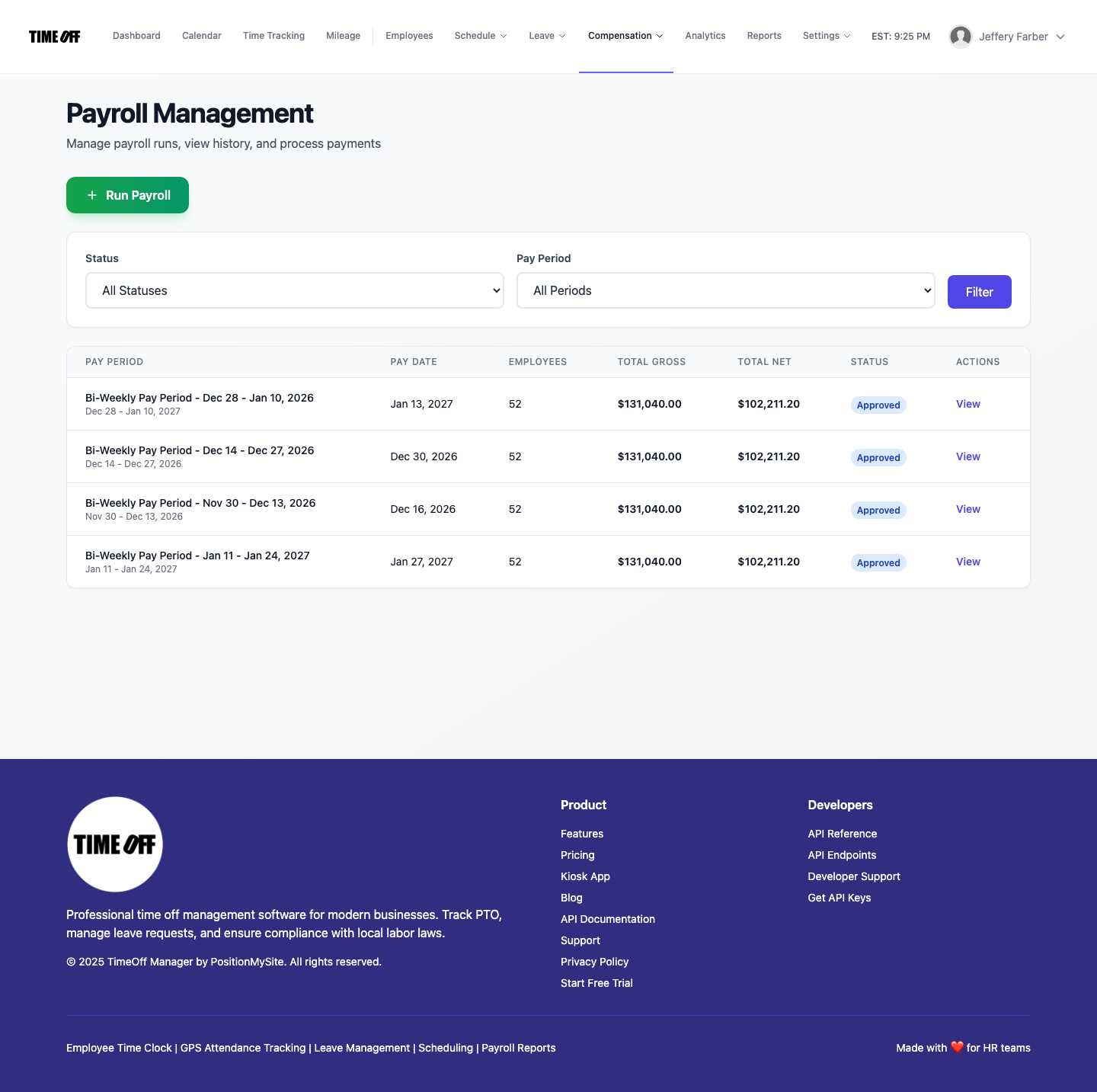
Payroll runs & history — /admin/payroll