QuickBooks & FreshBooks
Connect books at /integrations/accounting. QuickBooks Online receives TimeActivity from completed punches (email match). FreshBooks receives time plus approved mileage expenses. Sandbox cannot OAuth. Not native invoicing.
/integrations/accounting
Roles
Company admin
Accounting integrations at /integrations/accounting push completed time (and, for FreshBooks, approved mileage) into your books. Connect once, sync on demand, and match people by email.


What it is
A company-admin page with two cards (QuickBooks Online and FreshBooks), an employee mapping table, and a recent sync log. Company Settings does not host OAuth — that hub only points here (see Company settings).
Who can connect
Company administrators. The Acme sandbox blocks Connect so visitors cannot link real books to the shared tenant — start a trial to OAuth your own company.
QuickBooks Online
Pushes completed (or adjusted) time entries as TimeActivity records. Employees must exist in QBO with the same email as TimeOff Manager. Requires a paid QuickBooks Online plan. Self-Employed and desktop editions are not supported. Mileage is not sent to QuickBooks (there is no native mileage expense type in this sync).
FreshBooks
Pushes time entries for mapped staff, and approved mileage trips with a reimbursement amount as expenses. If you also use native invoicing, a company flag can skip pushing time that is already on a non-void invoice.
Employee mapping
Connect, then Sync now. The app pulls remote employees/team members and maps by email (case-insensitive). Unmapped people are skipped. Disconnect removes the connection; it does not rewrite historical punches.
What this is not
- Not Accountant access (read-only login for your CPA).
- Not native invoicing / AR at
/admin/billing(that is a separate, optional module). - Not API keys — those are for your own REST client.
Product screenshot
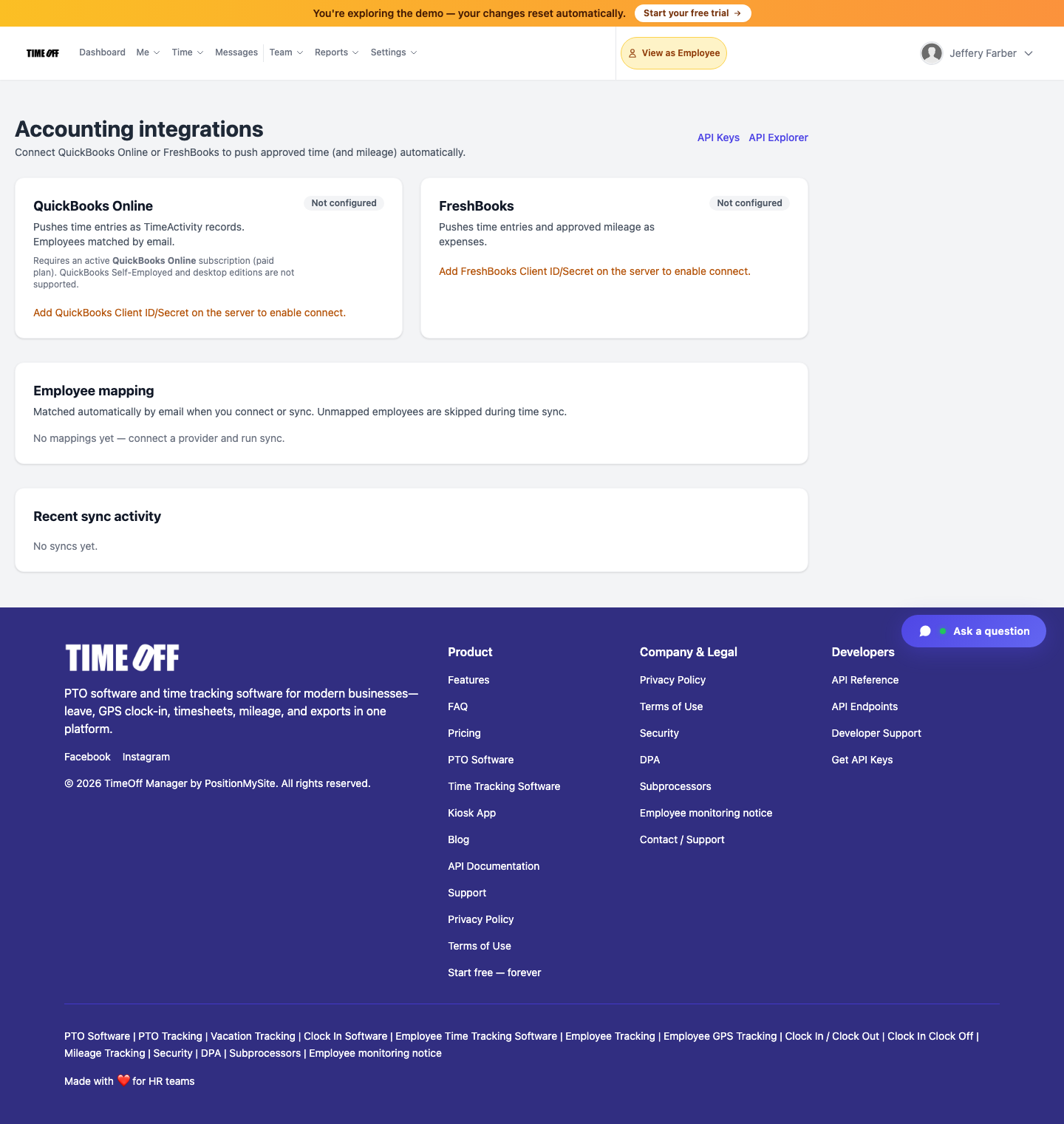
Accounting integrations — /integrations/accounting (Acme demo).