Canadian vs US HR Law & Compliance: A Complete SMB Guide (June 2026)
Don't let cross-border HR compliance trip you up. This guide helps SMBs understand key differences in US and Canadian labor laws for PTO, overtime, and scheduling, showing how TimeOff Manager streamlines your HR compliance 2026 strategy.


Don't let cross-border HR compliance trip you up. This guide helps SMBs understand key differences in US and Canadian labor laws for PTO, overtime, and scheduling, showing how TimeOff Manager streamlines your HR compliance 2026 strategy.
Navigating US & Canadian HR Compliance: A TimeOff Manager Guide for SMBs
Running an SMB with employees across the US-Canada border means navigating complex HR rules. One misstep can lead to fines, legal challenges, and damage your reputation. You know the pain: managing different leave entitlements, varying overtime rules, and unique scheduling requirements for staff in Toronto versus Texas. Your simple PTO spreadsheet quickly becomes a multi-tab monster, often edited after the fact and rarely reflecting the actual, legally required truth.
It's not enough to just know the laws; you need to apply them consistently, every day, for every employee. This challenge impacts HR, operations managers covering shifts, and owners striving for accurate payroll. This guide won't make you a cross-border legal expert. Instead, it shows how a unified system like TimeOff Manager simplifies operations, helps you stay compliant, and brings peace of mind.
Why Overtime Math Breaks When PTO, Clock-ins, and Rules Live in Silos
Think about a typical week. You have an employee in Ontario who takes a statutory holiday, works a few regular shifts, and then a couple of hours of unexpected overtime. Meanwhile, your employee in California works their standard shifts, takes a sick day, and also clocks some overtime. Your payroll provider needs accurate data for both, accounting for different holiday pay calculations, varying overtime thresholds (daily vs. weekly), and how paid leave impacts the calculation of hours worked for overtime.
When you're juggling separate systems—one for PTO requests, another for time clock clock-ins, and maybe a third for scheduling—this process becomes a nightmare. Managers approve PTO without seeing clock-in data. Overtime rules are applied manually, or worse, after the fact, often leading to errors that can cost you. A manager might approve a PTO request, but because it's not integrated with the time clock, the actual hours worked for the week are miscalculated, throwing off overtime. Or, a timezone mismatch between a remote employee and your central office leads to incorrect daily hour totals.
These silos create conflicting records. Your leave system says one thing, your time clock another, and your schedule a third. When it's time for payroll, someone manually reconciles these discrepancies. This is inefficient and a huge compliance risk. Both Canadian and US labor laws are strict about accurate record-keeping and proper wage calculation, including overtime and various leave types. Getting it wrong can lead to costly audits, back pay, and penalties. You need a single, consistent record for every clock-in, leave request, and scheduled shift, applied against the correct, jurisdiction-specific rules.
What Integrated Actually Means for Cross-Border Compliance
When we talk about "integrated," we're not just talking about data moving between systems. We're talking about a single source of truth for all your time-related data, intelligently applied based on where your employees work and what rules apply to them. For SMBs navigating US and Canadian HR compliance, this is critical.
- One Employee Record: Every employee, whether they're in Vancouver or Virginia, has a single profile. This profile holds their work location, their specific leave entitlements (which can differ significantly), and their default work week. This eliminates the need to manage duplicate records or apply rules manually based on their location.
- One Clock Surface, Smart Rules: Employees clock in using a web browser, a mobile app, or a shared PIN kiosk at
/clockin. The system knows where they are (if GPS time clock is enabled) and applies the correct rules based on their assigned work location. This means no more guessing if a California employee hit daily overtime or if an Alberta employee is due general holiday pay. - One Weekly/Pay-Period View: Managers don't export CSVs to merge coverage with hours. Open the Manager & HR hub at
/timesheetand you see the weekly grid, showing clock-ins, approved leave, and scheduled shifts all in one place. This allows you to review the full picture before overtime hits payroll, catching errors proactively. - Reports That Match Approvals: When you run reports for audit purposes or payroll, the data reflects the approved leave, recorded clock-ins, and applied overtime rules, all from the same system. There are no discrepancies between what was approved and what was paid because the system enforces the rules consistently.
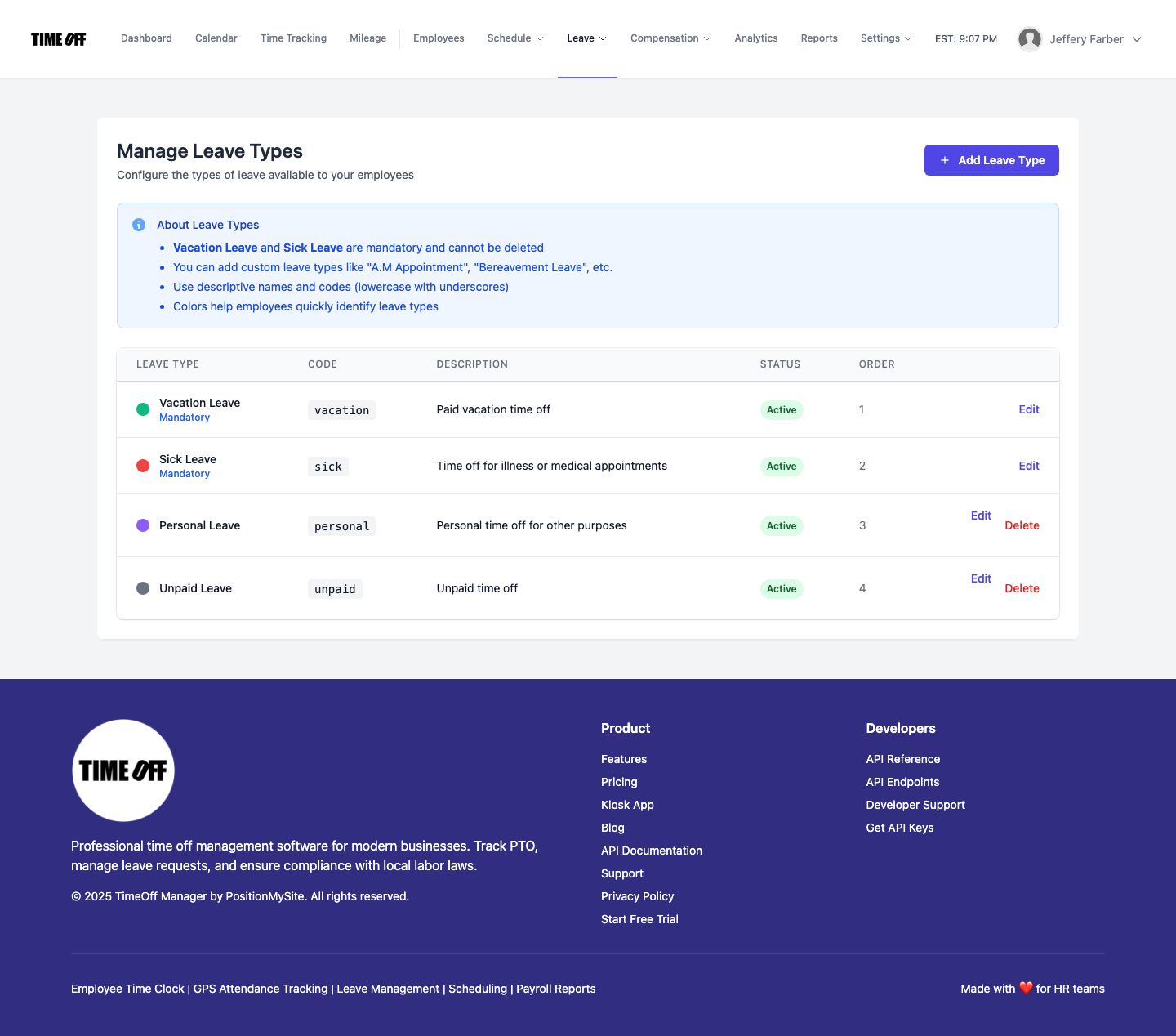
- Configurable Leave Types: Canadian provinces have various statutory leaves (e.g., family responsibility leave, bereavement leave, critical illness leave) that differ from US FMLA or state-specific paid sick leave laws. TimeOff Manager lets you create custom leave types and assign them to employees based on their jurisdiction, ensuring you track and manage each type correctly.
Employee vs. Manager: A Clear View for Everyone
An integrated system means everyone has the information they need, tailored to their role. This clarity is essential for smooth operations and especially for cross-border compliance.
For Employees: Clarity and Self-Service
Your employees need to easily see their own schedules, request time off, and review their hours. They shouldn't have to ask HR for their PTO balance or wonder if their manager saw their request.
- My Dashboard: When an employee logs in, their dashboard gives them an immediate snapshot of their upcoming shifts, approved leave, and current PTO balances.
- Leave Requests: They can easily submit leave requests, selecting the correct leave type (e.g., "Ontario Statutory Holiday" vs. "California Paid Sick Leave"). The system automatically checks their balance against the request.
- Employee Timesheet: Employees can view their recorded clock-ins and approved leave on their employee timesheet. This transparency empowers them to confirm accuracy before payroll, reducing disputes later.
- Mileage Tracking: If they're driving for work, they can quickly submit trips using the Mileage module, ensuring accurate expense reimbursement, which is another area with compliance implications in both countries (e.g., IRS rates vs. CRA rates).
For Managers & HR: Control and Oversight
Managers need to approve requests, adjust schedules, and review time, all while ensuring proper coverage and compliance. HR needs to set up rules, run payroll, and generate reports.
- Manager & HR Hub: The core of daily operations for managers is the Manager & HR hub at
/timesheet. Here, you see the daily roster, the weekly grid, and monthly rollups. This is where you quickly spot coverage gaps or potential overtime issues. - Leave Approvals: Managers can review all pending leave requests in one centralized place, seeing the employee's schedule and team coverage at a glance. No more approving PTO blindly.
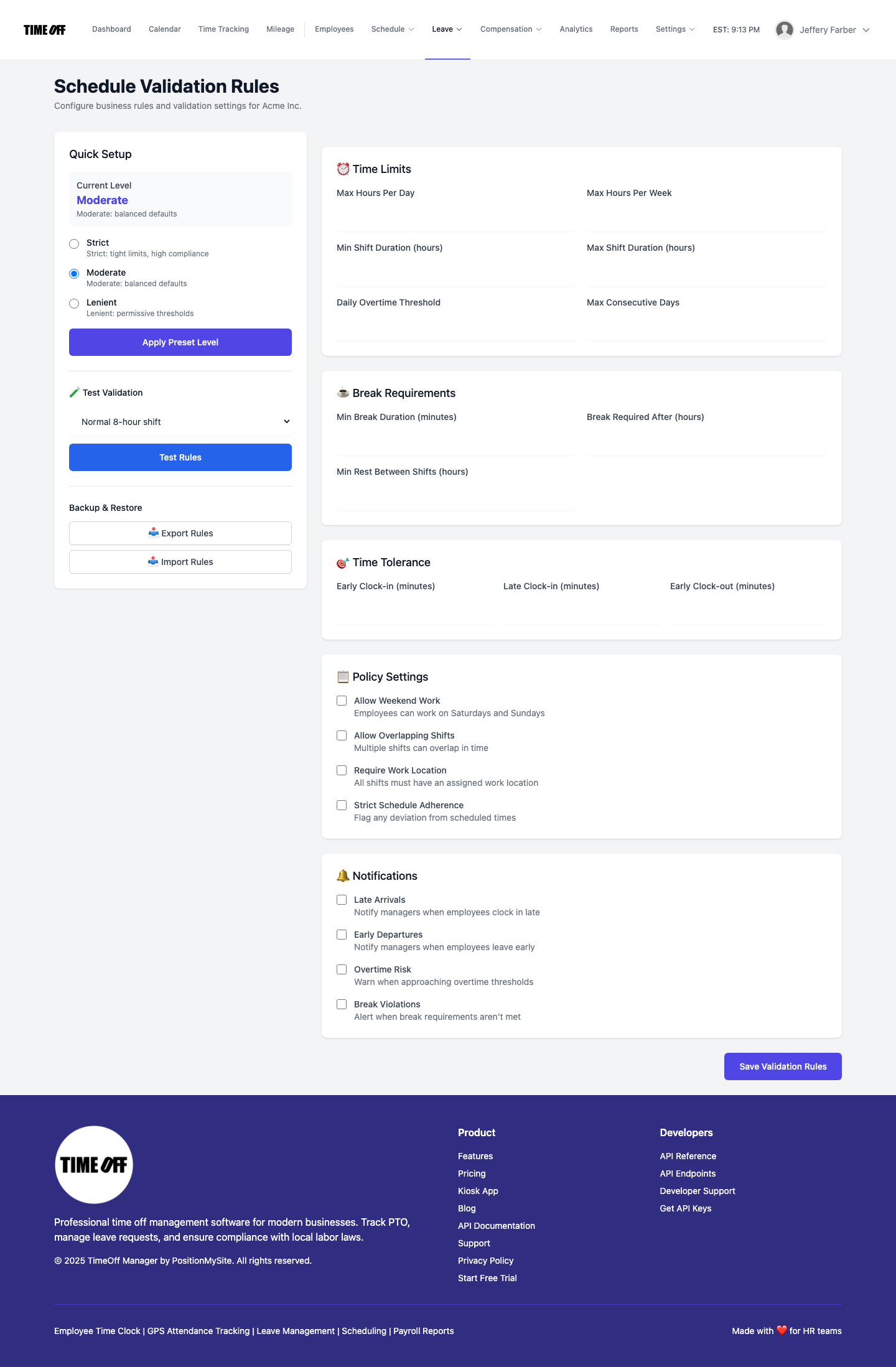
- Schedule Management: Managers can create and adjust schedules using schedule management. They can use shift templates to quickly fill shifts. The system can even apply validation rules to prevent scheduling violations specific to, say, a California predictive scheduling law or an Ontario maximum hours rule.
- Overtime Visibility: Before payroll, the system highlights any potential overtime hours right on the weekly grid, letting you address them or confirm their accuracy.
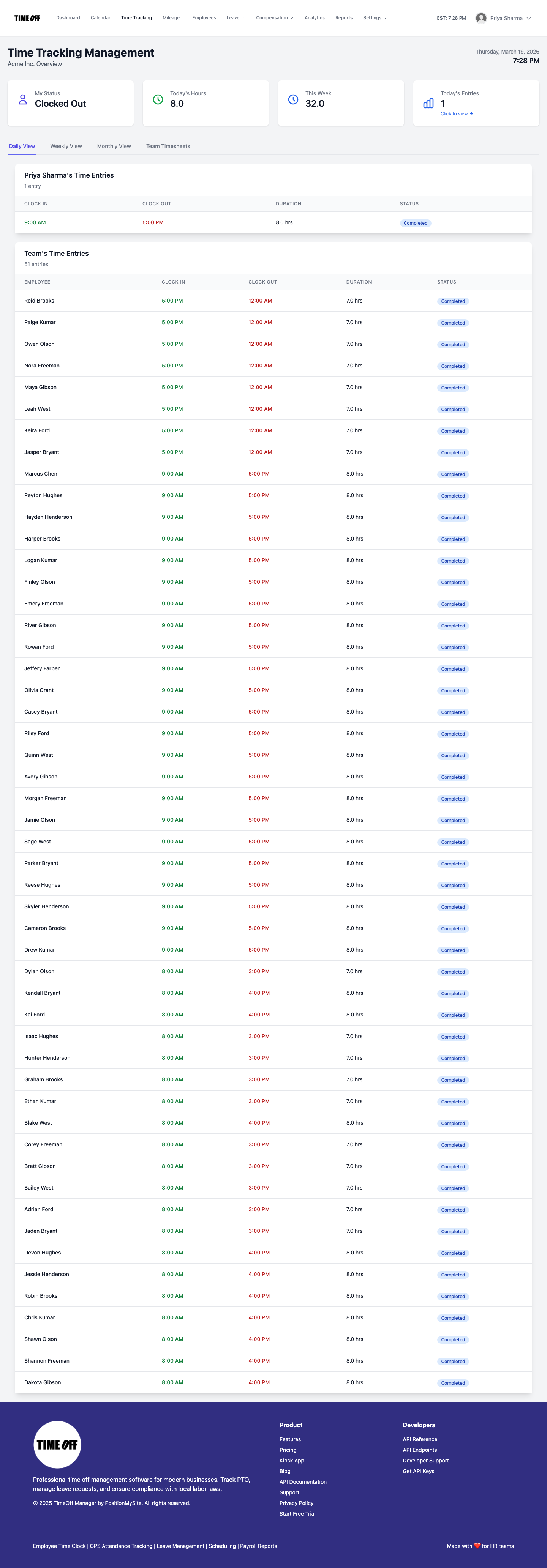
/timesheet shows your team's clock-ins and approved leave, helping you manage coverage and compliance across US and Canadian locations.From Clock-in to Overtime: Navigating US and Canadian Rules
The differences in how US and Canadian jurisdictions define and calculate overtime are a prime example of why an integrated system is essential. The US Fair Labor Standards Act (FLSA) generally requires overtime after 40 hours in a workweek, but many states have their own daily overtime rules (e.g., California). Canada, on the other hand, has federal and provincial labor standards, with provinces like Ontario having overtime after 44 hours, and others like BC after 40 hours or daily thresholds.
Company Settings: Setting the Foundation
You start by defining your company's core settings. In TimeOff Manager, you configure your work week, holidays, and base overtime defaults under Company Settings. But the real power comes in applying specific rules based on employee location.
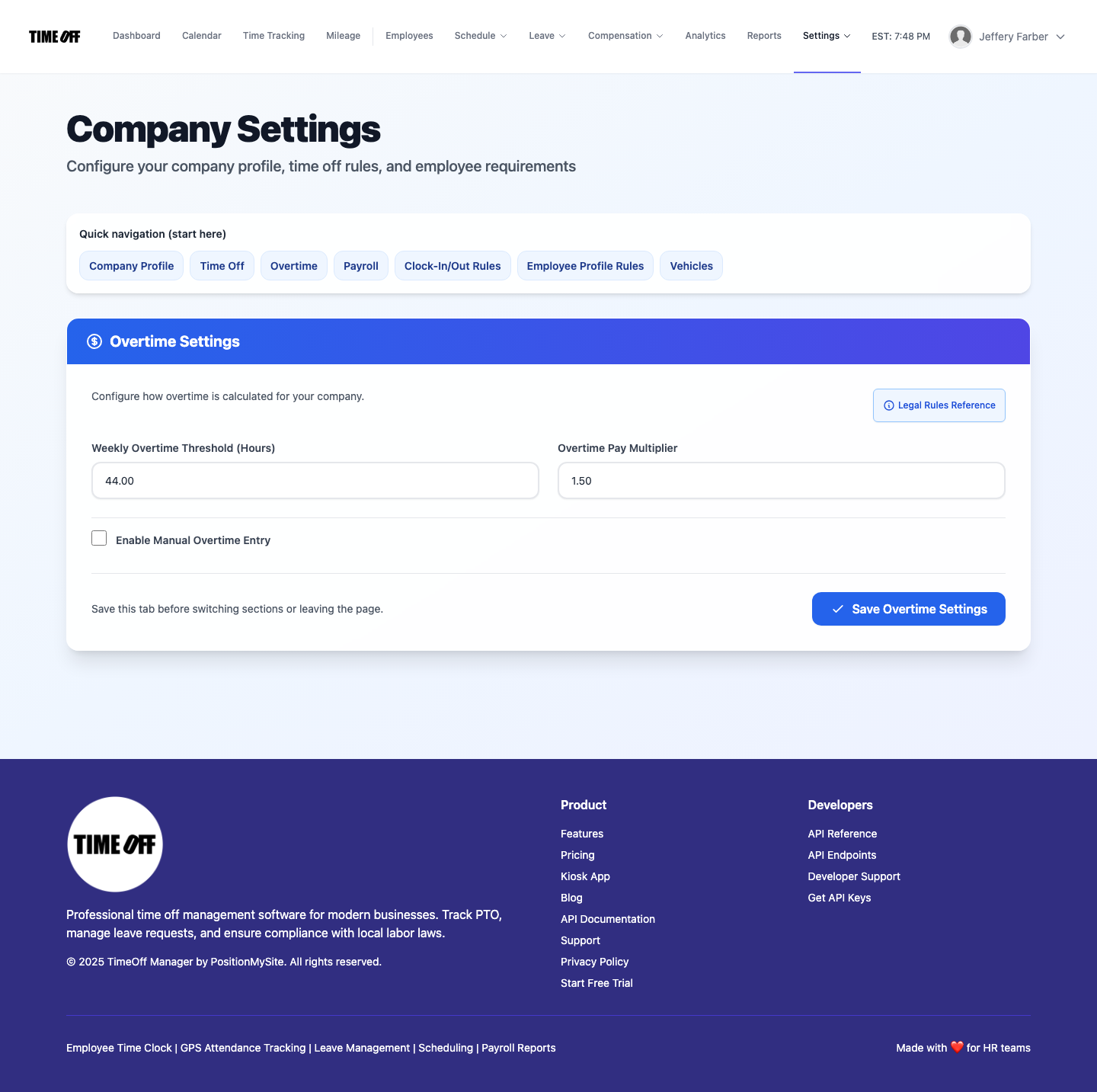
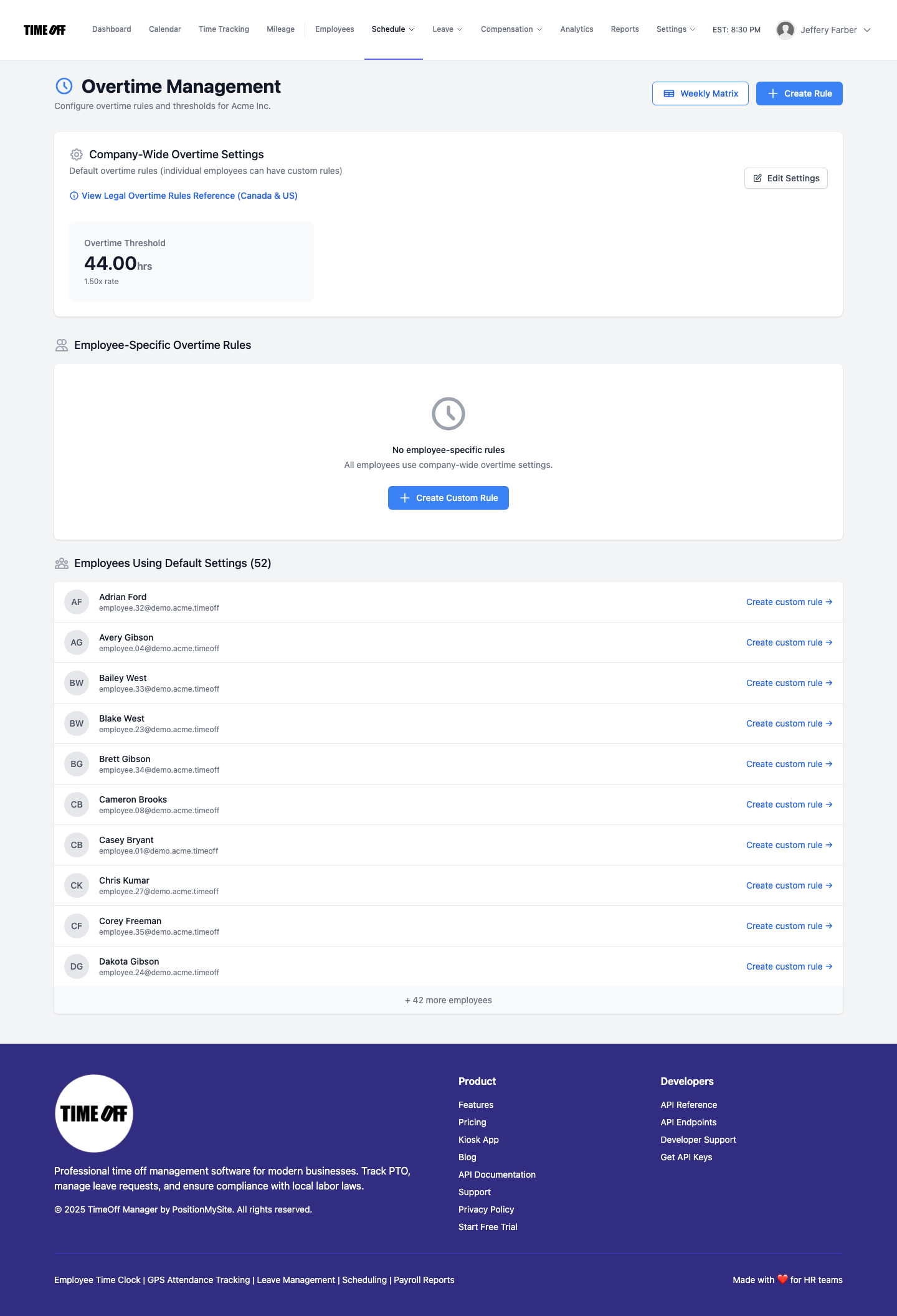
For employees in different provinces or states, you can set up specific overtime rules. For instance, you can define a rule for California that triggers overtime after 8 hours in a day, and another for Ontario that triggers it after 44 hours in a week. The system then automatically applies the correct rule based on the employee's assigned work location.
Recording Clock-ins: Accuracy at the Source
Whether your employees use a PIN kiosk at /clockin, a web browser, or their mobile device (with optional GPS time clock for remote or field teams), every clock-in is recorded with a timestamp. This is your raw data, the factual basis for all calculations.
Labeling Overtime: Automated Compliance
Once clock-ins are in, TimeOff Manager goes to work. Based on the overtime rules you've configured for that employee's location, the system automatically labels hours as regular, overtime (x1.5), or double overtime (x2.0). It considers:
- Daily Thresholds: For US states like California or certain Canadian provinces.
- Weekly Thresholds: The standard for FLSA in the US, and many Canadian provinces.
- Consecutive Hours: Some jurisdictions have rules about consecutive hours worked.
- Paid Leave Impact: Whether paid leave hours (like sick time or vacation) count towards hours worked for overtime calculation purposes. This is a critical difference between US and Canadian laws and often varies by jurisdiction.
This automation significantly reduces manual errors and ensures compliance with complex regulations like the FLSA or Canada Labour Code, as well as various provincial/state labor standards. It means you're not just tracking time; you're tracking *compliant* time.
Payroll Handoff: Seamless & Verified
When it's time for payroll, all this data is consolidated. Your payroll runs reflect the accurately categorized hours, including regular, overtime, and various leave types. You can then export this data or use TimeOff Manager's Run Payroll wizard to ensure your payroll provider gets a clean, compliant feed. No more manual adjustments or frantic calls to verify hours.
CFO / Owner Story: From Confusion to Clarity in 5 Steps
You're an SMB owner, and the thought of managing HR compliance for employees in both the US and Canada used to give you a headache. Here's how TimeOff Manager changes that:
- Set Up Location-Specific Rules: First, use the setup wizard to define your company's locations (e.g., "Toronto Office," "California Remote," "New York Retail"). For each location, configure custom leave types (like "Ontario Family Responsibility Leave" vs. "New York Paid Sick Leave") and overtime rules that match local labor laws. You also set up scheduling validation rules to automatically flag potential violations, like exceeding daily shift limits in California or not providing enough rest between shifts in Ontario.
- Schedule with Compliance in Mind: Your ops manager uses schedule management to build schedules. They can use shift templates to quickly assign common shifts. As they schedule, the system flags any potential issues against the location-specific validation rules you set. For example, if they accidentally schedule an employee for too many consecutive hours in BC, TimeOff Manager alerts them immediately, preventing a compliance issue before it happens.
- Employees Clock In, Request Leave: Your employees use the web or mobile time clock (or a shared kiosk) to clock in and out. When they need time off, they submit requests through their dashboard, selecting the correct, jurisdiction-appropriate leave type. The system automatically updates their leave balances. If you have remote employees, the GPS time clock feature ensures they are clocking in from approved locations.
- Managers Review and Approve: Your managers log into the Manager & HR hub at
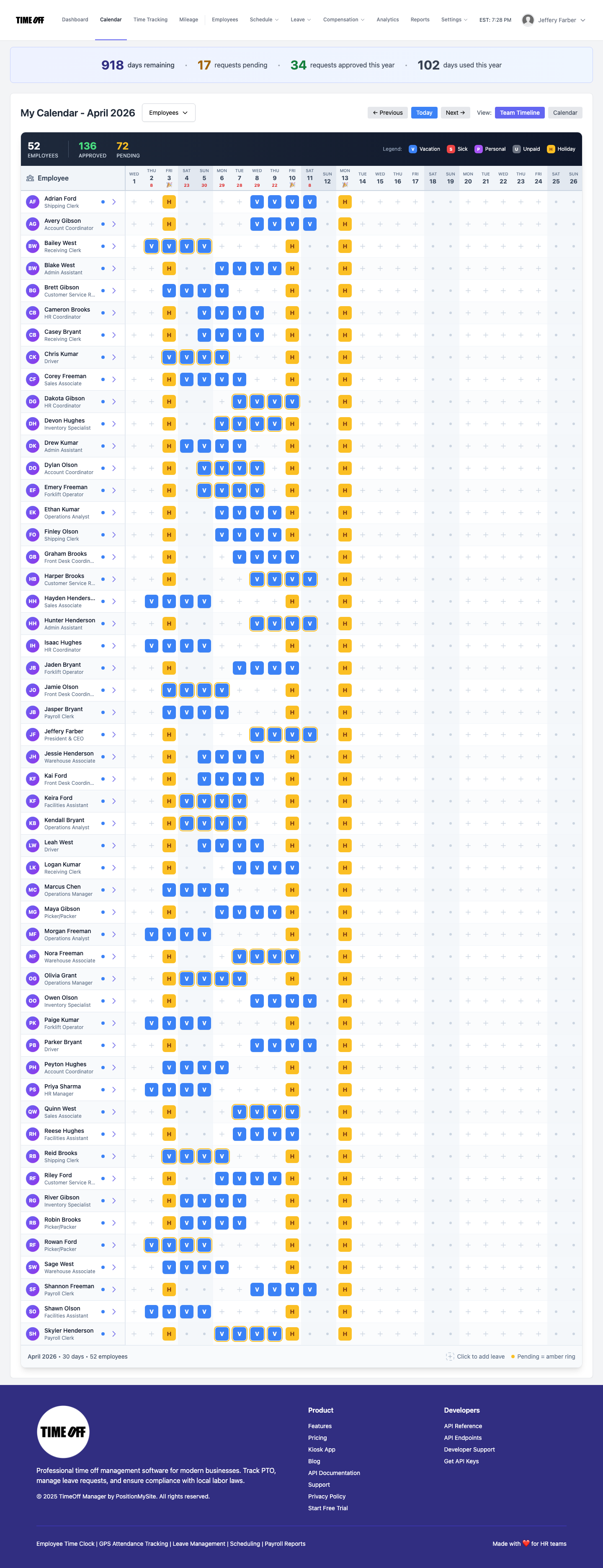
/timesheet. They see a consolidated view of all clock-ins, scheduled shifts, and pending leave requests. When a Canadian employee requests a provincial statutory leave, the manager sees the request, approves it, and the system automatically deducts from the correct leave balance and factors it into any overtime calculations based on Canadian rules. For a US employee, the same process applies, but with US-specific rules. The team timeline calendar helps managers ensure adequate coverage before approving leave. - Payroll is Run, Reports are Generated: At the end of the pay period, you or your HR lead goes to the payroll section. All hours—regular, overtime, and leave—are accurately categorized and calculated according to the specific rules of each employee's jurisdiction. You can generate reports for internal review or for your payroll provider, confident that the data is clean, consistent, and compliant. This streamlined process means no more manual calculations or after-the-fact corrections, significantly reducing your compliance risk.

Vendor Questions: Separate Products vs. One Workflow
When you're evaluating solutions for your HR operations, especially with cross-border complexity, you'll encounter a lot of different approaches. Some vendors offer separate PTO software, another provides time clock software, and a third handles employee scheduling software. They might even claim "integrations" between them.
Here are questions to ask any vendor: How deep are their integrations? Do they truly understand the nuances of Canadian vs. US labor laws for overtime tracking and leave management rules? Or do they simply pass raw data, leaving you to manually apply complex logic? Is it just a data dump, or an intelligent workflow that enforces compliance from the moment an employee clock-ins in or requests time off?
TimeOff Manager is built as a single, cohesive workflow. This means:
- No Data Sync Issues: Because it's one system, there are no delays or errors in data transfer between separate products.
- Consistent Rule Application: Your overtime rules, leave policies, and scheduling validation rules are applied consistently across all functions, based on each employee's specific location.
- Simplified Reporting: All your data is in one place, making it easy to generate comprehensive reports for payroll, audits, or internal analysis.
- Reduced Administrative Burden: You and your team spend less time reconciling data and more time focusing on strategic HR initiatives.
This "one workflow" approach is particularly powerful for businesses dealing with the intricacies of US and Canadian HR compliance. It means you're not just buying software; you're investing in a system that actively helps you stay compliant, reduce risk, and save valuable time.
Compliance: Know Your Responsibilities
Navigating US and Canadian HR law and compliance is complex. The information provided here is for informational purposes only and is not legal advice