Time Tracking for Accountants: Busy Season Hours, Overtime and PTO (2026)
How accounting firms can track staff hours through busy season: who has to clock in, how to see overtime before payroll, and how to handle time off around deadlines.


Check the week's hours and overtime midweek, see who is out before deadline week, then send approved hours to payroll.
It's the second week of April. Your senior accountant has worked 58 hours and nobody's surprised. Your front desk admin has worked 47, your seasonal preparer 52, and your bookkeeper stayed late three nights to get the monthly closes out. Payroll runs Friday. Who gets overtime? Who was even supposed to be clocking in? And the staff accountant who asked for the Monday after the deadline off, did anyone say yes?
Most small firms answer those questions from memory and a spreadsheet. This guide shows how to set up time tracking for an accounting firm so busy season doesn't turn into a payroll problem: who has to be tracked, how to see overtime before you pay it, how to handle time off around deadlines, and what to hand to payroll.
Two kinds of time at an accounting firm
When accountants hear "time tracking," they usually think of client time: billable hours, engagement budgets, realization. That's a real job, and it already lives in your practice management or accounting software.
This post is about the other kind: the hours you pay people for. When someone clocked in, when they left, how many hours they worked in the workweek, whether any of it is overtime, and which days they were off. That's what wage rules care about, and it's where firms get caught. A partner can know exactly how many hours were billed to a client and still have no record of when the front desk admin started work.
Keep them separate. Your client billing tool answers "what do we invoice?" A time and attendance tool answers "what do we owe our staff?" Trying to make one do both is how the bookkeeper ends up rebuilding hours from calendar entries on a Friday afternoon.
Who has to be tracked (and who doesn't)
An accounting firm usually has a mix of people who are treated very differently under wage rules. Sort your roster before you set anything up.
- Partners and owners. They usually aren't employees for overtime purposes at all. You may still want them in the system so their time off shows on the calendar, without asking them to clock in.
- CPAs and senior accountants. In the U.S., certified public accountants generally meet the duties part of the learned professional exemption, as long as they're also paid on a salary basis above the federal minimum. Many non-certified accountants doing the same work can qualify too.
- Bookkeepers, accounting clerks and admin staff. The U.S. regulations say accounting clerks, bookkeepers and others who do a great deal of routine work generally will not qualify as exempt professionals. Track their hours and pay overtime past 40 in a workweek.
- Seasonal preparers. Many are hourly and non-exempt. They're often the ones working the longest weeks in March and April, which makes them the ones you most need accurate hours for.
- Ontario firms. A licensed public accountant actually practising public accounting is exempt from Ontario's hours of work, overtime, minimum wage, public holiday and vacation pay rules. Holding a CPA designation alone isn't enough, and your bookkeeper and front desk aren't covered by that exemption.
The point isn't to become an employment lawyer. It's to decide, person by person, who clocks in and who doesn't, and write it down. In TimeOff Manager you choose who has to clock in, so a partner can request vacation without ever seeing a clock button.
What good time tracking for accountants looks like
- Clock-in where people actually work. On their own phone, at a shared tablet at the front desk, or on the website at their desk.
- Weekly totals you can read in a minute. Regular hours and overtime split out per person, before payroll closes, not after.
- Different rules for different people. A part-time three-day week shouldn't inherit a full-time bank of days, and a seasonal hire shouldn't get someone else's overtime threshold.
- Time off on the same screen as hours. So an approved day off doesn't show up as a missing shift, and a long week doesn't hide a day someone was out.
- A clean handoff. Approved hours in a file your payroll provider or outside accountant can open, with no retyping.
- A record that holds up. Daily hours and weekly totals kept for the years the law requires, with corrections that leave a trail.
Busy season: see overtime before you pay it
Overtime at a firm is rarely a surprise in total. Everyone knows April is long. The surprise is who: the admin who came in early every day for two weeks, or the seasonal preparer whose hours were split across two tabs of a spreadsheet.
The Manager and HR timesheet hub at /timesheet has Daily, Weekly and Monthly views. Daily shows who's clocked in right now. Weekly is the one you'll live in during busy season: days across the top, one row per person, with regular hours and overtime split out. Monthly gives you the rollup for trend checks and accrual sanity checks.

Overtime thresholds are set once for the company, and you can add a rule for one person when they need a different daily or weekly threshold. That's done under Overtime Management, at /admin/overtime/create for individual rules. Your payroll provider or lawyer sets the actual thresholds and premium rates; the product's job is to apply them the same way every week. For a deeper look at the handoff, see our guide to overtime tracking and payroll integration.
Two habits make busy season easier:
- Check the weekly grid on Wednesday, not Friday. If someone's already at 38 hours midweek, you can rebalance work or approve the overtime on purpose.
- Fix missed clock-ins the same week. When someone forgets to clock out at 9 p.m., they send a missed clock-in request with a reason and an approver says yes or no. Nobody types over the record.
Time off around filing deadlines
Every firm has the same unwritten rule: don't take a week off in early April. The problem is the days around it. The Friday after the deadline. A long weekend in March. A personal day during extension season in the fall.
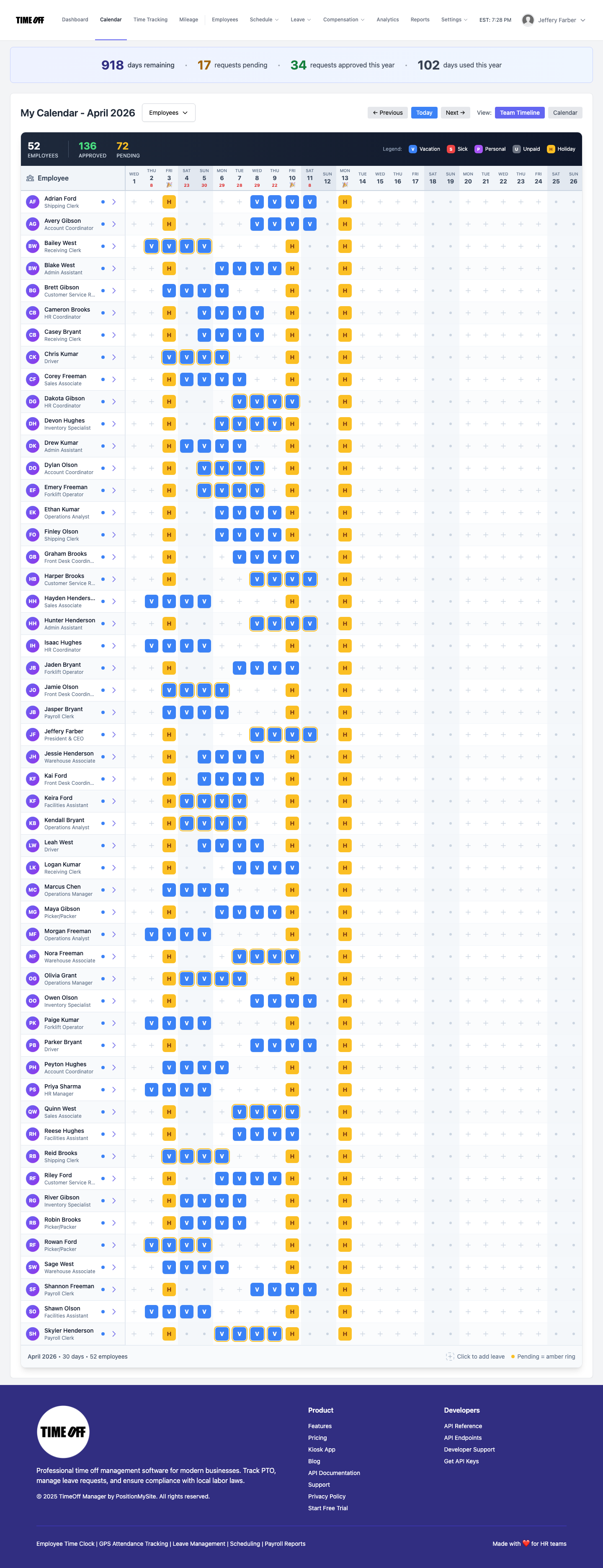
In TimeOff Manager, staff request a day from the phone app or the website and see how many days they have left before they ask. The request waits in the approvals inbox for the people you allow to approve, with the balance on it. A yes puts the day on the team coverage calendar, where each row is a person and each column is a day, so you can see before a deadline week who's out and where vacations overlap.
A few things that help at firms:
- Separate leave types. With custom leave types on, you can add labels like exam day, appointment or unpaid leave next to vacation and sick, so reporting matches how your firm actually works.
- Holidays that match your doors. U.S. and Canadian public holidays are already loaded. If the office stays open on one during busy season, hide that holiday so it doesn't look like a closure.
- Partial days. A half day for an appointment shouldn't burn a full day. Our post on hourly and partial-day PTO covers how that works.
For more on planning coverage across a team, read our team leave calendar guide.
Seasonal and part-time staff
Seasonal preparers and part-time admins are where spreadsheets break first. They start in January, leave in May, work three or four days a week, and often keep hours on a sheet the rest of the firm never opens.
- Add them as employees and assign the time-off policy that matches their week. A seasonal hire gets the policy you give them, not a copy of someone else's bank.
- Pick the right clock. Staff with their own phone use TimeOff Manager Pro, which still saves a clock-in if the phone has no signal and sends it later. If the front desk shares one tablet, the TimeOff Kiosk lets each person clock in with a PIN.
- Same approvals, same report. Their hours land on the same weekly grid as everyone else's, so nobody runs a second process for seasonal payroll.
Optional: split the day with work activities
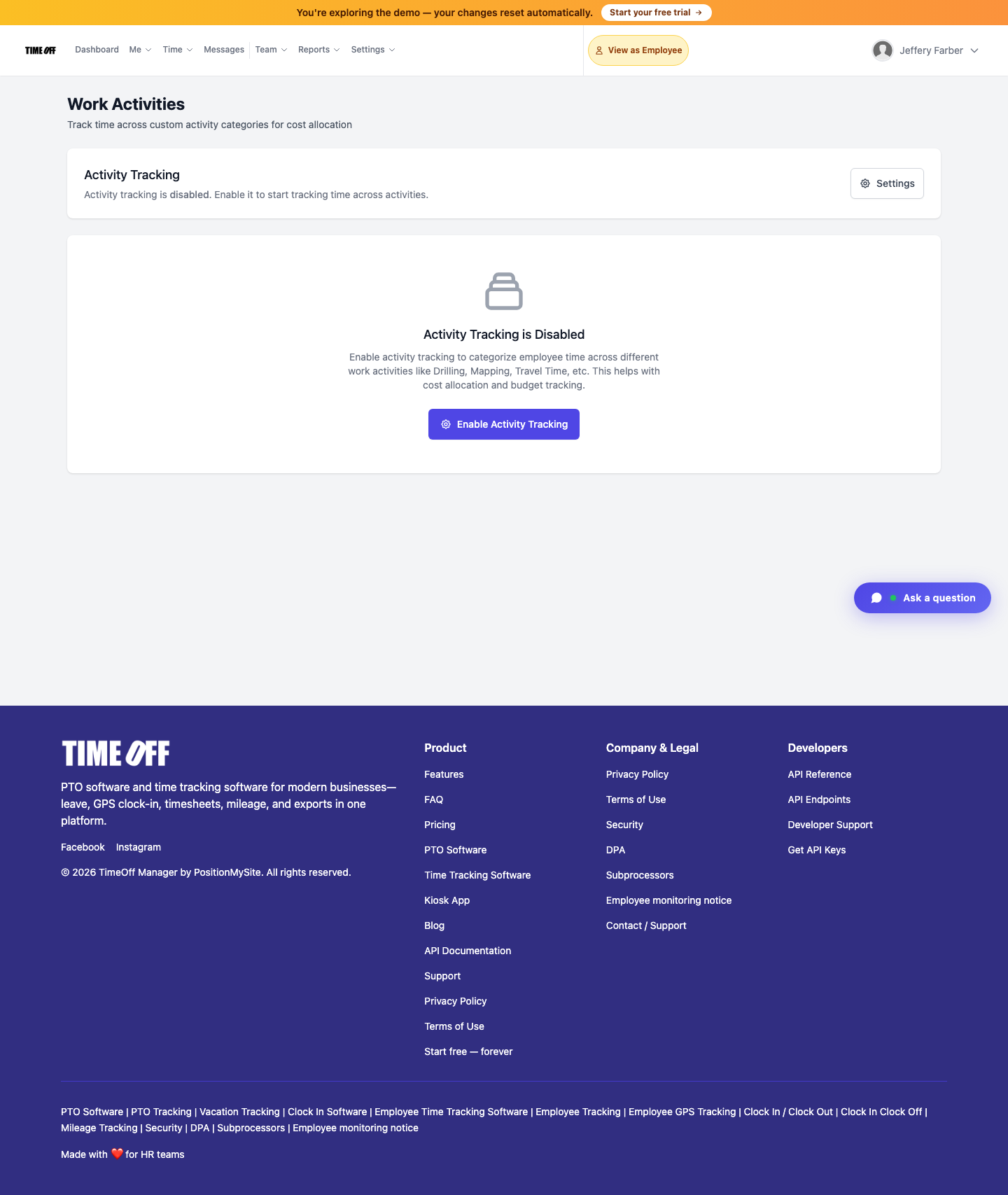
Some firms want to know how much of the busy season went to admin work versus return prep, without turning the payroll system into a billing system. That's what work activities are for. They're off by default. Turn tracking on, add codes like Admin, Tax prep, Bookkeeping and Training, and mark which ones count as billable. Staff switch the current activity while they're clocked in, from their timesheet or the kiosk, and Activity Reports show time by code.
Be clear with your team about what this is: an internal view of where paid hours went. It doesn't invoice clients and it doesn't replace your engagement time. Our guide to work activities and job codes goes deeper on setup.
Handing hours to payroll
Once the week is approved, the Payroll Hours Report under Reports shows total, regular and overtime hours plus leave days for the date range you pick. Download Excel or CSV, or use the ADP RUN and Paychex SPI hours files if you run payroll in one of those. TimeOff Manager doesn't calculate pay, tax or deductions. It hands over approved hours.
If an outside accountant runs your firm's own payroll, you can invite them with accountant access, a read-focused login to reports and timesheets, so you're not emailing spreadsheets back and forth. And if your firm's books are in QuickBooks Online or FreshBooks, the accounting connection can send completed time entries, matched to staff by email. More on that handoff in our post on accountant access and Excel exports.
Set it up before January
- Sort your roster. Mark who's exempt, who's hourly and who's seasonal. Get a second opinion on any role you're unsure about.
- Decide who clocks in. Usually hourly staff, bookkeepers, admin and seasonal preparers. Partners and exempt CPAs can stay on time off only.
- Set overtime rules. Company defaults first, then individual rules for anyone who's different.
- Load time-off policies. Full-time, part-time and seasonal, with the leave types your firm actually uses.
- Check holidays. Hide the public holidays your office works through in busy season.
- Pick a weekly review day. Wednesday for a midweek overtime check, Friday or Monday for approval, then run the report.
- Do one practice payroll. Run the Payroll Hours Report for a quiet week in December and compare it to what you'd have paid. Fix anything odd before March.
You can see the full feature list on our time tracking software page, and the leave side on PTO software.
Compliance notes (not legal advice)
This is not legal advice. Rules depend on where your staff work, what they do and how they're paid. Check with your payroll provider or an employment lawyer before you classify anyone.
- United States: duties and salary, not job titles. The Department of Labor's Fact Sheet #17D on the professional exemption explains that exemption depends on both salary and duties, and that job titles don't determine it. Accounting is listed as a field of science or learning.
- CPAs vs bookkeepers. The overtime regulation at 29 CFR 541.301 says certified public accountants generally meet the duties requirements, while accounting clerks, bookkeepers and others who do a great deal of routine work generally will not qualify.
- U.S. recordkeeping. Fact Sheet #21 says you can use any timekeeping method as long as it's complete and accurate, with hours worked each day and each workweek for non-exempt staff. Payroll records are kept at least three years, and time cards at least two.
- Ontario: licensed public accountants. Ontario's page on exemptions for professionals explains that duly qualified practitioners of public accounting don't get the hours of work, overtime, minimum wage, public holiday or vacation pay rules. Your other staff still do.
- Ontario: records. The ESA guide's record keeping chapter requires dates and times worked and hours each day and week, kept for three years.
- State and provincial rules. Some U.S. states have daily overtime or their own exemption tests, and other provinces set their own rules. Check where each person works.
Try it with your team
A full year to try it with your team. Get comfortable before you pay. Start your free year: you pay $0 for 12 months. A card is required to start, and the yearly price is charged on your anniversary unless you cancel first. After the year, Starter (1 to 20 people) is $180 per year, Growth (21 to 50) is $300 per year, and Scale (51 to 1,000) is $479.90 per year or $49.99 per month.
Want to see the screens first? Click through a sample company to look at the weekly timesheet, the coverage calendar and the reports.
FAQ
Do accounting firms have to track hours for every employee?
Not always the same way. In the U.S., non-exempt staff need hours recorded every day and every workweek. Certified public accountants who meet the salary and duties tests are usually exempt, but bookkeepers and accounting clerks usually are not. In Ontario, licensed public accountants are exempt from the hours and overtime rules, but support staff are not. Job titles don't decide it. This is not legal advice.
Are bookkeepers exempt from overtime?
Usually not. The U.S. overtime regulations say accounting clerks, bookkeepers and other employees who do a lot of routine work generally don't qualify as exempt professionals, even at an accounting firm. Plan on tracking their hours and paying overtime after 40 hours in a workweek, unless your lawyer tells you otherwise for a specific role.
Can we track billable client hours in TimeOff Manager?
Not for billing. TimeOff Manager records the hours you pay people for, plus time off. Client billing and engagement time stay in your practice management or accounting software. If you want an internal split of the day, optional work activities let staff switch between codes like admin and tax prep while clocked in, and Activity Reports show time by code.
How do we see who is out during busy season?
Approved time off shows on the team coverage calendar, one row per person and one column per day. Open it before a deadline week and you can see the gaps. Requests that are still waiting sit in the approvals inbox with the person's days left on them, so the approver isn't guessing.
How do approved hours get to payroll?
Run the Payroll Hours Report, check regular hours, overtime and leave days, then download Excel or CSV. There are also ADP RUN and Paychex SPI hours files, and you can connect QuickBooks Online or FreshBooks to send completed time. TimeOff Manager doesn't calculate pay or taxes.
How does the 1 year free offer work?
A full year to try it with your team. New companies pay $0 for 12 months. A card is required to start, and the yearly price is charged on your anniversary unless you cancel first. After the year, Starter (1 to 20 people) is $180 per year, Growth (21 to 50) is $300 per year, and Scale (51 to 1,000) is $479.90 per year or $49.99 per month.