Remote Work & Modern HR Practices: A Complete SMB Guide (May 2026)
Remote work brings flexibility, but also new HR challenges. Learn how TimeOff Manager helps SMBs manage PTO, time tracking, scheduling, and compliance for distributed teams.


Remote work brings flexibility, but also new HR challenges. Learn how TimeOff Manager helps SMBs manage PTO, time tracking, scheduling, and compliance for distributed teams.
The Remote Work Reality: Are Your HR Systems Keeping Up?
You've embraced remote or hybrid work. It offers flexibility and a wider talent pool. But often, that flexibility breaks your HR. Are you still approving PTO in email threads, then manually cross-referencing with schedules and clock times?
The headache is real. A manager approves a vacation, missing a scheduled shift. Someone works overtime across time zones, and payroll flags mismatched hours. Your team is distributed, but HR processes are stuck in the past, creating silos that lead to errors, compliance risks, and wasted time.
TimeOff Manager built a system for the modern workforce. We offer one platform for PTO, time tracking, and scheduling, designed to cut through remote and hybrid complexity. You get clarity, compliance, and control, no matter where your team clocks in.
The Problem: When Remote Flexibility Meets Fragmented HR
Remote work magnifies cracks in traditional HR. A minor office inconvenience becomes a major hurdle when your team spreads across states or countries.
- Invisible Overtime: An employee clocks in late, works extra hours, and creates unexpected overtime. If time clock and PTO records are separate, you don't see the full picture until payroll. This leads to costly surprises and compliance issues.
- Coverage Gaps: A manager approves leave via text or email, forgetting the team calendar. A critical shift is uncovered, and you scramble for a replacement. This is tricky with different time zones.
- Manual Reconciliation: You export timesheets from one system, PTO from another, mileage logs from a third. Then you manually merge spreadsheets, correct errors, and hope numbers add up for payroll. This isn't modern HR; it's a data entry marathon.
- Compliance Blind Spots: Labor laws for breaks, overtime, and paid leave vary by state and are complex. For remote teams, ensuring compliance across multiple jurisdictions without a centralized system causes constant anxiety. Are you tracking meal breaks correctly for employees in California versus Texas? Are mandated rest periods met?
- Employee Frustration: Your remote team wants to easily request leave, check balances, and submit hours without jumping through hoops. Emailing HR for every little thing eats into productive time and creates friction.
These issues cost money, erode trust, decrease morale, and prevent efficient scaling. Modern HR demands a modern solution, especially for remote and hybrid teams.
What Integrated Actually Means for Your Remote Team
When we say "integrated," we mean a fundamental shift in how you manage your remote workforce. It means:
- One Employee Record: PTO balances, scheduled shifts, actual clock times, compensation, and mileage logs live in a single, unified profile. No more chasing data across separate systems.
- One Clock, Anywhere: Employees clock in from home, a co-working space, or a hybrid office using a web browser or a dedicated PIN kiosk on-site. The system captures time accurately, even with GPS time clock options for mobile clock-ins.
- One Weekly/Pay-Period View: Managers see an employee's approved leave, scheduled shifts, and actual time worked on one screen. This view prevents conflicts and provides clear visibility into overtime before payroll.
- Reports That Match Approvals: Reports show consistent data. PTO requests link to leave taken, scheduled hours align with worked hours, and overtime calculations are transparent. This streamlines payroll and reduces audit risk.
- Automated Compliance Checks: Set up validation rules for breaks, shift limits, and overtime thresholds. TimeOff Manager flags potential issues *before* they become problems, helping you stay compliant with labor laws across states or regions where your remote team operates.
This integrated approach is the cornerstone of modern HR for remote and hybrid businesses. It replaces reactive problem-solving with proactive management.
Empowering Your Remote Workforce: Employee vs. Manager Views
Modern HR for remote teams isn't just about control; it's about empowerment. TimeOff Manager provides intuitive interfaces for employees and managers, ensuring everyone has the tools they need, wherever they are.
For Your Remote Employees: Self-Service and Transparency
Your remote employees need to manage their time and leave without constant HR intervention. They log into their dashboard to:
- Request Leave: Submit PTO requests, specifying leave type (vacation, sick, personal) and dates. The system automatically checks available balances. See how simple it is in My Requests.
- View Balances: Check current PTO, sick leave, or custom leave balances at a glance. No more guessing or emailing HR.
- Clock In/Out: Clock in and out directly from a web browser or mobile device. If enabled, GPS time clock records their location, adding verification for remote work.
- Review Timesheets: Access their personal timesheet to review hours, request corrections, and understand time tracking.
- Submit Mileage: If your remote team travels for work, use the optional mileage module to submit trips for reimbursement, with details and notes.
This self-service reduces administrative burden on HR and managers, freeing them for strategic tasks and giving employees greater autonomy and transparency.
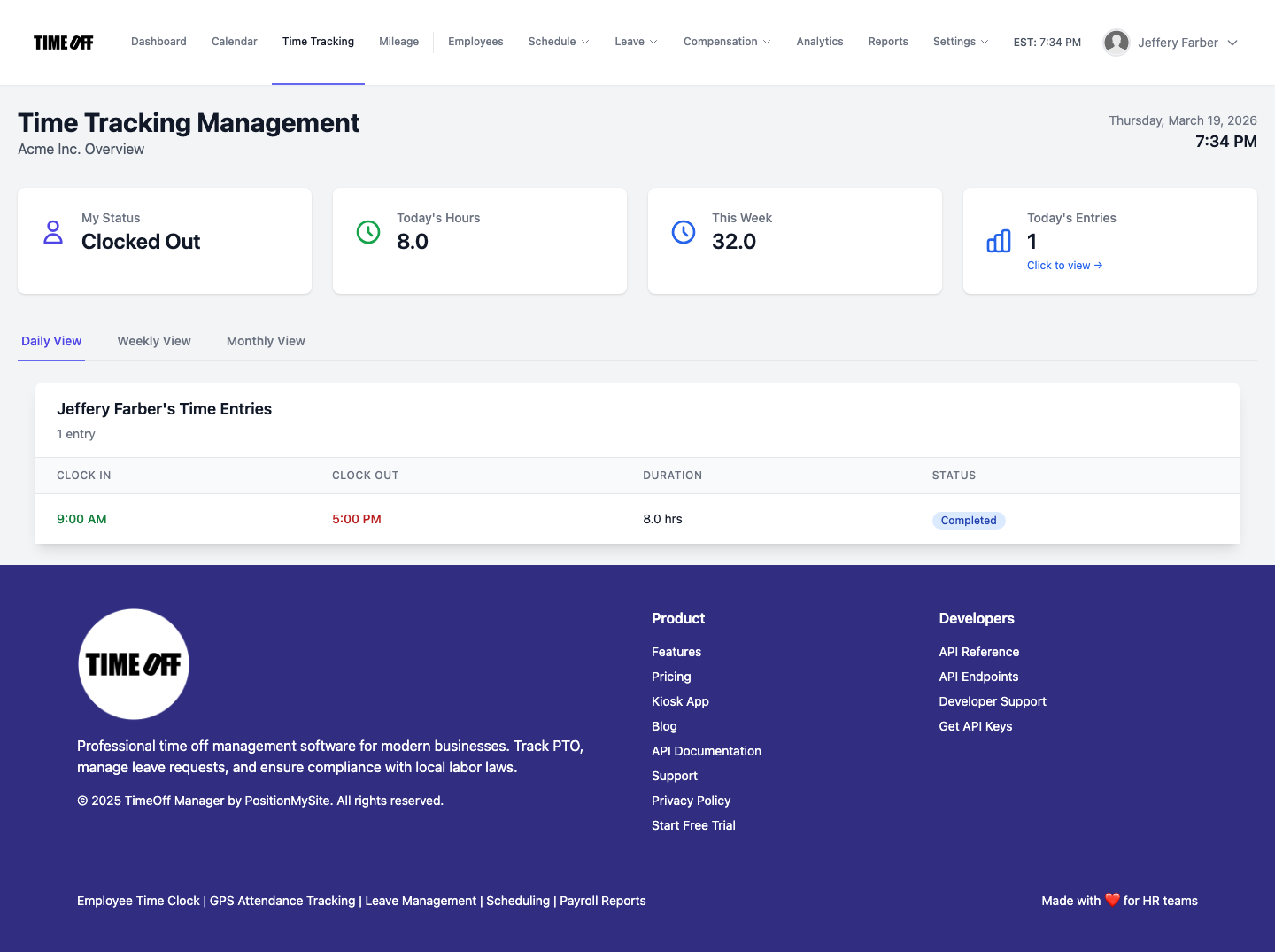
For Your Managers & HR: Oversight and Control
Managers need an overview of their remote team's activities. The Manager & HR hub is their command center:
- Approve Leave Requests: Review and approve or deny leave requests, seeing potential conflicts or coverage issues instantly on the team calendar.
- Monitor Time & Attendance: Open the Manager & HR hub at
/timesheetto see the weekly grid. Review daily clock-ins, approve timesheets, and catch potential overtime issues before they escalate. Switch to a daily roster or monthly rollup view for different perspectives. - Manage Schedules: Create and distribute shift templates, build schedules, and make bulk or per-employee edits for your distributed team. The system flags conflicts, helping ensure adequate coverage across time zones.
- View Team Coverage: The Team Timeline calendar shows who’s working, on leave, and available. This makes it easy to spot coverage gaps for your remote team.
- Overtime Visibility: See accrued overtime for each employee *before* payroll. This proactive visibility helps manage labor costs effectively.
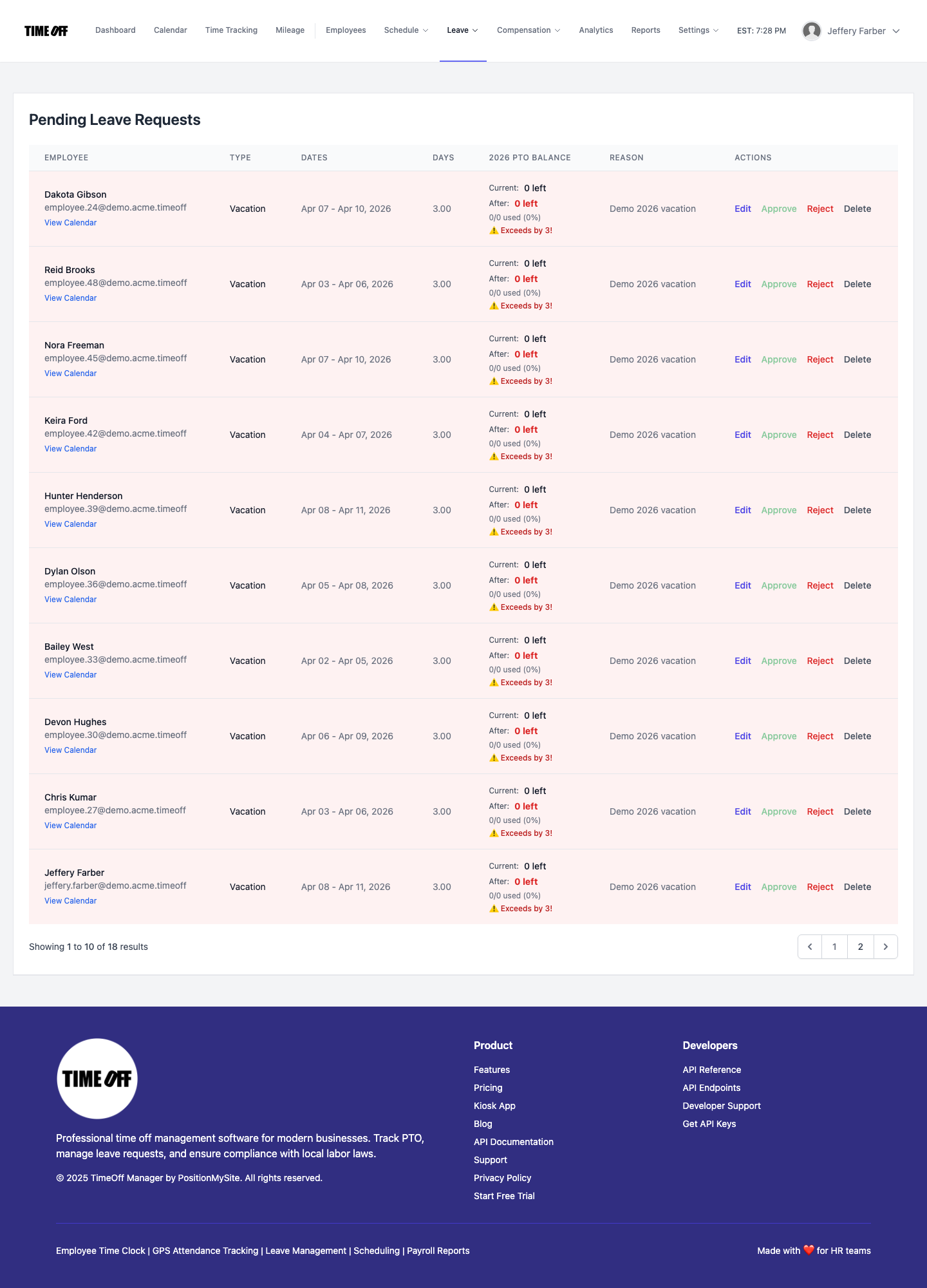
From Clock-in to Payroll: Overtime Tracking for Remote Teams
Overtime is a major payroll headache. Remote work adds complexity. TimeOff Manager simplifies the process, ensuring compliance and accurate payouts.
1. Company Settings for Defaults and Overtime Rules
Before anyone clocks in, define clear rules. In Company Settings, define your standard work week and overtime defaults. Then, in Overtime Admin at /admin/overtime, set up specific rules, thresholds, and multipliers. This is critical for remote teams operating under different state or local labor laws. Define daily, weekly, and even seventh-day overtime rules, ensuring compliance no matter where employees are located.
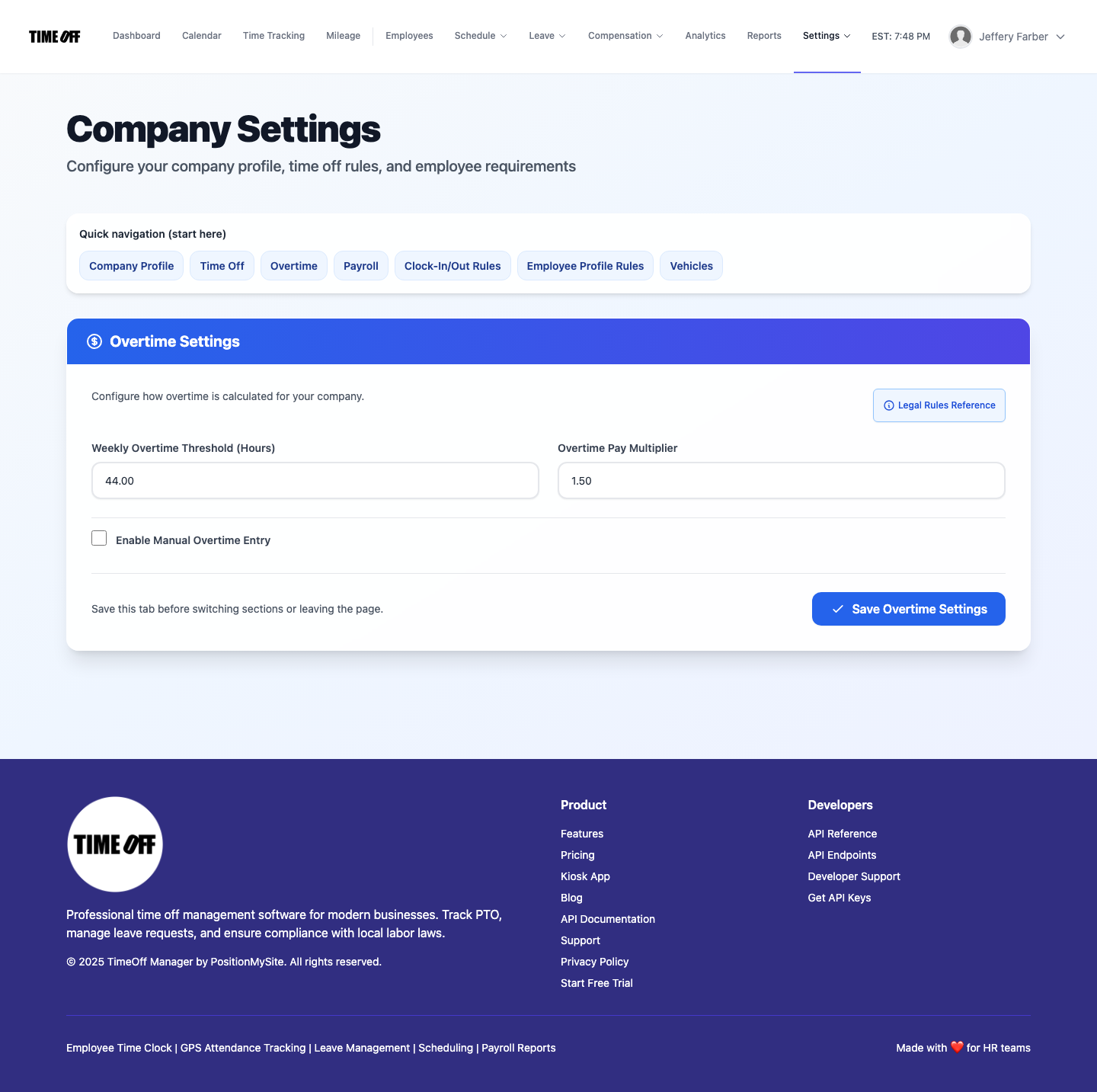
2. Recording Clock-ins Accurately
Whether an employee works from home or visits the office, TimeOff Manager offers flexible clock-in options:
- Web/Mobile Clock-in: Employees clock in and out directly from their computer or mobile device. If enabled, GPS time clock captures their location, adding verification for remote work.
- PIN Kiosk: For shared devices in a hybrid office or specific work location, the PIN kiosk at
/clockinprovides a simple, secure way to track time.
All clock-ins record immediately, creating a real-time log of worked hours.
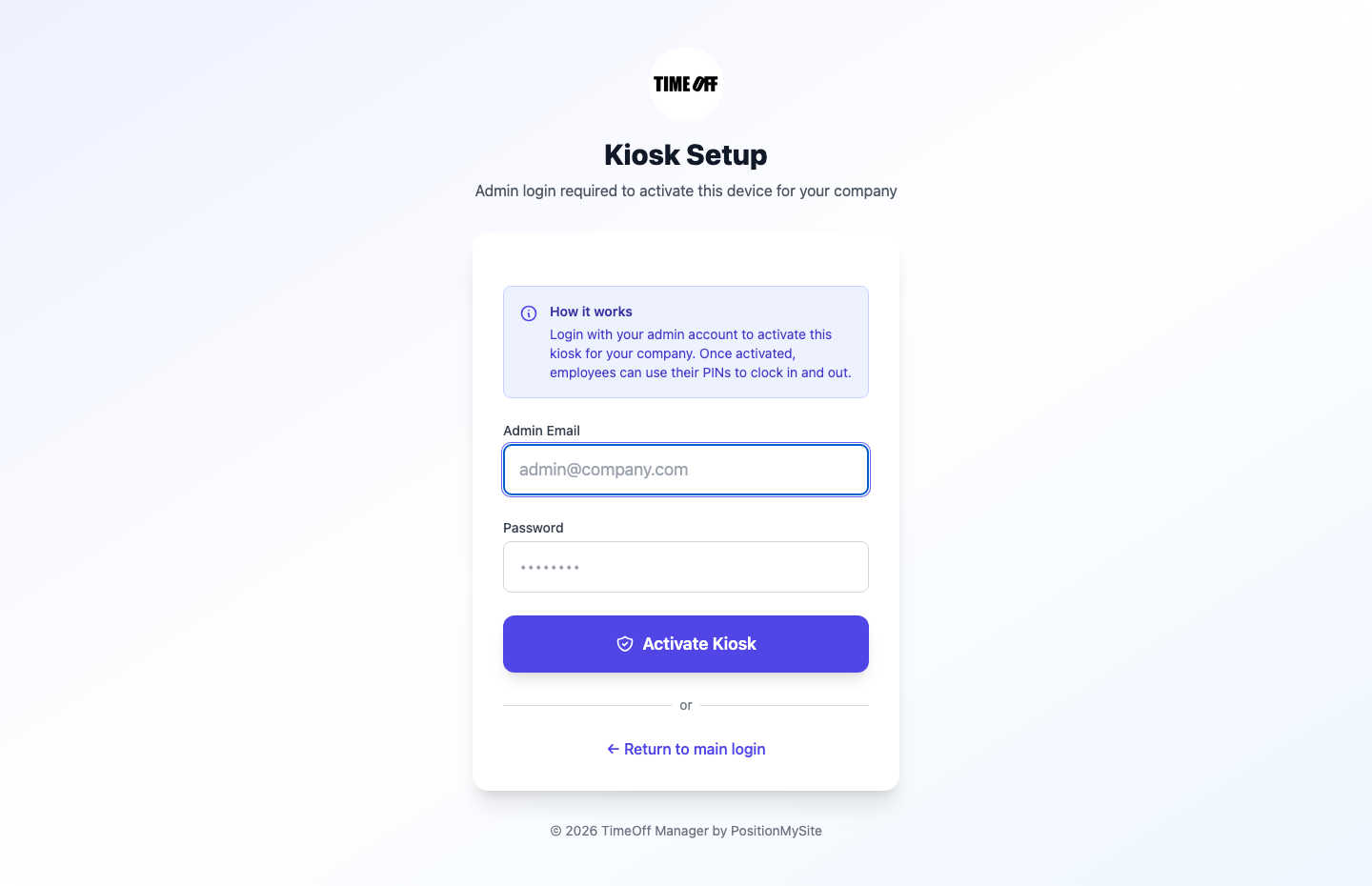
3. Labeling Overtime and Reviewing Timesheets
Once hours log, TimeOff Manager automatically applies your defined overtime rules. Managers access the Manager & HR hub at /timesheet to review the weekly grid. They see raw clock-in data and how overtime calculates for each employee. This means spotting discrepancies or potential issues *before* payroll runs.

4. Seamless Payroll Handoff
With all time, leave, and overtime data consolidated and approved, payroll handoff becomes a breeze. TimeOff Manager provides accurate, pre-calculated data, minimizing manual adjustments and reducing errors. This integrated system saves hours of reconciliation and reduces payroll mistakes for your remote team.
A Simple Story for Your CFO or Owner: Streamlining Remote HR for Profitability
As an owner or CFO, you know efficiency impacts your bottom line. Fragmented HR for remote teams isn't just an HR problem; it's a financial drain. Here's how TimeOff Manager transforms that:
- Clear Leave & Coverage: Before approving leave, managers check the Team Timeline calendar. They immediately see if PTO creates a critical coverage gap, vital for teams across time zones. This prevents costly scrambling or missed deadlines.
- Accurate Time Tracking, Anywhere: Your remote team clocks in using the web or mobile app. For office visits, they use the PIN kiosk. This accounts for every minute, eliminating "shared-PIN / kiosk selfie fraud" and ensuring attendance compliance for your distributed workforce.
- Proactive Overtime Management: Managers review the weekly timesheet grid. They see regular and overtime hours accrued *before* the pay period ends. This allows proactive schedule adjustments to avoid unnecessary overtime costs.
- Automated Compliance Checks: Set up scheduling validation rules for breaks and maximum hours, specific to the states your remote employees work from. TimeOff Manager flags any schedule violating these rules, protecting you from potential fines and lawsuits related to labor law non-compliance.
- Streamlined Payroll: When it’s time for payroll, all approved hours, leave, and mileage data are ready. You don’t spend hours reconciling spreadsheets. Your payroll provider gets accurate data, reducing errors and ensuring timely, correct payments for your remote team. This means fewer payroll adjustments and happier employees.
- Data-Driven Decisions: The Analytics Dashboard and Reports & Exports give you insights into labor costs, overtime trends, and leave patterns across your remote workforce. This data helps optimize staffing, forecast expenses, and make informed strategic decisions.

Questions to Ask Any Vendor: One Workflow vs. Separate Products for Remote HR
When evaluating solutions for your remote or hybrid business, you'll find many options. Many promise solutions for specific pains: PTO software here, a time clock there, scheduling software somewhere else. But for remote work, this fragmented approach causes problems.
Ask yourself these questions:
- Does your PTO software talk seamlessly with your time clock? Will approving a remote employee's vacation automatically reflect on their schedule and prevent payment for a "no-show" shift?
- Can your employee scheduling software factor in approved leave and real-time availability for employees across different time zones, or will you still manually adjust schedules after PTO is approved?
- Will your overtime tracking automatically apply rules based on the employee's working state, or will you manually calculate and verify before sending to payroll?
- When a remote employee submits mileage reimbursement, is that data easily accessible and integrated with their other compensation records?
If the answer to any of these is "no," you're buying separate products that create separate problems. TimeOff Manager is built on a single, integrated workflow. This means less administrative burden, fewer errors, and a clearer picture of your remote workforce's time and leave, leading to better HR compliance 2026. This is the difference between separate products vs one workflow.
Compliance in a Remote World: Staying Legally Sound
Managing a remote workforce adds complexity to HR compliance. You deal with federal laws, plus labor laws of multiple states or even international regulations. TimeOff Manager helps you navigate this, but remember, this isn't legal advice.
- Fair Labor Standards Act (FLSA): Understanding exempt vs. non-exempt status, minimum wage, and overtime for remote workers is paramount. The U.S. Department of Labor (DOL) is your primary resource. Ensure your overtime rules are configured correctly.
- State-Specific PTO and Sick Leave Laws: Many states and cities have paid sick leave mandates. Your custom leave types in TimeOff Manager track these accurately. Always check your state's labor department website for the latest requirements (e.g., California Paid Sick Leave).
- Meal and Rest Break Laws: These vary significantly by state. TimeOff Manager's schedule validation rules help enforce these for remote employees, flagging non-compliant schedules. Consult your state's labor department for specifics.
- Recordkeeping: The FLSA requires accurate records of hours worked. An integrated time clock and leave management system centralizes these records, making them easily accessible for audits.
- Mileage Reimbursement: If remote employees use personal vehicles for work, ensure compliance with IRS guidelines for mileage reimbursement and any state-specific laws. Our