Leave Management API: Sync Absence and PTO Data With Payroll and HR Tools (2026)
What an absence and leave API should give you, how to push approved time off into payroll and dashboards with signed webhooks, and what the TimeOff Manager API does and doesn't do.


When leave is approved once and every other system hears about it, nobody re-types it into payroll.
Your HR tool knows who works here. Your payroll tool knows what they get paid. And neither one knows that Maria is off Thursday and Friday, because that lives in a third place. So somebody copies it over. Every week. By hand.
If you've searched for an absence and leave management API, that copy-paste job is probably why. This guide covers what a leave API should give you, how to wire time off into your other systems with webhooks instead of exports, and exactly what the TimeOff Manager API does and does not do.
Why leave data ends up stuck in one app
Time off touches more systems than people expect. Payroll needs approved vacation and sick days for the pay period. Scheduling needs to know who's out before a shift goes unfilled. Finance wants the unused vacation liability at year-end. A dashboard or an AI assistant wants to answer "who's off today?"
Most small companies handle this with a CSV once a pay period, plus a lot of Slack messages. That works until:
- A request gets approved after the export ran, so payroll misses it.
- Someone edits a spreadsheet and the balance in one place no longer matches the other.
- A manager approves leave in one tool while the schedule in another still shows the person working.
- Year-end comes, and nobody trusts any of the balances.
An API fixes this only if it exposes the right objects and tells you when they change. That's the test.
What a good leave management API gives you
Before you build anything, check for these. They're the difference between an API you can lean on and one you poll nervously at midnight.
- Requests with filters. List leave by employee, status (pending, approved, rejected), type and year, so you can pull exactly one pay period or one person.
- Write and approve. Create a request from another system, then approve or reject it, with a reason on rejection.
- Balances that match the app. The numbers your integration reads should be the same numbers the manager sees on screen, not a second calculation.
- Leave types and holidays. Your custom types (bereavement, time in lieu, whatever you use) and public holidays by country.
- Webhooks. A push when something changes, so you don't poll every five minutes.
- Signed deliveries. A signature you can verify, so nobody can fake an "approved" event to your payroll sheet.
- Scoped keys. A read-only key for reporting, a separate one for anything that writes.
- A machine-readable contract. An OpenAPI file so your developer (or your AI coding tool) doesn't have to guess field names.
What the TimeOff Manager API covers
TimeOff Manager's company API lives at https://timeoffmanager.us/api/v1. Every route is in the API documentation, and the same contract is available as an OpenAPI 3.1 file. Here's the leave side of it.
Leave requests
GET /leave-requests: filter byemployee_id,status,typeandyear.POST /leave-requests: create a request withemployee_id,type,start_date,end_dateand notes. Types include vacation, sick, personal, unpaid and other. An employee ID from another company returns a 422.POST /leave-requests/{id}/approveand/reject: approve, or reject with an optional reason. Each one fires a webhook.
Balances, types and holidays
GET /reports/leave-summary?year=2026: per-person vacation available, sick available, remaining days and pending days, using the same balance rules as the dashboard.GET /employees/{id}: the profile plus current-year time off and pending days.GET /leave-types: the built-in types plus any active custom leave types you set up.GET /holidays/USor/holidays/CA: public holidays for a year, which pairs with your company holiday list.
The rest of the day
Leave rarely travels alone. The same key can read time entries, weekly schedules and one-day hours, pay periods, approved payroll day adjustments, mileage trips and work locations. So one integration can answer "who was off, who worked, and how many paid hours" without stitching three apps together.
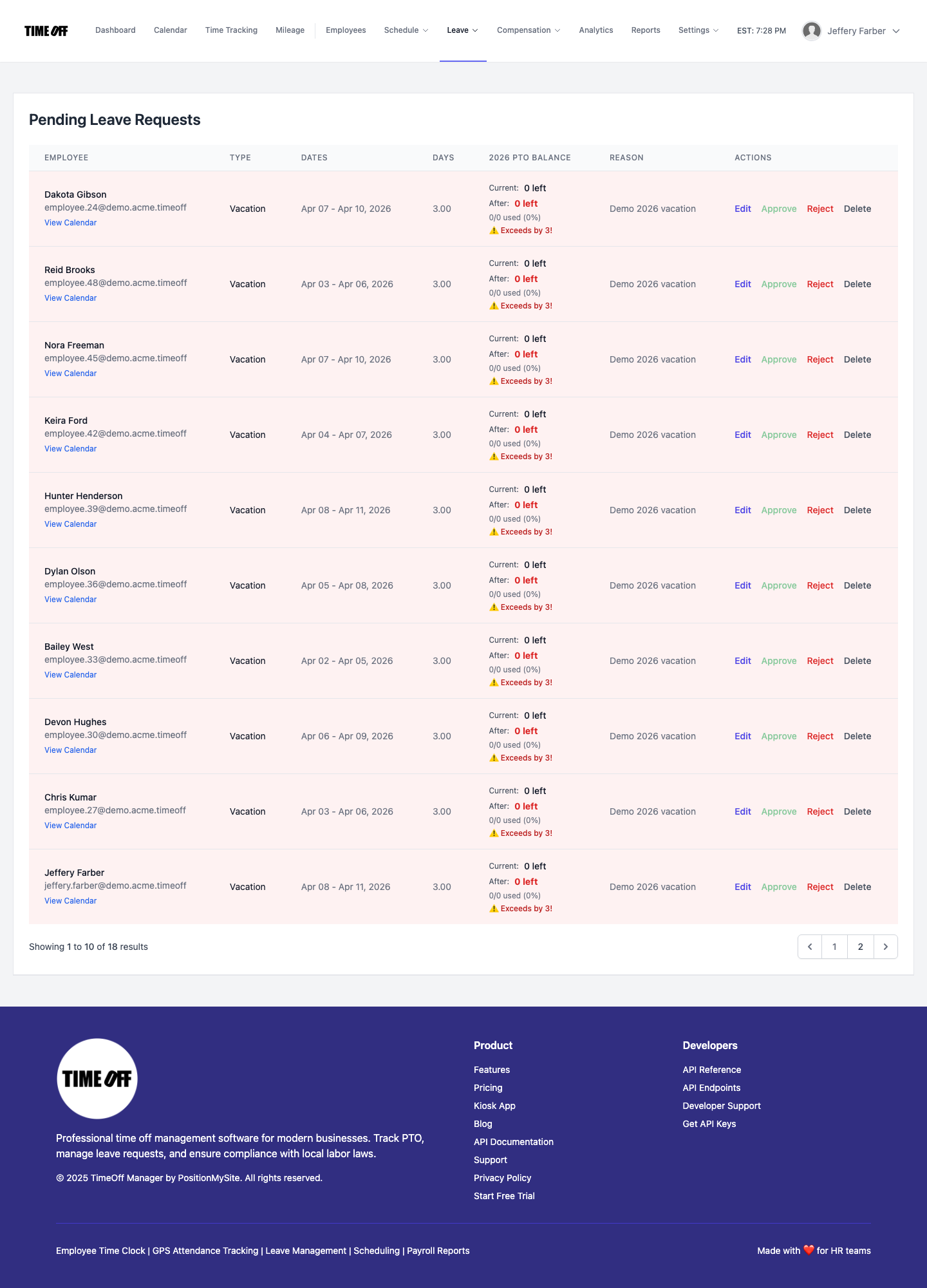
Employee vs manager: what stays in the app
The API is for systems. People still use the app.
Employees request time off on the phone or the web and see their own balances and pending requests. Nothing changes for them when you add an integration, and they never see an API key.
Managers and HR keep approving in the leave requests screen and the approvals inbox. If a request is approved in the app, the leave_request.approved webhook fires the same way it does for an API approval. Your downstream tools don't care which door it came through.
Company admins own the keys. Keys are created and revoked at /api/keys, as described in the API keys help page. The secret is shown once, so copy it into your password manager or secrets store right away.
Wiring it up: a practical setup in six steps
1. Decide what each integration needs
Write one line per integration. "Payroll sheet: read approved leave and paid hours each pay period." "Scheduling board: know when leave is approved." "Ops dashboard: who's off today." That list decides your keys and your permissions.
2. Create one key per integration
Name each key for its job, like "Payroll export" or "Ops dashboard." Give the dashboard leave:read only. Give a tool that files requests leave:write. If a key leaks or a vendor leaves, you revoke one key and nothing else breaks. A key with no permission list can call every company endpoint, so don't leave it blank by accident.
3. Make your first call
curl -sS "https://timeoffmanager.us/api/v1/leave-requests?status=approved&year=2026" \
  -H "X-API-Key: tk_your_key_here" \
  -H "Accept: application/json"
You can also send the same key as Authorization: Bearer tk_.... Keep keys in headers, never in a URL query string, where they end up in logs.
4. Subscribe to webhooks instead of polling
Create a webhook with POST /api/v1/webhooks and pick the events you care about. For leave that's leave_request.created, leave_request.approved and leave_request.rejected. For payroll you might add time_entry.approved and payroll_day_adjustment.approved. The URL has to be HTTPS.
5. Verify every delivery
When you create the webhook, you get a signing secret once. Each delivery includes X-TimeOff-Signature, an HMAC-SHA256 of the raw body. Compute it yourself with the secret, compare, and drop anything that doesn't match. Use the raw body bytes, not a re-serialized JSON object, or the hashes won't line up.
6. Respect the rate limit and handle errors
Each key has its own hourly cap, 1,000 requests per hour by default, and you can set it when you create the key. Go over and you get a 429. Rate-limit headers aren't sent yet, so count on your side and back off. A 403 means the key is missing a permission. A 422 means validation failed, and the response lists which field.
Three integrations small teams actually build
Approved leave into the payroll sheet
On leave_request.approved, append a row to your pay-period sheet: person, type, dates. At cutoff, call GET /reports/payroll-hours for the period. It uses the same paid-hours engine as the Excel report, including scheduled pay, holidays and approved day adjustments. If your provider takes an hours file, the export endpoint can download an ADP RUN time sheet import or Paychex SPI hours CSV. That's an export you upload, not a live sync, and it's hours only. TimeOff Manager doesn't run payroll. If you work in QuickBooks Online or FreshBooks, read the accounting connection guide first.
"Who's off today" for your team channel or dashboard
Each morning, pull approved leave that covers today and post the names. Add coverage logic if you want: if two people from the same team are out, flag it. Our post on team leave calendars and coverage covers the rules worth checking.
Prefer to just ask? The same company key works with the TimeOff Manager MCP server, so ChatGPT, Claude, Cursor, Codex or Grok can answer "who's on leave today?" without you writing code. We walked through that in asking an AI who is on leave.
Year-end liability snapshot
In December, call GET /reports/leave-summary?year=2026 and save the result. You get remaining and pending days per person, which is the raw material for your unused-vacation number. Pair it with the year-end rule you picked (carry over, pay out or expire). Our year-end PTO carryover guide explains each option.
What the API doesn't do
Better you hear it here than halfway through a build.
- No accrual engine. Balances come from annual allowances per leave type plus the year-end rule. The API won't calculate hours earned per pay period.
- No named payroll sync. It exports hours. It doesn't push into ADP, Paychex, Gusto or anyone else on its own.
- Hours, not pay. No gross-to-net, taxes or deductions.
- No official SDKs yet. Any HTTP client works, and the OpenAPI file lets most tools generate one.
- One company per key. A key never sees another company's data.
Compliance and privacy
This is not legal advice. Leave records are employment records, and some of them are sensitive.
- Keep only what the other system needs. Your payroll sheet needs dates and type. It doesn't need the note an employee wrote on a sick day. Don't copy free-text notes into tools that don't need them.
- Records still have to be kept. In the US, the Department of Labor's FLSA recordkeeping rules require you to keep hours and pay records. In Ontario, the Employment Standards Act vacation rules require vacation time and pay records. Deactivating an employee through the API keeps their leave history. It doesn't erase it.
- Know where the data goes. In Canada, PIPEDA and provincial privacy laws apply when employee data moves into new tools. Keep a short list of which integration holds which key, what it reads, and who owns it.
- Rotate and revoke. When a contractor or vendor finishes, revoke their key the same day.
Try it with your own team
The fastest way to judge an API is to point it at your own data. Start your company account: new signups get 1 year free ($0 for 12 months). A card is required to start, and the yearly price is charged on the anniversary unless you cancel first. After the first year, Starter (1–20 people) is $180/yr, Growth (21–50) is $300/yr, and Scale (51–1,000) is $479.90/yr or $49.99/mo. A full year to try it with your team. Get comfortable before you pay.
Set up your leave types and allowances, approve a couple of requests, then create a key and call /leave-requests. You'll know in an afternoon whether it fits.
FAQ
Is there an API for absence and leave management data?
Yes. TimeOff Manager has a company REST API at /api/v1. You can list leave requests by employee, status, type and year, create a request, approve or reject it, read leave types, and pull year-to-date balances from the leave summary report. A company admin creates the key at /api/keys, and the full reference is at /api-docs.
Which webhook events fire when leave changes?
For leave, you can subscribe to leave_request.created, leave_request.approved and leave_request.rejected. Other events cover completed and approved time entries, approved payroll runs, approved day adjustments, approved mileage trips, approved missed clock-in fixes and paid invoices. Webhook URLs must be HTTPS.
How do I know a webhook really came from TimeOff Manager?
Each webhook has a signing secret that is shown once when you create it. Every delivery carries an X-TimeOff-Signature header with an HMAC-SHA256 of the raw request body. Recompute it on your side with the secret and reject anything that does not match.
Can the API send hours straight into my payroll provider?
It exports, it does not sync. The payroll hours report returns paid hours for a date range, and the export can download an hours CSV in the ADP RUN time sheet import or Paychex SPI layout. You upload that file to payroll. TimeOff Manager is not a payroll engine.
Can I limit what an integration is allowed to touch?
Yes. Keys can carry permissions such as leave:read, leave:write, time:read or payroll:read. A key for a reporting dashboard only needs leave:read. A key with no permission list can call every company endpoint, so set permissions on purpose.
Does the API calculate PTO accruals?
No. TimeOff Manager uses annual allowances per leave type, plus a year-end rule for unused vacation (carry over, pay out or expire). The API reads those balances and requests. It does not run per-pay-period accrual math.
How do I try the API?
Start a company account at /register/company. New signups get 1 year free ($0 for 12 months). A card is required to start, and the yearly price is charged on the anniversary unless you cancel first. Then create a key at /api/keys and call GET /api/v1/leave-requests.