

PTO software
Leave that updates itself
Accruals, carryover, custom leave types, and one-click manager approvals. Employees request time off from phone or desktop. The team calendar shows who is out, what is pending, and how holidays affect coverage.
Zero risk
You pay $0 for 12 months.
Cancel before your anniversary and you owe nothing.
See the whole team. GPS on every clock-in, a live map, time off, timesheets, and a shared kiosk. One app for the crew, the shop, and the office.
A full year to try it with your team. A card starts the year. Nothing is charged until then.
Already have an account? Login
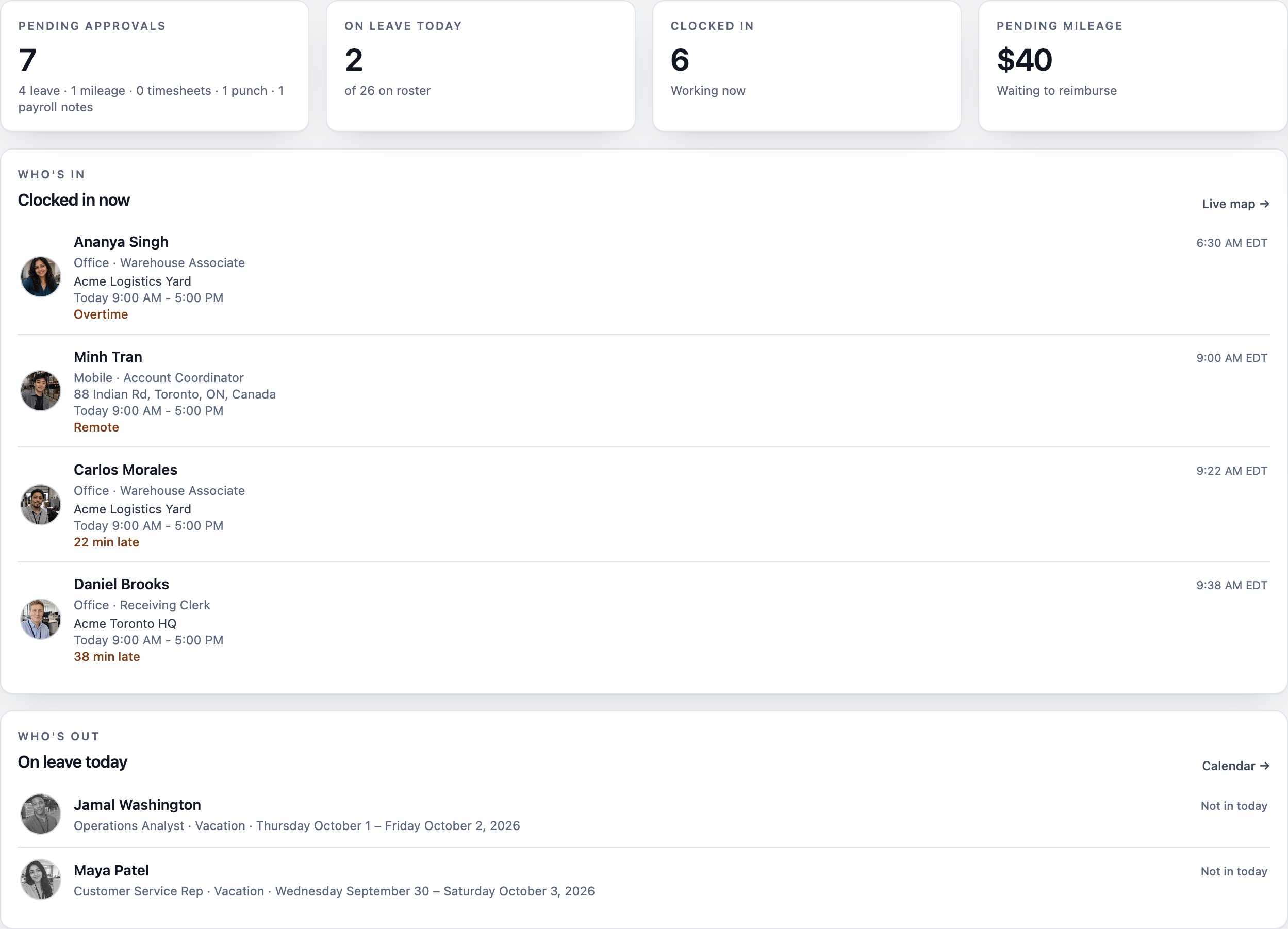
Illustrative demo. Names, places, and dollar amounts are screens from the Acme sandbox, not a customer story.

Who's working
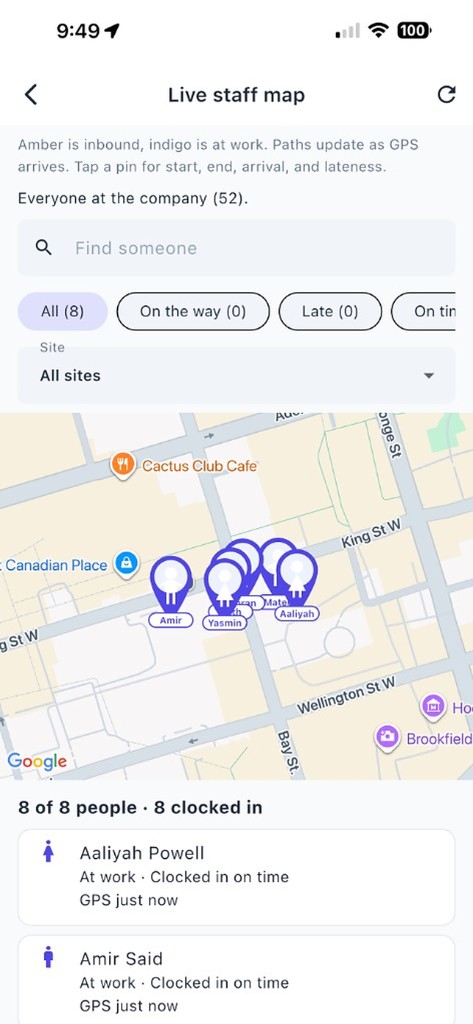
Carlos clocked in 22 minutes late at the yard. Daniel is 38 minutes late at headquarters. Elena's pin is in North York.

Who's asking
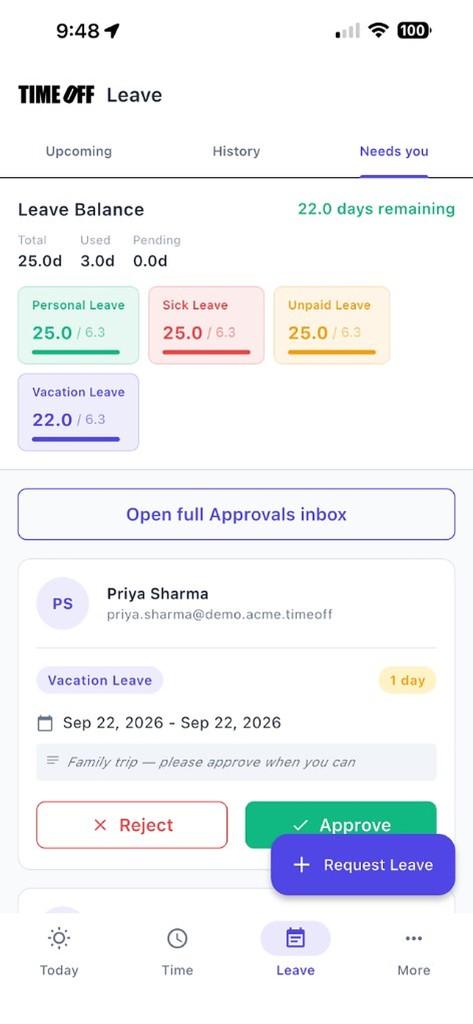
October 7–9, vacation, still pending. The same row shows 22 days left, and 19 if you approve. Aisha's doctor visit and Chloe's sick day are under it.

What it cost
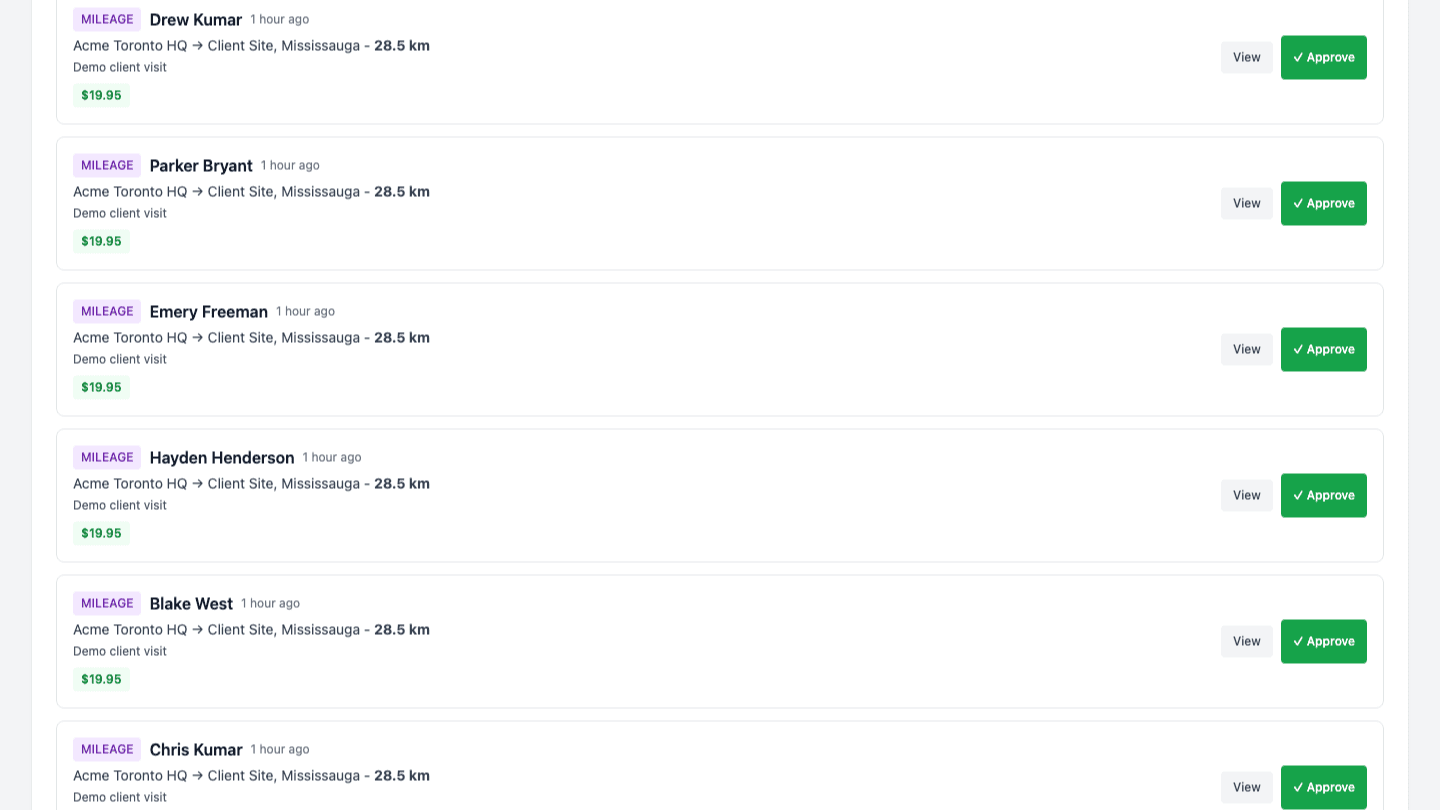
September 17, Acme Toronto HQ to a client in Mississauga. 28.5 km. $19.95. Approved, not paid yet.
The same company, three screens. Most teams finish setup in under 15 minutes.
Invite employee is on the roster. This company already has 2 people on leave today.

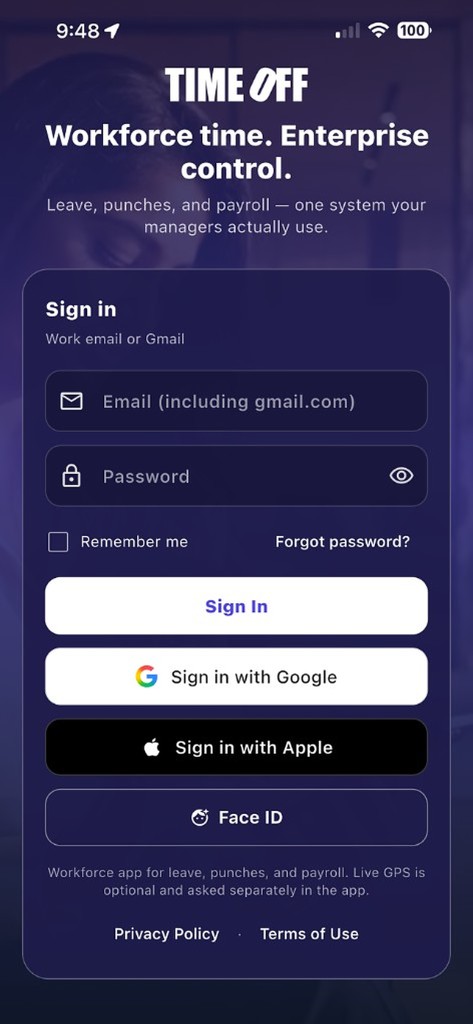
On their own phone, TimeOff Manager Pro asks for a face check, then records the clock-in.

Six people are clocked in. Twenty are clocked out. Today's timesheet already has 33 entries.

Plans by team size after the free year. See pricing
TimeOff Manager Pro — each person’s phone
TimeOff Manager Pro is the signed-in app. Work email, same account as the website. Photo and GPS on the clock-in. Leave, mileage, schedule, and pay stubs stay with that person. The tablet by the door is TimeOff Kiosk — a different app.
Employees and managers on their own iPhone or Android. Clock in / out (including with no signal — it syncs later), request time off, log a mileage trip, see what’s next on Today.
The same login as timeoffmanager.us. No shared tablet. Nobody else can clock in as you from their pocket.
Approvals and the live staff map when your company turns live location on. Company settings stay on the website.
It is not TimeOff Kiosk. Do not install Pro on the door tablet. That device uses the PIN kiosk.
PTO software and time tracking software in the same place. Seven jobs, not a catalog.
Carlos is 22 minutes late at the yard. Daniel is 38 minutes late at headquarters.
Sofia asked for October 7–9. Three vacation days. Still pending.
6 clocked in. 33 entries already on today's timesheet.
HQ to Mississauga. 28.5 km. $19.95. Approved, not paid yet.

TimeOff Kiosk is Acme's PIN pad. TimeOff Manager is the signed-in phone app.

Maya has used 7 days. She has 18 left. Everyone else on that list can see the same for themselves.

Spill in aisle 4, photo attached. The next manager sees it, the checklist, and who is on shift.
Leave, clocks, live map, mileage, payroll, and the shift log — all in one platform
Spreadsheets for vacation. A separate clock-in app. Email when someone needs approval. That patchwork is how small and mid-sized teams end up with double-booked coverage, wrong PTO balances, and payroll exports that do not match the hours people worked. TimeOff Manager replaces those tools with one platform for US and Canadian teams.
PTO software
Accruals, carryover, custom leave types, and one-click manager approvals. Employees request time off from phone or desktop. The team calendar shows who is out, what is pending, and how holidays affect coverage.
Employee time tracking software
Mobile clock in / clock out in TimeOff Manager Pro, PIN TimeOff Kiosk on a shared tablet, optional GPS at clock-in, a live staff map during the shift, schedules, timesheets, breaks, and overtime. Approved hours go into the exports finance already uses.
Employee tracking
Onboarding guidance for all 50 US states and 13 Canadian provinces. Excel and CSV for employee lists, PTO usage, payroll hours, and year-end summaries. A documented REST API with API key authentication for HRIS or payroll systems.
One source of truth
TimeOff Manager MCP is how ChatGPT, Claude, Cursor, Codex, or Grok read coverage, hours, and leave for one company. After the launch offer, pricing is by team size so costs stay predictable as you grow.
Questions? See the FAQ below or contact support.
Company administrators add people from the roster with the add-employee wizard. It recommends statutory PTO minimums for the hire’s US state or Canadian province. Employees do not use this to set up their own accounts — they sign in after an admin creates them. You remain responsible for your own leave policies and legal obligations.
Automatically calculates minimum PTO requirements based on employee location and local labor laws
Google Maps integration for work locations with automatic timezone and jurisdiction detection
Collect all necessary information including emergency contacts, payroll IDs, and manager assignments
Automatically generates leave policies with proper vacation, sick, and personal day allocations
Statutory PTO guidance: Our wizard recommends up-to-date PTO minimums for all 50 US states and 13 Canadian provinces/territories. Your organization is responsible for adopting policies that meet its legal and contractual obligations.
Guided setup collects employee details, work locations, and jurisdiction-specific PTO minimums in one flow.
Automate leave calculations and eliminate manual tracking spreadsheets
Self-service portal empowers employees to manage their own leave requests
Recommends state and provincial PTO minimums during setup; you configure and own your final policies
From small teams to large enterprises, our system grows with you
Color-coded leave types, pending approvals, and team availability in a single calendar view managers can trust.
Generate professional Excel and CSV reports that your accountant will love. Export employee data, PTO usage, payroll information, and year-end summaries with one click.
Complete employee information with current PTO balances, perfect for payroll setup and HR audits
Employee details plus days used for payroll deductions, ideal for monthly payroll processing
PTO balances, carryover calculations, and compliance data for year-end accounting and tax reporting
Detailed leave request history with approval tracking for compliance reporting and accrual calculations
Professional formatted spreadsheets
Universal format for any system
Perfect for: Accountants, Payroll Departments, HRIS Integration, and Tax Preparation
Connect TimeOff Manager with your existing HR systems, payroll software, or custom applications using our comprehensive RESTful API.
Standard HTTP methods with JSON responses for easy integration
Access employee info, leave balances, and request history via API
API key authentication with rate limiting and IP restrictions
Get notifications when leave is created or approved, and other events documented in the API docs.
List employees, read leave balances, submit or approve requests, and pull timesheet data with standard JSON over HTTPS. Authenticate with an API key in the X-API-Key header.
GET https://timeoffmanager.us/api/v1/employees — employee roster and balances
POST https://timeoffmanager.us/api/v1/leave-requests — create leave requests from your HRIS
GET https://timeoffmanager.us/api/v1/reports/payroll-hours — payroll-hours JSON for a date range
Full reference, rate limits, and webhook payloads are in the API docs.
Integrations
Approved hours and mileage flow straight into your books — no re-typing timesheets, no CSV juggling. Connect once and TimeOff Manager keeps your accounting in sync automatically.

Approved time entries are pushed as native QuickBooks time activities, matched to the right employee — ready for invoicing and payroll prep. Works with every QuickBooks Online plan.

Tracked hours become billable time entries and approved mileage becomes expenses — automatically, so every reimbursable dollar makes it onto the invoice.
Secure OAuth connection — set up in under two minutes from your company settings. No add-on fees, included in your subscription. Prefer your own tooling? A full REST API and webhooks are included too.
Full pricing, team-size calculator, and a free 30-minute walkthrough
The first year is $0 after a valid card. Starter $180/year (1–20), Growth $300/year (21–50), Scale $49.99/month or $479.90/year (51–1,000) after the free year. Doing nothing at the anniversary charges the yearly price.
1–20 users
$15/mo
$180 billed annually after your free year
Every plan includes
Most teams start here
21–50 users
$25/mo
$300 billed annually after your free year
Every plan includes
51–1,000 users
$49.99
per month after your free year
or $479.90/year (20% off $599.88)
US and Canada teams pay by headcount — not per location, and not per module.
Every plan includes
Launch-offer workspaces created during the promotion remain free forever. New signups use these plans.
TimeOff Kiosk — the shared workplace clock
TimeOff Kiosk is not the employee app. It is a dedicated time clock you leave on a shared tablet (or a phone that stays at reception). A company admin signs in once to activate the device. After that, employees only enter their PIN to clock in or out. Photos and GPS verify the clock-in. Leave, mileage, and pay stubs stay in TimeOff Manager on each person’s own phone.
Shops, clinics, warehouses, and job sites where everyone walks past the same device. One kiosk, many PINs—no personal logins on that tablet. After PIN, clock in and out still save on the tablet if the network drops, then send when it returns.
Company admin or HR signs in once (email and password). The kiosk stays on the PIN pad until someone signs the device out. Employees never type a password there.
Face detection can snap a photo at each clock-in, and GPS records the address—so a co-worker cannot clock someone else in.
It is not TimeOff Manager. Staff who need leave, mileage, schedules, or pay stubs use TimeOff Manager on their own phone or the website.
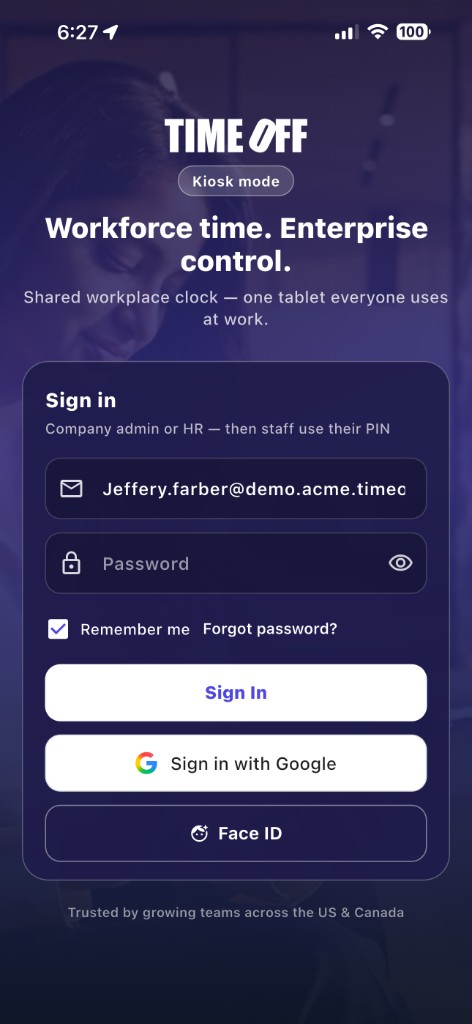
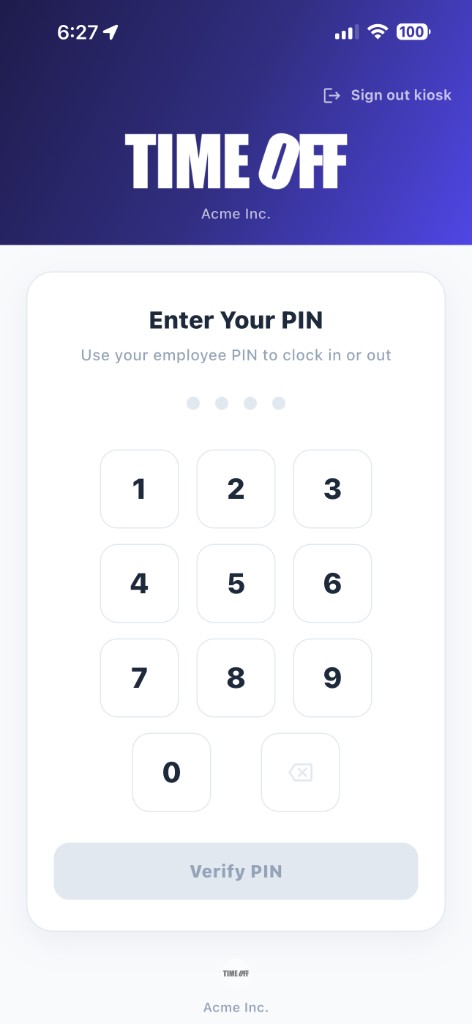

What TimeOff Manager does. The screens above are an illustrative demo.
Straight answers for teams comparing leave tools and attendance systems.
Reviewed by David Dayan, HR legal reviewer, on October 23, 2026. These setup defaults are not legal advice. The employer confirms them. US federal law does not require paid vacation (U.S. Department of Labor). Canadian vacation rules are set by each province or territory, and by the Canada Labour Code for federally regulated workplaces (Government of Canada).
Set up your team in minutes and run your first real approvals this week — leave, time clocks, schedules, mileage, and accountant-ready exports.
Plans by team size after the free year
Already a customer? Sign in here.