Manager log: shift handovers, incidents & notes
Manager-only shift log at /admin/manager-log: handovers, incidents, and notes with photos, task-checklist links, follow-up tasks, @mentions, and search. Only managers and admins can see it.
/admin/manager-log
Roles
Manager · HR manager · Company admin
Manager log at /admin/manager-log is the shift handover book: what happened, what needs doing, and who should know. Handovers, incidents, and notes — with photos — in one feed the next manager actually reads.
What it is
Every entry has a category (handover, incident, or note), a headline, and details. The top of the feed shows what still needs attention: today's open checklist items, how many are late, and who is on shift today (from today's clock-ins). Only managers and admins can open the log — employees never see it.
Writing a log entry
- Pick a type and a location (optional), then write a headline like “Freezer alarm overnight”.
- Attach a photo — damage, spills, balanced drawers, finished work. Entries with photos show thumbnails in the feed.
- Entries can be edited or deleted afterwards by their author or a company admin.
Checklists and follow-up tasks
Link an entry to a related checklist and the feed shows that list's live progress (“2 of 5 done today”). Link it to the task it came from from any task row (“📝 Log”), and the task row grows a reverse link (“📝 N”) back to every entry about it.
Need something done? Make it a task right from the entry. Pick a checklist — or leave Log follow-ups (automatic) selected and it lands on the shared follow-ups list. Each entry links to one follow-up, so nothing gets asked twice.
@Mentions
Write @Marcus in the body and Marcus gets an email with your entry and a link to the log. Mentions match managers and admins by first name. Mentioning yourself does nothing.
Finding things again
- Search matches headlines and bodies (“freezer”, “register”, “dock door”).
- Filter by category (🔄 Handover, ⚠️ Incident, 📝 Note) or by location.
- Open the log from a task's 📝 N link to see only entries about that task.
Who can see it
Managers, HR managers, and company admins. The log has its own unread badge in the nav, and the API and Pro app can read and post entries too.
Product screenshots
Acme demo (Alex Morgan). Feed, open-tasks strip, and an entry with a photo.
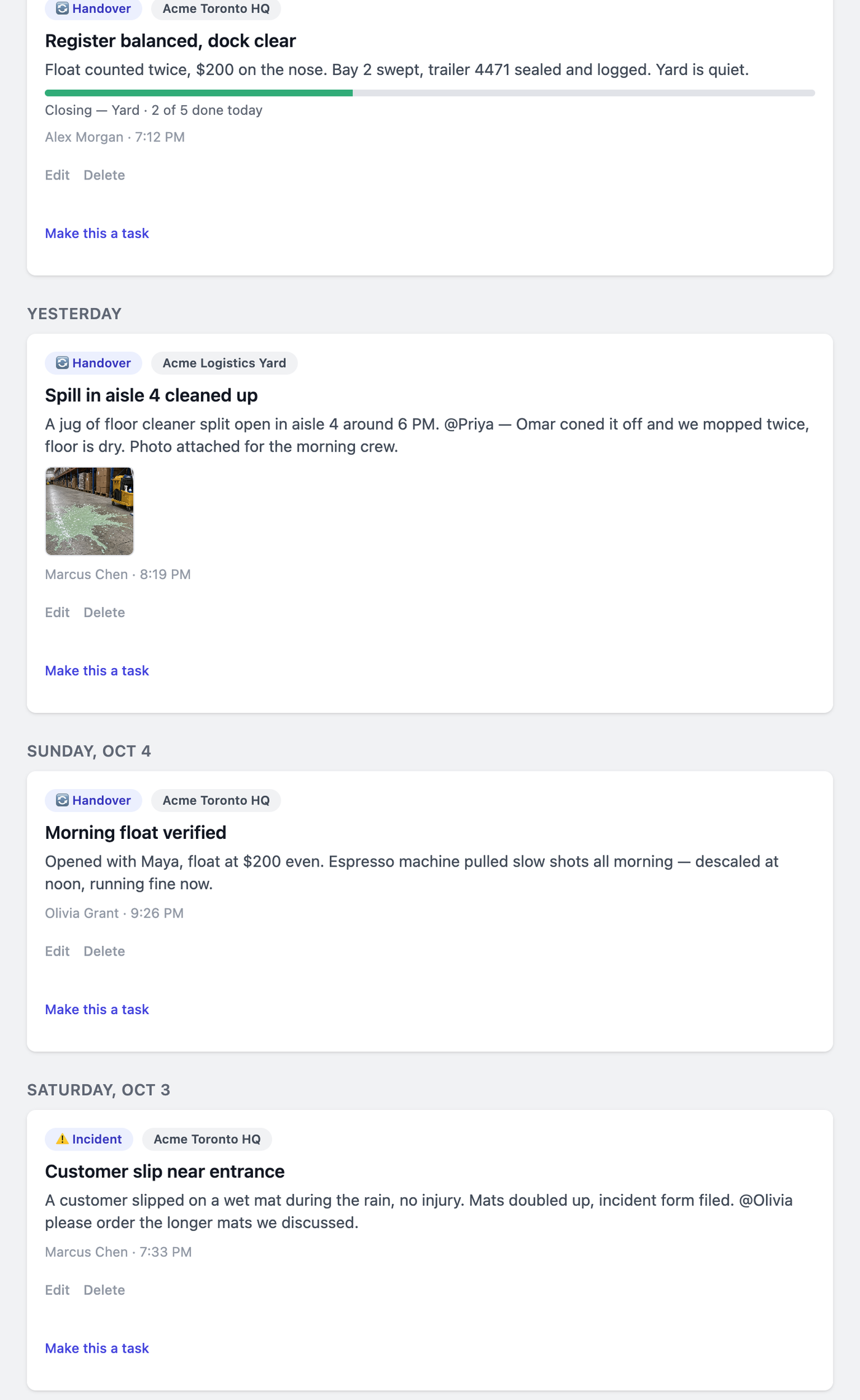
Manager log feed — Acme demo.
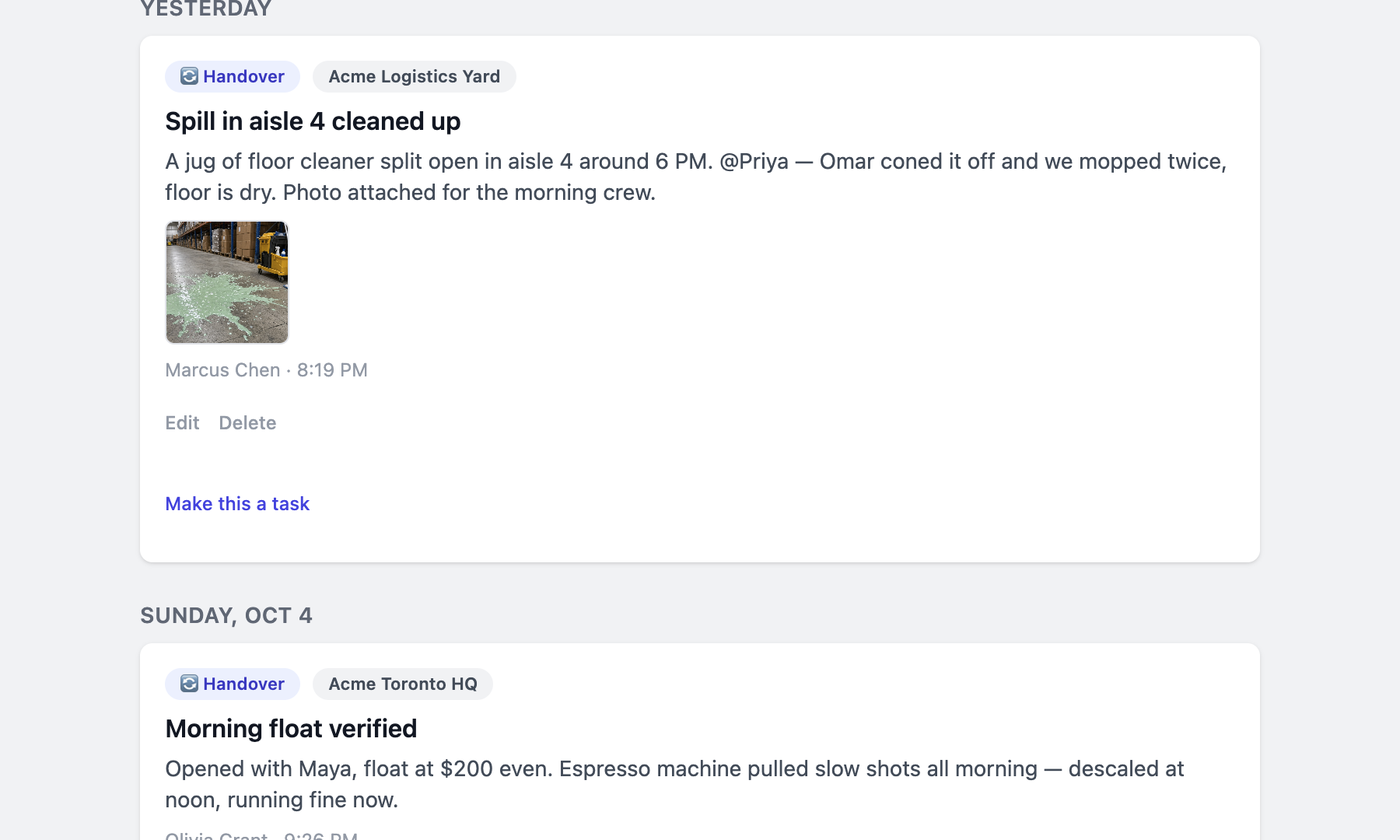
Entry with photo and follow-up task (Acme demo).