Schedule: Edit one employee
Per-person screen: weekly Work Schedule, plus a separate one-day hours card with Save this date only (approved exception — not a checkbox on the weekly form).
/admin/schedule/employee/{id}/edit
Roles
Company admin · HR manager · Manager (when permitted)
Edit Schedule at /admin/schedule/employee/{id}/edit is where you configure one person’s work pattern—weekly days, start/end times, templates, and (when configured) work locations—for time tracking and attendance.
Overview
This page is separate from Schedule management (the roster list) and from /admin/schedule/bulk-edit, which applies a template to many employees at once. Use the single-employee editor when you need precision for one hire or an exception to the team default.
How to open
- Go to /admin/schedule (scheduling hub).
- Find the person in Employee Schedules.
- Choose Edit or Set Schedule — both go to
/admin/schedule/employee/{id}/edit.
Breadcrumbs at the top link back to Schedules (the hub).
What’s on the page
- Header — Edit Schedule plus the employee’s name; subtitle explains you’re setting their work schedule.
- Change hours for one day — a separate card: pick a date, start/end, then Save this date only. That creates an approved schedule exception. It is not a checkbox on the weekly form.
- Weekly repeating schedule — days and shift times (and templates where available). Saving this card updates the repeating pattern.
- Work locations — when locations exist, you can tie shifts to sites. Create them in Work locations (admin).
- Side panel — on large screens, a column may summarize templates or context (varies by tenant).
Submit with the page’s primary save action when you’re done. Validation errors appear at the top of the form if something is missing or inconsistent.
Related
- Shift templates — define reusable patterns before assigning schedules.
- Schedule management — hub and bulk assignment.
- Timesheet: Employee view — how scheduled staff see hours.
Product screenshot
Example capture for one employee’s schedule editor (demo tenant).
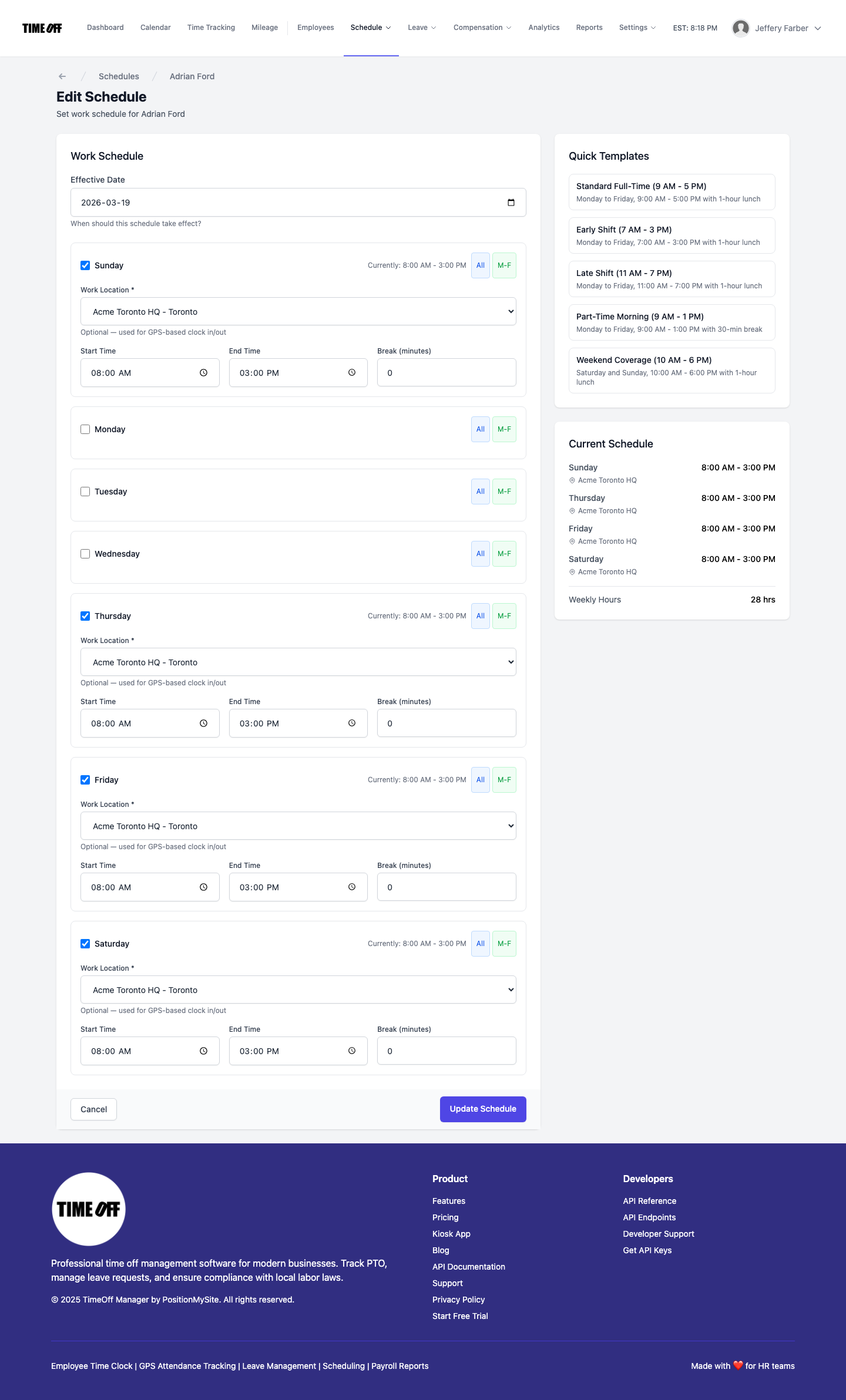
Edit Schedule — /admin/schedule/employee/{id}/edit