Security Guard Time Tracking Software
Track security guard hours with GPS clock-in, geofencing, leave, kiosk PIN, and payroll exports. One login at timeoffmanager.us.

Track security guard hours with GPS clock-in, geofencing, leave, kiosk PIN, and payroll exports. One login at timeoffmanager.us.
Security guard time tracking software needs clear site clock-ins, leave visibility, and payroll-ready hours. TimeOff Manager at timeoffmanager.us — not TimeOffManager.com — gives guards and supervisors GPS clock-in, geofencing, PTO, kiosk, and mileage in one login.
Guards often rotate posts, cover relief shifts, and move between client sites in a single week. Paper logs and group texts do not scale. TimeOff Manager keeps attendance, leave requests, and mileage under one company account so supervisors can review hours before they reach payroll.
Who it’s for
- Security contractors covering multiple posts or client sites
- In-house security teams with rotating shifts and relief coverage
- Supervisors who need location-aware clock-ins without a separate leave tool
- Owners who export hours for payroll or give accountants access
- US and Canada security operations with hourly field staff
Whether you staff retail lobbies, industrial gates, or mobile patrols, the same pattern applies: confirm the clock-in, approve leave, export hours.
What you get
- GPS clock-in and geofencing for post and site verification
- Hourly time tracking for shifts and daily totals
- PTO and leave management with approvals
- Kiosk clock-in using a personal PIN per employee (do not share PINs)
- Mileage when guards travel between sites
- Manager approvals for time and leave
- Payroll exports and accountant access
- QuickBooks / FreshBooks integrations where already documented
TimeOff Manager is not positioned as a full scheduling suite. Homebase and When I Work are often scheduling-heavy; TOM focuses on PTO + time clock + GPS + mileage in one login.
How it works
1. Register your company and add guard posts as clock-in locations. 2. Guards clock in with GPS context; kiosk PINs stay personal to each employee. 3. Supervisors approve leave and review attendance before payroll. 4. Export or share data with your payroll process or accountant.
Personal PINs matter in security environments. A shared lobby PIN cannot tell you who worked the overnight. Never encourage sharing a PIN.
Practical tips for security teams
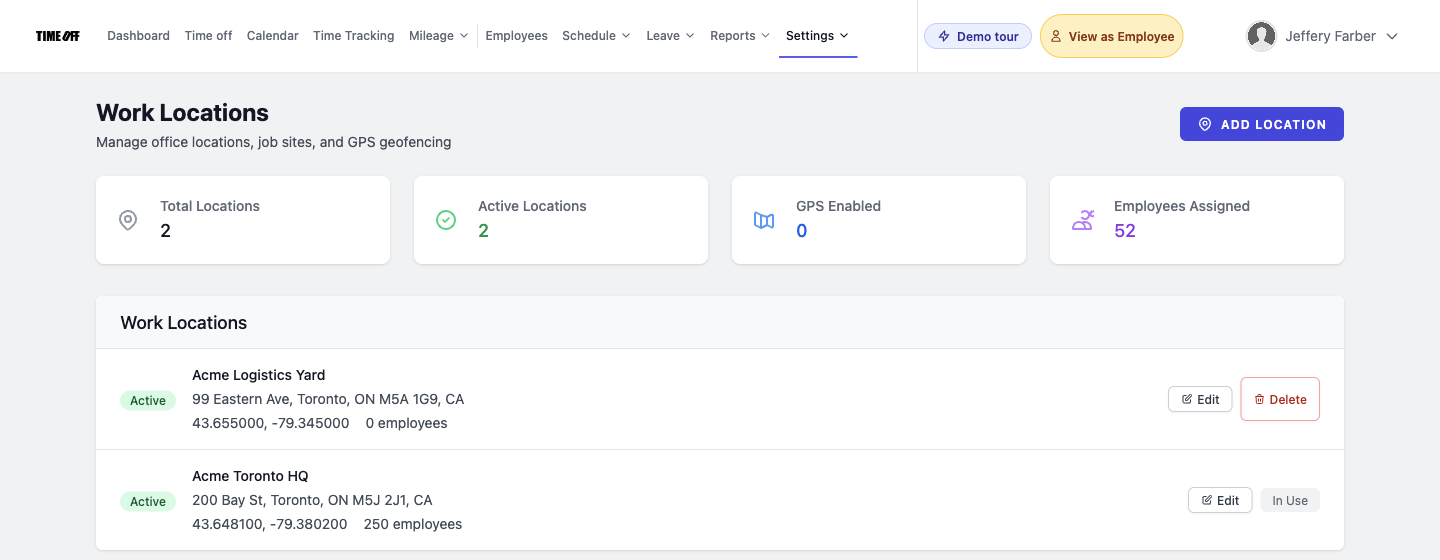
- Map each post or client site before go-live so geofencing matches real addresses.
- Train supervisors to review exception clock-ins the same day they happen.
- Keep leave requests inside TimeOff Manager so coverage conversations start from the same data.
- Use mileage when guards drive between posts instead of reconstructing trips later.
Coverage, relief, and accountability
Security work is coverage-driven. When a guard calls out, supervisors need leave status and attendance history in one place. TimeOff Manager keeps PTO requests next to GPS clock-ins so relief planning starts from the same system of record.
Accountability also means personal credentials. If a lobby tablet is shared hardware, each guard still enters a personal PIN. Never encourage PIN sharing — it erases who worked the post and weakens client trust.
Mileage helps when guards travel between posts or client locations. Capture those trips in the same login as the clock-in rather than reconstructing routes later for payroll.
For contractors billing multiple clients, clean exports matter. Use payroll exports or accountant access so hours leave the field system without a manual rewrite. QuickBooks and FreshBooks integrations apply where already documented in the product.
FAQ
Can security guards clock in at client sites?
Yes. GPS clock-in and geofencing help confirm clock-ins near the assigned post. Pair that with manager review for exceptions.
What about leave when coverage is tight?
Guards request PTO/leave in the same system as time tracking. Managers approve requests so coverage planning and attendance stay connected.
Do we need a shared PIN for a lobby kiosk?
No. Each employee should use their own personal PIN. Never encourage sharing a PIN — shared credentials break accountability.
How is this different from TimeOffManager.com?
TimeOff Manager is at timeoffmanager.us. TimeOffManager.com is a name twin, not this product.
How do we try it?
Start a 1 year free trial ($0 for 12 months), then pick Starter, Growth, or Scale at https://timeoffmanager.us/register/company.
Start your free trial
Unify guard attendance, leave, and payroll exports in one login. Run the trial on one site first, then expand to the full roster.
Related: [Time off and GPS attendance for field staff](/time-off-gps-attendance-field-staff) · [Employee time clock with leave in one login](/employee-time-clock-leave-one-login)