GPS Clock-In App for Canada Hourly Staff
GPS clock-in with geofencing for Canadian hourly and field teams. PTO, time tracking, kiosk, and mileage in one login at timeoffmanager.us.

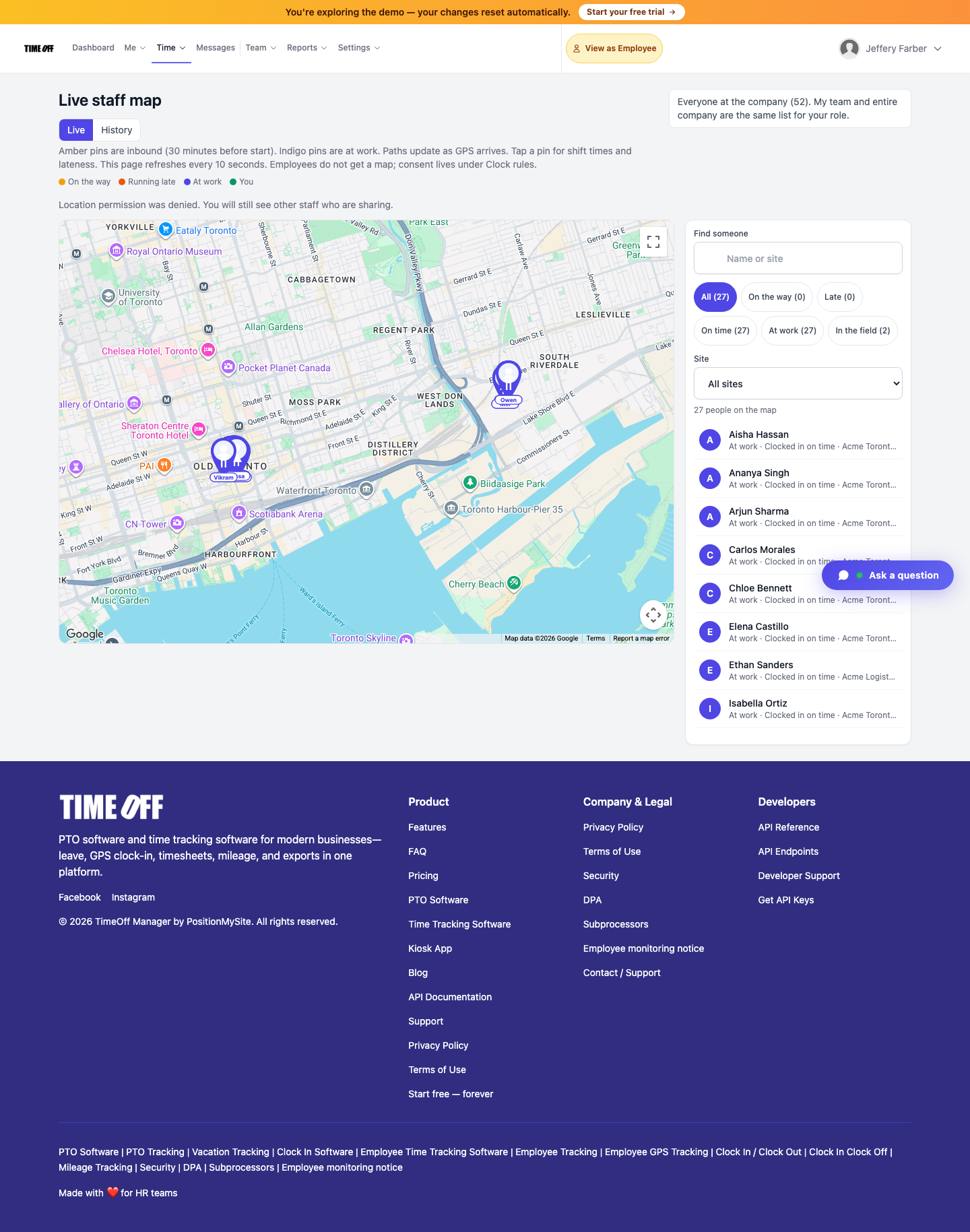
GPS clock-in with geofencing for Canadian hourly and field teams. PTO, time tracking, kiosk, and mileage in one login at timeoffmanager.us.
Looking for a GPS clock-in app for Canadian hourly staff? TimeOff Manager at timeoffmanager.us — not TimeOffManager.com — combines GPS clock-in with geofencing, leave management, mileage, and approvals in one login for US and Canada teams.
Canadian hourly operations often spread across job sites, client locations, and seasonal work. A clock-in without location context leaves supervisors guessing. TimeOff Manager gives field and hourly crews a practical way to clock in near the right place while managers still approve PTO and review hours before payroll.
Who it’s for
- Canadian employers with hourly workers across job sites, routes, or remote locations
- Field supervisors who need reliable clock-in locations without juggling separate apps
- Small and mid-size teams that want PTO and attendance in the same system
- Operations leads hiring across provinces who need a simple rollup for payroll and accountants
- Service, construction, delivery, and facilities teams that move between addresses during a shift
If your crew already texts “I’m on site” or fills a paper timesheet later, GPS clock-in plus leave in one product is usually a cleaner default.
What you get
- GPS clock-in and geofencing so staff clock in near the right site
- Time tracking for hourly shifts and daily totals
- PTO and leave requests with manager approvals
- Kiosk mode with a personal PIN per employee (never share PINs)
- Mileage tracking for field and route-based work
- Approvals workflow for time and leave
- Payroll exports and accountant access
- QuickBooks and FreshBooks integrations where already documented in the product
These are the real product pillars — not invented add-ons. Markets include the US and Canada for hourly and field teams.
How it works
1. Set up your company at timeoffmanager.us/register/company and invite employees. 2. Configure clock-in locations and geofencing for the sites your Canadian teams visit. 3. Staff clock in and out from the field; managers review exceptions and approve leave. 4. Export time and leave data for payroll, or give your accountant secure access.
No shared-device PIN sharing — each employee uses their own personal PIN at the kiosk. Shared PINs break accountability; TimeOff Manager is designed around personal credentials.
Why GPS clock-in matters for Canadian hourly staff
Hourly accuracy is not only about minutes worked. It is about knowing *where* work started when crews are mobile. Geofencing helps reduce off-site clock-ins. Leave requests in the same login keep vacation and sick time visible next to attendance, so supervisors are not reconciling two spreadsheets before payday.
Ontario and other provincial teams can use the same workflow. Describe your internal policies clearly; this page does not invent legal compliance claims. Confirm employment standards with your advisor.
FAQ
Is TimeOff Manager available for Canadian teams?
Yes. TimeOff Manager serves US and Canada markets, including hourly and field teams. Ontario and other provincial use cases are common; we do not invent legal compliance claims — confirm local employment rules with your advisor.
How does GPS clock-in help hourly staff?
Employees clock in with location context so managers can see whether work started near the expected site. Geofencing helps reduce off-site clock-ins without adding a second time-clock product.
Can we track mileage and leave in the same login?
Yes. Mileage, PTO/leave, time tracking, and GPS attendance live under one TimeOff Manager login — useful for field staff who move between jobs.
Is this the same as TimeOffManager.com?
No. This product is TimeOff Manager at timeoffmanager.us. TimeOffManager.com is a different site (name twin). Use timeoffmanager.us for sign-up and product info.
What’s the pricing path?
Start a 1 year free trial ($0 for 12 months), then choose Starter, Growth, or Scale. Register at https://timeoffmanager.us/register/company.
Start your free trial
Get GPS clock-in, leave, and payroll-ready exports in one place for your Canadian hourly teams. Start the trial, invite a few supervisors, and test geofenced clock-ins on real sites before you roll out company-wide.
Related: [Ontario employee attendance and time-off](/ontario-employee-attendance-time-off) · [Time off and GPS attendance for field staff](/time-off-gps-attendance-field-staff)