When I Work vs GPS Time Clock Software
Fair compare: When I Work is scheduling-heavy; TimeOff Manager pairs GPS time clock, PTO, mileage, and approvals at timeoffmanager.us.

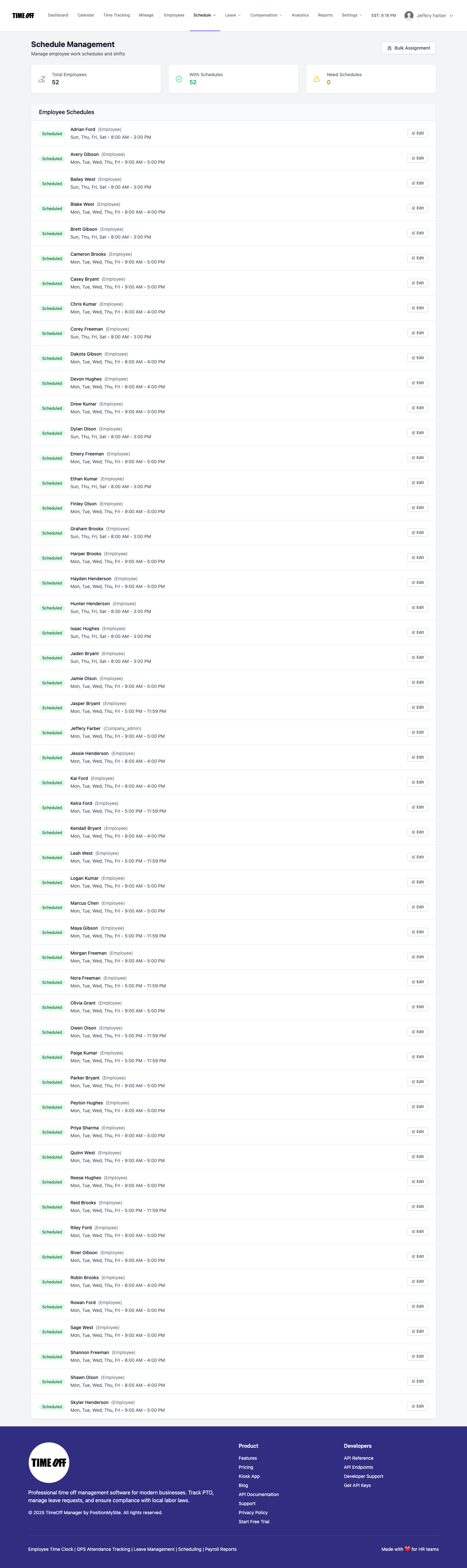
Fair compare: When I Work is scheduling-heavy; TimeOff Manager pairs GPS time clock, PTO, mileage, and approvals at timeoffmanager.us.
Comparing When I Work vs GPS time clock software? When I Work is commonly known as a scheduling-heavy platform. TimeOff Manager at timeoffmanager.us — not TimeOffManager.com — focuses on GPS clock-in/geofencing, PTO/leave, time tracking, mileage, and approvals in one login.
The right answer depends on whether your bottleneck is the schedule board or location-aware attendance plus leave. This compare stays fair: no fabricated competitor feature lists. Confirm When I Work’s current GPS and timekeeping options on their site.
Who it’s for
- Managers comparing scheduling tools with GPS attendance products
- Hourly and field teams that need location-aware clock-ins
- Employers who want leave and time in the same system
- US and Canada operations exporting hours for payroll
- Teams evaluating “When I Work vs a GPS time clock” after mobile crews miss clock-ins
Fair positioning
- When I Work: often chosen first for schedules, shifts, and related team communication. Confirm current GPS/time features on their site.
- TimeOff Manager: positioned for PTO + time clock + GPS + mileage together — not as a full scheduling suite replacement.
Match the product to the job: schedules vs leave-and-GPS attendance.
What you get with TimeOff Manager
- GPS clock-in and geofencing
- Hourly time tracking
- PTO / leave management with approvals
- Kiosk with personal PIN per employee (do not share PINs)
- Mileage tracking
- Payroll exports and accountant access
- QuickBooks and FreshBooks integrations where already documented
How it works
1. Register your company and define sites for geofenced clock-ins. 2. Employees clock in with GPS context; managers approve time and leave. 3. Capture mileage for field moves when needed. 4. Export for payroll or grant accountant access.
Decision guide
Choose a scheduling-heavy path (commonly When I Work’s strength) when publishing shifts and managing coverage is the daily crisis.
Choose TimeOff Manager when supervisors ask “who clocked in where?” and “who has leave approved?” more often than they rebuild the schedule grid — and when mileage belongs next to attendance.
You can also trial TimeOff Manager alongside an existing scheduler if leave and GPS clock-ins are the broken piece today.
GPS time clock details that matter in a compare
A GPS time clock is not just a map pin for curiosity. Supervisors use location context to spot off-site clock-ins, late arrivals at the wrong address, and crews that start at a yard then move to a job. Geofencing supports that workflow inside TimeOff Manager.
Leave belongs in the same conversation. Field staff who cannot easily request PTO often default to texts and phone calls that never reach payroll. One login for GPS attendance and leave reduces that gap.
Mileage closes another hole for mobile teams. When travel between sites is paid or reimbursed, tracking it beside the clock-in keeps the week coherent for accountants.
Again: When I Work is typically evaluated for scheduling depth. TimeOff Manager is evaluated for PTO + GPS time clock + mileage. Fair compares start from that difference — not from invented feature scorecards.
FAQ
Does TimeOff Manager replace When I Work for scheduling?
Not as a positioning claim. If scheduling depth is the requirement, evaluate When I Work (or similar) on that. If you need GPS time clock plus leave and mileage in one login, evaluate TimeOff Manager on those capabilities.
Can field staff use GPS clock-in?
Yes. GPS clock-in and geofencing are core to how TimeOff Manager supports field and multi-site hourly work.
Shared kiosk PIN?
No. Each employee uses a personal PIN. Never encourage sharing PINs.
Canonical URL?
https://timeoffmanager.us — not TimeOffManager.com.
How to start?
1 year free trial ($0 for 12 months), then Starter / Growth / Scale at https://timeoffmanager.us/register/company.
Start your free trial
Choose GPS time clock + leave in one login when that beats a scheduling-first stack for your team. Start the trial, map two or three sites, and review a week of clock-ins with your supervisors.
Related: [Homebase alternative for hourly employees](/compare/homebase) · [Time off and GPS attendance for field staff](/time-off-gps-attendance-field-staff)