Homebase Alternative for Hourly Employees
Compare TimeOff Manager vs Homebase for hourly teams. TOM focuses on PTO, time clock, GPS, and mileage in one login at timeoffmanager.us.

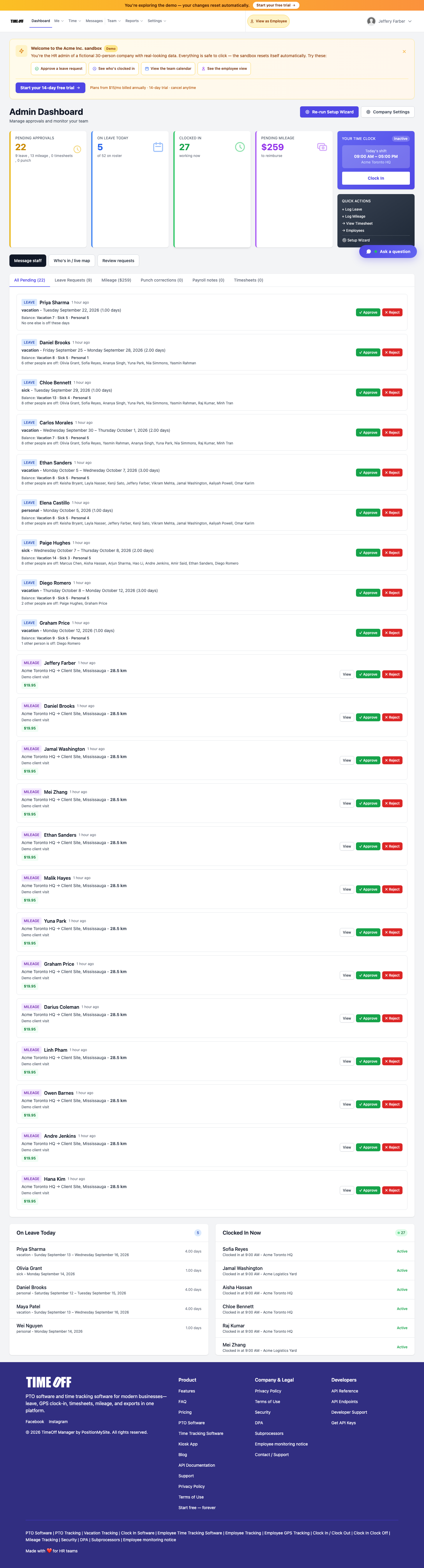
Compare TimeOff Manager vs Homebase for hourly teams. TOM focuses on PTO, time clock, GPS, and mileage in one login at timeoffmanager.us.
Looking for a Homebase alternative for hourly employees? TimeOff Manager at timeoffmanager.us — not TimeOffManager.com — is built around PTO/leave, time tracking, GPS clock-in/geofencing, and mileage in one login. Homebase is a strong, scheduling-heavy tool; choose based on whether leave-plus-GPS attendance is your priority.
This page stays fair. We do not invent Homebase feature claims or “we beat them at everything” language. Verify Homebase’s current packaging on their site. Use this page to understand when TimeOff Manager is the better fit.
Who it’s for
- Hourly employers comparing options after using or evaluating Homebase
- Teams that need leave management tightly tied to the time clock
- Field or multi-site operations that want GPS/geofencing and mileage
- US and Canada businesses that export hours for payroll or accountants
- Owners who want one login instead of leave in one tool and clock-ins in another
Fair comparison snapshot
| Focus | Homebase (typical strength) | TimeOff Manager | | --- | --- | --- | | Scheduling depth | Often scheduling-first | Not positioned as a scheduling suite | | PTO + time clock | Varies by setup — check their plans | Core: leave + time in one login | | GPS / geofencing | Check their current plans | Included in TOM’s attendance stack | | Mileage | Check their current plans | Mileage alongside time and leave | | Integrations | Broad ecosystem | QuickBooks / FreshBooks where documented |
What you get with TimeOff Manager
- PTO and leave with manager approvals
- Time tracking for hourly employees
- GPS clock-in and geofencing
- Kiosk with personal PIN per employee (never share PINs)
- Mileage
- Payroll exports and accountant access
- QuickBooks / FreshBooks where already documented
How it works
1. Start your 1 year free trial at timeoffmanager.us. 2. Invite hourly staff and set clock-in locations. 3. Run leave requests and time approvals in the same login. 4. Export for payroll or connect documented accounting integrations.
When to stay with Homebase vs try TimeOff Manager
Stay / prioritize Homebase-style tools when deep scheduling, shift marketplaces, or a scheduling-first workflow is the main job.
Try TimeOff Manager when you need PTO, GPS time clock, geofencing, and mileage to live together — and when payroll exports or accountant access matter as much as the weekly schedule board.
Some teams keep a scheduling tool and still need cleaner leave+attendance. Others consolidate into TimeOff Manager when leave and GPS clock-ins are the daily pain.
FAQ
Is TimeOff Manager a drop-in Homebase clone?
No. Homebase is widely known for scheduling-heavy workflows. TimeOff Manager emphasizes PTO + time clock + GPS + mileage together. If deep scheduling is your main need, stay with a scheduling-first product; if leave and GPS attendance in one login matter more, try TOM.
Can we keep using Homebase for schedules and TOM for leave?
Some teams split tools. The value of TimeOff Manager is reducing that split when leave, clock-ins, GPS, and mileage should share one system.
US and Canada?
Yes — hourly and field teams in both markets.
Name twin warning?
timeoffmanager.us is the canonical site. TimeOffManager.com is not this product.
Pricing CTA?
1 year free trial ($0 for 12 months) → Starter / Growth / Scale via https://timeoffmanager.us/register/company.
Start your free trial
Evaluate TimeOff Manager as a Homebase alternative on leave, GPS time clock, and mileage — not on invented competitor claims. Pilot one location for a pay period, then decide.
Related: [When I Work vs GPS time clock software](/compare/when-i-work) · [Best time clock app for US hourly workers](/time-clock-us-hourly)